
1. Einleitung
This manual provides comprehensive instructions for the safe and efficient use of your Grundig 10000 mAh Powerbank. Please read this manual thoroughly before operating the device and retain it for future reference.
The Grundig 10000 mAh Powerbank is a portable charging device designed to provide power to your electronic devices on the go. It features a high-capacity battery and multiple USB ports for versatile charging of smartphones, tablets, smartwatches, and other USB-powered devices.
2. Packungsinhalt
Prüfen Sie beim Öffnen der Verpackung, ob alle Artikel vorhanden und in einwandfreiem Zustand sind:
- 1 x Grundig 10000 mAh Powerbank
- 1 x Micro USB to USB-C Cable
3. Produktüberschreitungview
The Grundig 10000 mAh Powerbank is designed for portability and efficiency. It features a compact form factor and essential ports for charging and recharging.
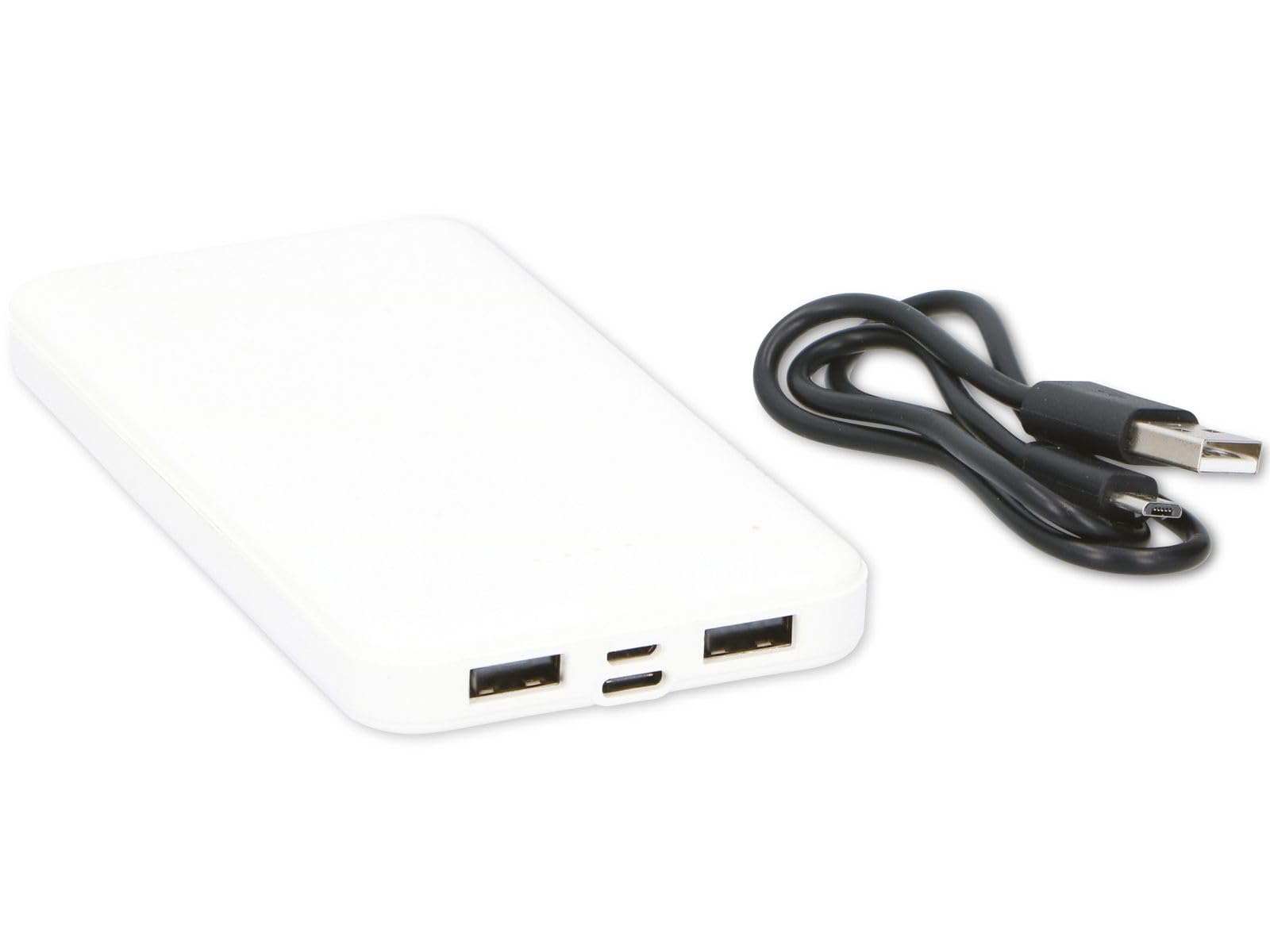
Figure 1: Grundig 10000 mAh Powerbank. This image displays the Grundig 10000 mAh Powerbank, highlighting its sleek white casing and the various input/output ports located on its side.
Hauptmerkmale:
- Hohe Kapazität: 10000 mAh battery for extended power.
- Zwei Eingangsanschlüsse: Micro USB and USB-C for recharging the power bank.
- Zwei Ausgangsanschlüsse: Two standard USB-A ports for charging devices.
- Kompaktes Design: Schlank und leicht für einfachen Transport.
4. Einrichtung
4.1 Erstes Aufladen der Powerbank
Before first use, fully charge the Grundig Powerbank. This ensures optimal battery performance and longevity.
- Connect the included Micro USB to USB-C cable to either the Micro USB input port or the USB-C input port on the power bank.
- Connect the other end of the cable to a compatible USB power adapter (e.g., a smartphone charger, not included) or a computer's USB port.
- The power bank's indicator lights will illuminate to show the charging status. Allow the power bank to charge until all indicator lights are solid, indicating a full charge.
Note: Charging times may vary depending on the power source.
5. Bedienungsanleitung
5.1 Laden externer Geräte
The Grundig Powerbank can charge a wide range of USB-powered devices.
- Stellen Sie sicher, dass die Powerbank ausreichend geladen ist.
- Connect your device's charging cable (e.g., USB-A to Lightning, USB-A to USB-C, etc.) to one of the two USB output ports on the power bank.
- Verbinden Sie das andere Ende des Kabels mit Ihrem Smartphone, Tablet, Ihrer Smartwatch oder einem anderen kompatiblen Gerät.
- Die Powerbank beginnt automatisch mit dem Ladevorgang Ihres Geräts. Die Kontrollleuchten an der Powerbank zeigen den verbleibenden Ladestand an.
Sie können zwei Geräte gleichzeitig über beide USB-Ausgänge aufladen.
5.2 Batteriestand prüfen
Press the power button (if present, or observe automatic indication) to check the remaining battery level of the power bank via the LED indicator lights.
6. Wartung und Pflege
- Reinigung: Reinigen Sie die Powerbank mit einem weichen, trockenen Tuch. Verwenden Sie keine scharfen Chemikalien oder Scheuermittel.
- Lagerung: Bewahren Sie die Powerbank an einem kühlen, trockenen Ort auf, fern von direkter Sonneneinstrahlung und extremen Temperaturen.
- Batteriezustand: If storing for extended periods, recharge the power bank every 3-6 months to prevent deep discharge and maintain battery health.
- Feuchtigkeit vermeiden: Halten Sie das Gerät von Wasser und hoher Luftfeuchtigkeit fern.
7. Fehlerbehebung
| Problem | Mögliche Ursache | Lösung |
|---|---|---|
| Das Gerät lädt nicht über die Powerbank. | Der Akku der Powerbank ist leer. Defektes Ladekabel. Das Gerät ist nicht kompatibel. | Laden Sie die Powerbank auf. Versuchen Sie es mit einem anderen Ladekabel. Ensure your device is USB-powered. |
| Powerbank lädt nicht. | Defektes Ladekabel oder Netzteil. Input port issue. | Try a different Micro USB/USB-C cable and a different USB power adapter. Ensure the cable is fully inserted into the input port. |
| Langsamer Ladevorgang. | Low power adapter used for recharging. Cable resistance. | Verwenden Sie eine höhere Watttage USB power adapter (e.g., 5V/2A). Verwenden Sie ein hochwertiges Ladekabel. |
8. Spezifikationen
| Marke | Grundig |
| Modell | 10000 mAh Powerbank |
| Batteriekapazität | 10000 mAh |
| Eingangsanschlüsse | Micro-USB, USB-C |
| Ausgangsanschlüsse | 2 x USB-A |
| Abmessungen (L x B x H) | 13.9 x 6.8 x 1.2 cm |
| Gewicht | 165 Gramm |
| Farbe | Weiß |
| Kompatible Geräte | Smartphone, Smartwatch, Tablet |
| Ursprungsland | China |
9. Sicherheitshinweise
Bitte beachten Sie die folgenden Sicherheitsvorkehrungen, um Schäden am Gerät oder Verletzungen zu vermeiden:
- Die Powerbank darf nicht auseinandergenommen, verändert oder repariert werden.
- Avoid dropping, puncturing, or subjecting the power bank to strong impacts.
- Keep the power bank away from fire, high temperatures, and direct sunlight.
- Setzen Sie die Powerbank nicht Wasser oder anderen Flüssigkeiten aus.
- Außerhalb der Reichweite von Kindern aufbewahren.
- Entsorgen Sie die Powerbank verantwortungsvoll gemäß den örtlichen Vorschriften für Elektronikschrott.
10. Garantie und Support
For warranty information, technical support, or service inquiries, please contact your retailer or refer to the official Grundig website. Please have your proof of purchase and product model information ready when contacting support.
Hinweis: Die genauen Garantiebedingungen können je nach Region und Händler variieren.