
1. Einleitung
This manual provides detailed instructions for the installation, operation, and maintenance of your Podofo Double Din Car Stereo. This unit features a 7-inch touchscreen, Android 10.1 operating system, Wireless Apple CarPlay, Wired Android Auto, GPS navigation, Bluetooth, WiFi, USB connectivity, FM/RDS radio, and support for a backup camera. Please read this manual thoroughly before use to ensure proper functionality and safety.

Bild: Überview of the Podofo Double Din Car Stereo in a vehicle dashboard, highlighting its main functionalities.
2. Einrichtung und Installation
2.1 Packungsinhalt
Vor der Installation prüfen Sie bitte, ob alle Komponenten vorhanden sind:
- Podofo Doppel-DIN-Autoradio
- Rückfahrkamera
- Stromkabel
- GPS-Antenne
- Kamera-Eingangskabel
- RCA-Eingangs- und Ausgangskabel
- 2 USB-Kabel
- Screw/Metal Frame for installation
- Bedienungsanleitung (dieses Dokument)

Abbildung: Inhalt der Produktverpackung.
2.2 Abmessungen
The installation size of the unit is 178mm x 103mm. The depth is 60mm. Ensure your vehicle's dashboard opening is compatible with these dimensions for a proper fit.
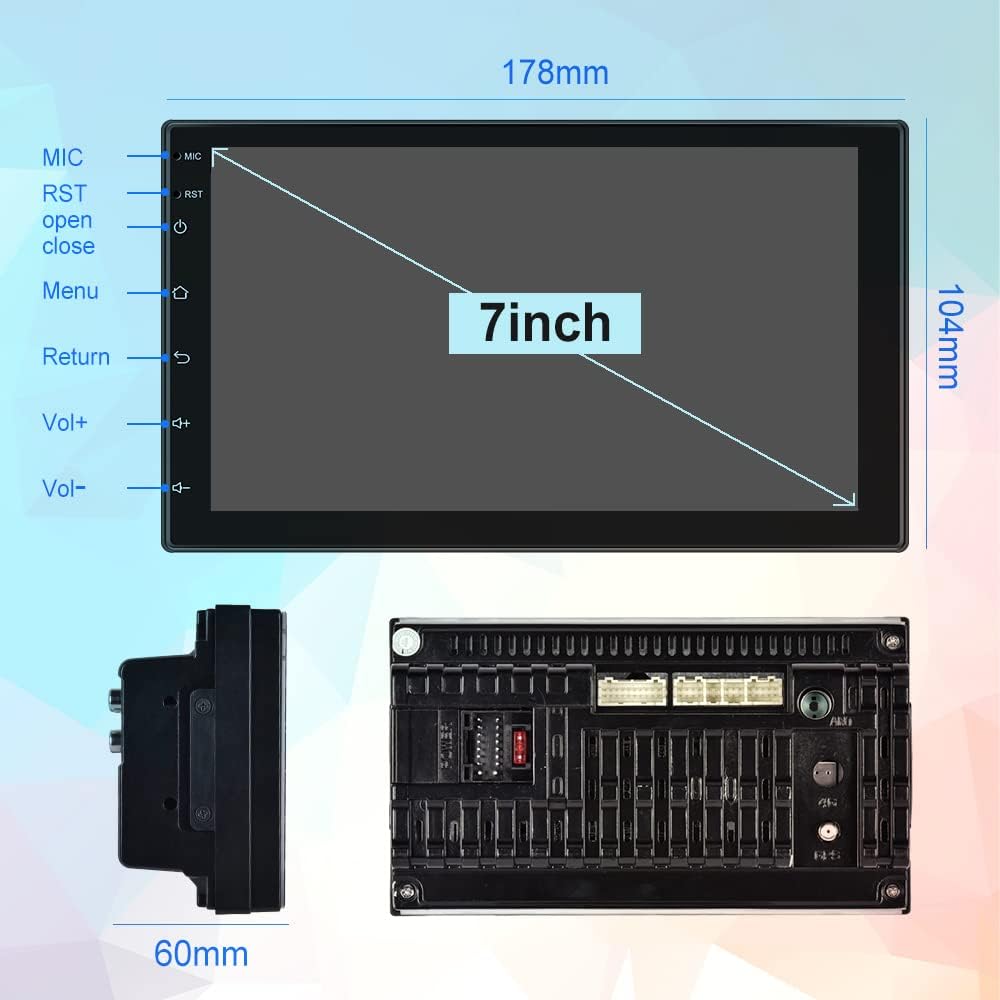
Image: Physical dimensions of the head unit.
2.3 Schaltplan
Beachten Sie das folgende Diagramm für die korrekten Kabelanschlüsse. Eine falsche Verkabelung kann das Gerät oder die Fahrzeugelektrik beschädigen. Im Zweifelsfall wenden Sie sich bitte an einen Fachmann.
- Gelb (B+): Constant Power Supply (+12V)
- Rot (ACC): Ignition Switch (+12V)
- Schwarz (GND): Erdungskabel
- Orange (ILL): Illumination Backlight
- Blue (ANT CONT): Automatische Antennenleistung
- Brown (SW1) & Pink (SW2): Steering Wheel Control (connect to vehicle's steering wheel control wires)
- White/White-Black: Vorderer linker Lautsprecher (+/-)
- Gray/Gray-Black: Vorderer rechter Lautsprecher (+/-)
- Green/Green-Black: Hinterer linker Lautsprecher (+/-)
- Purple/Purple-Black: Rechter Lautsprecher hinten (+/-)
- Umgekehrte Eingabe: Connect to vehicle's reverse light signal for backup camera activation.
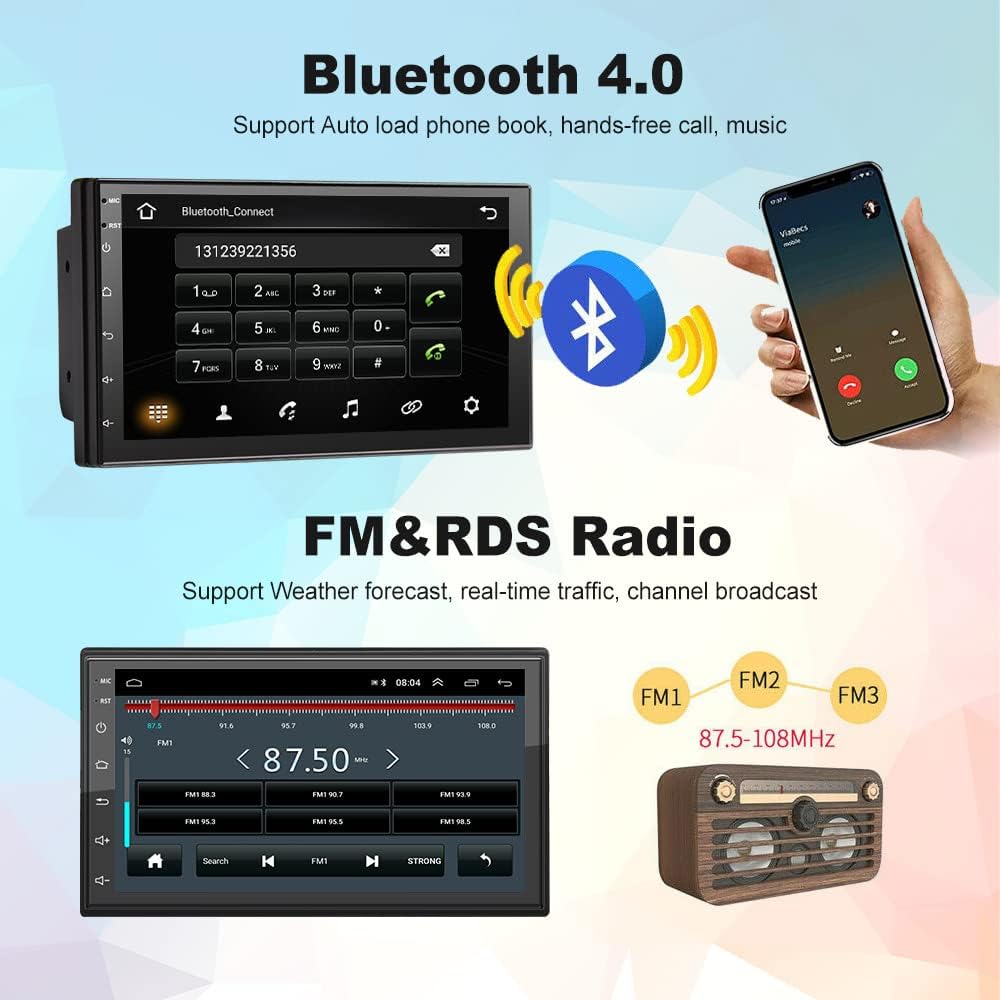
Image: Comprehensive wiring diagram for the car stereo.
2.4 Erstes Einschalten
After completing all wiring, turn on your vehicle's ignition. The unit should power on automatically. Follow any on-screen prompts for initial setup.
3. Bedienungsanleitung
3.1 Wireless Apple CarPlay / Wired Android Auto
This unit supports both wireless Apple CarPlay and wired Android Auto. Connect your smartphone to access navigation, music, calls, and more directly on the stereo's screen.
- Drahtlose CarPlay-Verbindung:
- Ensure Bluetooth is enabled on your iPhone and the car stereo.
- Pair your iPhone with the car stereo via Bluetooth (device name: CarBT, PIN: 0000).
- Öffnen Sie die Anwendung „ZLINK“ auf dem Autoradio.
- If the connection is not successful, manually connect your iPhone to the car stereo's WiFi hotspot. Go to Car Settings > Android Settings > Network & Internet > Hotspot & tethering > Wi-Fi hotspot. Turn on the hotspot and note the network name (e.g., AndroidAP_B442). Connect your iPhone to this WiFi network.
- Once connected via WiFi, the ZLINK app should prompt you to use CarPlay. Confirm the connection.
- After manually connecting to the WiFi of the vehicle, delete the history record in the ZLINK app and then click ZLINK again to connect.
- Kabelgebundene automatische Android-Verbindung: Connect your Android phone to the stereo via a USB cable. Follow the on-screen prompts to enable Android Auto.
Video: Demonstrates the steps to connect an Android Double Din Car Stereo, including Bluetooth and ZLINK connections for smartphone integration.

Image: Wireless Apple CarPlay and Android Auto interfaces.
3.2 Bluetooth-Konnektivität
The unit features Bluetooth 4.2 for hands-free calling, music streaming, and automatic phonebook loading. To connect:
- Öffne die Bluetooth-Anwendung auf dem Autoradio.
- Enable Bluetooth on your smartphone and search for 'CarBT'.
- Pair the devices using the default PIN '0000' if prompted.
- Once connected, you can make/receive calls and play audio through the stereo.
Image: Bluetooth connection interface on the car stereo.
3.3 GPS-Navigation & WLAN
The stereo includes built-in GPS navigation and WiFi connectivity.
- GPS Navigation: Supports online and offline maps. You can download offline maps directly from the Play Store.
- W-lan: Connect to your phone's hotspot or a local WiFi network to browse websites and download apps like Chrome, Waze, IGO, Sygic, etc.
3.4 FM/RDS-Radio
Access FM radio stations and receive RDS (Radio Data System) information, which displays station names, program content, and other relevant data.
Image: FM radio interface with RDS display.
3.5 Lenkradsteuerung (SWC)
The unit supports learning functions for your original car's steering wheel controls. This allows you to control the stereo's functions (e.g., volume, track skip) directly from your steering wheel for convenience and safety.
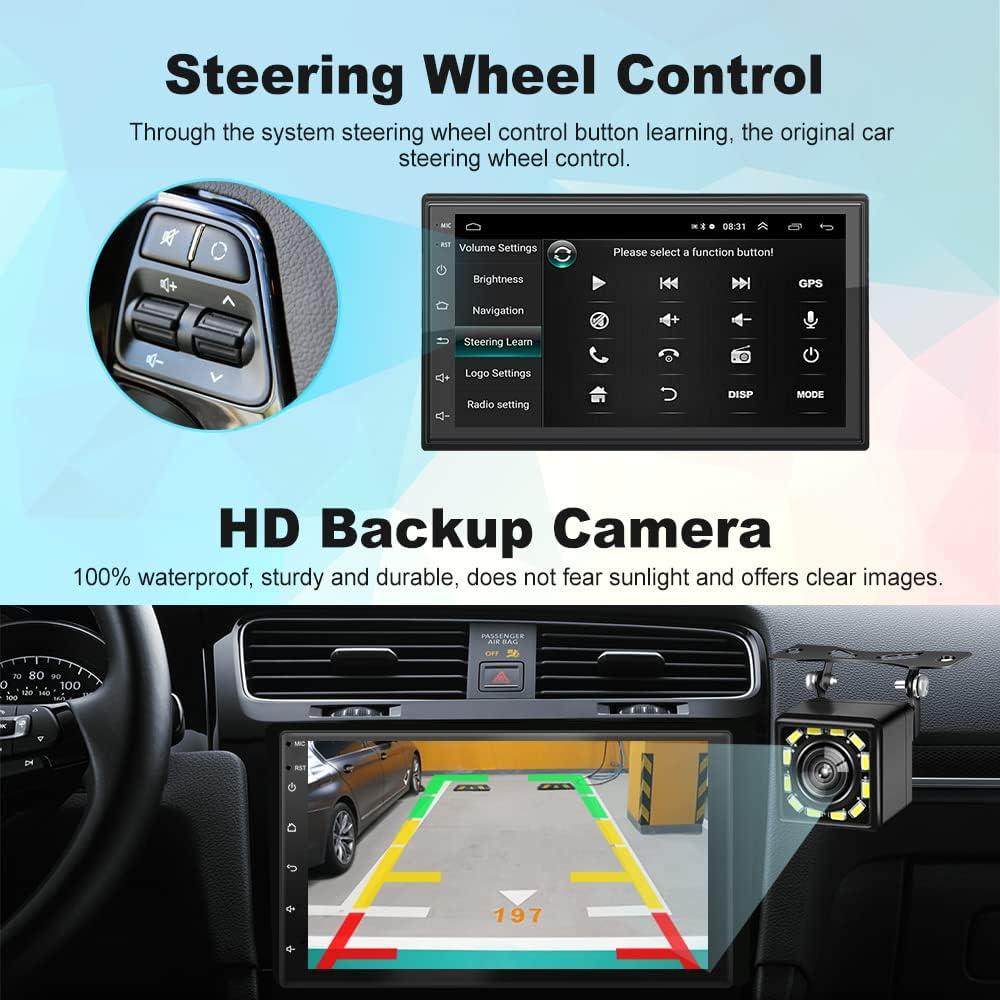
Abbildung: Benutzeroberfläche für die Lenkradfernbedienung.
3.6-Zoll-HD-Rückfahrkamera
The included 12-light HD backup camera is waterproof and provides high-definition night vision. When reversing, the stereo automatically switches to display the camera's feed, showing the area behind your vehicle.
Abbildung: Rückfahrkamera view on the car stereo display.
3.7 Split-Screen-Funktion
The split-screen feature allows you to run two applications simultaneously, such as navigation and music playback, without performance issues.

Image: Split Screen functionality displaying two applications simultaneously.
3.8 10-Band EQ Settings
Adjust the audio output to your preference with the integrated 10-band equalizer. This allows for fine-tuning of sound effects for each seat in the car.
Image: 10-band EQ settings interface.
4. Wartung
Um die Langlebigkeit und optimale Leistung Ihres Autoradios zu gewährleisten, beachten Sie bitte folgende Wartungshinweise:
- Reinigung: Reinigen Sie den Touchscreen und das Gehäuse des Geräts mit einem weichen, trockenen Tuch. Vermeiden Sie Scheuermittel oder Lösungsmittel.
- Software-Updates: Überprüfen Sie regelmäßig die Herstellerangaben. website or the unit's settings for available software updates to improve performance and add new features.
- Temperatur: Vermeiden Sie es, das Gerät extremen Temperaturen, längerer direkter Sonneneinstrahlung oder übermäßiger Luftfeuchtigkeit auszusetzen.
5. Fehlerbehebung
Sollten Sie Probleme mit Ihrem Podofo-Autoradio haben, beachten Sie bitte die folgenden häufig auftretenden Probleme und Lösungen:
- Kein Strom:
- Check the yellow (B+) and red (ACC) power wires for proper connection to a constant 12V and ignition 12V source, respectively.
- Ensure the black (GND) wire is securely connected to a vehicle ground.
- Verify that the fuse on the power cable is intact. Replace if blown.
- Kein Ton:
- Check all speaker wire connections (White, Gray, Green, Purple and their black-striped counterparts) to ensure they are correctly connected to your vehicle's speakers.
- Stellen Sie sicher, dass die Lautstärke nicht stummgeschaltet oder auf Minimum eingestellt ist.
- Vergewissern Sie sich, dass die richtige Audioquelle ausgewählt ist.
- Probleme mit der drahtlosen CarPlay/Android Auto-Verbindung:
- Ensure Bluetooth is on and paired correctly.
- If using wireless CarPlay, ensure your iPhone is connected to the stereo's WiFi hotspot as described in section 3.1.
- Starten Sie sowohl Ihr Telefon als auch das Autoradio neu.
- Delete any existing Bluetooth/WiFi connections on both devices and attempt to reconnect.
- Lenkradbedienelemente funktionieren nicht:
- Ensure the SW1 and SW2 wires are correctly connected to your vehicle's steering wheel control wires.
- Access the 'Steering Learn' function in the stereo's settings and follow the on-screen instructions to program the controls.
- Rückfahrkamera zeigt kein Bild an:
- Check the camera input cable connection to the stereo.
- Ensure the reverse input wire is correctly connected to your vehicle's reverse light signal.
- Prüfen Sie, ob die Kamera eingeschaltet ist und funktioniert.
If problems persist after attempting these solutions, please contact Podofo customer support.
6. Spezifikationen
| Besonderheit | Spezifikation |
|---|---|
| Marke | Podofo |
| Modell | B09C2ZQLDW |
| Bildschirmgröße | 7 Zoll |
| Betriebssystem | Android 10.1 |
| CPU | 8227L, 4-core 1.3GHz processor |
| Erinnerung | 1 GB RAM + 16 GB ROM |
| Auflösung | 1024 x 600 |
| Konnektivitätstechnologie | USB, Bluetooth, WLAN |
| Bluetooth-Version | 4.2 |
| Besondere Merkmale | Wireless Apple CarPlay, Wired Android Auto, GPS Navigation, FM RDS, Backup Camera, Split Screen, Steering Wheel Control |
| Audioausgabemodus | APE/FLAC/WAV/MP3/WMA usw. |
| Montagetyp | Armaturenbrettmontage (Doppel-DIN) |
| Artikelgewicht | 941 Gramm |
7. Garantie und Support
Your Podofo Double Din Car Stereo comes with a 2 Jahr Garantie Diese Garantie gilt ab Kaufdatum und deckt Herstellungsfehler sowie Funktionsstörungen bei normalem Gebrauch ab.
For technical support, warranty claims, or any questions not covered in this manual, please contact Podofo customer service through the retailer where you purchased the product or visit the official Podofo webWebsite für Kontaktinformationen.
Bitte bewahren Sie Ihren Kaufbeleg für Garantiezwecke auf.