
1. Einleitung
Thank you for choosing the Cecotec ForceClima 7450 Touch Connected Portable Air Conditioner. This manual provides essential information for the safe and efficient operation, maintenance, and troubleshooting of your new appliance. Please read it thoroughly before use and keep it for future reference.

Figure 1.1: Cecotec ForceClima 7450 Touch Connected Portable Air Conditioner
The ForceClima 7450 Touch Connected is designed to provide effective cooling, ventilation, and dehumidification for spaces up to 15 m². It features a powerful 7000 BTU cooling capacity, a user-friendly touch control panel, a remote control, and Wi-Fi connectivity for convenient operation via your smartphone.
2. Sicherheitshinweise
Um das Risiko von Bränden, Stromschlägen oder Verletzungen bei der Verwendung Ihrer Klimaanlage zu verringern, befolgen Sie diese grundlegenden Vorsichtsmaßnahmen:
- Schließen Sie das Gerät immer an eine geerdete Steckdose mit der korrekten Spannung an.tage (230 Volt).
- Betreiben Sie die Klimaanlage nicht mit einem beschädigten Kabel oder Stecker.
- Sorgen Sie für ausreichende Belüftung rund um das Gerät. Blockieren Sie keine Lufteinlässe oder -auslässe.
- Finger oder Fremdkörper dürfen nicht in die Lufteinlässe/-auslässe eingeführt werden.
- Keep the unit away from water and other liquids. Do not use it in bathrooms or very humid environments.
- Vor der Reinigung oder Durchführung von Wartungsarbeiten ziehen Sie den Netzstecker des Geräts.
- Versuchen Sie nicht, das Gerät selbst zu reparieren oder zu verändern. Wenden Sie sich für Reparaturen an qualifiziertes Servicepersonal.
- Ensure the exhaust hose is properly installed to expel hot air outside.
- Beaufsichtigen Sie Kinder, um sicherzustellen, dass sie nicht mit dem Gerät spielen.
3. Packungsinhalt
Carefully unpack your air conditioner and check that all items are present and in good condition:
- Cecotec ForceClima 7450 Touch Connected Portable Air Conditioner Unit
- Fernbedienung
- Abluftschlauch
- Fensterdichtungssatz
- Ablaufschlauch
- Bedienungsanleitung
4. Produktmerkmale
The Cecotec ForceClima 7450 Touch Connected offers a range of features for optimal comfort:
- Kühlleistung: 7000 BTU, suitable for rooms up to 15 m².
- Leistung: 790 Watt.
- Steuerungsoptionen: Intuitive touch control panel, remote control, and Wi-Fi connectivity via smartphone app.
- Anzeige: Clear LED screen showing current settings.
- Betriebsarten:
- Kühlmodus: For effective temperature reduction.
- Gebläsemodus: Zirkuliert Luft ohne Kühlung.
- Entfeuchtungsmodus: Entfernt bis zu 20 Liter Feuchtigkeit pro Tag und verbessert so die Luftqualität.
- Nachtmodus: Operates quietly for undisturbed sleep.
- Lüftergeschwindigkeiten: Two adjustable speeds (Low and High).
- Timer-Funktion: Programmable for up to 24 hours.
- Portabilität: Ausgestattet mit Rädern für einfaches Bewegen.
5. Einrichtung
Befolgen Sie diese Schritte, um Ihre mobile Klimaanlage einzurichten:
5.1 Positionierung des Geräts
Place the air conditioner on a flat, stable surface, ensuring there is at least 30 cm of clear space around the unit for proper airflow. Position it near a window or opening for exhaust hose installation.
5.2 Installing the Exhaust Hose
- Befestigen Sie ein Ende des Abluftschlauchs am Luftauslass auf der Rückseite des Geräts.
- Verlängern Sie den Auspuffschlauch und befestigen Sie den Fensteradapter am anderen Ende.
- Open the window and install the window sealing kit. Secure the window adapter into the opening of the sealing kit to ensure hot air is expelled outside and warm air does not re-enter the room.
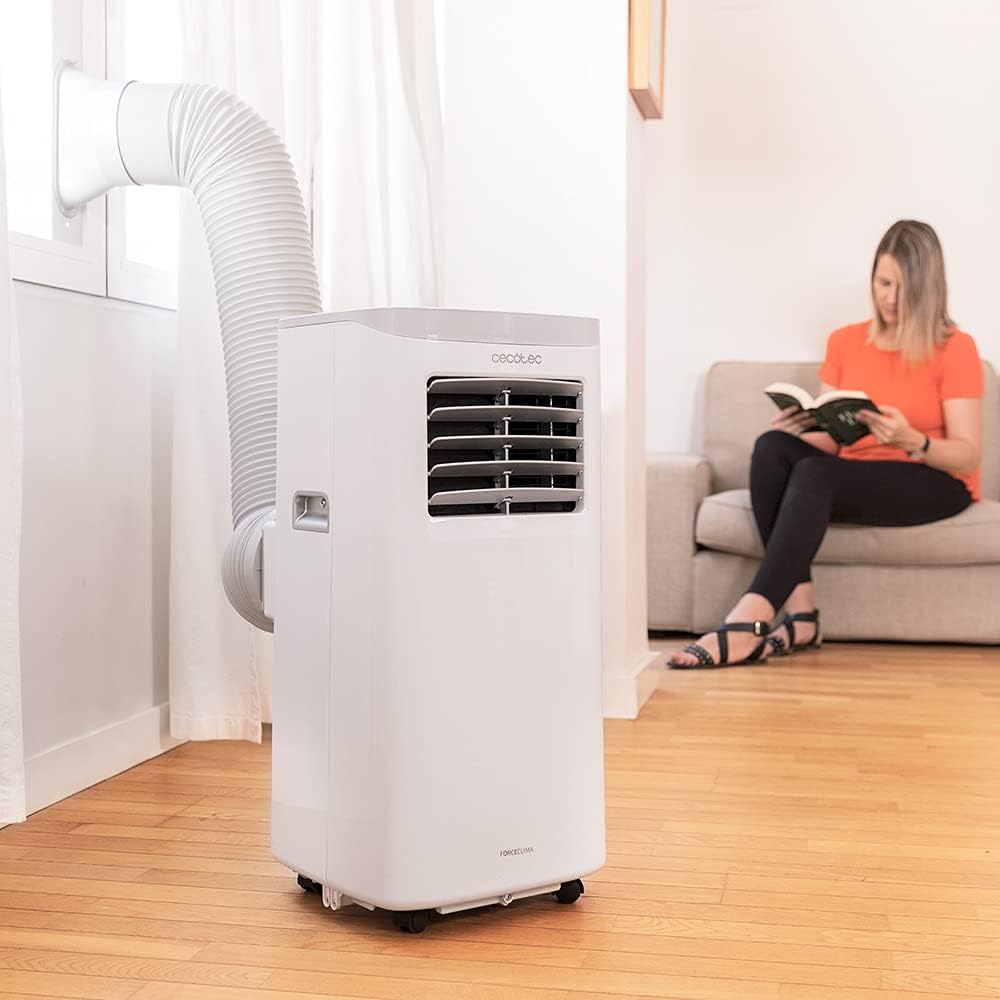
Figure 5.1: Proper installation of the exhaust hose in a window
5.3 Stromanschluss
Plug the power cord into a standard 230V grounded electrical outlet. Ensure the outlet is suitable for the appliance's power requirements.
6. Bedienungsanleitung
Your Cecotec ForceClima 7450 Touch Connected can be operated using the touch control panel, the remote control, or the dedicated smartphone app.
6.1 Bedienung des Bedienfelds

Abbildung 6.1: Touch-Bedienfeld

Figure 6.2: Interacting with the Control Panel
- Netzschalter: Drücken, um das Gerät ein- oder auszuschalten.
- Modus-Taste: Cycle through Cooling, Fan, Dehumidification, and Night modes. The selected mode will be indicated on the LED display.
- Tasten zur Temperatureinstellung (Auf/Ab): Stellen Sie im Kühlmodus die gewünschte Temperatur ein.
- Lüftergeschwindigkeitstaste: Zwischen niedriger und hoher Lüftergeschwindigkeit umschalten.
- Timer-Taste: Set the auto-off timer (up to 24 hours).
6.2 Fernbedienungsbetrieb
The remote control allows you to operate all functions of the air conditioner from a distance. Ensure there are no obstructions between the remote control and the unit's receiver.
- Die Tasten auf der Fernbedienung entsprechen den Funktionen auf dem Bedienfeld.
- Insert 2x AAA batteries (not included) into the remote control before first use.
6.3 Wi-Fi Control (Smartphone App)
The Cecotec ForceClima 7450 Touch Connected can be controlled remotely via a smartphone app. This allows you to manage settings from anywhere with an internet connection.
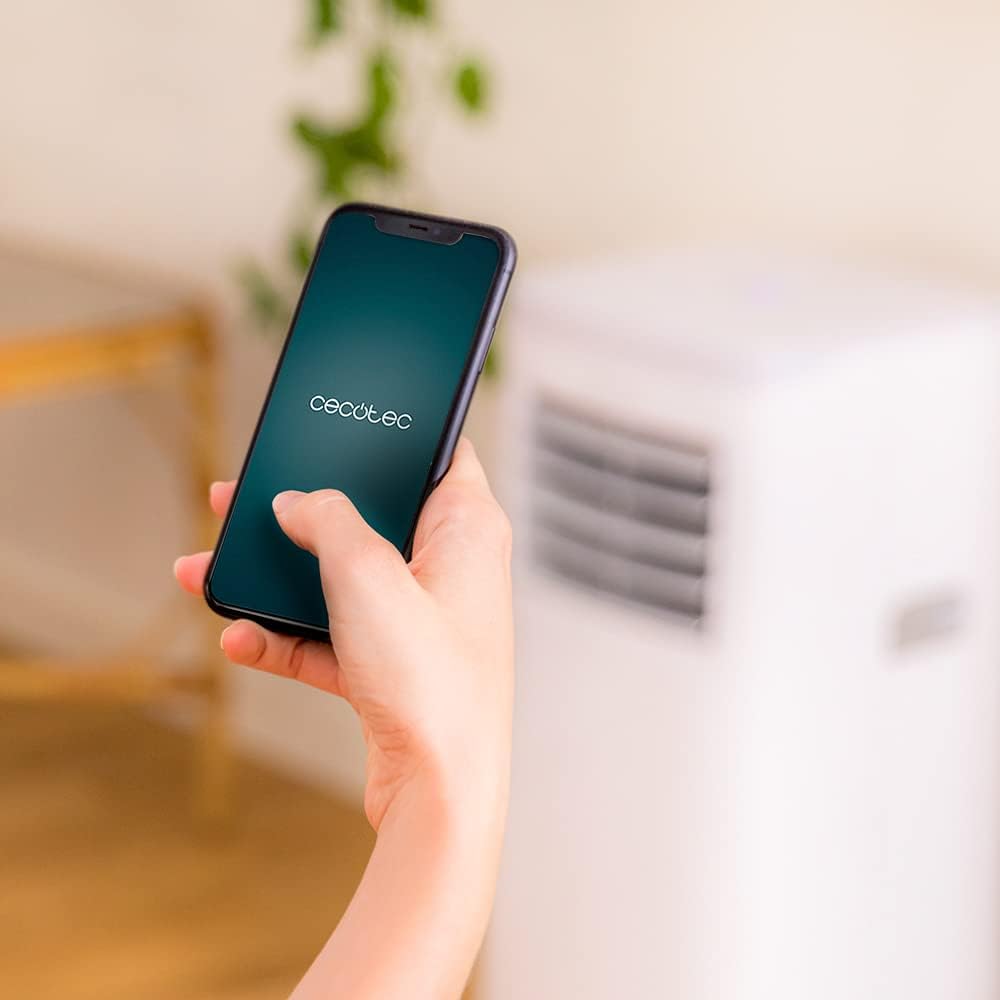
Figure 6.3: Controlling the unit via the Cecotec App
- Download the official Cecotec app from your smartphone's app store (iOS or Android).
- Registrieren Sie ein Konto oder melden Sie sich an.
- Follow the in-app instructions to add your ForceClima 7450 Touch Connected unit. This typically involves putting the unit into pairing mode and connecting it to your home Wi-Fi network.
- Once connected, you can control all functions, including power, mode, temperature, fan speed, and timer, directly from your smartphone.
7. Wartung
Regelmäßige Wartung gewährleistet optimale Leistung und verlängert die Lebensdauer Ihrer Klimaanlage.
7.1 Reinigung des Luftfilters
Der Luftfilter sollte je nach Nutzung und Luftqualität alle zwei Wochen oder häufiger gereinigt werden. Ein verschmutzter Filter kann die Kühlleistung und den Luftdurchsatz verringern.
- Ziehen Sie den Stecker der Klimaanlage aus der Steckdose.
- Locate and remove the air filter from the back or side of the unit (refer to the diagram in your quick start guide if unsure).
- Clean the filter using a vacuum cleaner to remove dust. For stubborn dirt, wash it gently with lukewarm water and a mild detergent.
- Lassen Sie den Filter vollständig trocknen, bevor Sie ihn wieder in das Gerät einsetzen. Setzen Sie ihn keiner direkten Sonneneinstrahlung aus.
7.2 Ablassen von angesammeltem Wasser
During cooling and dehumidification, water will accumulate inside the unit. The unit has an internal water tank, but for continuous operation or high humidity, manual drainage may be required.
- When the internal tank is full, the unit may stop operating and display an indicator.
- Ziehen Sie den Stecker aus der Steckdose.
- Stellen Sie eine flache Schale oder einen Eimer unter den Abfluss an der Unterseite der Rückseite des Geräts.
- Den Ablassstopfen entfernen und das gesamte Wasser ablaufen lassen.
- For continuous drainage, attach the provided drainage hose to the outlet and direct it to a floor drain or suitable container.
- Replace the drain plug securely after draining.
7.3 Reinigung der Außenseite des Geräts
Wischen Sie die Außenseite des Geräts mit einem weichen,amp Mit einem Tuch abwischen. Verwenden Sie keine scharfen Chemikalien, Scheuermittel oder Lösungsmittel, da diese die Oberfläche beschädigen können.
8. Fehlerbehebung
Bevor Sie sich an den Kundendienst wenden, beachten Sie bitte die folgenden häufig auftretenden Probleme und Lösungen:
| Problem | Mögliche Ursache | Lösung |
|---|---|---|
| Das Gerät lässt sich nicht einschalten | Kein Strom; Netzkabel nicht eingesteckt; Wassertank voll | Stromversorgung prüfen; Netzkabel anschließen; Wassertank entleeren |
| Das Gerät kühlt nicht effektiv. | Dirty air filter; Exhaust hose not properly installed; Room too large; Doors/windows open | Clean air filter; Ensure proper hose installation; Close doors/windows; Check room size (max 15 m²) |
| Gerät ist laut | Unit not on a flat surface; Obstruction in fan; Normal operating sound (65 dB) | Place on flat surface; Check for obstructions; Note that some noise is normal for portable ACs |
| Wi-Fi-Verbindung schlägt fehl | Falsches WLAN-Passwort; Router zu weit entfernt; App-Probleme | Verify password; Move unit closer to router; Restart app/unit; Consult app's troubleshooting guide |
| Wasserleck | Drain plug loose; Drainage hose not properly connected | Secure drain plug; Ensure drainage hose is tightly connected |
9. Spezifikationen
| Besonderheit | Spezifikation |
|---|---|
| Modellnummer | 05957 |
| Kühlleistung | 7000 BTU |
| Energieaufnahme | 790 Watt |
| Bandtage | 230 Volt |
| Geräuschpegel | 65 dB |
| Abdeckungsbereich | Ca. 15 m² |
| Entfeuchtungskapazität | Bis zu 20 Liter/Tag |
| Abmessungen (T x B x H) | 30.5 x 32.8 x 67.8 cm |
| Gewicht | 20 kg |
10. Garantie und Support
Cecotec products are manufactured to high-quality standards. This product is covered by a manufacturer's warranty against defects in materials and workmanship from the date of purchase. Please retain your proof of purchase for warranty claims.
For technical support, spare parts, or warranty service, please contact Cecotec customer service through their official website or the contact information provided in your product's packaging. Do not attempt to repair the unit yourself, as this may void the warranty.