
1. Einleitung
This manual provides essential information for the safe and efficient use of your POWEROWL 4-Bay Battery Charger and accompanying D rechargeable batteries. This charger is designed to charge Ni-MH and Ni-CD rechargeable batteries of various sizes, including AA, AAA, C, and D. Please read these instructions carefully before use and retain them for future reference.
2. Produktmerkmale
- Intelligentes Laden: Built-in chip control automatically stops charging when batteries are full, preventing overcharge.
- LED-Anzeigen: Clear LED lights indicate charging status (Red for charging, Green for fully charged, Flashing for damaged battery).
- Kompatibilität mit mehreren Akkus: Charges 1-4 AA, AAA, C, and D Ni-MH/Ni-CD rechargeable batteries simultaneously.
- Zwei Lademodi: Select between Fast Charge and Overnight modes for flexible charging.
- USB Eingang: Conveniently powered via USB, allowing charging from laptops, car chargers, or mobile phone adapters.
- Sicherheitsschutz: Funktionen über Lautstärketage, Überstrom-, Überlade-, Überhitzungs- und Kurzschlussschutz.
3. Packungsinhalt
- 4 x POWEROWL D Rechargeable Batteries
- 1 x POWEROWL 4-Schacht-Akkuladegerät
- 1 x Micro USB Cable (Adapter not included)
- 1 x Benutzerhandbuch
4. Einrichtungsanweisungen
- Schließen Sie das Ladegerät an: Plug the Micro USB cable into the charger's input port and connect the other end to a USB power source (e.g., laptop, USB wall adapter, car charger). The LED screen will light up green when powered on.
- Batterien einlegen: Insert 1 to 4 rechargeable Ni-MH or Ni-CD batteries (AA, AAA, C, or D size) into the charging slots. Ensure correct polarity (+ and - ends) as indicated on the charger and batteries.
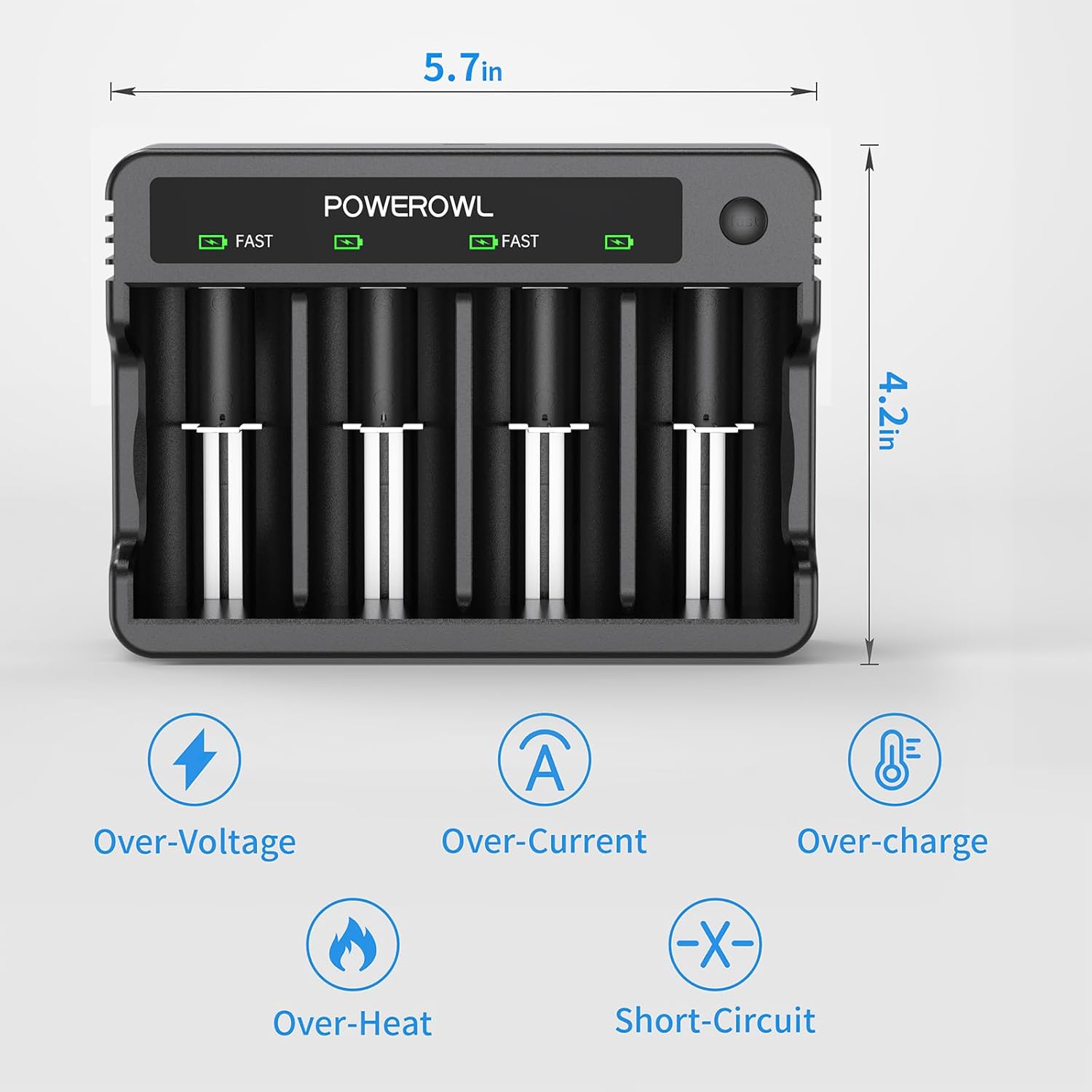
Image: The POWEROWL 4-Bay Battery Charger with D batteries inserted, illustrating the USB connection and various safety features.
5. Bedienungsanleitung
5.1 Ladevorgang
- Once batteries are correctly inserted and the charger is powered, the LED indicator above each battery slot will illuminate.
- A Rotlicht zeigt an, dass der Akku gerade geladen wird.
- A grünes Licht indicates that the battery is fully charged. The charger will automatically stop charging to prevent overcharge.
- If a battery is damaged or incorrectly inserted, the LED light may flash, indicating an error.
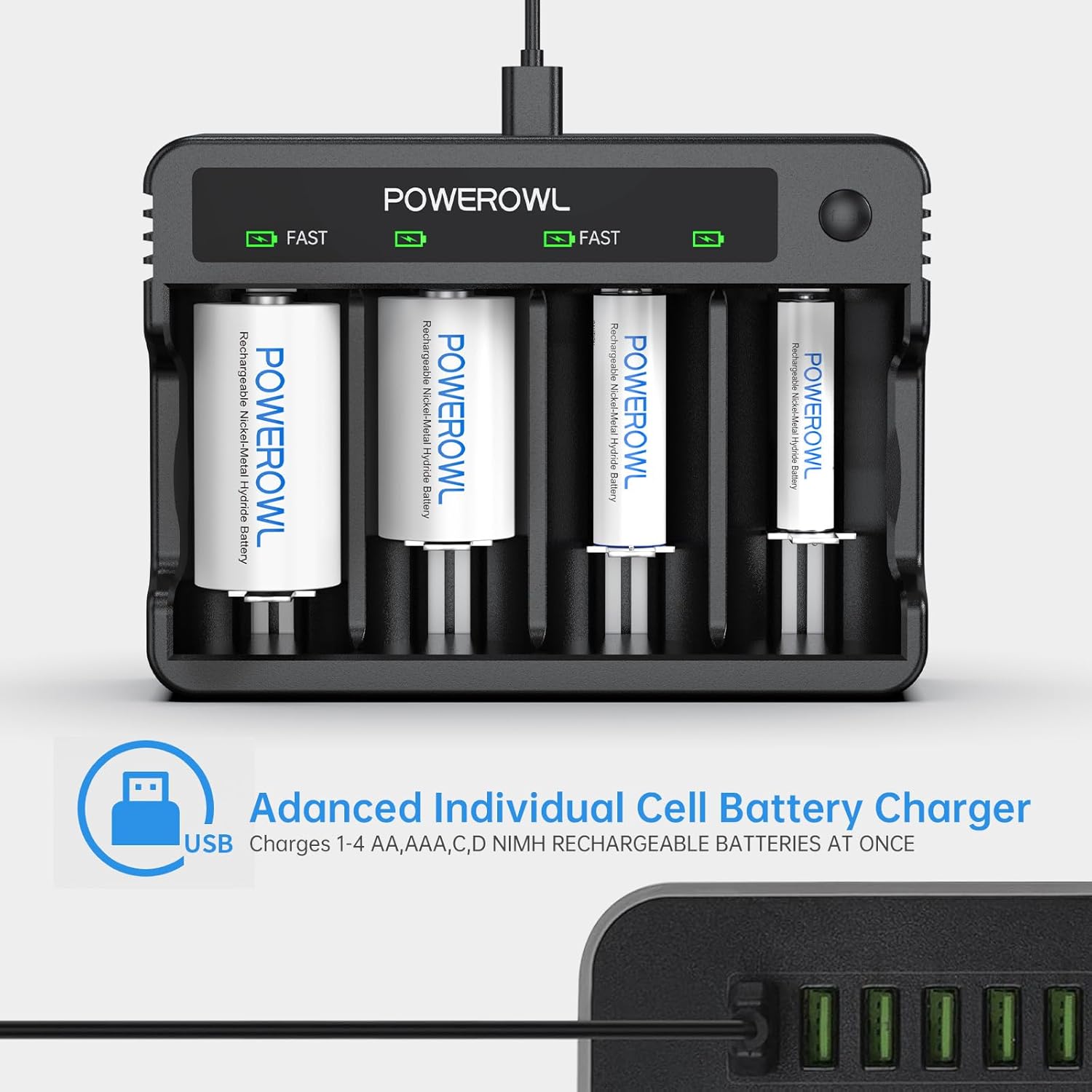
Image: Close-up of the POWEROWL charger displaying red LED lights for batteries in charge and green LED lights for empty slots or fully charged batteries.
5.2 Fast Charge Mode
- The charger offers a Fast Charge mode for quicker charging of C and D batteries.
- To activate Fast Charge, press and hold the 'FAST' button on the charger. The fast charge indicator light will illuminate. In this mode, slots 1 and 2 will charge at 1.8A. Slots 3 and 4 will not charge.
- To return to Normal Charge mode (1A for all slots), press the 'FAST' button again. The fast charge indicator light will turn off.

Image: The POWEROWL charger showing the 'FAST' button and indicating the rapid charge mode for C and D batteries.
Video: Demonstrates the POWEROWL Rechargeable D Batteries with 4-Bay Battery Charger in operation, showing batteries being inserted and the charging indicators.
6. Wartung
- Keep the charger and batteries clean and dry. Avoid exposure to direct sunlight, high temperatures, and high humidity.
- Ladegerät und Batterien dürfen nicht auseinandergenommen oder verändert werden.
- Remove batteries from the charger once fully charged or if the charger will not be used for an extended period.
- Store batteries at room temperature.

Image: Visual representation of the overcharge protection feature, designed to maximize battery life.
7. Fehlerbehebung
- Battery Not Charging (Red Light Not On):
- Ensure the USB cable is securely connected to both the charger and the power source.
- Verify that the batteries are inserted with correct polarity (+ and -).
- Check if the battery is damaged (flashing LED). If so, replace the battery. - LED Light Flashing:
- A flashing red or green light indicates a damaged or non-rechargeable battery. Remove the battery and replace it with a functional rechargeable battery. - Langsamer Ladevorgang:
- Ensure the charger is not in Fast Charge mode if you intend to charge all four slots simultaneously (Fast Charge only uses slots 1 and 2).
- Use a power adapter with sufficient output (e.g., 5V/2A or higher) for optimal charging speed.
Video: A user demonstrates the POWEROWL Rechargeable D Batteries and charger, highlighting the ease of use and charging indicators.
8. Spezifikationen
| Besonderheit | Detail |
|---|---|
| Technische Daten | 1.3 x 2.6 x 1.3 inches (D Battery) |
| Artikelgewicht | 7.6 ounces (D Batteries) |
| Akku-Typ | Ni-MH, Ni-CD |
| Ausgangsvolumentage | 1.45 Volt |
| Ladegeräteingang | USB (Micro USB cable included) |
| Ladesteckplätze | 4 independent bays |
| Fast Charge Current (Slots 1 & 2) | 1.8 A |
| Normal Charge Current (All 4 slots) | 1A |

Bild: Detailliert view of a POWEROWL D rechargeable battery, showing its dimensions and suitable applications.
9. Garantie und Support
Your POWEROWL 4-Bay Battery Charger and D Rechargeable Batteries come with a 24 Monate Garantie. For any product inquiries, technical support, or warranty claims, please refer to the contact information provided in your product packaging or visit the official POWEROWL webWebsite.
Video: A user explains the benefits of POWEROWL rechargeable batteries and the charger, emphasizing their versatility for various battery types.