
Einführung
Vielen Dank für Ihren Einkauf.asing the Hoco HC4 5.0 Wireless Bluetooth Sport Speaker. This manual provides detailed instructions for the proper setup, operation, and maintenance of your device. Please read this manual thoroughly before use to ensure optimal performance and to prevent damage.
Produkt überview
The Hoco HC4 is a portable wireless speaker designed for outdoor and sport use, featuring Bluetooth 5.0 connectivity, multiple playback options, and a robust design.
Packungsinhalt:
- Hoco HC4 Kabelloser Bluetooth-Lautsprecher
- USB-Ladekabel
- Bedienungsanleitung
Bedienelemente und Anschlüsse:
Machen Sie sich mit den Tasten und Anschlüssen des Lautsprechers vertraut:

Bild: Close-up of the Hoco HC4 speaker showing the AUX port, DC-5V charging port, USB port, TF card slot, and control buttons.
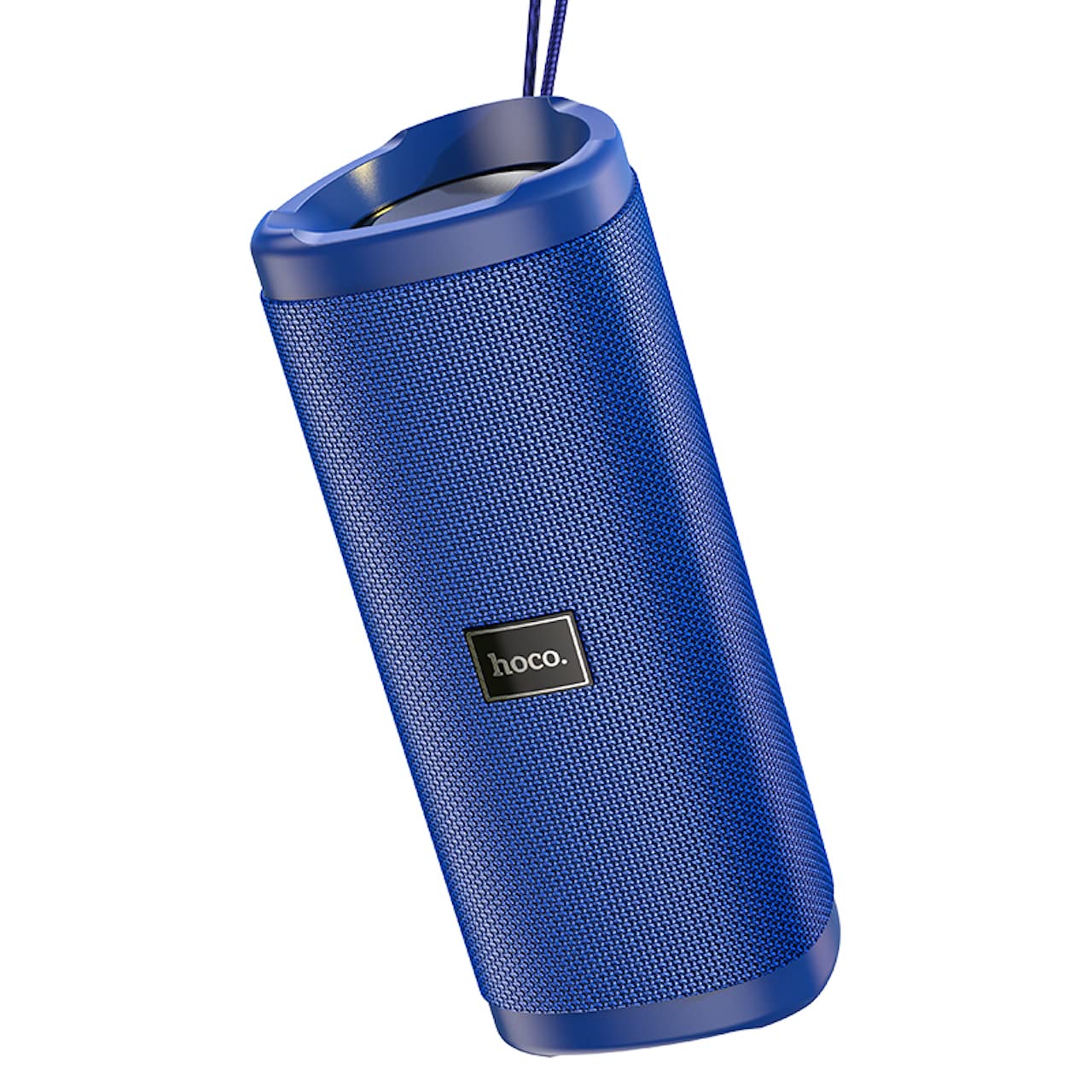
Bild: Ein abgewinkelter view of the Hoco HC4 blue wireless speaker, highlighting its cylindrical design and fabric mesh.
- Netzschalter: Zum Ein-/Ausschalten gedrückt halten. Zum Abspielen/Pausieren kurz drücken.
- Modus-Taste (M): Durch kurzes Drücken kann zwischen Bluetooth-, FM-Radio-, TF-Karten-, USB- und AUX-Modus umgeschaltet werden.
- Lautstärke verringern / Vorheriger Titel (-): Kurz drücken für vorherigen Titel, lange drücken zum Verringern der Lautstärke.
- Lautstärke erhöhen / Nächster Titel Taste (+): Kurz drücken für nächsten Titel, lange drücken zur Lautstärkeerhöhung.
- AUX-Port: Für kabelgebundene Audioverbindungen mit einem 3.5-mm-Audiokabel.
- DC-5V-Anschluss: Zum Aufladen des Lautsprechers mit dem mitgelieferten USB-Kabel.
- USB-Anschluss: Zum Abspielen von Audiodateien von einem USB-Stick.
- TF-Karten-Slot: Zum Abspielen von Audio von einer TF-Karte (MicroSD-Karte).
Aufstellen
Erstladung:
- Vor dem ersten Gebrauch muss der Lautsprecher vollständig aufgeladen werden.
- Connect the small end of the USB charging cable to the DC-5V port on the speaker.
- Connect the larger end of the USB cable to a USB power adapter (5V/1A recommended) or a computer's USB port.
- Die Ladeanzeigeleuchte leuchtet während des Ladevorgangs und erlischt, sobald der Akku vollständig geladen ist.
Bedienungsanleitung
Ein-/Ausschalten:
- So schalten Sie das Gerät ein: Halten Sie den Ein-/Ausschalter etwa 3 Sekunden lang gedrückt. Sie hören einen Signalton.
- So schalten Sie das Gerät aus: Halten Sie den Ein-/Ausschalter etwa 3 Sekunden lang gedrückt. Sie hören einen Signalton.
Bluetooth-Pairing:
- Ensure the speaker is powered on and in Bluetooth mode (indicated by a flashing blue LED and an audible prompt). If not, short press the 'M' (Mode) button to switch to Bluetooth mode.
- Aktivieren Sie Bluetooth auf Ihrem Mobilgerät (Smartphone, Tablet usw.).
- Suchen nach available Bluetooth devices. Select "HC4" from the list.
- Once paired, the blue LED will stop flashing and remain solid, and you will hear a confirmation sound.
- Sie können nun Audio von Ihrem Gerät über den Lautsprecher abspielen.
UKW-Radiomodus:
- Short press the 'M' (Mode) button until you hear the FM radio prompt.
- To auto-scan and save available stations, short press the Power button. The speaker will scan and store stations automatically.
- Verwenden Sie die Schaltflächen „-“ und „+“, um zwischen den gespeicherten Sendern zu navigieren.
TF Card / USB Playback:
- Insert a TF (MicroSD) card or USB flash drive into the respective slot.
- The speaker will automatically switch to TF card or USB mode and begin playing audio files. If not, short press the 'M' (Mode) button to select the correct mode.
- Use the Power button to play/pause, and the '-' and '+' buttons for track navigation and volume control.
AUX-Modus:
- Verbinden Sie ein Ende eines 3.5-mm-Audiokabels (nicht im Lieferumfang enthalten) mit dem AUX-Anschluss des Lautsprechers.
- Connect the other end to the audio output of your device (e.g., laptop, MP3 player).
- Short press the 'M' (Mode) button to switch to AUX mode.
- Audio will now play through the speaker. Volume can be controlled via the speaker or your connected device.
True Wireless Stereo (TWS)-Funktion:
Mit der TWS-Funktion können Sie zwei Hoco HC4-Lautsprecher für ein Stereo-Klangerlebnis koppeln.
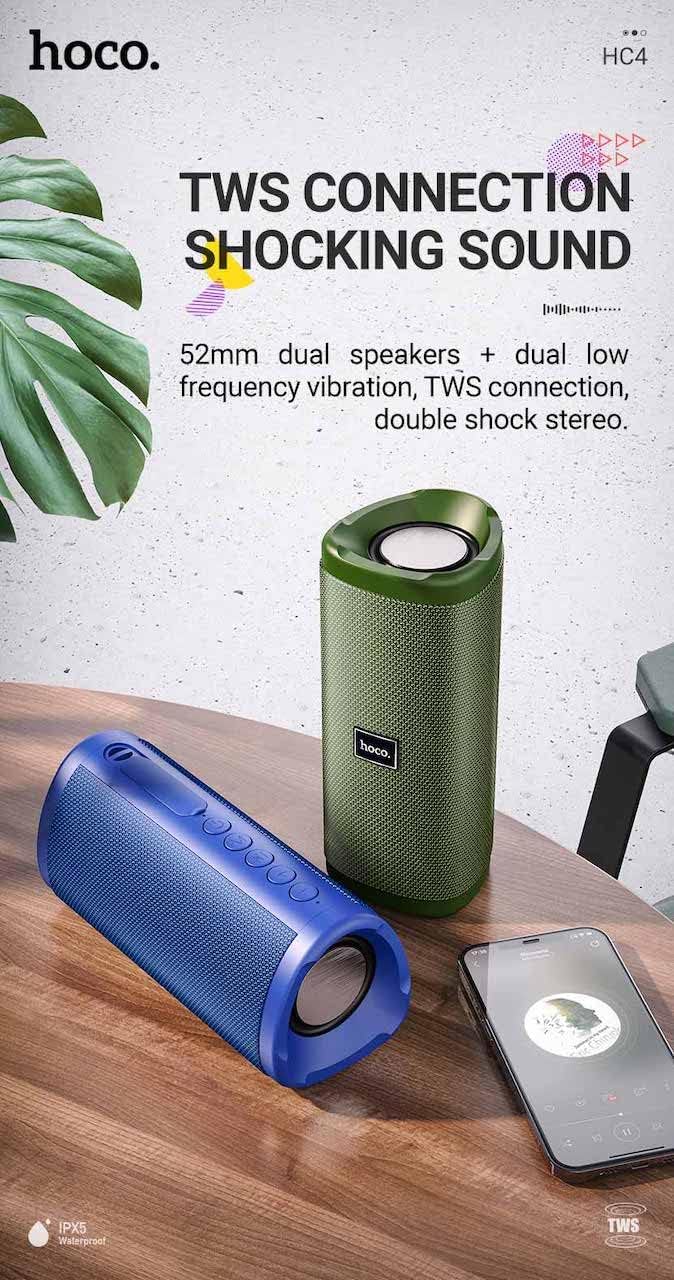
Bild: A promotional image showing two Hoco HC4 speakers (blue and green) connected via TWS, with a smartphone playing music. The image also highlights 'IPX5 Waterproof'.
- Ensure both HC4 speakers are powered on and in Bluetooth pairing mode (flashing blue LED).
- On one of the speakers (this will be the primary speaker), double-press the Power button. You will hear a tone indicating it is searching for another speaker.
- The two speakers will automatically connect to each other. Once connected, you will hear a confirmation sound, and the LED on the primary speaker will flash, while the secondary speaker's LED will be solid.
- Verbinden Sie nun Ihr Mobilgerät über Bluetooth mit dem Hauptlautsprecher, wie im Abschnitt „Bluetooth-Kopplung“ beschrieben.
- Der Ton wird nun in Stereo über beide Lautsprecher wiedergegeben.
Laden
When the battery is low, the speaker will emit an audible warning. Connect the speaker to a power source using the provided USB cable to recharge. A full charge takes approximately 2-3 hours. The speaker provides up to 3 hours of playtime on a full charge, depending on volume level and usage.
Wartung
Reinigung:
Reinigen Sie den Lautsprecher mit einem weichen, trockenen Tuch. Verwenden Sie keine Scheuermittel, Alkohol oder andere chemische Lösungsmittel, da diese die Oberfläche beschädigen können.
Lagerung:
Store the speaker in a cool, dry place away from direct sunlight and extreme temperatures. If storing for an extended period, charge the battery at least once every three months to prolong its lifespan.
Wasserbeständigkeit (IPX5):
The Hoco HC4 speaker features an IPX5 water resistance rating, meaning it is protected against low-pressure water jets from any direction. This makes it suitable for outdoor use and resistant to splashes and light rain. Tauchen Sie den Lautsprecher nicht in Wasser. Ensure the port cover is securely closed to maintain water resistance.
Fehlerbehebung
| Problem | Mögliche Ursache | Lösung |
|---|---|---|
| Der Lautsprecher lässt sich nicht einschalten | Niedriger Batteriestand; Ein-/Ausschalter nicht lange genug gedrückt | Laden Sie den Lautsprecher auf; Halten Sie die Ein-/Aus-Taste 3 Sekunden lang gedrückt. |
| Kein Ton | Lautstärke zu niedrig; Falscher Modus; Gerät nicht angeschlossen | Increase volume; Switch to correct mode (Bluetooth, AUX, etc.); Ensure device is paired/connected |
| Die Bluetooth-Kopplung schlägt fehl | Lautsprecher nicht im Kopplungsmodus; Bluetooth am Gerät deaktiviert; zu weit vom Lautsprecher entfernt | Ensure speaker is in Bluetooth mode (flashing LED); Turn on device Bluetooth; Move device closer (within 10m) |
| TWS-Pairing schlägt fehl | Speakers not in TWS pairing mode; Too far apart | Ensure both speakers are in Bluetooth mode, then double-press Power button on one; Keep speakers close during TWS pairing |
Technische Daten

Bild: The Hoco HC4 speaker with its dimensions clearly marked: 20 cm in length, 8.8 cm in height, and 8.1 cm in width.
- Marke: Hoco
- Modell: HC4
- Bluetooth-Version: 5.0
- Ausgangsleistung: 10 W
- Lautsprechergröße: 52 mm
- Batteriekapazität: 1500 mAh
- Spielzeit: Ungefähr 3 Stunden (bei 80 % Volumen)
- Ladezeit: Ungefähr 2-3 Stunden
- Abmessungen: 200 x 88 x 81 mm (Length x Height x Width)
- Gewicht: 540 Gramm
- Konnektivitätsoptionen: Bluetooth, FM-Radio, TF-Karte, USB, AUX
- Wasserbeständigkeit: IPX5 (spritzwassergeschützt)
- Steuerungstyp: Taste
Sicherheitshinweise
- Setzen Sie den Lautsprecher keinen extremen Temperaturen oder direkter Sonneneinstrahlung über längere Zeiträume aus.
- Vermeiden Sie, den Lautsprecher fallen zu lassen oder starken Stößen auszusetzen.
- Keep the speaker away from water and liquids, especially when ports are open.
- Versuchen Sie nicht, den Lautsprecher selbst zu zerlegen, zu reparieren oder zu verändern. Dadurch erlischt die Garantie und es können Schäden entstehen.
- Verwenden Sie nur die angegebene Ladespannung.tage (DC 5V) and the provided charging cable.
- Außerhalb der Reichweite von Kindern aufbewahren.
Garantie und Support
This product is covered by a standard manufacturer's warranty. For specific warranty terms and conditions, please refer to the warranty card included with your purchase or contact your local retailer. For technical support or service inquiries, please contact Hoco customer service or the authorized distributor in your region.