
Einführung
Thank you for choosing the JBL Tune 225 TWS Wireless In-Ear Headphones. This manual provides essential information for setting up, operating, and maintaining your device. Please read it carefully to ensure optimal performance and longevity of your headphones.
Lieferumfang
Your JBL Tune 225 TWS package includes the following items:
- JBL Tune 225 TWS Wireless In-Ear Headphones (Left and Right earbuds)
- Kompaktes Ladeetui
- USB-C-Ladekabel

Image: JBL Tune 225 TWS earbuds and their charging case, showing the components included in the package.
Aufstellen
1. Aufladen der Kopfhörer und des Ladecase
Before first use, fully charge both the earbuds and the charging case. Connect the provided USB-C cable to the charging case and a power source. The LED indicators on the case will show the charging status. A full charge typically takes approximately 2 hours.
- Akkulaufzeit des Ladekoffers: Up to 20 hours capacity, providing an average of 25 hours of combined playtime with the earbuds.
- Akkulaufzeit der Ohrhörer: Bis zu 5 Stunden mit einer einzigen Ladung.

Image: JBL Tune 225 TWS earbuds placed inside their open charging case, showing the LED battery indicators.
2. Bluetooth-Kopplung
- Öffnen Sie das Ladeetui. Die Ohrhörer wechseln automatisch in den Kopplungsmodus.
- Gehen Sie auf Ihrem Gerät (Smartphone, Tablet usw.) zu den Bluetooth-Einstellungen.
- Select "JBL Tune 225 TWS" from the list of available devices.
- Sobald die Verbindung hergestellt ist, hören Sie eine akustische Bestätigung, und die LED an den Ohrhörern zeigt eine erfolgreiche Verbindung an.
The JBL Tune 225 TWS uses Bluetooth version 5.0 for a stable connection up to 10 meters (33 feet).
Kopfhörer bedienen
Touch-Bedienelemente
The JBL Tune 225 TWS features touch controls on each earbud for managing audio playback and calls.
| Aktion | Linker Ohrhörer | Rechter Ohrhörer |
|---|---|---|
| Abspielen/Pause | N / A | Einmaliges Tippen |
| Nächster Titel | Doppeltippen | N / A |
| Vorheriger Titel | Dreifach tippen | N / A |
| Anruf annehmen/beenden | Einmaliges Tippen | Einmaliges Tippen |
| Anruf ablehnen | Gedrückt halten (2 s) | Gedrückt halten (2 s) |
| Sprachassistent aktivieren | N / A | Doppeltippen |
Hinweis: Die Lautstärkeregelung ist nicht direkt an den Ohrhörern möglich und muss über Ihr angeschlossenes Gerät erfolgen.
Einzel- oder Doppelohrhörer-Nutzung
The JBL Tune 225 TWS allows for flexible use of either a single earbud or both earbuds simultaneously. Simply remove one or both from the charging case, and they will automatically connect to your paired device. If you place one earbud back into the case, the other will continue to play.

Bild: Nahaufnahme view of the left and right JBL Tune 225 TWS earbuds, highlighting their individual design.
Wartung
Reinigung
Regular cleaning helps maintain sound quality and hygiene. Use a soft, dry, lint-free cloth to wipe the earbuds and charging case. Do not use harsh chemicals or abrasive materials. For earbud grilles, gently use a dry cotton swab to remove any debris.
Lagerung
Bewahren Sie die Ohrhörer bei Nichtgebrauch stets im Ladecase auf, um sie zu schützen und geladen zu halten. Lagern Sie das Case an einem kühlen, trockenen Ort, geschützt vor extremen Temperaturen und direkter Sonneneinstrahlung.
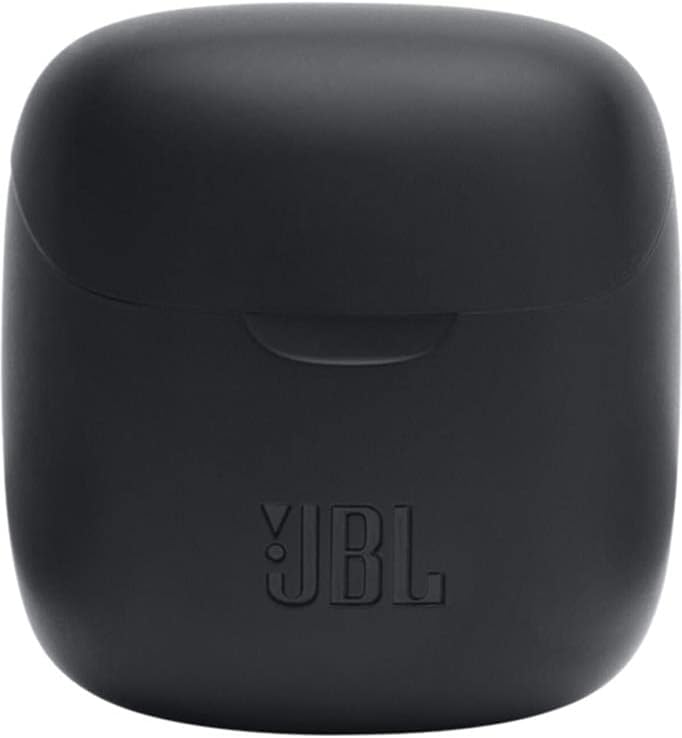
Image: The closed charging case for the JBL Tune 225 TWS, ready for storage or transport.
Fehlerbehebung
- Keine Ton-/Verbindungsprobleme: Ensure both earbuds are charged. Place them back in the case, close it, then reopen to re-initiate pairing. Check your device's Bluetooth settings to ensure "JBL Tune 225 TWS" is connected. Try forgetting the device and re-pairing.
- Ein Ohrhörer funktioniert nicht: Ensure both earbuds are charged. Try placing both back in the case, closing it, and then taking them out again. Sometimes a simple reset by placing them in the case can resolve this.
- Ladeprobleme: Ensure the USB-C cable is securely connected to both the case and the power source. Check if the charging port is clean and free of debris. Try a different USB-C cable or power adapter.
- Geringe Lautstärke: Adjust the volume on your connected device. Ensure the earbuds are properly seated in your ears.
Technische Daten
| Besonderheit | Detail |
|---|---|
| Marke | JBL |
| Modellname | Stellen Sie 225TWS ein |
| Modellnummer | Stellen Sie 225TWS ein |
| Farbe | Schwarz |
| Platzierung des Ohrs | In-Ear |
| Formfaktor | In-Ear |
| Impedanz | 32 Ohm |
| Treibertyp | Dynamischer Treiber |
| Treibergröße | 12.5 mm |
| Frequenzbereich | 20 Hz – 20000 Hz |
| Empfindlichkeit | 105 dB |
| Konnektivitätstechnologie | Kabellos (Bluetooth) |
| Bluetooth-Version | 5.0 |
| Bluetooth-Reichweite | 10 Meter |
| Kontrollmethode | Berühren |
| Akkulaufzeit der Ohrhörer | 5 Stunden |
| Akkulaufzeit des Ladekoffers | Bis zu 20 Stunden (zusätzlich) |
| Total Combined Playtime | Bis zu 25 Stunden |
| Ladezeit | 2 Stunden |
| Wasserbeständigkeit | Wasserfest |
| Produktgewicht | 57 Gramm |
| Gewicht des Ladegehäuses | 100 Gramm |
| UPC | 050036374019 |
Garantie und Support
Informationen zu Garantie und Kundendienst finden Sie auf der offiziellen JBL-Website. website or contact your local JBL authorized dealer. Keep your proof of purchase for warranty claims.
Eine digitale Kopie des Benutzerhandbuchs steht zum Download bereit: JBL Tune 225 TWS User Manual (PDF)