
1. Introduction
Thank you for choosing the Reebok RDVNEG9P2S2B2N Digital Watch. This manual provides essential information for the proper setup, operation, and maintenance of your new timepiece. Please read this manual thoroughly before using the watch to ensure optimal performance and longevity.
2. Safety Information
- Water Resistance: This watch is water resistant up to 100 meters. It is suitable for swimming and snorkeling but not for diving. Do not operate buttons underwater.
- Temperature: Avoid exposing the watch to extreme temperatures (hot or cold) for extended periods, as this may affect its accuracy and battery life.
- Chemicals: Keep the watch away from solvents, detergents, perfumes, and cosmetics, as these can damage the strap, case, or seals.
- Impact: Protect the watch from strong impacts or drops, which can damage internal components or the crystal.
- Battery: Do not attempt to open the watch case or replace the battery yourself, as this may void the warranty and damage the watch. Refer to qualified service personnel.
3. Package Contents
Verify that all items are present in your package:
- Reebok RDVNEG9P2S2B2N Digital Watch (with Stainless Steel Strap)
- Extra Silicone Strap
- Spring Bar Tool for strap replacement
- User Manual (this document)
4. Product Overview
Familiarize yourself with the main components of your Reebok digital watch.
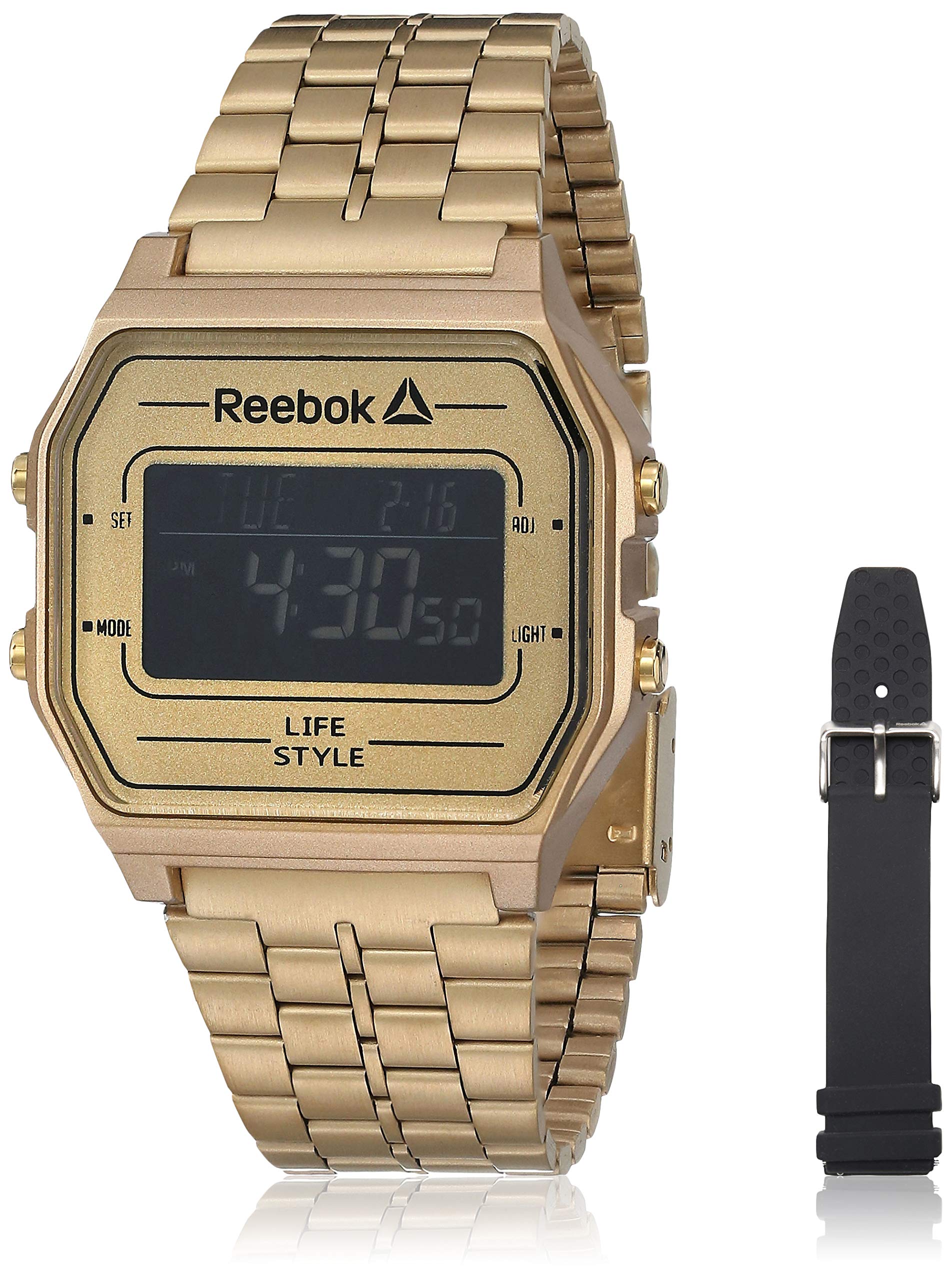
Image 1: Front view of the Reebok RDVNEG9P2S2B2N Digital Watch with its gold stainless steel strap. The digital display shows time and date, and control buttons are visible on the sides.
- Display: Digital screen showing time, date, and other functions.
- SET Button: Used to enter and confirm settings.
- MODE Button: Cycles through different watch modes (Time, Alarm, Stopwatch, etc.).
- ADJ Button: Adjusts values during setting.
- LIGHT Button: Activates the backlight for visibility in low light conditions.
- Case: Gold-colored stainless steel case.
- Strap: Interchangeable straps (Stainless Steel and Silicone).
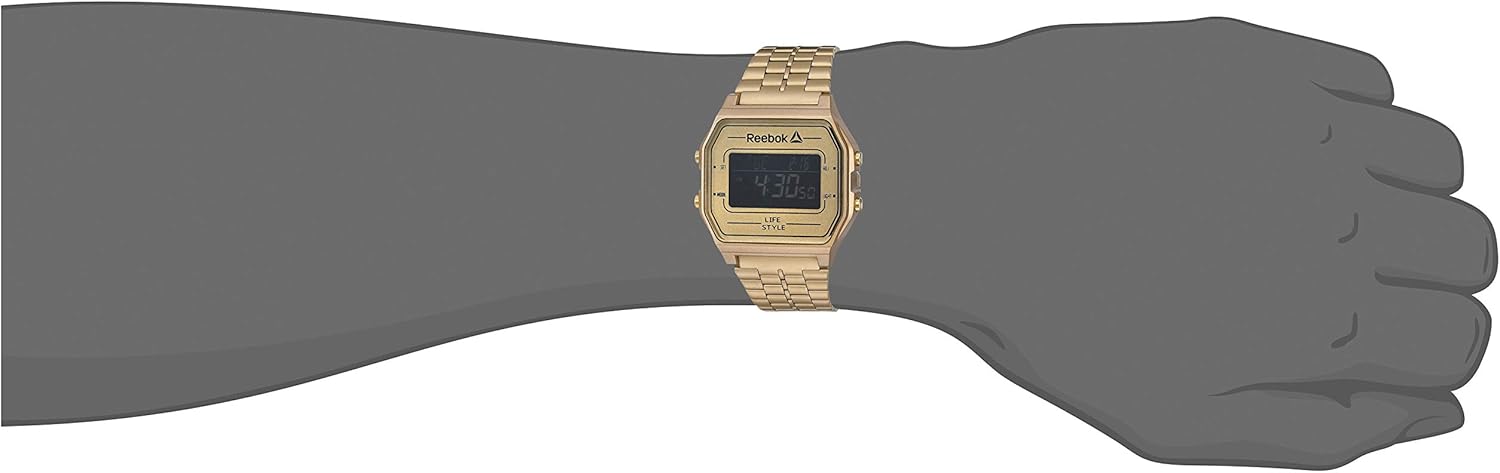
Image 2: The Reebok RDVNEG9P2S2B2N Digital Watch worn on a wrist, showcasing its size and fit with the gold stainless steel strap.
5. Setup
5.1 Initial Time and Date Setting
- In normal timekeeping mode, press and hold the SET button until the seconds begin to flash. This indicates you are in setting mode.
- Press the MODE button to cycle through the settings: Seconds → Hour → Minute → Year → Month → Day.
- Use the ADJ button to increase the flashing value. Hold the ADJ button to rapidly advance the value.
- Once all settings are adjusted, press the SET button again to exit the setting mode and save your changes.
5.2 12/24-Hour Format
While in time setting mode (seconds flashing), press the ADJ button when the hour is flashing to toggle between 12-hour (with AM/PM indicator) and 24-hour formats.
6. Operating the Watch
6.1 Mode Selection
Press the MODE button repeatedly to cycle through the available functions:
- Timekeeping Mode (displays current time and date)
- Alarm Mode
- Stopwatch Mode
6.2 Using the Backlight
Press the LIGHT button to illuminate the display for a few seconds. This is useful in dark environments.
6.3 Alarm Function
- From Timekeeping Mode, press MODE until "AL" or "Alarm" appears on the display.
- Press and hold the SET button until the alarm hour flashes.
- Use the ADJ button to set the desired hour. Press MODE to move to minutes.
- Use the ADJ button to set the desired minutes.
- Press SET to confirm and exit alarm setting.
- To turn the alarm ON/OFF, press the ADJ button while in Alarm Mode (without holding SET). An alarm icon will appear/disappear.
6.4 Stopwatch Function
- From Timekeeping Mode, press MODE until "ST" or "Stopwatch" appears on the display.
- Press the ADJ button to start the stopwatch.
- Press the ADJ button again to pause the stopwatch.
- Press the SET button to reset the stopwatch to zero.
- To exit Stopwatch Mode, press the MODE button.
7. Strap Replacement
Your Reebok watch comes with an extra silicone strap and a spring bar tool for easy strap changes. Follow these steps carefully to avoid scratching your watch or damaging the spring bars.
7.1 Removing the Current Strap
- Place the watch face down on a soft, clean cloth to prevent scratches.
- Locate the spring bar tool. It typically has a forked end.
- Insert the forked end of the tool between the strap and the watch lug (the part of the watch case where the strap attaches).
- Gently push the spring bar inwards (towards the center of the strap) to compress it.
- Once one end of the spring bar is disengaged from the lug hole, carefully pull the strap away from the watch.
- Repeat for the other side of the strap and for the second strap piece.
- Keep the spring bars in a safe place if you intend to reuse the strap.
7.2 Attaching a New Strap
- Insert one end of a spring bar into one of the lug holes on the watch case.
- With the spring bar tool, compress the other end of the spring bar.
- Guide the compressed end into the opposite lug hole.
- Release the spring bar tool, ensuring both ends of the spring bar are securely seated in the lug holes. Gently tug on the strap to confirm it is firmly attached.
- Repeat for the second strap piece.
8. Maintenance
8.1 Cleaning
- Watch Case and Stainless Steel Strap: Wipe regularly with a soft, dry cloth. For stubborn dirt, use a slightly damp cloth and mild soap, then dry thoroughly.
- Silicone Strap: Wash with mild soap and water, then rinse and dry completely.
- Avoid using abrasive cleaners or chemical solvents.
8.2 Water Resistance Care
- Ensure the watch crown (if applicable, though this is a digital watch with buttons) and buttons are fully pressed in before any contact with water.
- Do not operate buttons while the watch is submerged in water.
- After exposure to saltwater, rinse the watch with fresh water and dry it thoroughly.
- Water resistance is not a permanent condition and may decrease over time. Have the seals checked periodically by a qualified technician.
8.3 Battery Replacement
When the display becomes dim or the watch stops functioning, the battery may need replacement. It is recommended to have the battery replaced by a professional watch technician to ensure proper sealing and water resistance integrity.
9. Troubleshooting
| Problem | Possible Cause | Solution |
|---|---|---|
| Watch display is blank or dim. | Low or depleted battery. | Replace the battery (recommended by a professional). |
| Time is inaccurate. | Incorrect time setting; exposure to strong magnetic fields; low battery. | Reset the time and date (refer to Section 5.1). Keep away from strong magnets. Replace battery if issue persists. |
| Buttons are unresponsive. | Watch is wet; internal malfunction. | Ensure watch is dry. If issue persists, contact customer support. |
| Water inside the watch. | Water resistance compromised; buttons operated underwater. | Immediately take the watch to a professional for inspection and repair to prevent further damage. |
10. Specifications
- Model Number: RDVNEG9P2S2B2N
- Display Type: Digital
- Movement: Quartz
- Case Material: Stainless Steel
- Case Diameter: 42 mm
- Case Thickness: 5 mm
- Strap Material: Stainless Steel (Gold), Silicone (Extra)
- Strap Width: 4 cm
- Crystal: Mineral
- Water Resistance: 100 Meters (330 Feet)
- Power Source: Battery
- Clasp Type: Buckle (for silicone), Elegant Clasp (for stainless steel)
11. Warranty and Support
11.1 Manufacturer's Warranty
This Reebok watch is covered by a manufacturer's warranty. Please refer to the warranty card included in your original packaging for specific terms, conditions, and duration. The warranty typically covers manufacturing defects but does not cover damage resulting from misuse, accidents, unauthorized repairs, or normal wear and tear.
11.2 Customer Support
For technical assistance, warranty claims, or service inquiries, please contact Reebok customer support through their official website or the contact information provided with your purchase documentation. When contacting support, please have your watch model number (RDVNEG9P2S2B2N) and proof of purchase readily available.


