1. Einleitung
Thank you for choosing the X-Sense Wireless Weather Station. This device provides accurate indoor and outdoor temperature and humidity readings, along with a weather forecast, all displayed on a large, backlit LCD screen. It features an atomic clock for precise timekeeping and supports up to three remote sensors for comprehensive monitoring. Please read this manual thoroughly before use to ensure proper setup and operation.
2. Packungsinhalt
Prüfen Sie beim Öffnen der Verpackung, ob alle Komponenten vorhanden und in einwandfreiem Zustand sind.
- Main Display Unit (LCD Screen)
- Wireless Remote Sensor (Transmitter)
- AA Batteries (2 for main unit, 2 for sensor)
- Montagezubehör (Schrauben, Dübel)
- Bedienungsanleitung

Abbildung 2.1: Package contents of the X-Sense Wireless Weather Station.
3. Produktüberschreitungview
3.1 Hauptanzeigeeinheit
The main display unit features a large, backlit LCD screen that shows indoor and outdoor temperature and humidity, time, date, and weather forecast icons. It can be placed on a tabletop using its integrated stand or mounted on a wall.

Abbildung 3.1: Main Display Unit with active screen.

Abbildung 3.2: Large Backlit LCD for easy readability.
3.2 Drahtloser Fernbedienungssensor
The wireless remote sensor measures outdoor temperature and humidity and transmits data to the main unit. It is designed to operate in ultra-low temperatures and has an IPX5 waterproof rating, making it suitable for outdoor placement. The sensor has a wireless range of up to 500 feet (150 meters) in open areas.
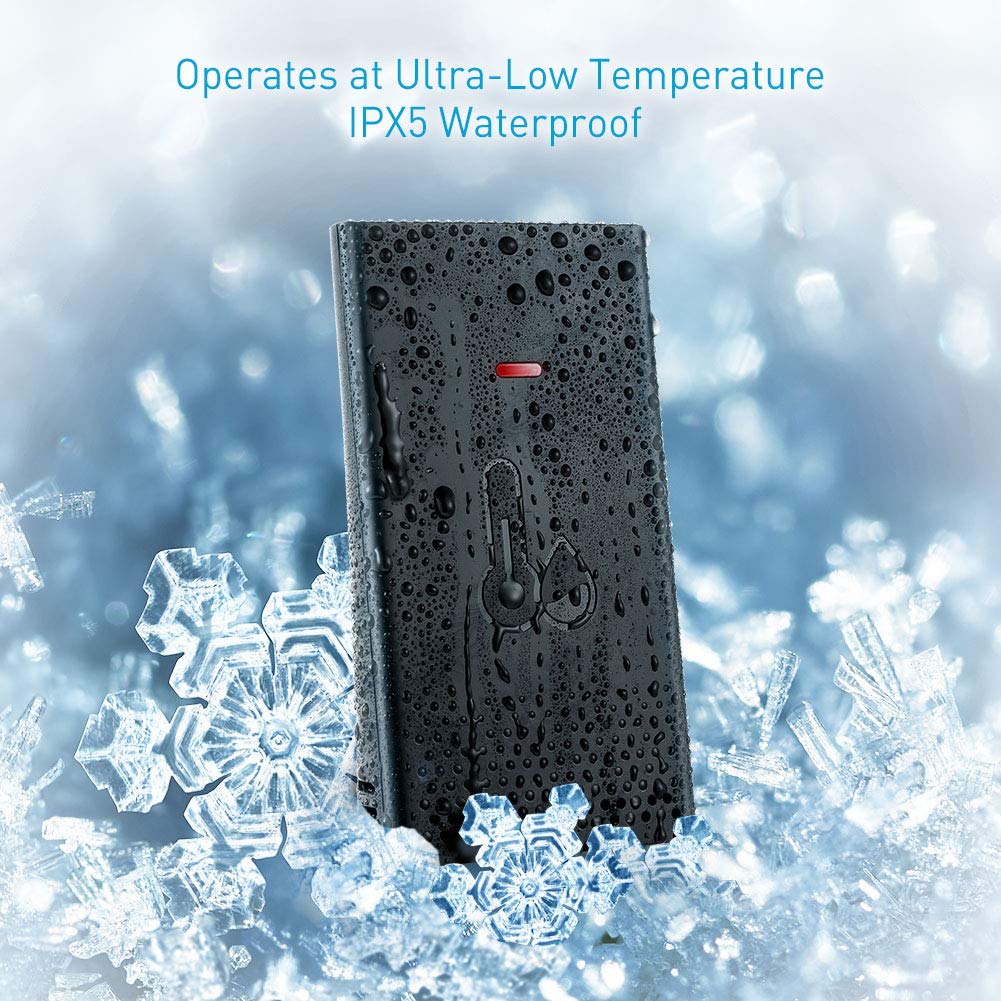
Abbildung 3.3: Wireless Remote Sensor with IPX5 waterproof rating.

Abbildung 3.4: Wireless range and multiple sensor placement options.
4. Einrichtung
4.1 Einlegen der Batterie
- Hauptanzeigeeinheit: Öffnen Sie das Batteriefach auf der Rückseite des Hauptgeräts. Legen Sie zwei AA-Batterien ein und achten Sie dabei auf die richtige Polarität (+/-). Schließen Sie das Fach.
- Drahtloser Fernsensor: Open the battery compartment on the back of the remote sensor. Insert 2 AA batteries, ensuring correct polarity (+/-). Close the compartment.
The main unit will power on and begin searching for the remote sensor. The sensor's LED indicator may flash during transmission.
4.2 Platzierung der Sensoren
For accurate readings and optimal wireless transmission, consider the following:
- Place the remote sensor in a shaded area, away from direct sunlight and heat sources, to prevent inaccurate temperature readings.
- Ensure the sensor is protected from heavy rain or snow, despite its IPX5 rating, to prolong its lifespan.
- Mount the sensor vertically using the provided screws and wall anchors, or place it on a stable surface.
- Keep the sensor within the 500 ft (150 m) wireless range of the main unit. Obstacles like thick walls, metal structures, or electronic devices can reduce the effective range.
4.3 Koppeln des Sensors
The main unit should automatically connect to the remote sensor after battery installation. If the outdoor readings are not displayed or appear incorrect:
- Bringen Sie den Fernsensor in die Nähe des Hauptgeräts.
- Press and hold the "CHANNEL" button on the main unit for a few seconds to initiate a new search for the sensor.
- Drücken Sie die Taste „TX“ im Batteriefach des Fernsensors, um manuell ein Signal zu senden.
- The main unit should display the outdoor temperature and humidity within a few minutes.
5. Bedienungsanleitung
5.1 Zeit- und Datumseinstellung (Atomuhr)
The X-Sense Weather Station features an atomic clock that automatically synchronizes with the WWVB radio signal for precise timekeeping. This process may take several hours, especially during initial setup or after battery replacement. Ensure the main unit is placed near a window for better signal reception.
- Manual Time Zone Setting: If the atomic clock signal is not received or you are outside the standard reception area, you may need to manually set the time zone. Refer to the detailed instructions in the full user manual for specific button presses to adjust the time zone offset.
- Sommerzeit (DST): The unit typically adjusts for DST automatically once the atomic clock signal is received.

Abbildung 5.1: High accuracy and radio-controlled clock feature.
5.2 Temperatur- und Feuchtigkeitsanzeige
- The main unit displays both indoor temperature and humidity (labeled "IN") and outdoor temperature and humidity (labeled "OUT" or with a sensor icon).
- Umschalten der Temperatureinheiten: Press the "°C/°F" button (usually located on the back or side) to toggle between Celsius and Fahrenheit.
- Mehrere Sensoren: If you have additional remote sensors (sold separately), press the "CHANNEL" button to cycle through the readings from each connected sensor.
5.3 Wettervorhersage
The weather station provides a forecast for the next 12-24 hours based on changes in atmospheric pressure. The forecast is represented by graphical icons such as sunny, partly cloudy, cloudy, rainy, or snowy. This is a prediction and may not always match actual weather conditions.
5.4 Betrieb der Hintergrundbeleuchtung
The main unit features a backlight for improved visibility in low-light conditions. Press the designated backlight button (often located on the back or top of the unit) to activate it. The backlight typically stays on for a few seconds before turning off automatically to conserve battery power.
6. Wartung
- Reinigung: Wischen Sie das Display und den Sensor mit einem weichen, fusselfreien Tuch ab.amp Tuch. Keine Scheuer- oder Lösungsmittel verwenden.
- Batteriewechsel: Tauschen Sie die Batterien sowohl im Hauptgerät als auch im Fernsensor aus, sobald die Anzeige für niedrigen Batteriestand erscheint. Ersetzen Sie immer alle Batterien gleichzeitig durch neue Batterien desselben Typs.
- Lagerung: Wenn Sie das Gerät über einen längeren Zeitraum lagern, entfernen Sie alle Batterien, um ein Auslaufen zu verhindern.
7. Fehlerbehebung
| Problem | Mögliche Ursache | Lösung |
|---|---|---|
| Keine Messwerte für Außentemperatur/Luftfeuchtigkeit. | Sensor nicht gekoppelt, außerhalb der Reichweite oder schwacher Akku. | Ensure batteries are fresh in the sensor. Bring sensor closer to the main unit. Re-pair the sensor (see Section 4.3). |
| Inaccurate outdoor readings. | Sensor, der direktem Sonnenlicht, Wärmequellen oder Feuchtigkeit ausgesetzt ist. | Relocate the sensor to a shaded, protected area. Allow time for readings to stabilize. |
| Atomic clock not setting automatically. | Weak WWVB signal, interference, or incorrect time zone. | Place the main unit near a window. Avoid electronic interference. Manually set the time zone if necessary. Allow up to 24 hours for signal acquisition. |
| Das Display ist dunkel oder leer. | Niedriger Batteriestand im Hauptgerät. | Replace batteries in the main display unit. |
| Backlight difficult to activate. | Button placement on the back. | Familiarize yourself with the button location. This is a design characteristic. |
8. Spezifikationen
- Marke: X-Sense
- Modell: B07PDMC1TF
- Energiequelle: Battery Powered (2 AA for main unit, 2 AA for sensor)
- Konnektivitätstechnologie: Kabellos
- Drahtlose Reichweite: Bis zu 150 m (500 Fuß) im Freien
- Besondere Merkmale: Adjustable Brightness, Humidity Monitor, Atomic Clock
- Sensortechnologie: Ultraschall
- Anzeigetyp: LCD
- Farbe: Schwarz
- Produktabmessungen: 5.4 x 5.24 x 1.09 Zoll (Haupteinheit)
- Artikelgewicht: 1.13 Pfund
- Wasserdichtigkeitsklasse (Sensor): IPX5
- Frühestmöglicher Termin: 19. Februar 2019
9. Garantie und Support
For warranty information or technical support, please refer to the contact details provided on the X-Sense official webDie Website oder die Ihrem Produkt beiliegende Garantiekarte finden Sie hier. Bewahren Sie Ihren Kaufbeleg als Kaufnachweis auf.