
1. Einleitung
The Fitbit Inspire HR is a friendly heart rate and fitness tracker designed to help you build healthy habits. This manual provides essential information for setting up, operating, and maintaining your device to ensure optimal performance and a comprehensive understanding of its features.
The Inspire HR tracks all-day activity, including steps, distance, hourly activity, active minutes, and calories burned. It also utilizes 24/7 heart rate monitoring to provide more accurate data on calorie burn, resting heart rate, and heart rate zones during workouts. Advanced sleep tracking offers insights into light, deep, and REM sleep stages.

Image 1.1: Fitbit Inspire HR device showing time and heart rate on its display.
2. Lieferumfang
Your Fitbit Inspire HR package includes:
- Fitbit Inspire HR tracker
- Small (S) band
- Large (L) band
- Ladekabel
3. Einrichtung
3.1. Laden Sie Ihr Gerät auf
Before initial use, fully charge your Inspire HR. Connect the charging cable to a USB port on your computer or a UL-certified USB wall charger. Align the other end of the cable with the port on the back of your tracker until it snaps into place. A battery icon will appear on the screen to indicate charging progress.
3.2. Installing the Fitbit App and Pairing
- Laden Sie die Fitbit-App aus dem Apple App Store (für iOS-Geräte) oder dem Google Play Store (für Android-Geräte) herunter.
- Open the app and follow the on-screen instructions to create a Fitbit account or log in to an existing one.
- Select 'Set up a Device' and choose Inspire HR from the list.
- Follow the pairing instructions in the app to connect your tracker to your smartphone or tablet. Ensure Bluetooth is enabled on your device.
3.3. Anbringen der Bänder
The Inspire HR comes with both small and large bands. Choose the band size that provides a comfortable and secure fit. To attach a band, slide the pin into the small hole on the tracker, then push the pin inward and slide the other end into place. Release the pin to secure the band.
4. Bedienung des Geräts
4.1. Grundlegende Navigation
The Inspire HR features a touchscreen display and a single button on the left side. Swipe up or down on the screen to navigate through different stats and apps. Press the button to return to the clock face or to access quick settings.
4.2. Heart Rate Tracking
The device continuously monitors your heart rate throughout the day and night. This data is used to calculate calorie burn, track heart rate zones during exercise, and provide insights into your resting heart rate. For accurate readings, ensure the tracker is snug but comfortable on your wrist.

Image 4.1: The Inspire HR actively tracking heart rate.
4.3. Aktivitätsverfolgung
The Inspire HR automatically tracks various daily activities:
- Schritte: Zählt die Anzahl der zurückgelegten Schritte.
- Distanz: Estimates the distance traveled based on your steps and stride length.
- Aktive Minuten: Records periods of moderate to intense activity.
- Kalorien verbrannt: Calculates calorie expenditure based on your activity and metabolic rate.
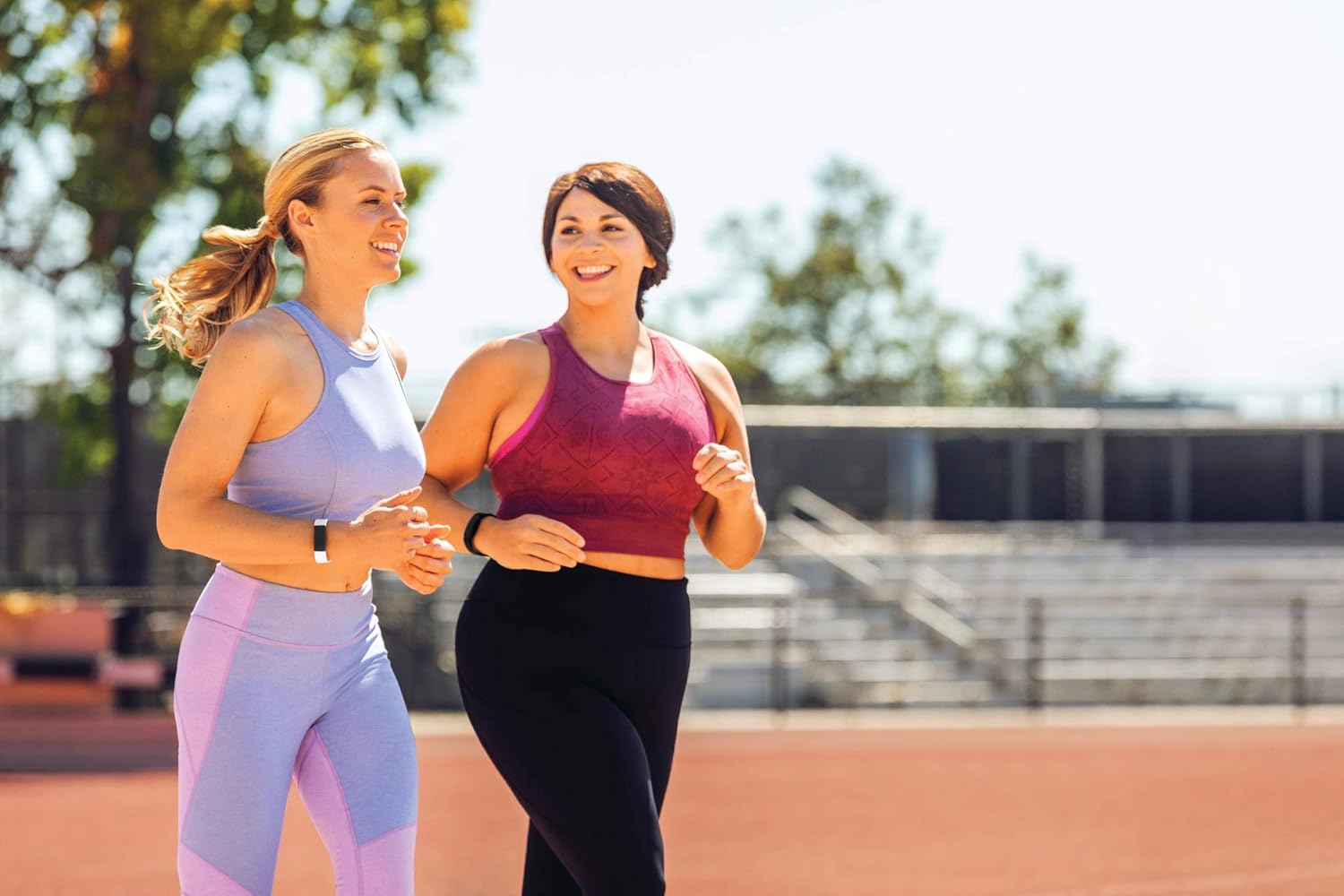
Image 4.2: Individuals engaging in physical activity while wearing their trackers.
4.4. Schlafüberwachung
Wear your Inspire HR to bed to automatically track your sleep. The device records your sleep stages (light, deep, and REM) and provides a sleep score in the Fitbit app, offering insights into your sleep quality.

Image 4.3: The Inspire HR highlighting its activity and sleep tracking capabilities.
4.5. SmartTrack (Automatic Exercise Recognition)
The Inspire HR automatically recognizes and records select workouts, such as walks, runs, swims, and bike rides, through its SmartTrack feature. This allows for convenient tracking without manual input.
4.6. Benachrichtigungen
When paired with your smartphone, the Inspire HR can display call, text, and calendar notifications directly on your wrist. Manage notification settings within the Fitbit app.
4.7. Wasserbeständigkeit
The Inspire HR is swimproof, allowing you to wear it in the shower, pool, or ocean. After swimming, it is recommended to dry the band and device to prevent skin irritation.

Image 4.4: The Inspire HR showcasing its swimproof design.
5. Wartung
5.1. Reinigen Ihres Geräts
Regularly clean your Inspire HR and band to prevent skin irritation and maintain device functionality. Use a mild, soap-free cleanser and water. Ensure the device is completely dry before wearing it again.
5.2. Tipps zur Akkulaufzeit
The Inspire HR offers up to 5 days of battery life. To maximize battery duration:
- Reduce notification frequency.
- Turn off 'All-Day Sync' in the Fitbit app when not needed.
- Vermeiden Sie extreme Temperaturen.
6. Fehlerbehebung
If you encounter issues with your Fitbit Inspire HR, try the following steps:
- Gerät reagiert nicht: Connect the tracker to its charging cable and plug it into a power source. This often resolves minor software glitches.
- Synchronisierungsprobleme: Ensure Bluetooth is enabled on your smartphone and the Fitbit app is open. Try restarting both your phone and the Inspire HR.
- Ungenaue Herzfrequenz: Ensure the tracker is worn snugly on your wrist, about a finger's width above your wrist bone. Clean the back of the device to ensure sensors are clear.
- Batterie entlädt sich schnell: Review battery life tips in Section 5.2. If the issue persists, contact Fitbit support.

Bild 6.1: Hinten view of the Inspire HR, highlighting its sensor array.
7. Spezifikationen
| Besonderheit | Detail |
|---|---|
| Modellnummer | FB413BKWT |
| Technische Daten | 1.18 x 3.94 x 8.94 Zoll |
| Gewicht | 0.71 Unzen |
| Batterien | 1 Lithium-Polymer-Akku (im Lieferumfang enthalten) |
| Betriebssystem | Fitbit OS |
| Konnektivitätstechnologie | Bluetooth |
| GPS | Per Smartphone |
| Bildschirmgröße | 0.96 Zoll |
| Betriebstemperatur | 14° bis 113° F |
| Maximale Betriebshöhe | 28,000 Fuß |
8. Garantie und Support
For warranty information and customer support, please refer to the official Fitbit website or contact Fitbit customer service directly. Details regarding your specific warranty coverage can typically be found on the product packaging or within the Fitbit app's help section.