
Einführung
Thank you for choosing the HJH OFFICE 736210 XXL Instructor II Leather Office Chair. This manual provides essential information for the safe assembly, operation, maintenance, and troubleshooting of your new office chair. Please read these instructions carefully before use and retain them for future reference.
The Instructor II is an ergonomically designed XXL office chair, built for comfort and durability, supporting users up to 220 kg. It features high-quality leather upholstery, a reinforced gas lift, and a robust mechanism for optimal support and adjustability.
Sicherheitshinweise
- Vor der Benutzung des Stuhls stellen Sie sicher, dass alle Komponenten fest montiert sind.
- Stellen Sie sich nicht auf den Stuhl und benutzen Sie ihn nicht als Trittschemel.
- Avoid placing heavy objects on the armrests or backrest.
- Halten Sie Kinder und Haustiere während der Montage und Justierung vom Stuhl fern.
- Only use the chair on a level and stable surface.
- Überschreiten Sie nicht die maximale Gewichtskapazität von 220 kg.
- Regularly check all screws and connections for tightness and re-tighten if necessary.
Packungsinhalt
Before assembly, please verify that all parts are present. If any parts are missing or damaged, contact customer support.
- Rückenlehne
- Sitzpolster
- Armlehnen (2)
- Gasdruckfeder
- Base (star base)
- Rollen (5)
- Mechanismusplatte
- Hardware-Kit (Schrauben, Unterlegscheiben, Inbusschlüssel)
Montageanleitung
Assembly typically takes approximately 15-30 minutes. It is recommended to have a second person assist with certain steps.
- Befestigen Sie die Rollen an der Basis: Insert the five castors into the holes at the end of each leg of the star base. Push firmly until they click into place.
- Gaslift einsetzen: Setzen Sie den Gasliftzylinder in die zentrale Öffnung des montierten Sternfußes ein.
- Mechanismusplatte am Sitz befestigen: Align the mechanism plate with the pre-drilled holes on the underside of the seat cushion. Secure it using the provided screws and Allen key. Ensure the front of the mechanism plate faces the front of the seat.
- Armlehnen an Sitz und Rückenlehne anbringen: Attach the armrests to the sides of the seat cushion and the backrest using the designated screws. Do not fully tighten all screws until all components are loosely attached to allow for minor adjustments.
- Sitz mit Gasdruckfeder verbinden: Carefully place the assembled seat and backrest onto the gas lift cylinder, ensuring the central hole of the mechanism plate aligns with the top of the gas lift. Press down firmly to secure.
- Abschließendes Anziehen: Once all parts are in place and aligned, fully tighten all screws.
Bedienungsanleitung
Your HJH OFFICE Instructor II chair offers several adjustment options for personalized comfort.
1. Einstellen der Sitzhöhe
- To raise the seat: While seated, lift the lever located on the right side under the seat. The seat will rise automatically. Release the lever at the desired height.
- To lower the seat: While seated, lift the lever located on the right side under the seat. The seat will lower under your body weight. Release the lever at the desired height.
2. Adjusting Tilt Mechanism and Resistance
- Activating/Deactivating Tilt: Pull the lever on the left side under the seat outwards to allow the chair to tilt. Push the lever inwards to lock the chair in an upright position.
- Adjusting Tilt Resistance: Rotate the large round knob located under the front of the seat. Turn clockwise to increase tilt resistance (making it harder to recline) and counter-clockwise to decrease resistance (making it easier to recline). Adjust according to your body weight and preference.
3. Einstellen der Armlehnen
- Höhenverstellung: Press the button on the side of each armrest and slide the armrest up or down to your preferred height. Release the button to lock it in place.
- Klappfunktion: The armrests can be folded upwards and backwards when not in use, allowing for closer access to your desk or easier storage.
4. Using the Castors
The chair is equipped with load-dependent braked multi-function castors. This means the castors will only roll when the chair is under load. When the chair is unloaded, the castors will brake to prevent unintentional rolling.
Wartung und Pflege
1. Cleaning Leather Upholstery
- Regularly wipe the leather surfaces with a soft, damp Mit einem Tuch Staub und leichten Schmutz entfernen.
- For deeper cleaning, use a specialized leather cleaner according to the product instructions. Test on an inconspicuous area first.
- Avoid using harsh chemicals, abrasive cleaners, or solvents, as these can damage the leather.
- Keep the chair away from direct sunlight and heat sources to prevent the leather from drying out or fading.
2. Allgemeine Wartung
- Überprüfen Sie regelmäßig alle Schrauben und Bolzen auf festen Sitz. Ziehen Sie sie gegebenenfalls nach, um Stabilität und Sicherheit zu gewährleisten.
- Inspect the castors for any hair or debris that might hinder their movement. Clean as needed.
- Avoid sudden impacts or excessive force on the chair components.
Fehlerbehebung
| Problem | Mögliche Ursache | Lösung |
|---|---|---|
| Der Stuhl ist instabil oder wackelig. | Lose Schrauben oder Bolzen | Prüfen und ziehen Sie alle Montageschrauben fest, insbesondere jene, die Sitzfläche, Rückenlehne und Armlehnen verbinden. |
| Seat does not adjust height | Gas lift malfunction or lever not engaged | Stellen Sie sicher, dass der Höhenverstellhebel vollständig eingerastet ist. Sollte das Problem weiterhin bestehen, muss die Gasdruckfeder möglicherweise ausgetauscht werden. Wenden Sie sich in diesem Fall bitte an den Kundendienst. |
| Der Stuhl quietscht bei der Benutzung | Lose Verbindungen oder Reibung zwischen Teilen | Tighten all screws. Apply a small amount of silicone spray or grease to moving parts or connection points if the squeaking continues. |
| Castors do not roll smoothly | Debris in castors or damaged castor | Remove any hair, dust, or debris from the castor wheels. If a castor is damaged, it may need replacement. |
| Tilt mechanism is too stiff or too loose | Tilt tension knob incorrectly adjusted | Adjust the tilt tension knob under the seat. Turn clockwise to increase resistance, counter-clockwise to decrease. |
Technische Daten
- Marke: hjh BÜRO
- Modellnummer: 736210
- Farbe: Schwarz
- Material: Genuine Leather (seating and backrest surfaces), 100% Polyurethane (outer parts)
- Rahmenmaterial: Legierter Stahl
- Mechanismus: Tilt mechanism, lockable
- Besondere Merkmale: Ergonomic design, height-adjustable armrests, flip-up armrests, integrated headrest, reinforced gas lift
- Empfohlene Verwendung: Office, up to 8 hours sitting duration
- Maximale Tragfähigkeit: 220 kg
- Artikelgewicht: 25 kg
- Gesamtabmessungen (H x B x T): 135 x 78 x 80 cm
- Sitzhöhe: 47 - 57 cm (steplessly adjustable)
- Usable Seat Width: 54 cm
- Usable Seat Depth: 52 cm
- Höhe der Rückenlehne: 78 cm
- Armlehnenhöhe (vom Sitz): 21 - 25 cm
- Basisdurchmesser: 74 cm
- Rollengröße: 11 x 60 mm (load-dependent braked multi-function castors)
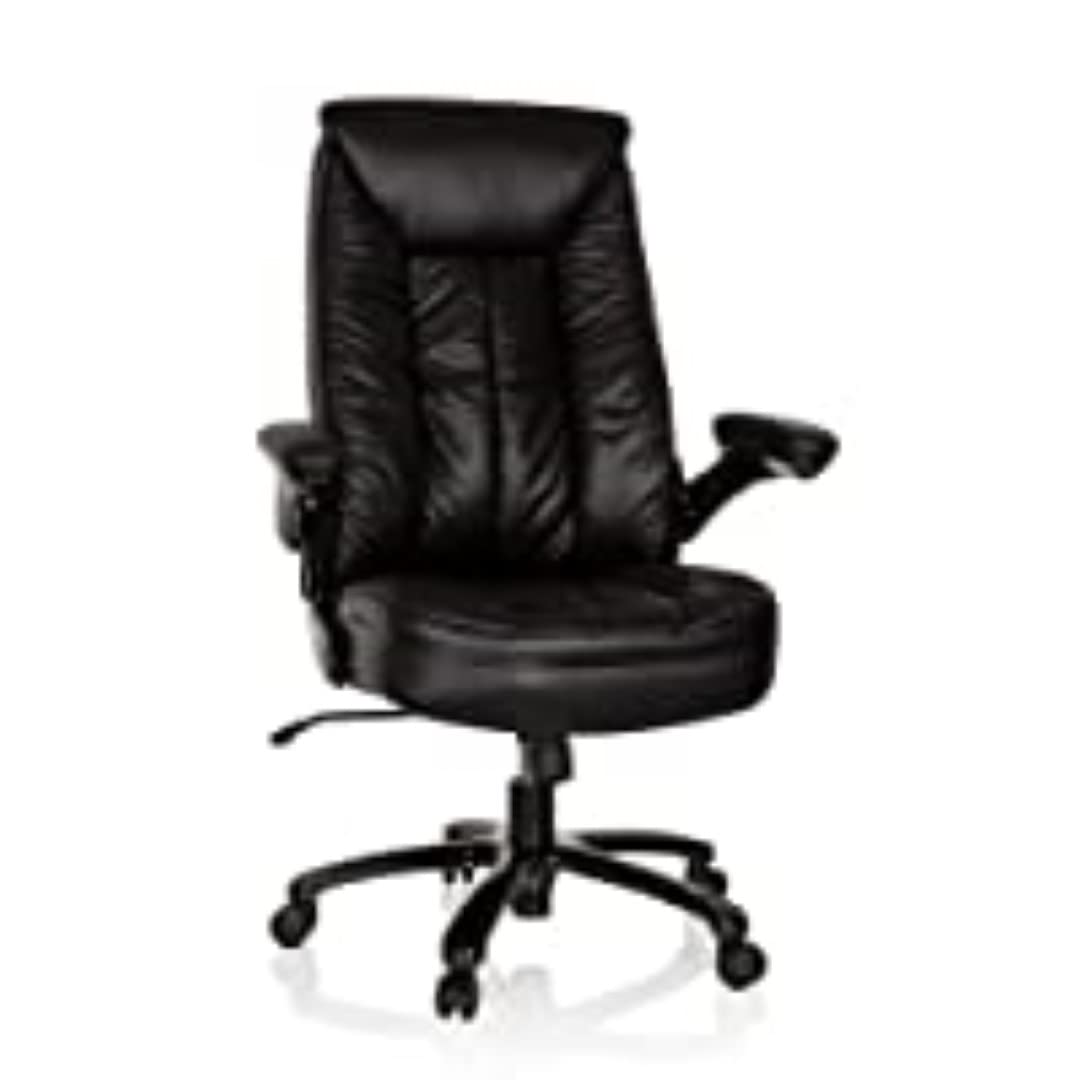
Abbildung 1: Dimensionale Darstellungview of the HJH OFFICE Instructor II office chair. All dimensions are approximate and measured in an unloaded state.
Garantieinformationen
For specific warranty terms and conditions, please refer to the documentation provided with your purchase or contact your retailer. Warranty coverage typically includes manufacturing defects and material faults under normal use.
Kundenservice
If you have any questions, require assistance with assembly, or need to report a problem, please contact hjh OFFICE customer support through their official website or the retailer from whom you purchased the chair. Please have your model number (736210) and proof of purchase ready.