
SoundMAGIC P22BT Wireless Bluetooth Headphones User Manual
Model: P22BT | Brand: SoundMAGIC
1. Einleitung
The SoundMAGIC P22BT headphones offer a high-quality wireless audio experience with advanced Bluetooth v4.1 connectivity and NFC for quick pairing. Designed for comfort and portability, these headphones feature 40mm drivers for rich, balanced sound and a foldable design. This manual provides essential information for the proper use and maintenance of your P22BT headphones.
2. Packungsinhalt
Bitte kreuzen Sie das Kästchen für die folgenden Elemente an:
- 1 x SoundMAGIC P22BT Wireless Bluetooth Headphones
- 1 x USB-Ladekabel
- 1 x 3.5-mm-Audiokabel.
- 1 x Weiche Tragetasche
- 1 x Benutzerhandbuch (dieses Dokument)
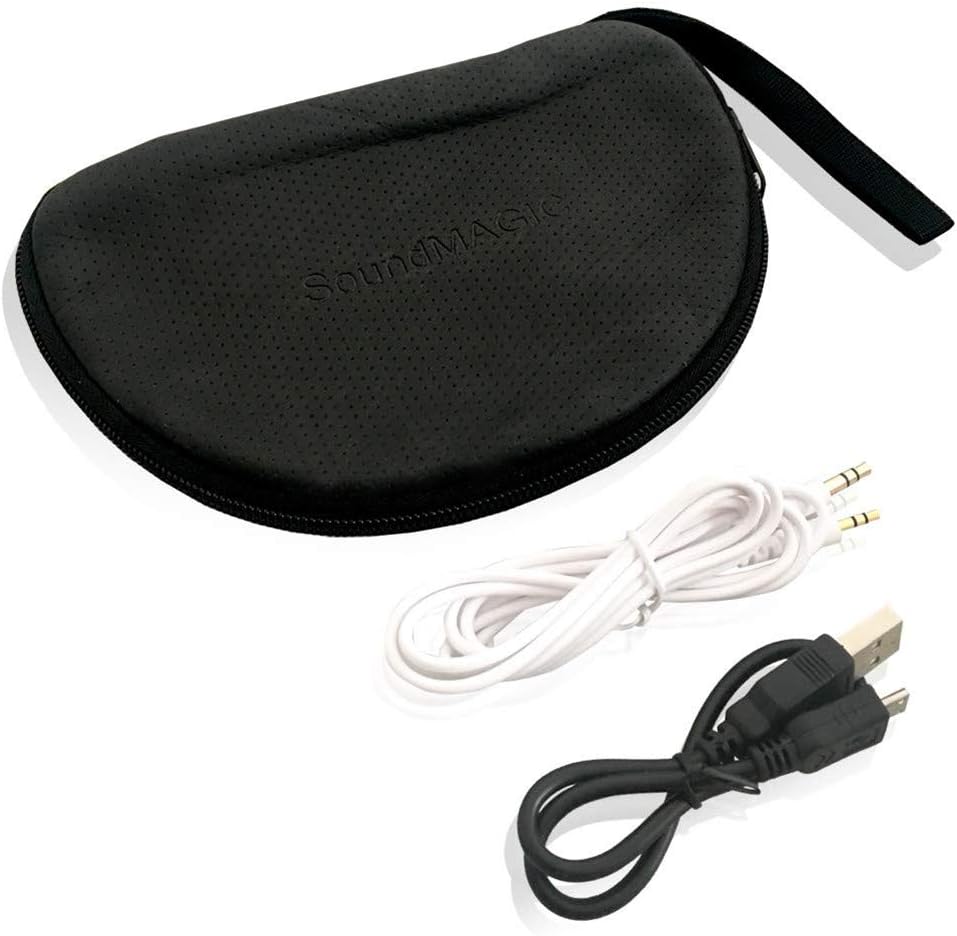
The package includes essential accessories for charging, wired listening, and protection.
3. Einrichtung
3.1 Aufladen der Kopfhörer
Before first use, fully charge the headphones. Connect the supplied USB charging cable to the micro-USB port on the headphones and the other end to a USB power source (e.g., computer USB port, wall adapter). The LED indicator will show charging status and turn off or change color when fully charged. A full charge provides approximately 18-20 hours of music playback.
3.2 Bluetooth-Kopplung
- Stellen Sie sicher, dass die Kopfhörer ausgeschaltet sind.
- Halten Sie die Ein-/Aus-Taste gedrückt, bis die LED-Anzeige abwechselnd blau und rot blinkt. Dies signalisiert den Kopplungsmodus.
- Aktivieren Sie auf Ihrem Gerät (Smartphone, Tablet usw.) Bluetooth und suchen Sie nach verfügbaren Geräten.
- Select "SoundMAGIC P22BT" from the list of found devices.
- Nach erfolgreicher Kopplung blinkt die LED-Anzeige periodisch blau.
NFC Pairing (if supported by your device)
With NFC enabled on your device and the headphones in pairing mode, simply tap your device against the NFC area on the left ear cup to initiate quick pairing.
3.3 Kabelverbindung
To use the headphones in wired mode, connect one end of the 3.5mm audio cable to the audio input port on the headphones and the other end to your audio source. The headphones can be used passively in wired mode, even if the battery is depleted.

For extended listening or when battery is low, connect the headphones using the provided 3.5mm audio cable.
4. Bedienungsanleitung
4.1 Kontrollen überview
The main controls are located on the right ear cup.

The right ear cup houses intuitive controls for power, volume adjustment, music playback, and call management.
- Ein-/Ausschalter (Mitte): Zum Ein-/Ausschalten gedrückt halten. Kurz drücken, um Musik abzuspielen/anzuhalten oder Anrufe anzunehmen/zu beenden.
- Lauter (+): Kurz drücken, um die Lautstärke zu erhöhen. Lang drücken, um zum nächsten Titel zu springen.
- Lautstärke runter (-): Kurz drücken, um die Lautstärke zu verringern. Lang drücken, um zum vorherigen Titel zu springen.
- Multi-function Button (Phone icon): Short press to answer/end calls. Long press to reject calls. Double press to redial the last number.
4.2 Ein-/Ausschalten
- Einschalten: Halten Sie den Ein-/Ausschalter etwa 3 Sekunden lang gedrückt, bis die LED blau blinkt.
- Ausschalten: Halten Sie den Ein-/Ausschalter etwa 3 Sekunden lang gedrückt, bis die LED rot blinkt und sich dann ausschaltet.
4.3 Musikwiedergabe
- Abspielen/Pause: Drücken Sie kurz die Einschalttaste.
- Nächster Titel: Die Lauter-Taste (+) lange drücken.
- Vorheriges Lied: Die Leiser-Taste (-) lange gedrückt halten.
4.4 Anrufmanagement
- Anruf annehmen/beenden: Drücken Sie kurz die Multifunktionstaste.
- Anruf ablehnen: Die Multifunktionstaste lange drücken.
- Wahlwiederholung letzte Nummer: Drücken Sie die Multifunktionstaste zweimal.
5. Wartung
5.1 Reinigung
Wipe the headphones with a soft, dry cloth. Do not use abrasive cleaners or solvents. The ear pads can be gently cleaned with a damp cloth and mild soap, then allowed to air dry completely before use.
5.2 Speicherung
When not in use, store the headphones in the provided soft carrying case to protect them from dust and damage. The foldable design allows for compact storage.
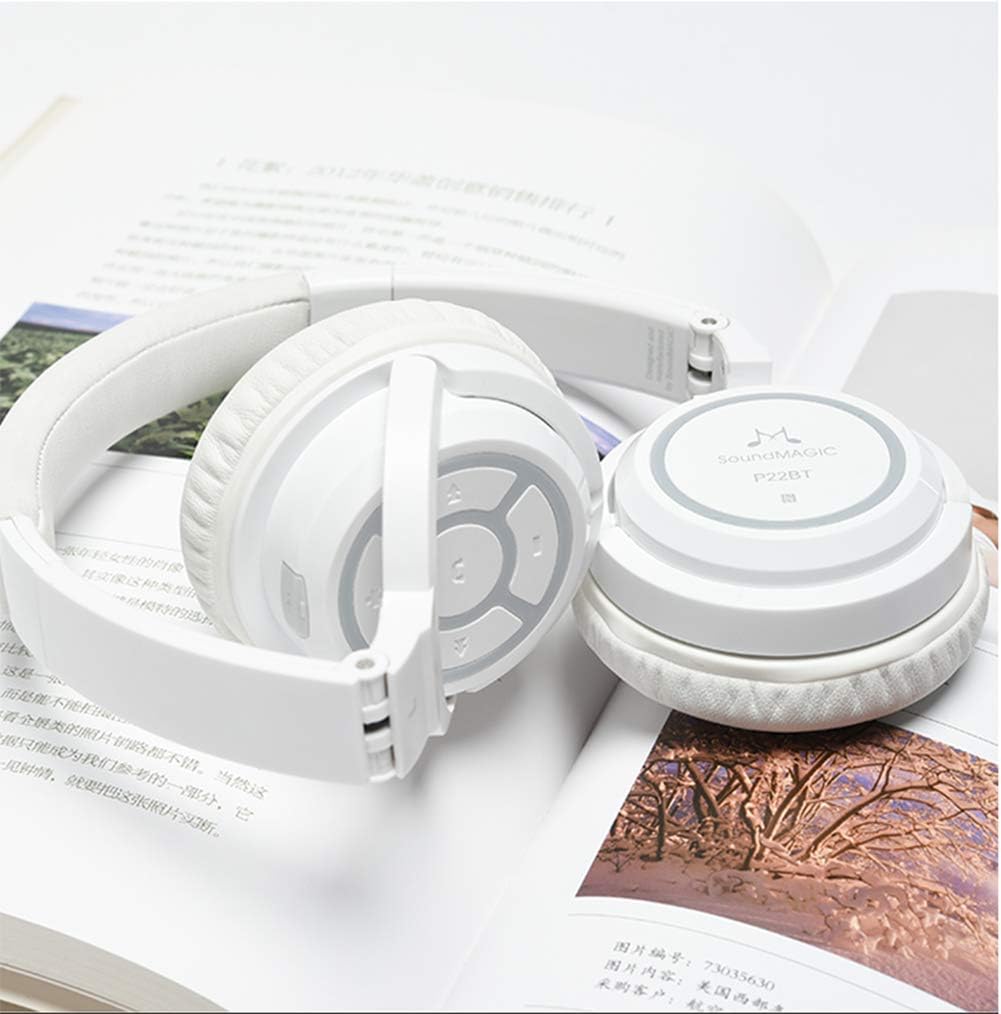
The headphones fold inward, making them easy to store and transport in the included soft case.
Avoid storing in extreme temperatures or high humidity. Keep away from direct sunlight.
6. Fehlerbehebung
- Die Kopfhörer lassen sich nicht einschalten: Ensure the headphones are fully charged. Connect to a USB power source and try again.
- Kopplung mit dem Gerät nicht möglich:
- Stellen Sie sicher, dass sich die Kopfhörer im Kopplungsmodus befinden (LED blinkt blau und rot).
- Stellen Sie sicher, dass Bluetooth auf Ihrem Gerät aktiviert ist.
- Bringen Sie die Kopfhörer näher an Ihr Gerät heran.
- Schalten Sie sowohl die Kopfhörer als auch Ihr Gerät aus und wieder ein und versuchen Sie dann erneut, die Kopplung herzustellen.
- Löschen Sie gegebenenfalls vorherige Bluetooth-Verbindungen auf Ihrem Gerät.
- Kein Ton oder geringe Lautstärke:
- Überprüfen Sie die Lautstärke sowohl an den Kopfhörern als auch an Ihrem angeschlossenen Gerät.
- Stellen Sie sicher, dass die Kopfhörer ordnungsgemäß gekoppelt und angeschlossen sind.
- If using wired connection, ensure the 3.5mm cable is fully inserted into both the headphones and the audio source.
- Schlechte Tonqualität:
- Um Störungen zu vermeiden, gehen Sie näher an Ihr angeschlossenes Gerät heran.
- Stellen Sie sicher, dass sich keine Hindernisse zwischen den Kopfhörern und Ihrem Gerät befinden.
- Try playing different audio sources to rule out source issues.
7. Spezifikationen
| Modell | P22BT |
| Bluetooth-Version | Version 4.1 |
| Treibereinheit | 40mm Neodymium Boron Magnetic Coil |
| Übertragungsdistanz | Ca. 13 Meter |
| Impedanz | 32 ± 3 Ω |
| Mic Sensitivity | 95 ± 3 dB |
| Energieaufnahme | Klasse 2 |
| Betriebsstrom | 30 mAh |
| Musikwiedergabezeit | 18-20 Stunden |
| Gesprächszeit | 13-15 Stunden |
| Standby-Zeit | 640 Stunden |
| Betriebstemperatur | -20 °C bis 60 °C |
| Gewicht | 158 Gramm |
| Konnektivität | Wireless Bluetooth, 3.5mm Jack, USB |
| Material | Memory foam (earpads), Metal reinforced headband |
| Stil | Supra-aural (On-Ear) |
| Noise Isolation | Ja |
8. Garantie und Support
SoundMAGIC products are manufactured to high standards and undergo rigorous quality control. For specific warranty information, please refer to the warranty card included with your purchase or visit the official SoundMAGIC website. If you encounter any issues or require technical assistance, please contact SoundMAGIC customer support through their official channels.
Bitte bewahren Sie Ihren Kaufbeleg für Garantieansprüche auf.