
1. Einleitung
This manual provides essential information for the installation, operation, and maintenance of the Hirschmann RS20-0800T1T1SDAUHH Ethernet Rail Switch. This unmanaged Fast Ethernet switch is designed for industrial applications, offering reliable network connectivity with 8 ports and DIN rail mounting capabilities. Please read this manual thoroughly before operating the device.
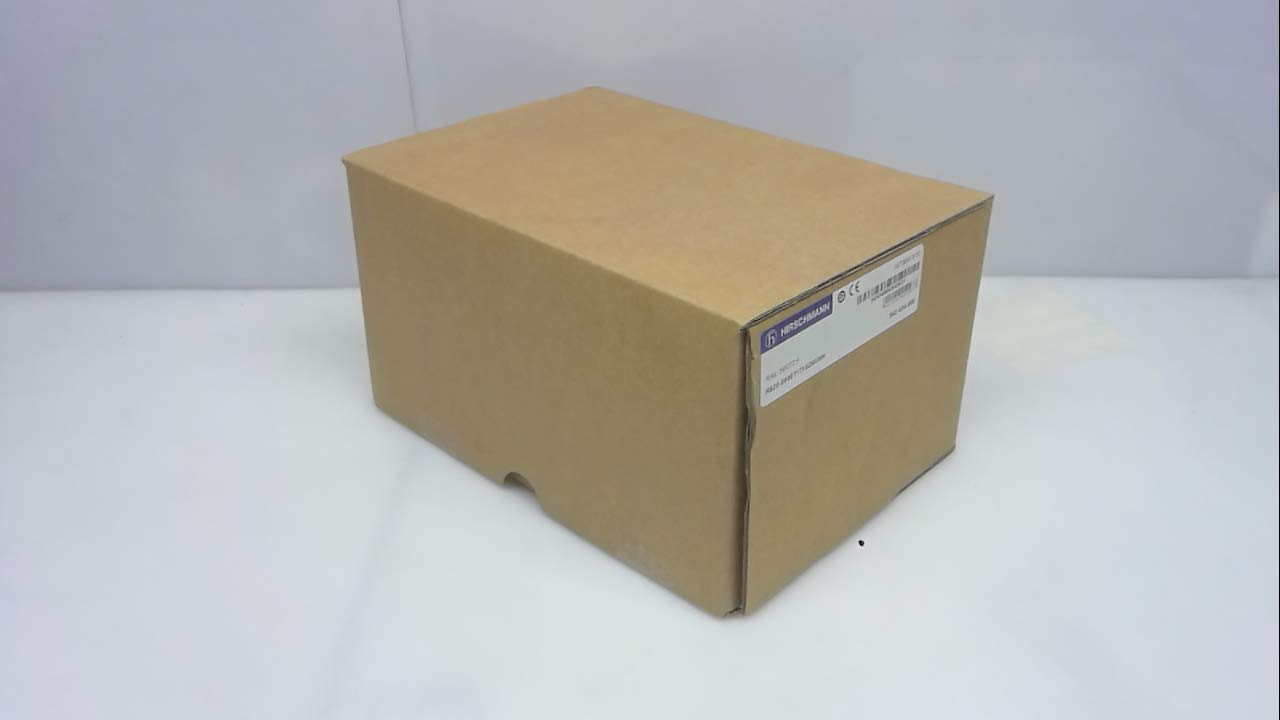
Abbildung 1: Hirschmann RS20-0800T1T1SDAUHH Ethernet Rail Switch in its original packaging. The packaging indicates the model number and brand for verification.
2. Einrichtung und Installation
Follow these steps for proper installation of your Hirschmann RS20-0800T1T1SDAUHH switch.
2.1 Auspacken
- Nehmen Sie den Schalter vorsichtig aus der Verpackung.
- Verify that all components are present and undamaged. The package should contain the switch and any included hardware.
2.2 Montage
The RS20-0800T1T1SDAUHH is designed for DIN rail mounting.
- Attach the switch securely to a standard DIN rail in an industrial enclosure.
- Sorgen Sie für ausreichende Belüftung rund um das Gerät, um eine Überhitzung zu vermeiden.
2.3 Stromanschluss
Schließen Sie das Netzteil an den Schalter an.
- The switch operates on 24V AC or 24-48V DC.
- Stellen Sie sicher, dass die Stromquelle der angegebenen Spannung entspricht.tage Reichweite.
- Connect the power cables to the designated power input terminals on the switch.
2.4 Netzwerkverbindungen
Connect Ethernet devices to the switch ports.
- The switch features 8 Fast Ethernet ports.
- Use standard Ethernet cables (e.g., Cat5e or Cat6) to connect your network devices (e.g., PLCs, industrial PCs, sensors) to any of the 8 ports.
- The switch automatically detects link speed and duplex mode.

Abbildung 2: The Hirschmann RS20-0800T1T1SDAUHH switch, illustrating the 8 Ethernet ports and the power input terminal block for connection.
3. Bedienungsanleitung
The Hirschmann RS20-0800T1T1SDAUHH is an unmanaged switch, designed for simple plug-and-play operation.
3.1 Einschalten
Once the power supply is connected, the switch will power on automatically. There is no power button.
3.2 Netzwerkverbindungen
Upon connecting Ethernet devices to the switch ports, the switch will automatically establish network links. Data transmission will commence without further configuration.
3.3 LED-Anzeigen
Observe the LED indicators on the switch for status information:
- Betriebs-LED: Indicates the power status of the device. Typically green when powered on.
- Link-/Aktivitäts-LEDs (pro Port):
- Durchgängig grün: Zeigt eine erfolgreiche Netzwerkverbindung an.
- Grün blinkend: Zeigt die Datenaktivität am Port an.
- Aus: No link detected or device is not connected.
4. Wartung
The Hirschmann RS20-0800T1T1SDAUHH switch requires minimal maintenance.
4.1 Reinigung
- Stellen Sie sicher, dass das Gerät vor der Reinigung ausgeschaltet ist.
- Verwenden Sie ein weiches, trockenes Tuch, um die Außenseite des Schalters abzuwischen.
- Verwenden Sie keine flüssigen Reinigungs- oder Lösungsmittel, da diese das Gerät beschädigen können.
4.2 Umweltaspekte
The switch has an IP00 rating, meaning it is not protected against dust or water ingress. It must be installed in an appropriate enclosure that provides protection from environmental factors.
5. Fehlerbehebung
Dieser Abschnitt bietet Lösungen für häufig auftretende Probleme.
5.1 Kein Strom
- Symptom: Betriebs-LED ist aus.
- Aktion:
- Check the power cable connection to the switch.
- Verify the power source is active and providing the correct voltage (24V AC / 24-48V DC).
- Inspect the power terminals for secure contact.
5.2 Keine Netzwerkverbindung
- Symptom: Link/Activity LED for a port is off, or devices cannot communicate.
- Aktion:
- Stellen Sie sicher, dass das Ethernet-Kabel sowohl mit dem Switch-Port als auch mit dem angeschlossenen Gerät fest verbunden ist.
- Versuchen Sie es mit einem anderen Ethernet-Kabel.
- Vergewissern Sie sich, dass das angeschlossene Gerät eingeschaltet ist und ordnungsgemäß funktioniert.
- Versuchen Sie, das Gerät an einen anderen Port des Switches anzuschließen.
6. Spezifikationen
Technical specifications for the Hirschmann RS20-0800T1T1SDAUHH Ethernet Rail Switch.
| Besonderheit | Spezifikation |
|---|---|
| Modellnummer | RS20-0800T1T1SDAUHH |
| Marke | Hirschmann |
| Schaltertyp | Unmanaged Fast Ethernet Switch |
| Anzahl der Ports | 8 |
| Montagetyp | DIN-Schiene |
| Betriebslautstärketage | 24V AC / 24-48V DC |
| Konnektivitätsprotokoll | Ethernet |
| Produktabmessungen (L x B x H) | 0.31 x 0.31 x 0.28 Zoll |
| Gewicht | 5.67 Pfund |
| Internationale Schutzbewertung | IP00 |
| Kontaktmaterial | Kupfer |
| Datum der ersten Verfügbarkeit | 11. Mai 2018 |

Abbildung 3: Product label for the Hirschmann RS20-0800T1T1SDAUHH, displaying key identification numbers such as UPC 4002044252977 and Alt ID 943 434-999.
7. Garantie und Support
7.1 Garantieinformationen
For specific warranty details regarding your Hirschmann RS20-0800T1T1SDAUHH switch, please refer to the warranty documentation provided with your purchase or contact Hirschmann directly. Warranty terms typically cover manufacturing defects for a specified period from the date of purchase.
7.2 Technischer Support
If you encounter issues that cannot be resolved using the troubleshooting guide, or require further technical assistance, please contact Hirschmann customer support or your authorized distributor. Have your product model number (RS20-0800T1T1SDAUHH) and serial number ready when contacting support.