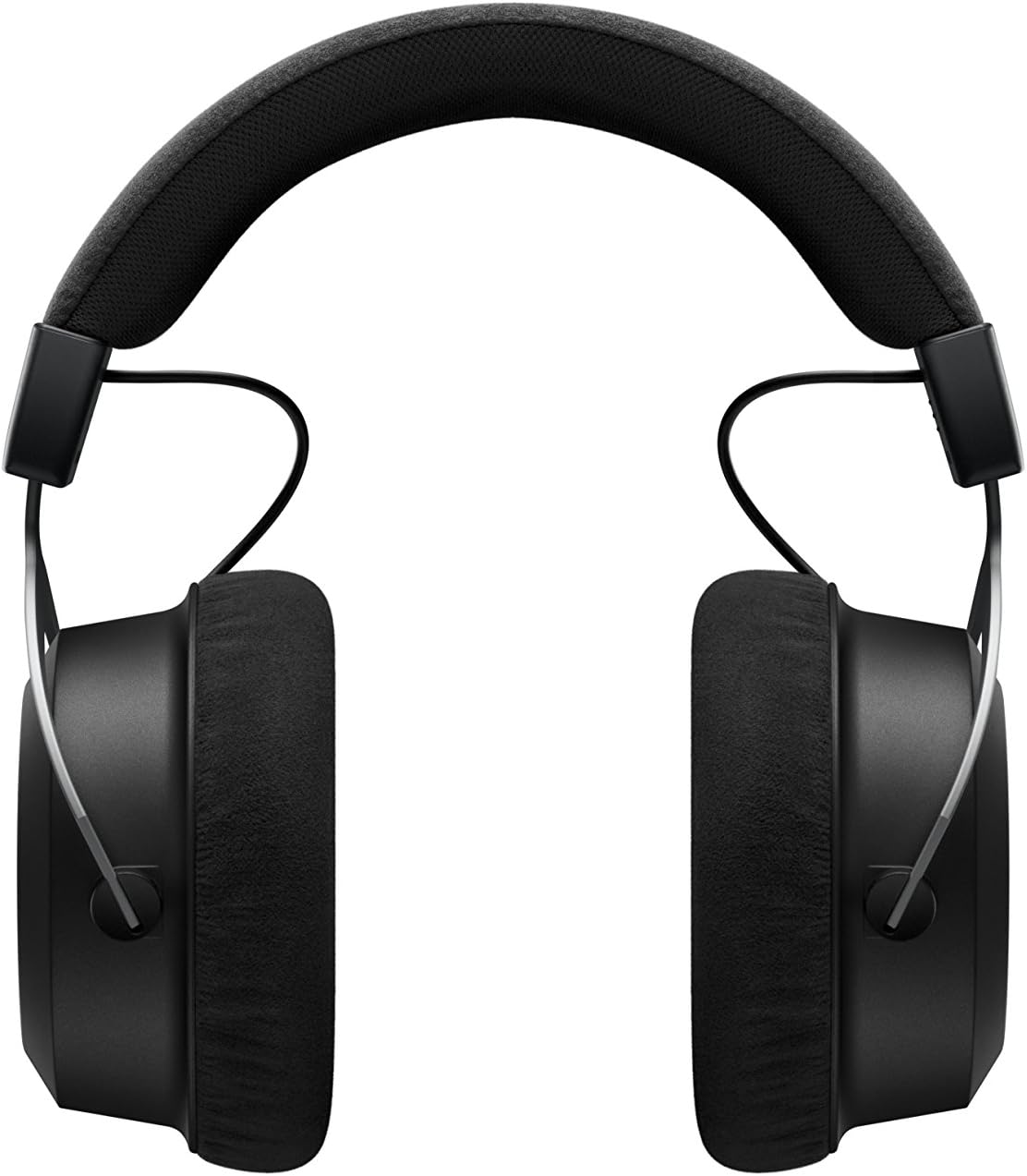
The beyerdynamic Amiron Wireless headphones are designed to provide a high-end audio experience with the freedom of wireless connectivity. These headphones integrate innovative sound personalization and Tesla technology for optimal sound quality. They are crafted with high-quality materials in Germany, ensuring durability and a comfortable fit for extended listening sessions.
Lieferumfang
Your beyerdynamic Amiron Wireless headphones package includes the following items:
Amiron Wireless headphones
Optional wired connection cable with remote control (Mini Jack 3.5 mm, 1.2 m long, detachable, 4-pole)
Ladekabel USB-A auf USB-C
Hartschalenkoffer
Garantieheft
Kurzanleitung
Image: The Amiron Wireless headphones, charging cable, audio cable, and hard case.
Produkt überview
The Amiron Wireless headphones are designed for an immersive audio experience, combining advanced technology with user comfort.
Hauptmerkmale:
High-end Bluetooth Connectivity: Features optimum sound quality thanks to Tesla technology and top-class Bluetooth transmission (Qualcomm aptX HD and AAC). Operating range up to 10 meters.
Sound Personalization: Adapts acoustically to the user's hearing through an integrated sound personalization feature, ensuring a tailored audio experience.
Komfort: Unique wearing comfort achieved through masterfully balanced contact pressure and a perfect fit, ideal for long listening sessions.
Premium-Build: Made in Germany with high-quality materials, offering durability and flawless workmanship.
Touch-Steuerung: Intuitive touch controls on the earcup for easy management of playback and calls.
Abbildung: Seite view of the Amiron Wireless headphones, highlighting the earcup design and headband.
Aufstellen
1. Aufladen der Kopfhörer
Before first use, ensure your Amiron Wireless headphones are fully charged. Connect the provided USB-A to USB-C charging cable to the USB-C port on the headphone and a suitable USB power source. A full charge takes approximately 2 hours and provides over 30 hours of battery life.
2. Bluetooth-Kopplung
So koppeln Sie Ihre Kopfhörer mit einem Bluetooth-fähigen Gerät:
Stellen Sie sicher, dass die Kopfhörer aufgeladen und ausgeschaltet sind.
Halten Sie den Ein-/Ausschalter am Kopfhörer gedrückt, bis die LED-Anzeige blau und rot blinkt. Dies signalisiert den Kopplungsmodus.
On your device (smartphone, tablet, etc.), go to Bluetooth settings and select "Amiron Wireless" from the list of available devices.
Once connected, the LED indicator will show a steady blue light.
3. Sound Personalization (MIY App)
For an optimized listening experience, download the beyerdynamic MIY app from the Google Play Store or Apple App Store. The app allows you to perform a hearing test and create a personalized sound profile that adapts the audio output to your individual hearing. This profile is then stored directly on the headphones.
Video: Ein überview of the beyerdynamic Amiron Wireless headphones, including unboxing and features like sound personalization and touch controls.
Bedienungsanleitung
Touchpad-Steuerung
The right earcup features an integrated touchpad for intuitive control of various functions:
Lautstärkeregelung: Swipe up or down on the touchpad.
Track-Navigation: Swipe forward for the next track, backward for the previous track.
Abspielen/Pause: Tap the center of the touchpad.
Anrufverwaltung: Tap to answer/end calls, push and hold for voice commands (Siri, Google Assistant).
The sensitivity of these touch controls can be customized via the MIY app.
Kabelgebundener Betrieb
For a wired connection, plug the provided 3.5 mm audio cable into the headphone's audio jack and your audio source. This allows for passive use even if the battery is depleted or while charging. The inline remote on the cable provides basic playback and call controls.
Image: A user enjoying music with the Amiron Wireless headphones, demonstrating the touch controls on the earcup.
Tonqualität
The Amiron Wireless headphones deliver a dynamic and detailed sound profile, characterized by:
Bass: Powerful and precise low-end with good impact, without overpowering other frequencies.
Mittelklasse: Natural and clear, providing excellent reproduction of vocals and instruments.
Verdreifachen: Detailed and smooth high-end, avoiding harshness even at higher frequencies, contributing to an airy sound.
Geräuschetage: Offers impressive depth and precise instrument placement, creating a spacious and immersive listening experience.
The sound personalization feature via the MIY app further enhances the audio quality by tailoring it to your unique hearing profile.
Komfort und Design
The Amiron Wireless headphones prioritize comfort and a robust build:
Ohrpolster: Equipped with soft, velour earpads that provide a comfortable fit and contribute to sound isolation.
Stirnband: Features a leatherette headband with ample padding for reduced pressure during prolonged use.
Materialien: Constructed with high-quality materials, including metal components, ensuring durability and a premium feel.
Fit: Designed for a balanced contact pressure and secure fit, making them suitable for home listening.
Image: A user enjoying music with the Amiron Wireless headphones in a relaxed setting, showcasing their comfortable design.
Technische Daten
Besonderheit
Detail
Modellname
Amiron Wireless
Konnektivitätstechnologie
Wireless Version (Bluetooth 4.0)
Drahtlose Kommunikationstechnologie
Bluetooth
Frequenzgang
5 - 40,000 Hz
Impedanz
32 Ohm
Empfindlichkeit
100 dB
Akkulaufzeit
30 Stunden
Ladezeit
2 Hours (for 30 hours playback)
Bluetooth-Reichweite
10 Meter
Kontrollmethode
Touch (Mediensteuerung)
Lärmschutz
Schallisolierung
Artikelgewicht
13.4 Unzen
Technische Daten
8.07 x 4.13 x 5.9 Zoll
Hersteller
Beyerdynamic, Inc.
Wartung
To ensure the longevity and optimal performance of your beyerdynamic Amiron Wireless headphones, follow these maintenance guidelines:
Reinigung: Reinigen Sie die Ohrmuscheln und den Kopfbügel mit einem weichen, trockenen Tuch. Vermeiden Sie die Verwendung von scharfen Chemikalien oder scheuernden Materialien.
Lagerung: When not in use, store the headphones in their provided hard case to protect them from dust, scratches, and impacts.
Batteriepflege: Vermeiden Sie häufiges vollständiges Entladen des Akkus. Laden Sie den Akku für die Langzeitlagerung auf etwa 50 %, um seine Lebensdauer zu verlängern.
Feuchtigkeit: Schützen Sie die Kopfhörer vor Feuchtigkeit und extremen Temperaturen.
Fehlerbehebung
If you encounter issues with your Amiron Wireless headphones, try the following solutions:
Kein Strom: Ensure the headphones are fully charged using the provided USB-C cable.
Kopplung via Bluetooth nicht möglich:
Stellen Sie sicher, dass sich die Kopfhörer im Kopplungsmodus befinden (LED blinkt blau und rot).
Stellen Sie sicher, dass Bluetooth auf Ihrem Gerät aktiviert ist.
Bringen Sie die Kopfhörer näher an Ihr Gerät heran (innerhalb von 10 Metern).
Versuchen Sie, die Kopfhörer über die Bluetooth-Einstellungen Ihres Geräts zu entkoppeln und anschließend erneut zu koppeln.
Kein Ton/Geringe Lautstärke:
Check the volume levels on both the headphones (via touchpad) and your connected device.
Stellen Sie sicher, dass die Kopfhörer ordnungsgemäß gekoppelt sind.
If using the wired connection, ensure the cable is securely plugged into both the headphones and the audio source.
Klangverzerrung:
Reduce the volume on your device and/or headphones.
Stellen Sie sicher, dass sich keine Hindernisse zwischen den Kopfhörern und Ihrem Bluetooth-Gerät befinden.
Garantie und Support
The beyerdynamic Amiron Wireless headphones are manufactured in Germany using high-quality materials, offering durability and flawless workmanship. Please refer to the included warranty booklet for detailed information regarding your product's warranty coverage.
For further assistance, technical support, or service inquiries, please visit the official beyerdynamic webWebsite oder wenden Sie sich an die Kundendienstabteilung.
Ask about setup, troubleshooting, compatibility, parts, safety, or missing instructions. Manuals+ will review the question and use this page’s manual context to help answer it.