
1. Einleitung
The PROALLER Sleep Sound Machine is designed to create a peaceful environment for sleep, relaxation, or concentration by providing a selection of soothing natural sounds and white noise. This manual will guide you through the setup, operation, and maintenance of your device.

Bild: Oben view of the PROALLER Sleep Sound Machine, displaying the speaker grille and control panel with various buttons and a volume knob.
2. Sicherheitshinweise
- Setzen Sie das Gerät nicht Wasser oder übermäßiger Feuchtigkeit aus.
- Vermeiden Sie, das Gerät in der Nähe von Wärmequellen oder in direktem Sonnenlicht aufzustellen.
- Use only the provided or a certified USB power adapter for charging.
- Außerhalb der Reichweite von Kindern und Haustieren aufbewahren.
- Versuchen Sie nicht, das Gerät selbst zu zerlegen oder zu reparieren. Wenden Sie sich an den Kundendienst, um Hilfe zu erhalten.
3. Packungsinhalt
Bitte prüfen Sie das Paket auf folgende Artikel:
- PROALLER Sleep Sound Machine (Model: sdthjk)
- USB-Ladekabel
- Bedienungsanleitung
4. Produktüberschreitungview
The PROALLER Sleep Sound Machine features an intuitive control panel and a soft night light. Familiarize yourself with the components:
Bedienfeld
Bild: Detailliert view of the control panel, highlighting buttons for power, timer settings, volume control knob, and individual buttons for sound selection.
- Netzschalter: Schaltet das Gerät ein oder aus.
- Timer-Taste: Sets the auto-off timer (15, 30, 45, 60 minutes).
- Lautstärkeregler: Passt die Lautstärke an.
- Sound Selection Buttons: Dedicated buttons for each of the 8 soothing sounds.
- Nachtlicht-Taste: Controls the night light and its brightness settings.
Nachtlicht-Funktion
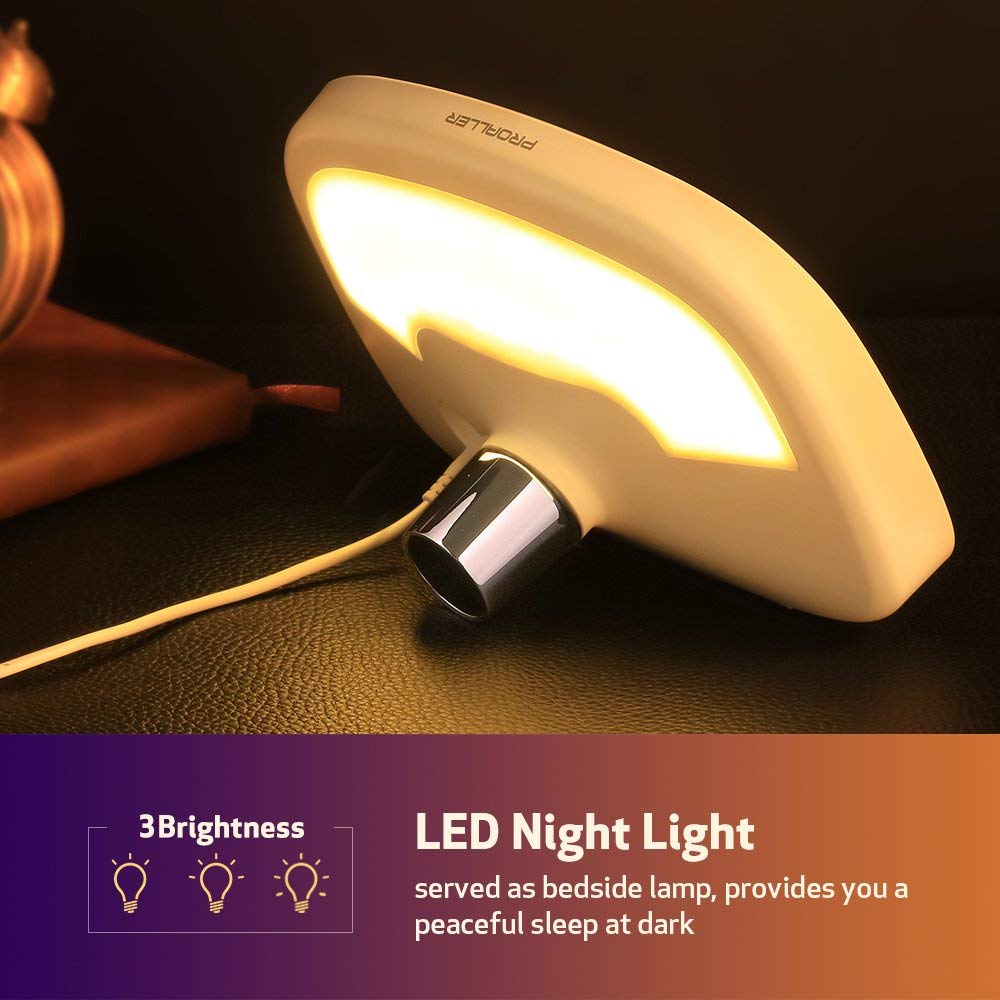
Image: The PROALLER Sleep Sound Machine with its integrated LED night light glowing softly, suitable for a bedside lamp.
The device includes a soft LED night light with multiple brightness settings, providing gentle illumination without disturbing sleep.
Available Sounds
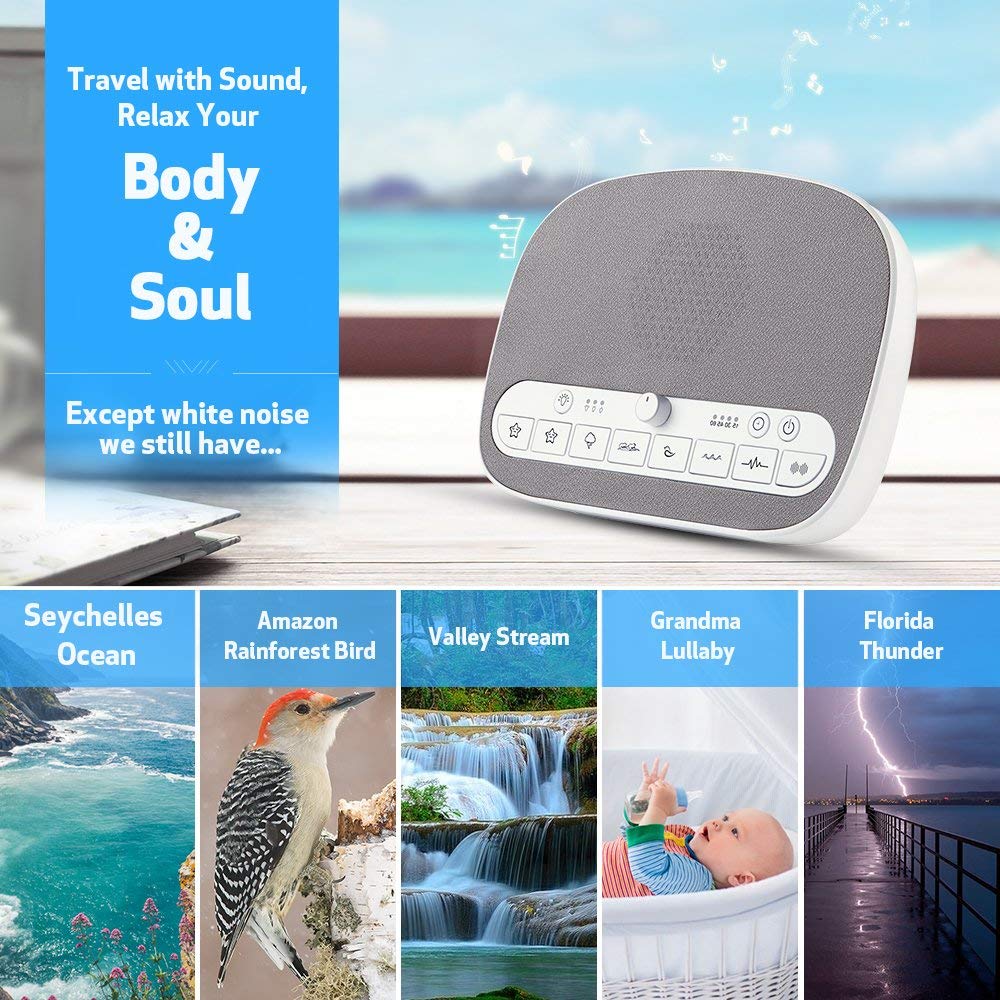
Image: A visual representation of the various natural sounds available on the machine, including ocean waves, birds, streams, lullabies, and thunder.
The machine offers 8 distinct soothing sounds:
- Weißes Rauschen
- Brauner Lärm
- Seychelles Ocean
- Valley Stream
- Amazon Rainforest Bird
- Florida Thunder
- Wiegenlied 1
- Wiegenlied 2
5. Einrichtung
Aufladen des Geräts
- Connect the provided USB charging cable to the USB port on the PROALLER Sleep Sound Machine.
- Stecken Sie das andere Ende des USB-Kabels in ein kompatibles USB-Netzteil (nicht im Lieferumfang enthalten) oder in einen USB-Anschluss Ihres Computers.
- Allow the device to charge fully before first use. The charging indicator light will show the charging status.
Platzierung
Place the sound machine on a stable, flat surface away from direct sunlight, heat sources, and moisture. For optimal sound distribution, position it in the center of the room or near your sleeping area.
6. Bedienungsanleitung
Ein-/Ausschalten
- Um das Gerät einzuschalten, drücken Sie die Netzschalter.
- Um das Gerät auszuschalten, drücken Sie die Netzschalter wieder.
Klangauswahl
Press the dedicated buttons for each sound to select your desired audio. The device will begin playing the selected sound immediately.
Lautstärkeregelung
Drehen Sie den Lautstärkeregler Im Uhrzeigersinn drehen, um die Lautstärke zu erhöhen, gegen den Uhrzeigersinn, um sie zu verringern.
Timerfunktion

Image: The sound machine displaying its auto-off timer options and indicating a non-stop playing mode for continuous sound.
The auto-off timer allows you to set the device to turn off automatically after a specified duration:
- Drücken Sie die Timer-Taste repeatedly to cycle through the available timer settings: 15 minutes, 30 minutes, 45 minutes, 60 minutes.
- An indicator light will illuminate next to the selected time.
- To disable the timer and enable non-stop playing, press the Timer-Taste until no timer indicator light is active.
Nachtlichtbetrieb
The integrated night light offers adjustable brightness:
- Drücken Sie die Nachtlicht-Taste to turn on the light at its lowest brightness.
- Press again to cycle through higher brightness levels.
- Press a final time to turn off the night light.
Memory Funktion
The device features a memory function that automatically recalls your last set volume, sound track, and timer settings when powered on again.
7. Wartung
Reinigung
- Stellen Sie vor der Reinigung sicher, dass das Gerät ausgeschaltet und vom Stromnetz getrennt ist.
- Wischen Sie die Außenseite mit einem weichen, trockenen Tuch ab.
- Verwenden Sie keine Scheuermittel oder Lösungsmittel und tauchen Sie das Gerät nicht in Wasser ein.
Lagerung
When not in use, store the sound machine in a cool, dry place away from direct sunlight and extreme temperatures.
8. Fehlerbehebung
| Problem | Mögliche Ursache | Lösung |
|---|---|---|
| Gerät lässt sich nicht einschalten. | Niedriger Batteriestand oder keine Stromverbindung. | Ensure the device is charged or connected to a power source. Press the Power Button firmly. |
| Kein Ton oder geringe Lautstärke. | Die Lautstärke ist zu niedrig oder der Ton ist stummgeschaltet. Falscher Ton ausgewählt. | Rotate the Volume Knob clockwise to increase volume. Ensure a sound is selected. |
| Nachtlicht funktioniert nicht. | Light is off or at lowest setting. | Press the Night Light Button repeatedly to cycle through brightness levels and turn it on. |
| Der Timer funktioniert nicht wie erwartet. | Falsche Timer-Einstellung ausgewählt. | Press the Timer Button to select the desired duration. Ensure a timer light is illuminated. |
9. Spezifikationen
| Marke | PROALLER |
| Modellnummer | sdthjk |
| Technische Daten | 21.84 x 13.97 x 8.89 cm |
| Artikelgewicht | 567 g |
| Stromquelle | Wiederaufladbar über USB |
| UPC | 713752496051 |
| Sounds Available | 8 (White Noise, Brown Noise, Ocean, Stream, Bird, Thunder, Lullaby 1, Lullaby 2) |
| Timer-Optionen | 15, 30, 45, 60 minutes, Non-stop |
10. Garantie und Support
The PROALLER Sleep Sound Machine comes with a 90 Tage Garantie from the date of purchase. Additionally, PROALLER provides lifetime service for this product.
For any questions, technical support, or warranty claims, please contact PROALLER customer service. Refer to your purchase documentation for specific contact details or visit the official PROALLER webWebsite.
When contacting support, please have your model number (sdthjk) and proof of purchase ready.