
1. Einleitung
Thank you for choosing the iMuto SL200QC 20000mAh Quick Charge Power Bank. This manual provides essential information for the safe and efficient operation of your device. Please read it thoroughly before use and retain it for future reference.
2. Produktüberschreitungview
The iMuto SL200QC is a high-capacity portable charger designed to provide fast and reliable power to your electronic devices. It features Qualcomm Quick Charge 3.0 technology and iM-Power auto-detection for optimized charging.
2.1 Packungsinhalt
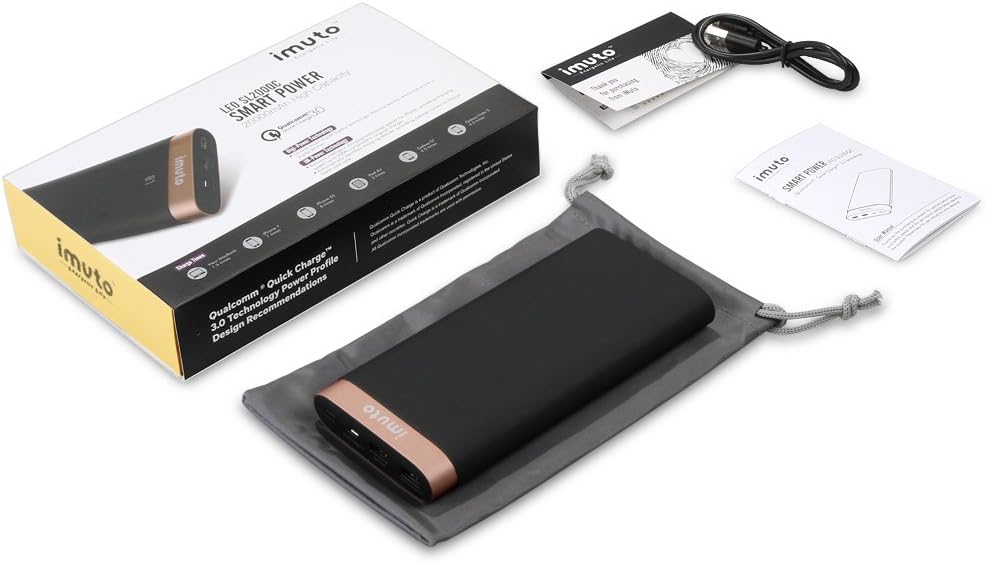
Image: The iMuto SL200QC Power Bank package contents, showing the power bank, a micro USB charging cable, a user manual, and a carrying pouch.
Das Paket beinhaltet typischerweise:
- iMuto SL200QC Power Bank
- Micro-USB-Ladekabel
- Bedienungsanleitung
- Tragetasche
2.2 Gerätemerkmale

Image: The iMuto SL200QC Power Bank, highlighting its two USB output ports (USB1 with Quick Charge 3.0, USB2 with iM-Power Technology), a Micro USB input port, and the digital power display.
- Digi-Power Technology: A smart digital screen displays the remaining power level in percentage.
- Zwei USB-Ausgangsanschlüsse:
- USB1: Qualcomm Quick Charge 3.0 (5-6V/3A, 6-9V/2A, 9-12V/1.5A) for compatible devices.
- USB2: iM-Power Technology (5V/1A-2.4A) for intelligent device detection and optimized charging.
- Micro USB Eingang: Supports Quick Charge 3.0 (5V-9V/2A, 9V-12V/1.5A) for rapid recharging of the power bank.
- Hohe Kapazität: 20000mAh Li-ion battery cells.
- Intelligenter Sicherheitsschutz: Eingebaute Schutzmechanismen gegen Überladung und Überspannungtage, Überstrom und Kurzschlüsse.
3. Einrichtung
Before first use, it is recommended to fully charge your iMuto SL200QC Power Bank.
3.1 Erstes Aufladen der Powerbank
- Connect the provided Micro USB cable to the Micro USB input port on the power bank.
- Connect the other end of the Micro USB cable to a USB wall charger (a Quick Charge 3.0/2.0 compatible charger is recommended for fastest recharging).
- The digital display will show the charging progress. The power bank is fully charged when the display shows "100".

Image: The iMuto SL200QC Power Bank connected to a wall charger via its Micro USB input, illustrating the recharging process. A full charge takes approximately 7 hours with a QC3.0/QC2.0 charger.
A full recharge using a Quick Charge 3.0/2.0 compatible charger typically takes about 7 hours. Using a standard 5V/2A charger will take longer.
4. Bedienungsanleitung
4.1 Checking Remaining Power
Press the power button once to activate the digital display. The screen will show the remaining battery percentage. The display will turn off automatically after a few seconds to conserve power.
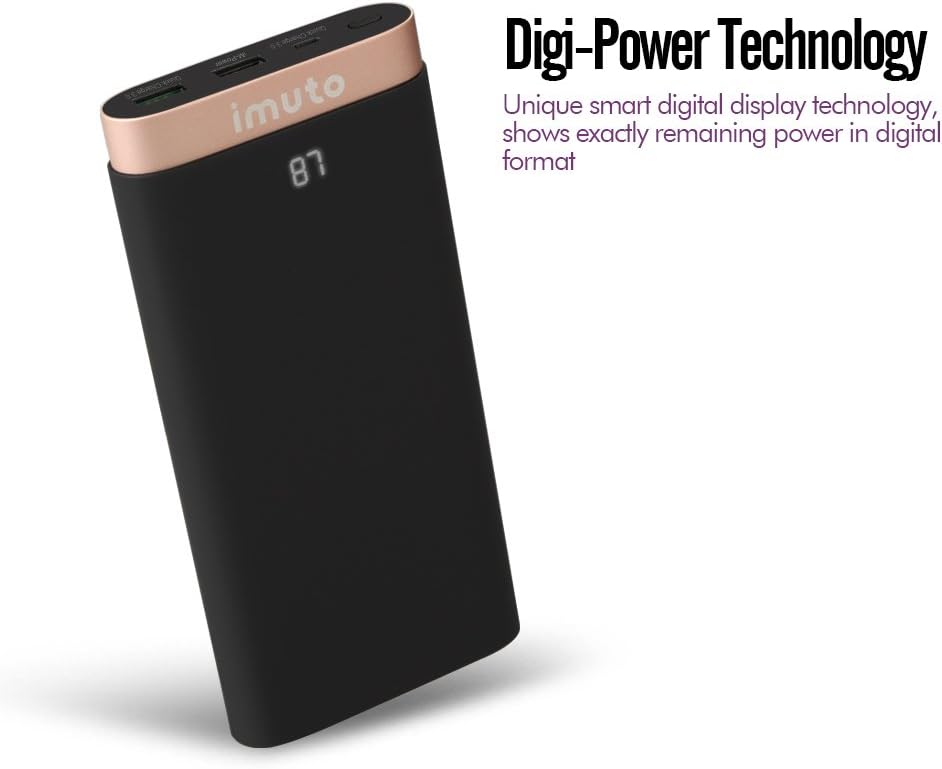
Image: The iMuto SL200QC Power Bank showing "87" on its digital display, indicating 87% remaining battery charge.
4.2 Laden Ihrer Geräte
The iMuto SL200QC can charge up to two devices simultaneously.

Image: The iMuto SL200QC Power Bank connected to a smartphone and a tablet, demonstrating its ability to charge two devices concurrently.
- Schließen Sie das Ladekabel Ihres Geräts an einen der USB-Ausgangsanschlüsse der Powerbank an.
- Verbinden Sie das andere Ende des Kabels mit Ihrem Gerät.
- The power bank will automatically begin charging your device. The digital display will illuminate to show the remaining power.
- Um den Ladevorgang zu beenden, trennen Sie einfach Ihr Gerät vom Stromnetz.
Note on Ports:
- USB1 (Quick Charge 3.0): Use this port for devices compatible with Quick Charge technology to achieve the fastest charging speeds.
- USB2 (iM-Power Technology): This port intelligently detects your device's charging requirements and delivers the optimal current up to 2.4A.
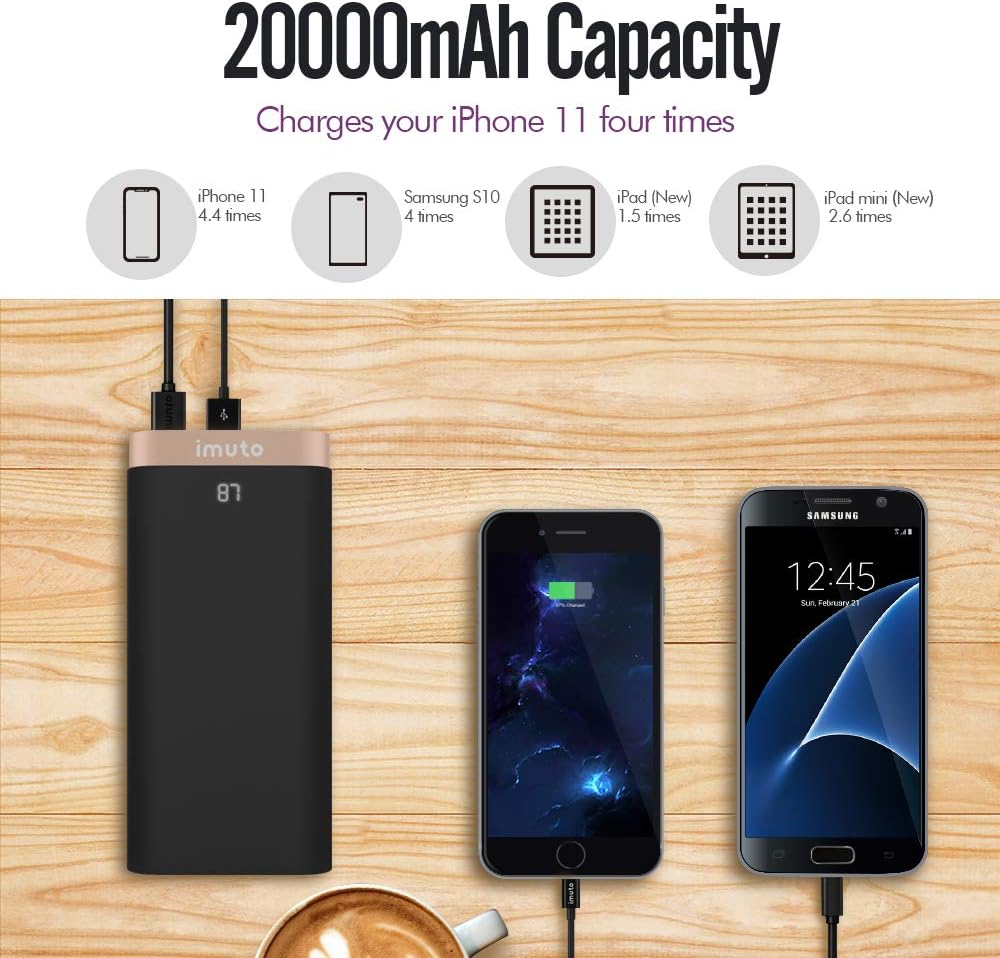
Image: The iMuto SL200QC Power Bank shown next to a smartphone and tablet being charged, with illustrations indicating its 20000mAh capacity can charge an iPhone 11 approximately 4.4 times, a Samsung S10 4 times, an iPad (New) 1.5 times, and an iPad mini (New) 2.6 times.
5. Wartung
- Schützen Sie die Powerbank vor extremen Temperaturen, direkter Sonneneinstrahlung und feuchter Umgebung.
- Setzen Sie die Powerbank nicht Wasser oder anderen Flüssigkeiten aus.
- Reinigen Sie die Powerbank mit einem trockenen, weichen Tuch. Verwenden Sie keine Scheuermittel oder Lösungsmittel.
- Store the power bank in a cool, dry place when not in use. For prolonged storage, it is recommended to charge the power bank to about 50-75% every 3 months to maintain battery health.
- Vermeiden Sie das Fallenlassen oder starke Stöße auf die Powerbank.
6. Fehlerbehebung
| Problem | Mögliche Ursache | Lösung |
|---|---|---|
| Powerbank lädt keine Geräte. |
|
|
| Powerbank lädt nicht. |
|
|
| Langsame Ladegeschwindigkeit. |
|
|
| Digitalanzeige funktioniert nicht. |
|
|
7. Spezifikationen
| Besonderheit | Detail |
|---|---|
| Modell | SL200QC |
| Batteriekapazität | 20000mAh / 74Wh |
| Akku-Typ | Li-ion (8 cells) |
| Micro USB Input (QC 3.0) | 5V-9V/2A, 9V-12V/1.5A |
| USB1 Output (QC 3.0) | 5-6V/3A, 6-9V/2A, 9-12V/1.5A |
| USB2 Output (iM-Power) | 5 V / 1 A-2.4A |
| Gesamtausgangsleistung | 25 Watt (max.) |
| Maße | 17.2 x 8.18 x 2.24 cm |
| Gewicht | 650 g |
| Kompatible Geräte | iPhone, iPad, Samsung Galaxy, Google Nexus/Pixel, Nintendo Switch, Xperia, LG, Lumia, and other USB-powered devices. |

Bild: Eine explodierte view of the iMuto SL200QC Power Bank, illustrating its internal components including A-class Li-ion battery cells, Digi-Power technology circuit board, multiple smart protection system, power button, and aviation aluminum alloy shell.
8. Garantie und Support
8.1 Garantieinformationen
The iMuto SL200QC Power Bank comes with an 18 Monate Garantie Diese Garantie gilt ab Kaufdatum und deckt Herstellungsfehler ab. Sie gewährleistet zudem eine zuverlässige Funktion bei normalem Gebrauch. Bitte bewahren Sie Ihren Kaufbeleg für Garantieansprüche auf.
Die Garantie deckt keine Schäden ab, die durch Missbrauch, Unfälle, unbefugte Änderungen oder Naturkatastrophen verursacht wurden.
8.2 Kundendienst
For any questions, technical assistance, or warranty claims, please contact iMuto customer support. Refer to the contact information provided on the official iMuto webWebsite oder Ihre Kaufdokumentation.