
1. Einleitung
This manual provides detailed instructions for the proper setup, operation, and maintenance of your Grundig 72847 Azerty USB Keyboard. Please read this manual thoroughly before using the product to ensure optimal performance and longevity.
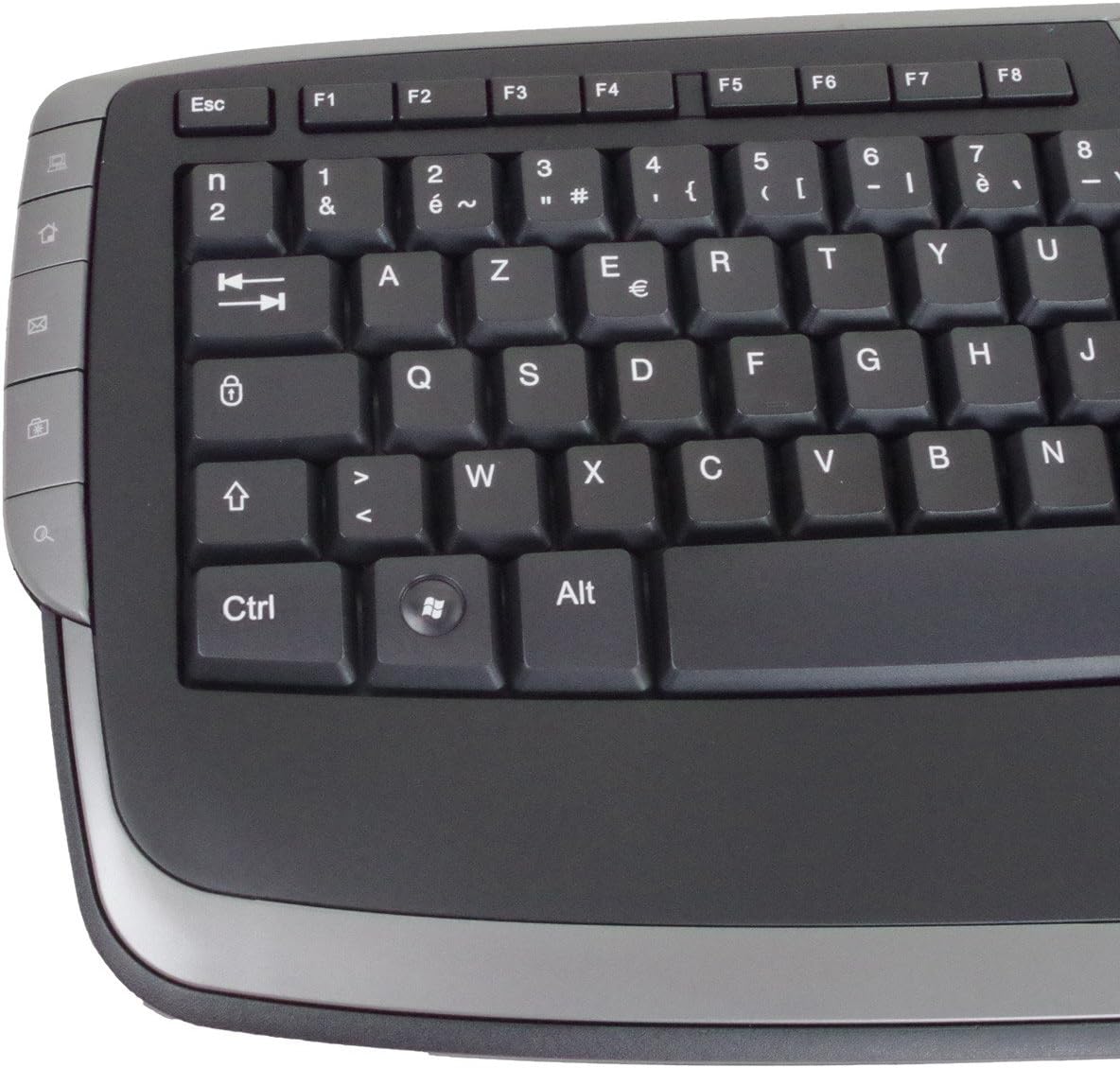
The Grundig 72847 keyboard features an Azerty layout, a wired USB connection, and an ergonomic design. It includes dedicated multimedia and office direct keys for enhanced functionality and supports both Windows and Mac operating systems.
2. Produktüberschreitungview
The Grundig 72847 keyboard is designed for comfortable and efficient typing. It features a standard Azerty key layout, along with additional function keys.
2.1 Hauptmerkmale
- Azerty Layout: Standard key arrangement primarily used in French-speaking regions.
- Kabelgebundene USB-Verbindung: Ensures stable and reliable connectivity.
- Ergonomisches Design: Contoured shape for comfortable use and reduced strain.
- Multimedia-Tasten: 8 dedicated keys for quick access to media controls (volume, play/pause, etc.).
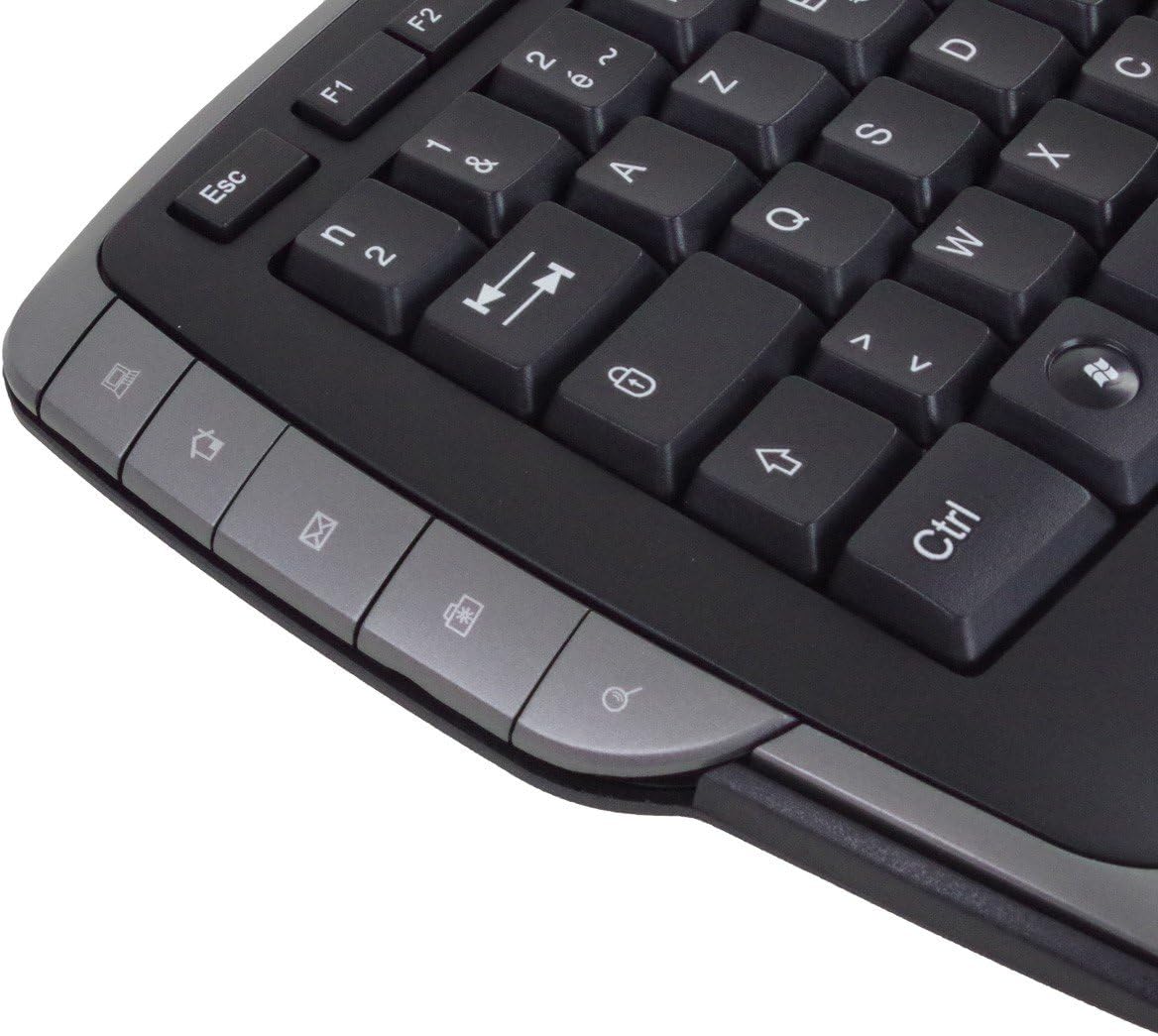
- Office Direct Keys: 17 additional keys for common office functions, enhancing productivity.
- Blaue LED-Anzeigen: Signal illumination for various functions.
- Breite Kompatibilität: Unterstützt Windows- und Mac-Betriebssysteme.
2.2 Tastaturkomponenten
Familiarize yourself with the main components of your Grundig 72847 keyboard:

- Standard Azerty Keys: Alphanumeric, symbol, and function keys (F1-F12).
- Numerische Tastatur: Located on the right side for data entry.
- Multimedia-Steuerungstasten: Located above the function keys and on the left/right sides.
- Office Direct Keys: Additional shortcut keys for common office applications.
- USB-Kabel: For connecting the keyboard to your computer.

3. Einrichtung
Follow these steps to connect your Grundig 72847 keyboard to your computer.
- Auspacken der Tastatur: Nehmen Sie die Tastatur vorsichtig aus der Verpackung.
- Suchen Sie einen USB-Anschluss: Identify an available USB port on your computer (PC or Mac).
- Schließen Sie das USB-Kabel an: Insert the USB connector of the keyboard cable into the USB port on your computer.
- Treiberinstallation (automatisch): Your operating system (Windows or Mac) should automatically detect and install the necessary drivers. This process may take a few moments.
- Funktionalität überprüfen: Once installed, test the keyboard by typing in a text editor or browser to ensure all keys are responsive.
Für die grundlegende Funktionalität ist in der Regel keine zusätzliche Software oder Treiber erforderlich.
4. Bedienungsanleitung
The Grundig 72847 keyboard offers standard typing functionality along with convenient multimedia and office shortcut keys.
4.1 Standardtippen
Use the alphanumeric and symbol keys for text input. The Azerty layout is standard for regions like France and Belgium.
4.2 Multimedia-Tasten
The keyboard includes 8 dedicated multimedia keys for quick control of media playback and volume. These are typically located above the function keys (F1-F12) or on the side bezels.
- Lautstärke erhöhen/verringern/Stumm: Audiopegel anpassen.
- Abspielen/Pause: Steuern Sie die Medienwiedergabe.
- Vorheriger/Nächster Titel: Navigate through media files.
- Stop: Halt media playback.
4.3 Office Direct Keys
The 17 office direct keys provide shortcuts to frequently used functions, improving workflow efficiency. Refer to the key labels for specific functions, which may include:
- E-Mail: Open your default email client.
- Web Browser: Starten Sie Ihre Standardeinstellung web Browser.
- Mein Computer: Offen file Forscher.
- Suchen: Activate the system search function.
- Taschenrechner: Öffnen Sie die Taschenrechner-App.
- Schlafen: Put the computer into sleep mode.
The exact functionality of these keys may depend on your operating system and installed software.
5. Wartung
Proper care and maintenance will help extend the life of your keyboard.
- Reinigung:
- Trennen Sie die Tastatur vor der Reinigung vom Computer.
- Mit einem weichen, fusselfreien Tuch leichtampAnschließend mit Wasser oder einer milden Reinigungslösung abwischen.
- Vermeiden Sie die Verwendung von aggressiven Chemikalien, Scheuermitteln oder Lösungsmitteln.
- Verwenden Sie Druckluft, um Staub und Schmutz zwischen den Tasten zu entfernen.
- Lagerung: Bewahren Sie die Tastatur in einer sauberen, trockenen Umgebung fern von extremen Temperaturen und direkter Sonneneinstrahlung auf.
- Verschütten vermeiden: Um Schäden an den internen Bauteilen zu vermeiden, sollten Flüssigkeiten von der Tastatur ferngehalten werden.
6. Fehlerbehebung
If you encounter issues with your Grundig 72847 keyboard, try the following solutions:
- Tastatur reagiert nicht:
- Stellen Sie sicher, dass das USB-Kabel sowohl mit der Tastatur als auch mit dem Computer fest verbunden ist.
- Versuchen Sie, die Tastatur an einen anderen USB-Anschluss Ihres Computers anzuschließen.
- Starten Sie Ihren Computer neu.
- Testen Sie die Tastatur an einem anderen Computer, um festzustellen, ob das Problem an der Tastatur oder am ursprünglichen Computer liegt.
- Bestimmte Tasten funktionieren nicht:
- Check for any physical obstructions or debris under the key.
- Reinigen Sie die Tastatur wie im Abschnitt Wartung beschrieben.
- Multimedia/Office Keys Not Functioning:
- Ensure your operating system and applications are up to date.
- Some functions may require specific software or settings within your operating system.
Sollte das Problem nach Durchführung dieser Schritte weiterhin bestehen, wenden Sie sich bitte an den Kundendienst.
7. Spezifikationen
| Besonderheit | Detail |
|---|---|
| Modellnummer | 72847 |
| Design | Azerty |
| Farbe | Mattschwarz |
| Verbindungstyp | USB (kabelgebunden) |
| Kabellänge | Ca. 1.4 m |
| Abmessungen (B x T x H) | Approx. 47.5 x 19.5 x 2.7 / 3.8 cm |
| Gewicht | Ca. 910 g |
| Schlüssellebensdauer | 8,000,000 Betätigungen |
| Schalter Leben | 8,000,000 Betätigungen |
| Betriebstemperatur | -5 bis 40 °C |
| Luftfeuchtigkeit bei Betrieb | 20 % bis 90 % |
| LED-Anzeigen | Blau |
| Kompatible Systeme | Windows, Mac |
| Anzahl der Multimedia-Tasten | 8 |
| Number of Office Direct Keys | 17 |
8. Garantie und Support
For warranty information and customer support, please refer to the documentation provided with your purchase or contact your retailer. You may also visit the official Grundig webWebsite für weitere Unterstützung.
Bitte bewahren Sie Ihren Kaufbeleg für Garantieansprüche auf.