
Einführung
Thank you for choosing the hjh OFFICE Venus One ergonomic swivel office chair. This manual provides detailed instructions for the assembly, operation, and maintenance of your new chair, ensuring optimal comfort and longevity. The Venus One is designed with advanced technical specifications and high-quality materials to support ergonomic posture during long working hours.
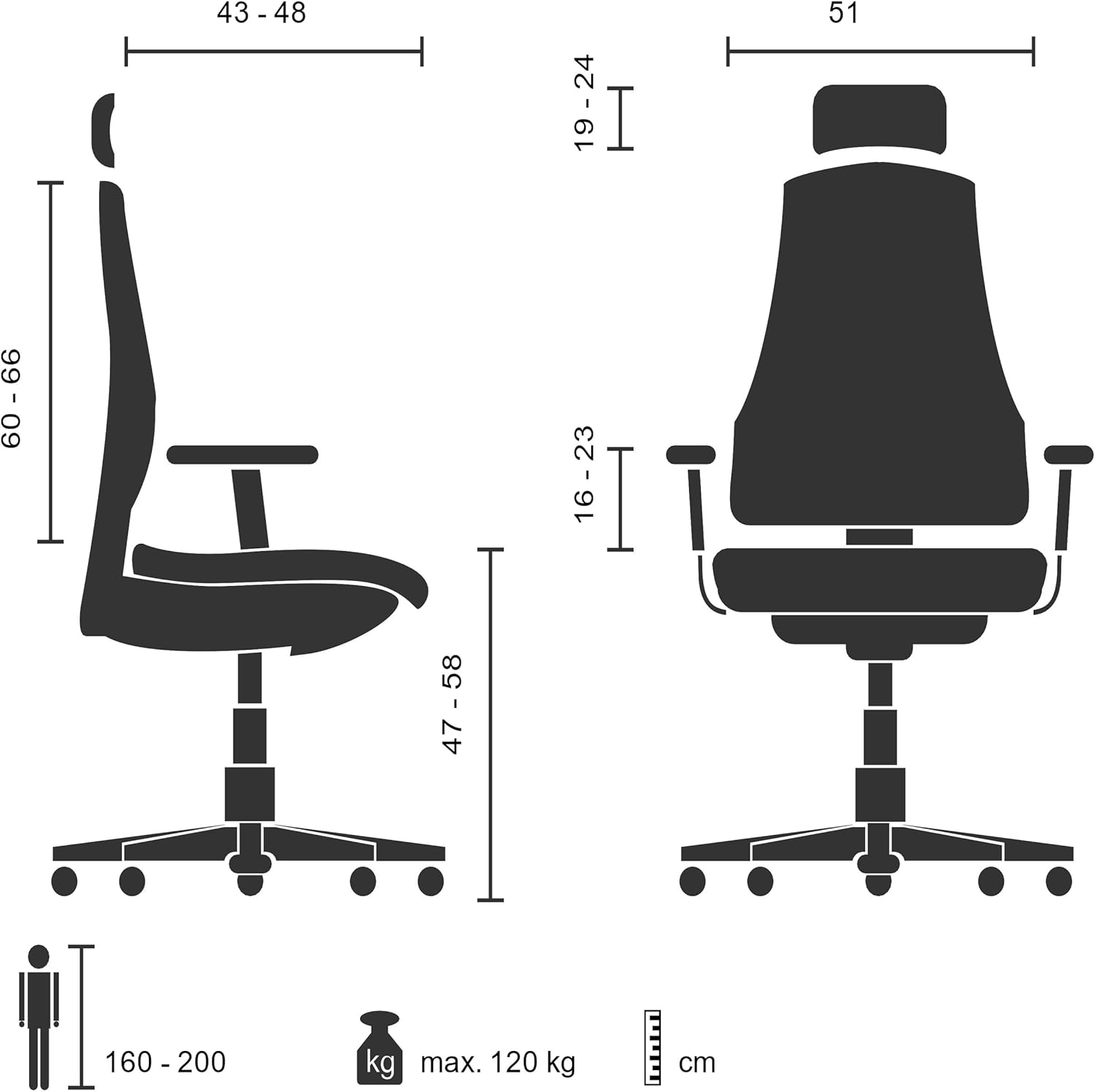
Image: The hjh OFFICE Venus One chair, showcasing its design and presence in a modern office environment.
Sicherheitshinweise
Please read and follow these safety guidelines carefully to prevent injury and ensure the safe operation of your chair:
- Do not use the chair if it is damaged or if any of its parts are loose. Inspect the chair regularly for wear and tear.
- Do not overload the chair. The maximum recommended weight capacity is 120 kg (264 lbs).
- Do not use the chair on unstable or slippery surfaces. Ensure the chair is on a level, stable floor.
- Keep your hands and fingers away from moving parts, such as the adjustment levers and mechanisms, while adjusting the chair to avoid pinching.
- Follow the assembly and maintenance instructions provided in this manual to ensure the chair's safety and durability.
- Children should not play with or on the chair.
Einrichtung und Montage
The hjh OFFICE Venus One chair requires assembly. Please ensure all components are present before beginning. Due to the chair's weight (approximately 22.3 kg), it is recommended to have two people for assembly to prevent injury.
Montageschritte:
- Packen Sie alle Komponenten aus und legen Sie sie auf eine saubere, weiche Unterlage, um Kratzer zu vermeiden.
- Attach the castors to the star base. Ensure they click securely into place.
- Setzen Sie den Gasliftzylinder in die mittlere Öffnung des Sternfußes ein.
- Befestigen Sie den Sitzmechanismus mit den mitgelieferten Schrauben an der Unterseite des Sitzkissens. Achten Sie darauf, dass die Vorderseite des Mechanismus mit der Vorderseite des Sitzes abschließt.
- Mount the backrest to the seat mechanism using the designated screws.
- Befestigen Sie die Armlehnen mit den mitgelieferten Schrauben am Sitz.
- Place the assembled seat and backrest onto the gas lift cylinder. Apply gentle downward pressure to secure it.
- Befestigen Sie die Kopfstütze oben an der Rückenlehne.
- Verify all screws are tightened and all parts are securely connected before use.

Image: A general illustration of office chair assembly. Refer to the included assembly guide for specific steps for the Venus One model.
Bedienungshinweise und Einstellungen
The hjh OFFICE Venus One chair offers a range of adjustments to customize your seating experience for optimal ergonomic support. Utilize the intuitive one-finger control system for precise adjustments.
Key Adjustments:
- Sitzhöhenverstellung: Locate the lever under the right side of the seat. Pull the lever up to raise the seat. While seated, pull the lever up to lower the seat. Release the lever at the desired height.
- Seat Length Adjustment: A lever or button typically located under the front of the seat allows you to slide the seat forward or backward. Adjust until your feet are flat on the floor and there is a small gap between the back of your knees and the seat edge.
- Höhenverstellung der Rückenlehne: The backrest can be adjusted vertically. Lift the backrest to the desired height. It may click into place. To lower, lift it to its highest point and then release it to drop to the lowest position, then readjust.
- Backrest Angle and Synchronous Mechanism: The chair features a synchronous mechanism that allows the seat and backrest to move together. A lever, usually on the left side, controls the recline and locking positions.
- To recline, unlock the mechanism and lean back.
- To lock the backrest in one of the 4 positions, engage the lever at your desired angle.
- The tension of the recline can be adjusted with a knob located under the seat, allowing you to set it according to your body weight.
- Lordosenstütze: The flexible lumbar support is integrated into the backrest. Its position and depth can often be adjusted by a knob or lever on the side of the backrest, or by sliding the backrest up or down. Adjust it to comfortably support the natural curve of your lower back.
- Armlehnenverstellung: The armrests are vertically and horizontally adjustable.
- To adjust height, press the button on the side of the armrest and slide it up or down. Release the button to lock.
- To adjust horizontally, slide the armrest pad forward or backward, or pivot it left or right.
- Headrest Height and Tilt Adjustment: The headrest can be adjusted for both height and tilt.
- To adjust height, slide it up or down.
- To adjust tilt, pivot it to the desired angle.

Image: Visual guide to the multiple adjustment points on the Venus One chair, including seat depth, armrest height, and backrest tension.
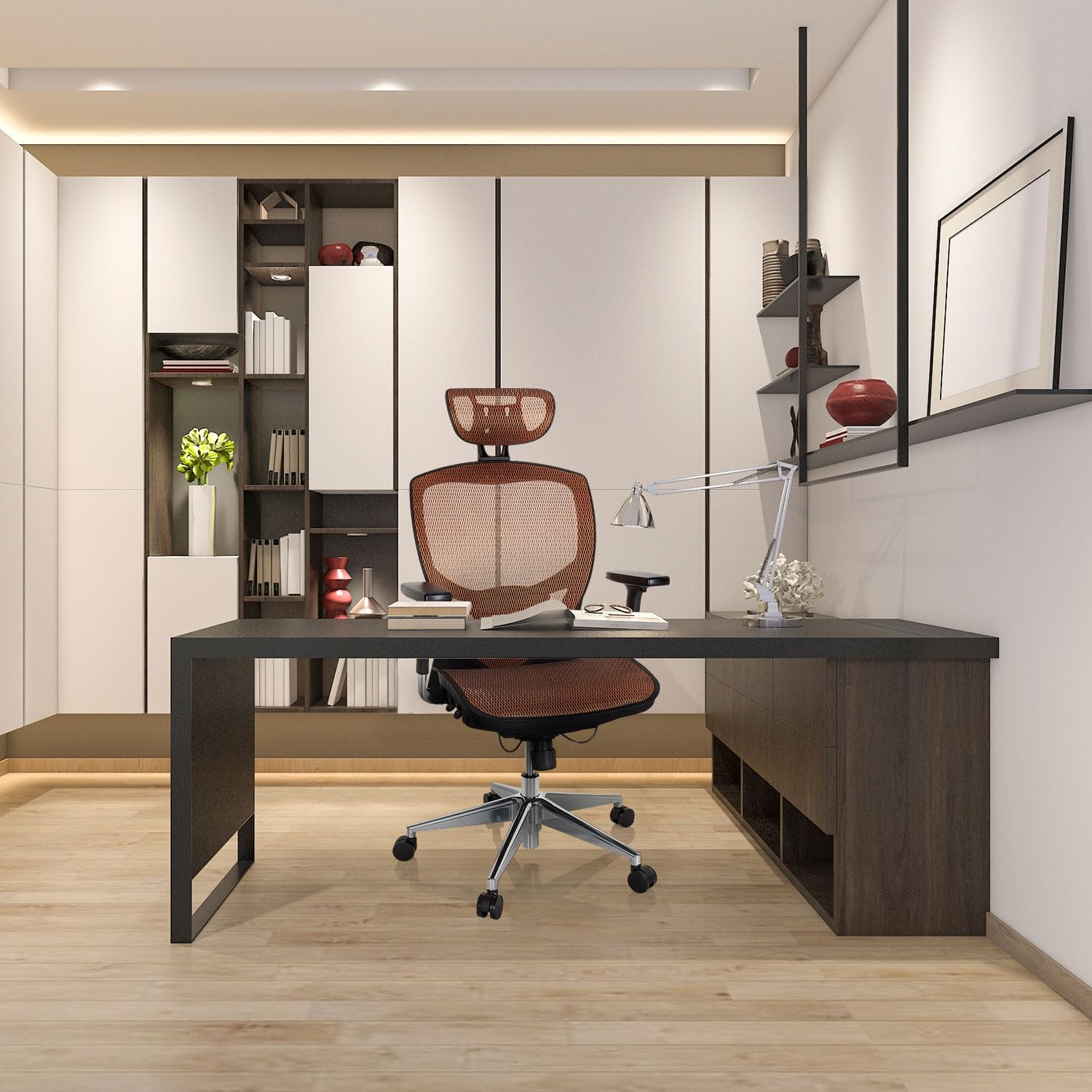
Image: Illustration of the chair's recline function and the locking mechanism for the backrest angle.
Wartung
Regular maintenance will extend the life and performance of your hjh OFFICE Venus One chair.
- Reinigung: Verwenden Sie ein weiches,amp cloth to wipe down the mesh and frame. For more stubborn dirt, a mild soap solution can be used, followed by wiping with a clean, damp Tuch. Vermeiden Sie Scheuermittel oder aggressive Chemikalien.
- Inspektion: Überprüfen Sie regelmäßig alle Schrauben und Bolzen auf festen Sitz. Ziehen Sie sie gegebenenfalls nach.
- Bewegliche Teile: Ensure all adjustment mechanisms operate smoothly. If any part feels stiff, a small amount of silicone spray lubricant can be applied to moving metal parts, avoiding fabric or mesh.
- Rollen: Clean any hair or debris from the castors to ensure smooth movement.
Fehlerbehebung
If you encounter issues with your hjh OFFICE Venus One chair, refer to the following common troubleshooting tips:
| Problem | Mögliche Ursache | Lösung |
|---|---|---|
| Der Stuhl ist nicht höhenverstellbar. | Fehlfunktion des Gasliftzylinders oder Hebel nicht eingerastet. | Stellen Sie sicher, dass der Höhenverstellhebel vollständig eingerastet ist. Sollte das Problem weiterhin bestehen, muss die Gasdruckfeder möglicherweise ausgetauscht werden. Wenden Sie sich in diesem Fall bitte an den Kundendienst. |
| Der Stuhl wackelt oder fühlt sich instabil an. | Lose Schrauben oder unebener Boden. | Check and tighten all assembly screws. Ensure the chair is on a flat, stable surface. |
| Die Rückenlehne lässt sich weder verstellen noch arretieren. | Synchronous mechanism locked or tension too high. | Ensure the recline lock lever is disengaged. Adjust the recline tension knob to a lighter setting. |
| Castors do not roll smoothly. | Debris caught in castors or damaged castors. | Remove any hair or debris from the castor wheels. If damaged, castors may need replacement. |
If these steps do not resolve the issue, please contact hjh OFFICE customer support for further assistance.
Technische Daten
| Besonderheit | Detail |
|---|---|
| Marke | hjh BÜRO |
| Modellnummer | 657020 |
| Farbe | Orange |
| Material | Mesh (Backrest and Seat), Aluminum (Frame) |
| Produktabmessungen (L x B x H) | 48 x 61 x 124 cm (18.9 x 24 x 48.8 Zoll) |
| Artikelgewicht | 22.3 Kilogramm (49.16 Pfund) |
| Maximale Gewichtskapazität | 120 kg |
| Besondere Merkmale | Adjustable Headrest, Adjustable Backrest, Adjustable Height, Adjustable Lumbar Support, Synchronous Mechanism, Adjustable Armrests, Adjustable Seat Depth, Weight-sensitive Castors. |
| Pflegehinweise | Mit Anzeige bereinigenamp Tuch. |
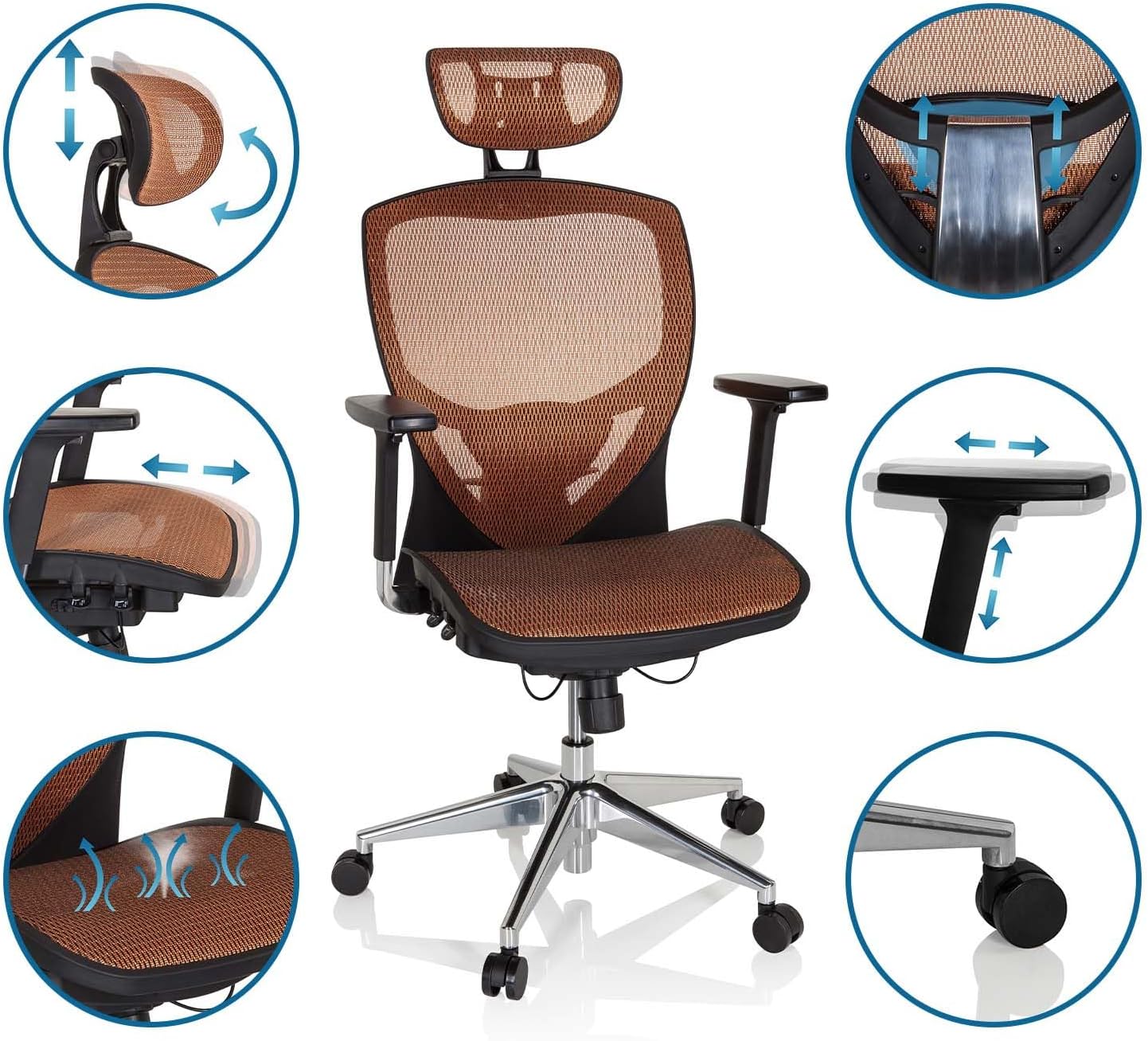
Abbildung: Seite view of the hjh OFFICE Venus One chair, illustrating its ergonomic profile and adjustable components.

Bild: Vorderseite view of the hjh OFFICE Venus One chair, showcasing the breathable mesh material and overall design.
Garantieinformationen
The hjh OFFICE Venus One ergonomic swivel office chair comes with a 4 Jahr Garantie Diese Garantie gilt ab Kaufdatum und deckt Herstellungsfehler und Materialmängel bei normalem Gebrauch ab. Bitte bewahren Sie Ihren Kaufbeleg für Garantieansprüche auf.
The warranty does not cover damage resulting from misuse, accidents, unauthorized repairs, or normal wear and tear. For detailed warranty terms and conditions, please refer to the documentation included with your purchase or contact hjh OFFICE customer support.
Kundenservice
For any questions, concerns, or assistance regarding your hjh OFFICE Venus One chair, please contact our customer support team:
- WebWebsite: Visit the official hjh OFFICE webWebsite mit häufig gestellten Fragen und Kontaktinformationen.
- E-Mail: Die E-Mail-Adresse des Kundendienstes finden Sie in Ihren Kaufunterlagen.
- Telefon: Die Telefonnummer des Kundendienstes finden Sie in Ihren Kaufunterlagen.
Bitte halten Sie bei Kontaktaufnahme mit dem Support Ihre Modellnummer (657020) und den Kaufbeleg bereit.