
1. Introduktion
Welcome to the user manual for your new Apple iPad Air 13-inch (M4). This guide provides essential information to help you set up, operate, maintain, and troubleshoot your device. The iPad Air combines powerful performance with a sleek design, featuring the Apple M4 chip, a Liquid Retina display, and advanced camera capabilities.
For additional support and detailed information, please visit the official Apple Support webwebsted.
2. Hvad er der i æsken
Your iPad Air package includes the following items:
- iPad Air
- USB-C ladekabel
- 20W USB-C strømadapter

Image: The iPad Air, USB-C Charge Cable, and 20W USB-C Power Adapter as packaged in the box.
3. Produktet er slutview
3.1 Nøglefunktioner
- Apple M4 Chip: Delivers advanced graphics and high performance for multitasking and AI tasks.
- Liquid Retina Display: Stunning 13-inch display with P3 wide color, True Tone, and ultralow reflectivity.
- Touch ID: Secure authentication for unlocking, app sign-ins, and Apple Pay.
- Advanced Cameras: 12MP Center Stage front camera and 12MP Wide back camera for photos and 4K videos.
- Wi-Fi 7 with Apple N1: Fast wireless connectivity for quick data transfers.
- iPadOS: Intuitive operating system with flexible windowing for enhanced productivity.
- Apple Intelligence: Personal intelligence system for writing, expression, and task management with privacy protections.
- Batterilevetid hele dagen: Designed to support extended use throughout the day.

Image: A user interacting with the iPad Air using an Apple Pencil, highlighting its portability and creative capabilities.
3.2 Fysiske egenskaber
The iPad Air features a slim design with accessible buttons and ports.

Billede: En nærbillede fra siden view of multiple iPad Air devices, showcasing the various color options and button placements.
3.3 Display og ydeevne
The 13-inch Liquid Retina display offers a resolution of 2732-by-2048 pixels at 264 ppi, supporting P3 wide color and True Tone technology for accurate color representation. The Apple M4 chip provides exceptional processing power for demanding applications and graphics-intensive tasks.

Image: The iPad Air screen demonstrating multitasking capabilities with two applications open side-by-side, powered by the M4 chip and iPadOS.
3.4 Apple Intelligence
Apple Intelligence is integrated into iPadOS, offering features that enhance productivity and creativity while prioritizing user privacy.
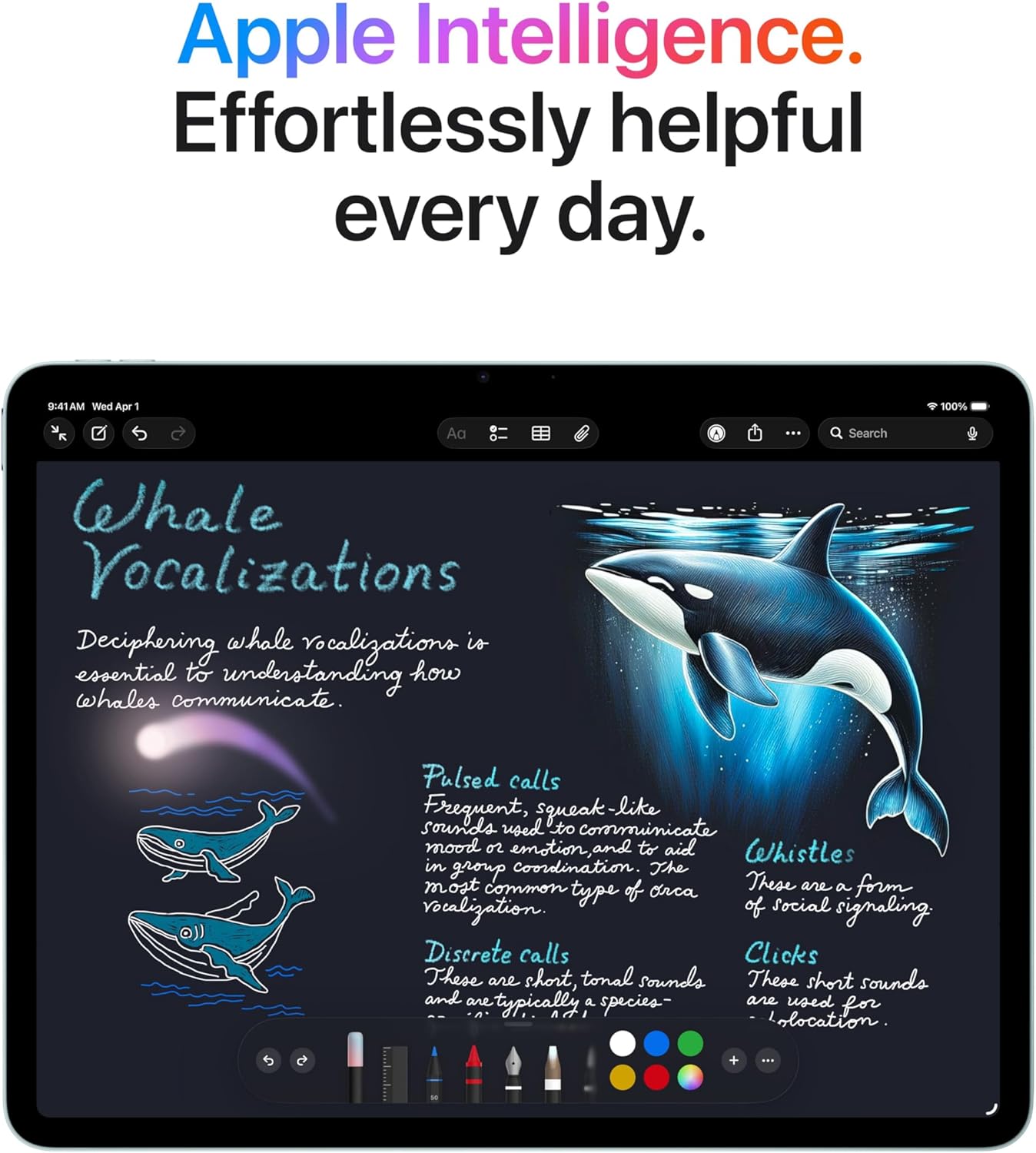
Image: The iPad Air screen showing a detailed note with drawings and text, illustrating how Apple Intelligence can assist with creative and organizational tasks.
3.5 Tilbehør
The iPad Air supports Apple Pencil Pro and Apple Pencil (USB-C) for precise input, and the Magic Keyboard for an enhanced typing and trackpad experience.

Image: The iPad Air connected to a Magic Keyboard, showcasing its use as a productivity tool with a full keyboard and trackpad.
3.6 Officiel produktvideo
Video: En overview of the Apple iPad Air, highlighting its design, M4 chip, display, and compatibility with accessories like Apple Pencil Pro and Magic Keyboard. It also showcases its use for work, learning, and entertainment.
4. Opsætning
4.1 Indledende tænding
- Tryk og hold den øverste knap nede, indtil Apple-logoet vises.
- Følg instruktionerne på skærmen for at vælge dit sprog og område.
4.2 Wi-Fi-forbindelse
- Vælg dit Wi-Fi-netværk fra listen.
- Indtast adgangskoden, hvis du bliver bedt om det.
4.3 Data Transfer and Apple ID
- Choose to restore from a backup (iCloud or computer) or set up as a new iPad.
- Log ind med dit Apple-id, eller opret et nyt.
4.4 Touch ID Setup
- Follow the on-screen prompts to register your fingerprint for Touch ID.
- This allows for secure unlocking and purchases.
5. Betjeningsvejledning
5.1 Grundlæggende bevægelser
- Tryk på: Vælg et element eller aktiver en knap.
- Stryg: Naviger gennem skærme eller rul gennem indhold.
- At klemme: Zoom ind eller ud på fotos og web sider.
- Flerfingerbevægelser: Use for multitasking, such as switching between apps or returning to the Home screen.
5.2 Kontrolcenter
Swipe down from the top-right corner of the screen to access Control Center for quick access to settings like Wi-Fi, Bluetooth, brightness, and volume.
5.3 Multitasking
- Dele View: Drag an app from the Dock to the side of an open app to use two apps simultaneously.
- Glid over: Drag an app from the Dock over an open app to use it in a floating window.
5.4 App-administration
- Download apps: Use the App Store to find and download applications.
- Organiser apps: Tap and hold an app icon to rearrange or delete apps.
6. Vedligeholdelse
6.1 Rengøring af din iPad Air
- Brug en blød, fnugfri klud til at rengøre skærmen og ydersiden.
- Avoid abrasive materials, aerosols, solvents, or ammonia-based cleaners.
- Sprøjt ikke rengøringsmidler direkte på iPad'en.
6.2 Pleje af batterier
- Charge your iPad Air using the provided USB-C cable and 20W USB-C power adapter.
- Undgå ekstreme temperaturer, da de kan påvirke batteriets ydeevne.
- For optimal batterilevetid skal batteriopladningen holdes mellem 20 % og 80 %, når det er muligt.
6.3 Softwareopdateringer
Regularly update your iPadOS to ensure you have the latest features, security enhancements, and bug fixes. Go to Indstillinger > Generelt > Softwareopdatering.
7. Fejlfinding
7.1 Enheden reagerer ikke
If your iPad Air is unresponsive, try a force restart:
- Tryk hurtigt på lydstyrke op-knappen.
- Tryk hurtigt på lydstyrke ned-knappen.
- Tryk og hold den øverste knap nede, indtil Apple-logoet vises.
7.2 Problemer med Wi-Fi-forbindelse
- Ensure Wi-Fi is enabled in Control Center or Settings.
- Genstart din Wi-Fi-router.
- Gå til Indstillinger > Wi-Fi, tap the information icon (i) next to your network, and select "Forget This Network," then reconnect.
7.3 Hurtig batteridræning
- Check Indstillinger > Batteri at identificere de apps, der bruger mest strøm.
- Reducer skærmens lysstyrke.
- Disable background app refresh for non-essential apps (Settings > General > Background App Refresh).
8. Specifikationer
| Feature | Beskrivelse |
|---|---|
| Produktdimensioner | 11.05 x 8.46 x 0.24 tommer |
| Varens vægt | 1.36 pund |
| Varemodelnummer | MH5T4LL/A |
| Hukommelseslagringskapacitet | 128 GB |
| Skærmstørrelse | 13 tommer |
| Skærmopløsning Maksimal | 2732 x 2048 pixels opløsning ved 264 ppi |
| Chip | Apple M4-chip (8-kernet CPU, 9-kernet GPU, 16-kernet Neural Engine) |
| Kamera | 12MP Wide camera (back), Landscape 12MP Center Stage camera (front) |
| Videooptagelse | Up to 4K at 60 fps (back), 1080p HD at 60 fps (front) |
| Mobil og trådløs | Wi-Fi 7 (802.11be), Bluetooth 6, Thread networking technology |
| Sensorer | Touch ID, treakset gyroskop, accelerometer, barometer, omgivende lyssensor |
| Opladning og udvidelse | USB-C port (supports Charging, DisplayPort, USB 3 up to 10Gb/s) |
9. Garanti og support
9.1 Produktgaranti
Your Apple iPad Air is covered by a limited warranty. For details on warranty coverage, including terms and conditions, please refer to the warranty information provided with your purchase or visit the official Apple webwebsted.
9.2 Teknisk support
For technical assistance, troubleshooting, or service inquiries, please contact Apple Support:
- Online support: Besøg support.apple.com/ipad
- Telefonsupport: Refer to Apple's regional support numbers available on their webwebsted.
- Apple Store: Visit an authorized Apple Store or service provider for in-person assistance.
Before contacting support, please have your iPad Air's serial number ready. This can be found in Indstillinger > Generelt > Om.


