
1. Introduktion
Tak for købetasing the LG 27G411A UltraGear Gaming Monitor. This manual provides essential information for the safe and efficient use of your monitor. Please read it thoroughly before operating the product and retain it for future reference. This 27-inch Full HD (1920 x 1080) IPS display is designed for an immersive gaming experience, featuring a 144Hz refresh rate, 1ms Motion Blur Reduction (MBR), HDR10 support, and compatibility with NVIDIA G-Sync and AMD FreeSync technologies.
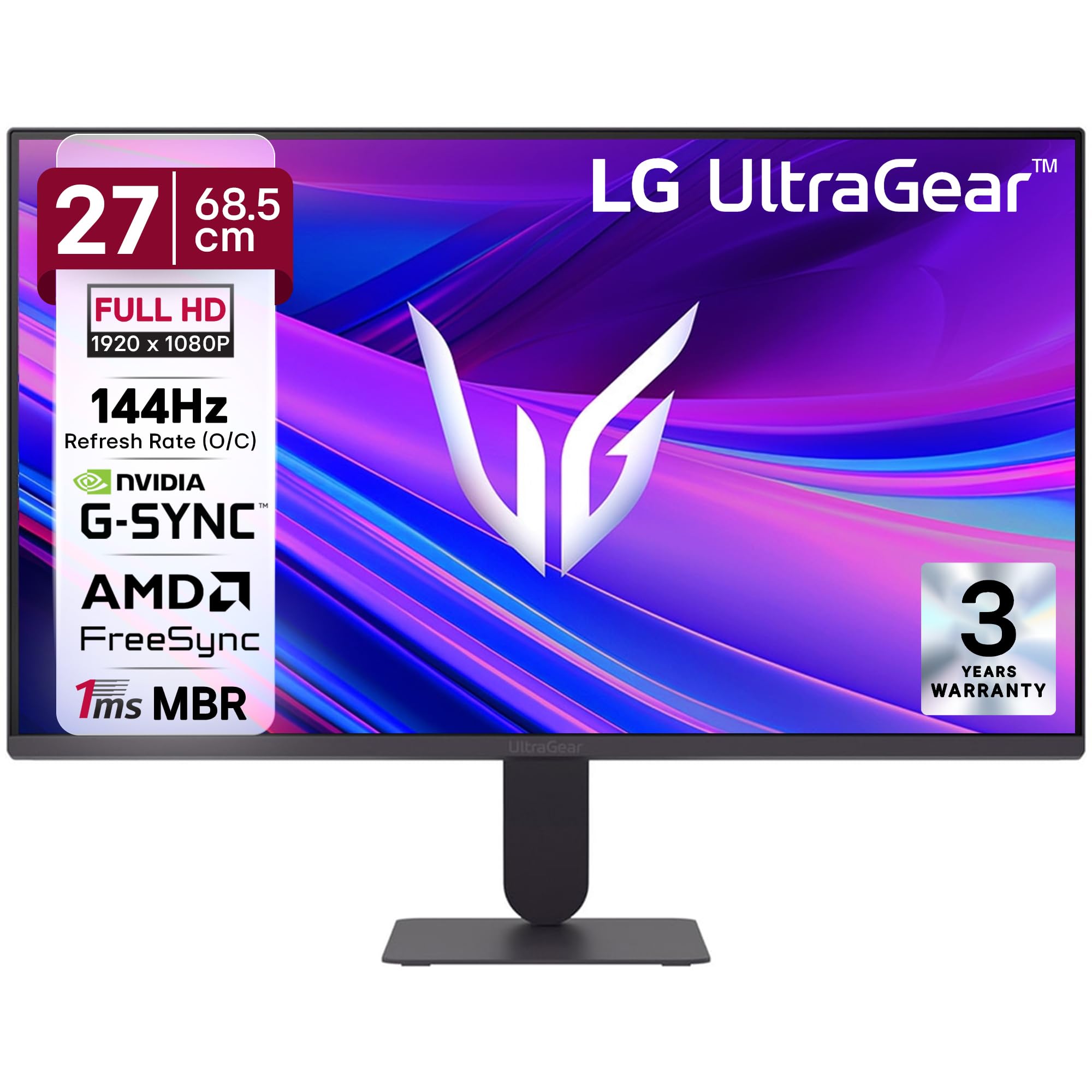
Figur 1: Forside view of the LG 27G411A UltraGear Gaming Monitor.
2. Sikkerhedsoplysninger
Overhold følgende sikkerhedsforanstaltninger for at forhindre skader på produktet eller personskade på dig selv eller andre.
- Magt: Use only the power cord and adapter supplied with the monitor. Do not overload power outlets.
- Placering: Place the monitor on a stable, level surface. Avoid direct sunlight, heat sources, and areas with high humidity or dust. Ensure adequate ventilation around the monitor.
- Håndtering: Do not drop the monitor or subject it to strong impacts. Avoid touching the screen with sharp objects.
- Rensning: Tag stikket ud af stikkontakten før rengøring. Brug en blød, tør klud. Brug ikke flydende rengøringsmidler eller aerosolspray.
- Reparationer: Forsøg ikke selv at servicere dette produkt. Overlad al service til kvalificeret servicepersonale.
3. Pakkens indhold
Bekræft, at alle varer er til stede i din produktæske:
- LG 27G411A UltraGear Monitor
- Strømkabel
- HDMI kabel
- Monitorstativ (base og hals)
- Brugervejledning (dette dokument)
4. Opsætning
4.1 Samling af skærm
Følg disse trin for at samle skærmstativet og fastgøre det til skærmpanelet.
- Carefully place the monitor face down on a soft cloth or cushion to prevent scratches.
- Attach the stand neck to the base, securing it with the captive screw.
- Align the assembled stand with the mounting slot on the back of the monitor panel and push until it clicks into place.
- Alternatively, the monitor supports VESA 100x100mm wall mounting. Remove the stand if using a wall mount.

Figure 2: Illustration of the monitor's ultra-slim design, tilt adjustment, and VESA wall mount compatibility.
4.2 Tilslutning af skærmen
Tilslut dine enheder til skærmen ved hjælp af de relevante kabler.
- Strømtilslutning: Tilslut strømkablet til skærmens strømindgang og derefter til en stikkontakt.
- HDMI-forbindelse: Use the supplied HDMI cable to connect your computer or gaming console to the HDMI port on the monitor.
- DisplayPort-forbindelse: For optimal performance, especially for 144Hz refresh rate, connect your computer to the DisplayPort (DP) on the monitor using a DisplayPort cable (not always included).
- Hovedtelefonudgang: Connect headphones or external speakers to the 3-pole headphone out port for audio output.

Figur 3: Bagside view of the monitor displaying the power input, HDMI, DisplayPort, and headphone out ports.

Figur 4: Detaljeret view of the DisplayPort (DP-IN), HDMI, and Headphone (HP) ports.
5. Betjeningsvejledning
5.1 Tænd/sluk
Press the joystick button located at the bottom center of the monitor to turn it on or off. A short press will bring up the OSD menu, while a long press will power off the monitor.
5.2 On-Screen Display (OSD) menu
The OSD menu allows you to adjust various monitor settings. Use the joystick button to navigate:
- Bevæg joysticket op/ned/venstre/højre for at navigere gennem menupunkterne.
- Tryk på joysticket for at vælge en mulighed eller bekræfte en indstilling.
5.3 Billedtilstande
The monitor offers several preset picture modes optimized for different content types:
- Skik: Tillader manuel justering af alle billedindstillinger.
- Gamer1/Gamer2: User-configurable modes for gaming preferences.
- FPS/RTS: Optimized for First-Person Shooter and Real-Time Strategy games.
- Levende: Enhances color and contrast for general viewing.
- Læser: Reducerer blåt lys for behagelig læsning.
- HDR-effekt: Simulerer HDR-indhold for ikke-HDR-kilder.
- Farvesvaghed: Justerer farveindstillinger for at hjælpe brugere med farvesynsvanskeligheder.
5.4 Gaming Enhancements
The LG 27G411A is equipped with features to enhance your gaming experience:
- 144Hz opdateringshastighed og 1ms MBR: Experience fluid motion and reduced ghosting. The monitor supports a native 120Hz refresh rate and up to 144Hz in overclock mode via DisplayPort 1.4 (HDMI 2.0 supports up to 144Hz).
- AMD FreeSync & NVIDIA G-Sync Compatible: Synkroniserer skærmens opdateringshastighed med din GPU's billedhastighed for at eliminere skærmrivning og hakken.
- Sort stabilisator: Lysner mørke områder op for at hjælpe dig med at få øje på fjender, der gemmer sig i skyggerne.
- Dynamisk handlingssynkronisering (DAS): Minimizes input lag for real-time action.
- Hårkors: Places a fixed crosshair in the center of the screen for improved aiming in FPS games.
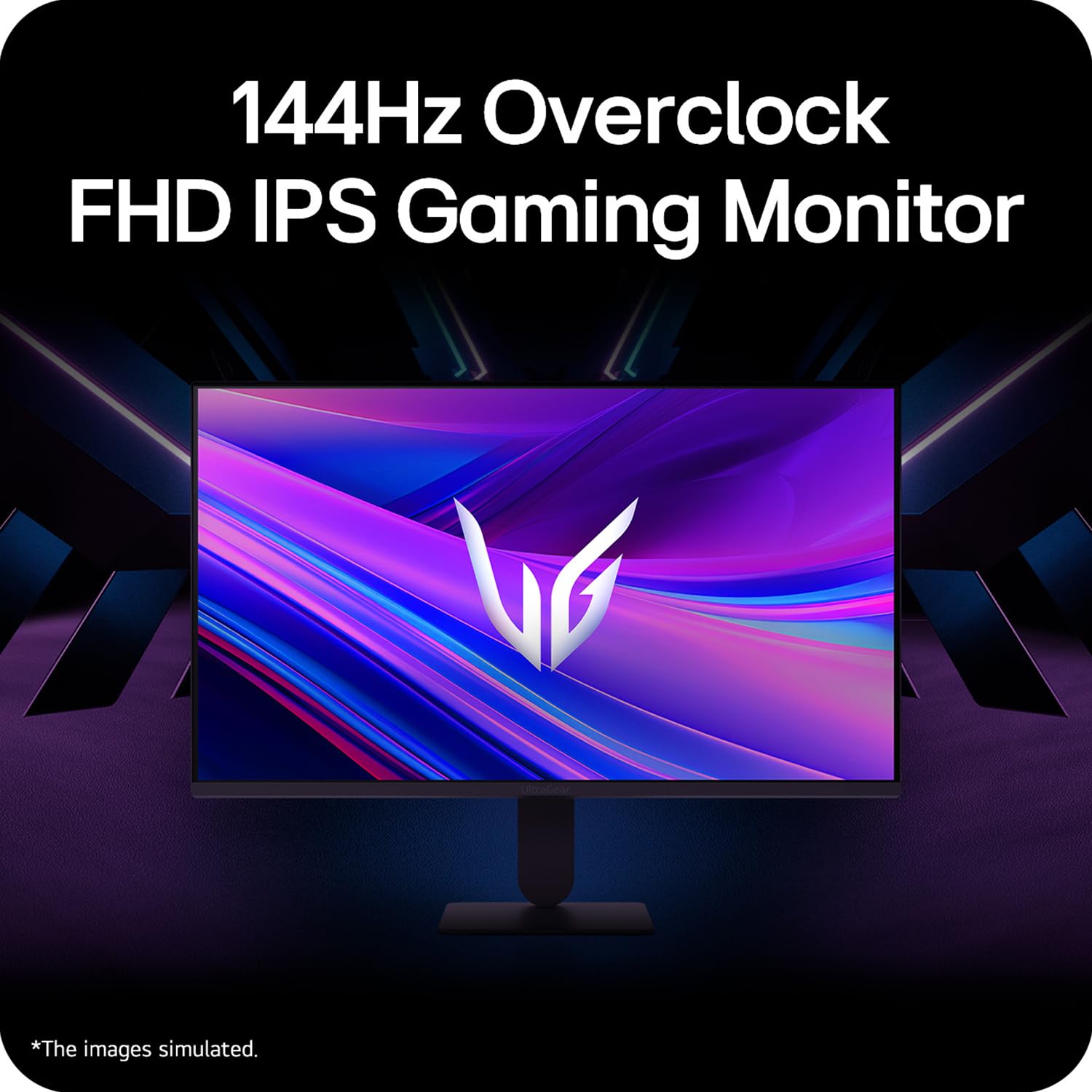
Figure 5: Visual representation of 144Hz overclock for fluid gaming motion.

Figure 6: Illustration of 1ms Motion Blur Reduction (MBR) for fast-paced gaming. Note: 1ms MBR causes lowered luminance and cannot be used with AMD FreeSync/DAS. Flicker may occur during 1ms MBR operation.

Figure 7: The monitor is certified compatible with NVIDIA G-Sync and AMD FreeSync technologies.

Figure 8: Precision Gaming Mode features: Dynamic Action Sync (DAS), Black Stabilizer, and Crosshair.
5.5 Øjenplejefunktioner
To reduce eye strain during prolonged use, the monitor includes:
- Flimmer sikker: Reduces screen flicker to minimize eye fatigue.
- Læsertilstand: Adjusts color temperature and brightness to simulate paper, making it easier on the eyes for reading tasks.
- Farvesvaghed: Provides color adjustments for users with color vision deficiencies.
5.6 Smart Convenience (LG Switch App)
The LG Switch app offers enhanced control and customization options for your monitor directly from your computer. Features include Dual mode, Smart screen split, Launch a video call, and Personalized Picture Wizard.

Figure 9: The LG Switch app provides smarter control and seamless switching between various display modes and settings.
6. Vedligeholdelse
6.1 Rengøring af monitoren
Sådan bevarer du skærmens udseende og ydeevne:
- Tag altid stikket ud af stikkontakten før rengøring.
- Brug en blød, fnugfri klud til forsigtigt at tørre skærmen og de udvendige overflader af.
- For genstridige mærker, gnid letampRengør kluden med vand eller et mildt, ikke-slibende skærmrensemiddel. Sprøjt ikke væske direkte på skærmen.
- Avoid using benzene, alcohol, or other volatile solvents, as they may damage the monitor.
7. Fejlfinding
Hvis du støder på problemer med din skærm, kan du bruge følgende almindelige løsninger:
| Problem | Mulig årsag/løsning |
|---|---|
| Ingen strøm | Ensure the power cable is securely connected to the monitor and a working power outlet. Check if the power outlet is functional. |
| Intet signal / Blank skærm | Verify that the video cable (HDMI or DisplayPort) is securely connected to both the monitor and your computer/device. Ensure the correct input source is selected in the OSD menu. Check if the computer is powered on and not in sleep mode. |
| Flimrende eller forvrænget billede | Check the video cable for damage or loose connections. Try a different video cable or port. Adjust the refresh rate settings on your computer. Disable 1ms MBR if flicker is observed. |
| Backlight leakage on corners | Minor backlight leakage can be a characteristic of IPS panels, especially visible on a completely black screen in a dark environment. This is generally not considered a defect unless it significantly impacts normal viewing. |
| Skærmen genkendes ikke af pc'en | Update your graphics card drivers. Restart your computer. |
8. Specifikationer
Key technical specifications for the LG 27G411A UltraGear Gaming Monitor:
- Skærmstørrelse: 27 tommer (68.5 cm)
- Paneltype: IPS
- Opløsning: FHD (1920 x 1080)
- Aspektforhold: 16:9
- Opdateringshastighed: 144 Hz (Overclock)
- Svartid: 1ms MBR (5ms GTG)
- Lysstyrke: 250 cd/m² (typisk)
- Kontrastforhold: 1500:1
- Farveskala: sRGB 99 %
- HDR-understøttelse: HDR10
- Adaptiv synkronisering: NVIDIA G-Sync-kompatibel, AMD FreeSync
- Viewvinkel: 178° (H/V)
- Forbindelse: 1 x HDMI, 1 x DisplayPort, 1 x hovedtelefonudgang
- Dimensions (with stand, WxHxD): 61.2 x 45.2 x 22 cm (24.07 x 17.81 x 8.66 tommer)
- Vægt (med stativ): 3.8 kg
- Strømforbrug: 20W (typisk)
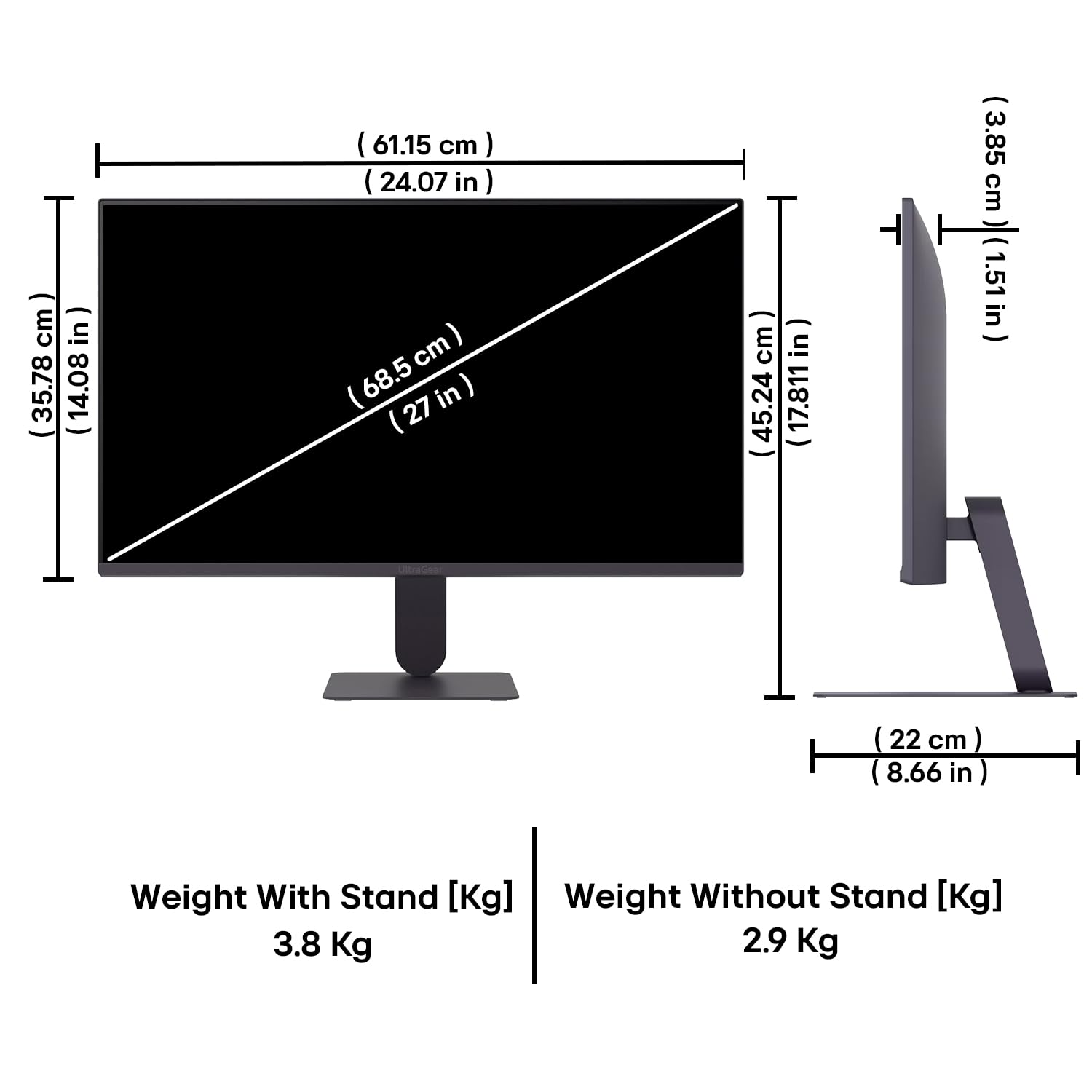
Figure 10: Physical dimensions and weight of the LG 27G411A monitor with and without the stand.
9. Garantioplysninger
This LG 27G411A UltraGear Gaming Monitor comes with a 3 års producentgaranti covering parts and labor. Please retain your proof of purchase for warranty claims. For detailed terms and conditions, refer to the warranty card included in your product packaging or visit the official LG webwebsted.
10. Kundesupport
For yderligere assistance, teknisk support eller serviceforespørgsler, kontakt venligst LG's kundeservice. Du kan finde kontaktoplysninger på den officielle LG-side. webwebstedet eller i den dokumentation, der følger med din skærm.
LG Electronics India Pvt. Ltd.
PLOT NO. A-5, MIDC RANJANGAON.
TALUKA SHIRUR, PUNE, MAHRASHTRA (INDIA), 412220