
1. Introduktion
Tak for købetasing the Dyurwa ZY02 Portable Bluetooth Speaker. This manual provides essential information for setting up, operating, and maintaining your speaker. Please read it thoroughly before use to ensure optimal performance and longevity of your device.
2. Sikkerhedsoplysninger
- Udsæt ikke højttaleren for ekstreme temperaturer eller direkte sollys i længere perioder.
- Undgå at tabe eller udsætte højttaleren for kraftige stød.
- Hold højttaleren væk fra medicinsk udstyr, da det kan forstyrre dets funktion.
- Forsøg ikke selv at skille ad, reparere eller modificere højttaleren. Kontakt kvalificeret servicepersonale, hvis det er nødvendigt.
- Sørg for, at dækslet til opladningsporten er forsvarligt lukket, når du bruger højttaleren i nærheden af vand, for at opretholde dens IPX7-vandtæthedsklassificering.
3. Pakkens indhold
- 1 x Dyurwa ZY02 Portable Bluetooth Speaker
- 1 x Type-C ladekabel
- 1 x Quick Start Guide (this document)
4. Produktet er slutview
Kontrol og porte
Familiarize yourself with the buttons and ports on your Dyurwa ZY02 speaker:

Figure 1: Top-mounted control buttons and side profile of the Dyurwa ZY02 speaker.
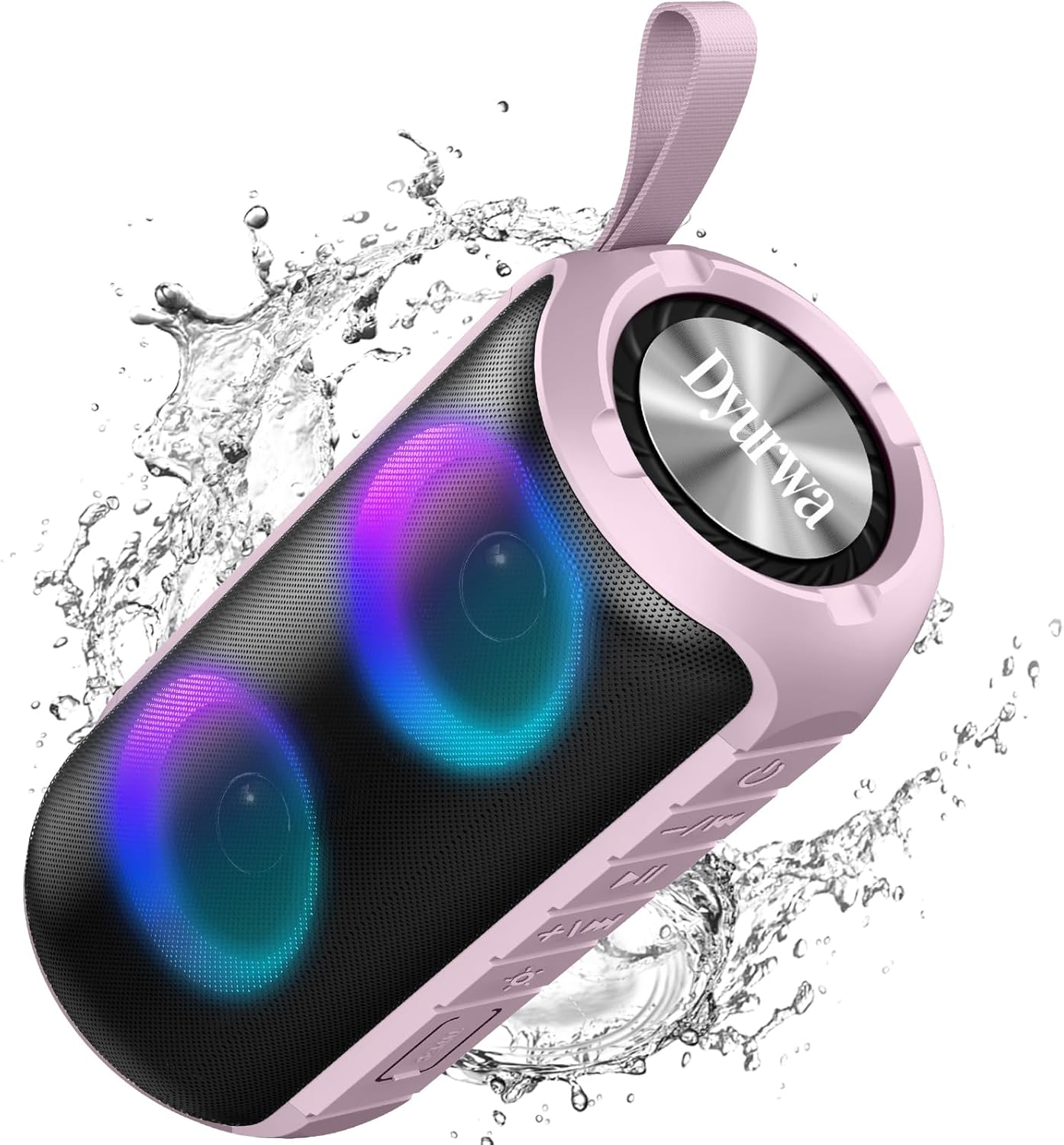
Figure 2: The sealed port area on the Dyurwa ZY02 speaker, revealing the Type-C charging port and a memory card slot.
Video 1: En kort gennemgangview of the Dyurwa ZY02 speaker's physical features, including its buttons, ports, and dynamic LED lighting effects.
5. Opsætning
5.1 Opladning af højttaleren
Before first use, fully charge your speaker. Use the provided Type-C charging cable to connect the speaker to a compatible USB power source. The charging time is approximately 2-3 hours.

Figure 3: The Dyurwa ZY02 speaker highlighting its 12-hour battery life, with a note that continuous playtime varies by volume and light settings.
5.2 Bluetooth -parring
- Power on the speaker by pressing and holding the power button. The LED indicator will flash, indicating it's in pairing mode.
- Aktiver Bluetooth på din enhed (smartphone, tablet, computer) og søg efter tilgængelige enheder.
- Select "ZY02" from the list of devices.
- Once connected, the speaker will emit an audible confirmation, and the LED indicator will remain solid.

Figure 4: The Dyurwa ZY02 speaker connected to a laptop, illustrating its Bluetooth 5.3 multi-device compatibility.
5.3 Ægte trådløs stereo (TWS) parring
To pair two ZY02 speakers for a stereo sound experience:
- Sørg for, at begge højttalere er slukkede og ikke er tilsluttet nogen enhed.
- Tænd for begge højttalere.
- On one speaker (this will be the primary speaker), double-press the power button. It will search for the secondary speaker.
- Once connected, both speakers will emit a confirmation tone, and their LED indicators will synchronize.
- Tilslut din enhed til den primære højttaler via Bluetooth som beskrevet i afsnit 5.2.
6. Betjeningsvejledning
6.1 Grundlæggende funktioner
- Tænd/sluk: Tryk og hold tænd/sluk-knappen nede i 3 sekunder.
- Afspil/pause: Tryk kort på Play/Pause-knappen.
- Lydstyrke op: Tryk kort på '+'-knappen.
- Skrue ned for lyden: Tryk kort på '-' knappen.
- Næste nummer: Tryk længe på '+'-knappen.
- Forrige nummer: Tryk længe på '-'-knappen.
6.2 RGB-lystilstande
The speaker features dynamic RGB lights that can be customized:

Figure 5: The Dyurwa ZY02 speaker displaying its dynamic RGB lighting, with an icon indicating the button to browse different vibrant modes.
- Skift lystilstand: Short press the light button (often indicated by a sun or lightbulb icon) to cycle through available RGB lighting effects.
- Sluk lyset: Continue pressing the light button until the lights turn off.
- The lights can also pulse with the rhythm of the music.
Video 2: Demonstration of the Dyurwa ZY02 speaker's RGB lighting features, showing how the lights change and react to sound.
6.3 Håndfri opkald
With its built-in microphone, the speaker supports hands-free calling when connected to your smartphone:

Figure 6: The Dyurwa ZY02 speaker facilitating a hands-free call in an office environment, showcasing its built-in microphone functionality.
- Besvar/afslut opkald: Tryk kort på Play/Pause-knappen.
- Afvis opkald: Tryk længe på Afspil/Pause-knappen.
7. Vedligeholdelse
7.1 Vandtæt design (IPX7)
The Dyurwa ZY02 speaker features an IPX7 waterproof rating, meaning it can be submerged in up to 1 meter of water for 30 minutes. This makes it suitable for use in showers, by the pool, or at the beach.

Figure 7: The Dyurwa ZY02 speaker demonstrating its IPX7 waterproof capability by being partially submerged in water.

Figure 8: The Dyurwa ZY02 speaker on a beach, showcasing its durable and IPX7 waterproof design, suitable for outdoor use.
- Sørg altid for, at dækslet til opladningsporten er tæt lukket, før højttaleren udsættes for vand.
- After exposure to water, wipe the speaker dry with a soft cloth.
- Oplad ikke højttaleren, hvis opladningsporten er våd.
7.2 Rengøring
Brug en blød, damp cloth to clean the exterior of the speaker. Do not use harsh chemicals or abrasive cleaners.
8. Fejlfinding
| Problem | Mulig årsag | Løsning |
|---|---|---|
| Højttaleren tændes ikke | Lavt batteri | Oplad højttaleren helt. |
| Kan ikke parres med enheden | Bluetooth not enabled on device; speaker not in pairing mode; too far from device | Ensure Bluetooth is on, speaker is in pairing mode, and within 10 meters. Restart both devices. |
| Ingen lyd eller lav lydstyrke | Volume too low on speaker or device; incorrect audio source | Increase volume on both speaker and device. Check device's audio output settings. |
| TWS-parring mislykkedes | Speakers not reset or too far apart | Sørg for, at begge højttalere er frakoblet fra andre enheder. Placer dem tæt på hinanden, og prøv TWS-parring igen. |
9. Specifikationer
| Feature | Detalje |
|---|---|
| Mærke | Dyurwa |
| Modelnummer | ZY02 |
| Forbindelsesteknologi | Bluetooth, AUX |
| Trådløs teknologi | Bluetooth 5.3 |
| Lydudgangstilstand | Stereoanlæg |
| Højttaler Maksimal udgangseffekt | 180 watt |
| Batterikapacitet | 1800mAh |
| Batteriets gennemsnitlige levetid | 12 Hours (varies by volume/light settings) |
| Batteriopladningstid | 2-3 timer |
| Vandtæt vurdering | IPX7 |
| Forbindelsesområde | >10 mio |
| Varedimensioner (D x B x H) | 2.54" D x 5" B x 4" H |
| Vægt | 216 g |
| Indbyggede medier | Strømkabel |
| Antal lydkanaler | 2.0 |
| Audio driver type | Dynamisk Driver |
10. Garanti og support
The Dyurwa ZY02 Portable Bluetooth Speaker comes with a limited warranty. For specific warranty details and support inquiries, please refer to the warranty card included in your package or contact Dyurwa customer service.
For technical support or further assistance, please visit the official Dyurwa webwebsted eller kontakt deres kundeserviceteam.