
Indledning
The AIRROBO T30+ is an advanced robot vacuum and mop designed to provide efficient and hands-free floor cleaning. It combines powerful suction with intelligent navigation and smart features to maintain a clean home environment. This manual provides essential information for setting up, operating, and maintaining your device.
Nøglefunktioner
- 60-Day Self-Emptying: The included charging station features a large 3.5L dustbag, allowing the robot to automatically empty its dustbin for up to two months, minimizing manual intervention.
- 6000Pa Kraftig sugeevne: Delivers strong suction to effectively remove debris, pet hair, and dirt from various floor types, including carpets and hard floors.
- Tangle-Free Rubber Brush: Equipped with an advanced rubber brush designed to resist hair wrap, making it ideal for homes with pets and simplifying maintenance.
- LiDAR Navigation & Smart Mapping: Utilizes LiDAR technology to quickly and accurately map your home, enabling efficient cleaning routes and supporting multi-floor mapping.
- Proactive Intelligent Obstacle Avoidance: Advanced sensors detect and avoid common floor objects in real-time, preventing collisions and ensuring smooth operation.
- Smart Carpet Recognition: Automatically boosts suction power when on carpets for a deeper clean and can be configured to avoid carpets during mopping.
- App- og stemmestyring: Manage cleaning schedules, set no-go zones, and customize cleaning preferences via the AIRROBO app. Compatible with Alexa for convenient voice commands.
Pakkens indhold
Before beginning setup, please ensure all components are present in the box:
- AIRROBO T30+ Robot Vacuum Cleaner
- Automatic Dust Collection Station & Charging Base
- Side brush (x1)
- Nylon-Rubber Brush (x1)
- Hovedbørstedæksel
- All-Rubber Brush (x1)
- Brugermanual
- Brugsanvisning
- 2-in-1 Dust & Water Bin
- Moppemodul
- Disposable Dust Bag (x1)
- Garantikort

Figure 1: What's in the Box - All components included with the AIRROBO T30+ Robot Vacuum and Mop.
Opsætning
1. Placering af ladestation
Place the automatic dust collection station and charging base on a flat, hard floor against a wall. Ensure there are no obstacles around it to allow the robot to dock and empty efficiently. Avoid placing the base in areas exposed to direct sunlight or on carpets, as this may interfere with the robot's ability to recharge.
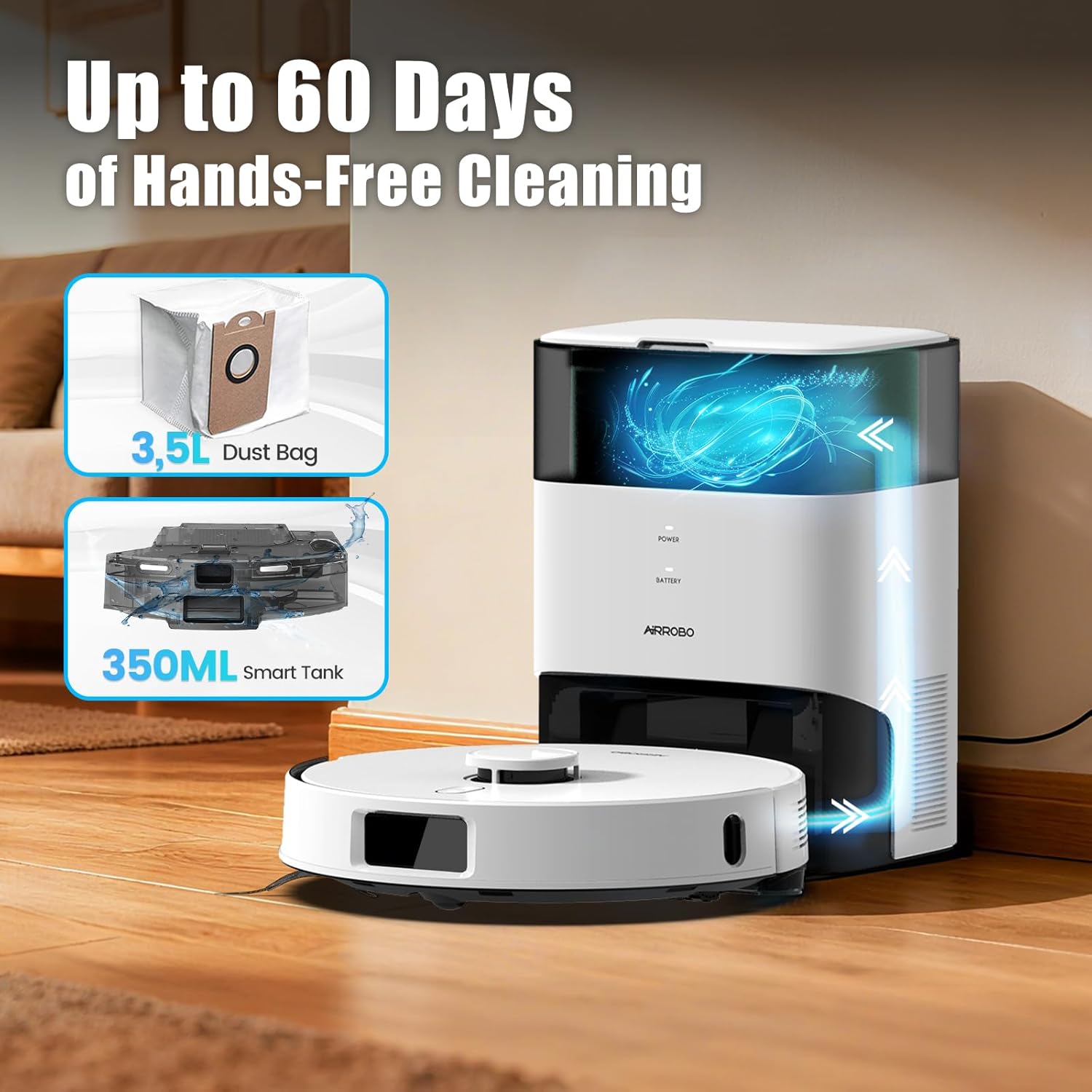
Figure 2: Proper placement of the charging station for optimal performance.
2. Indledende robotforberedelse
The robot vacuum comes with the main rubber brush pre-installed. If you intend to use the mopping function, attach the mopping module to the underside of the robot. Ensure all protective films and packaging materials are removed from the robot and the charging station before first use.
3. App and Wi-Fi Connection
- Download and open the AIRROBO app from your device's app store.
- Opret en brugerkonto.
- In the app, tap "+" in the upper right corner, navigate to the "T30+" page, and select your device model.
- Follow the in-app instructions to set up the Wi-Fi connection.
Note:
- Kun 2.4 GHz Wi-Fi understøttes.
- Ensure your phone is connected to your 2.4GHz Wi-Fi network and Bluetooth is enabled.
- Keep the router, mobile phone, and robot close during setup for a smooth connection.
- You will be informed of new firmware updates via the app once the robot is connected to the internet. Promptly update the firmware for optimal user experience.

Figure 3: Using the AIRROBO app for smart control and customization.
Betjeningsvejledning
1. Start og stop af rengøring
- To start cleaning, press the power button on the robot or use the AIRROBO app.
- To pause cleaning, press the power button again.
- To send the robot back to its charging station, press the home button on the robot or use the app.
2. Efficient Cleaning Tips
- Ryd forhindringer: Before cleaning, remove debris such as wires, toys, or small items from the floor to prevent the robot from getting stuck.
- Undgå våde områder: The robot should not be allowed to enter wet areas.
- No-Go zoner: Use the app to set no-go zones for long-pile carpets or areas with furniture that has similar bottom heights where the robot might get stuck.
- Map Backup: Once the robot completes mapping your home, it is recommended to back up the map in the app. If the map becomes abnormal, it can be restored.

Figure 4: The robot's proactive obstacle avoidance in action.
3. Moppefunktion
To use the mopping function, ensure the 2-in-1 dust and water bin is filled with water and the mopping module is attached. Do not use the mopping module on carpets. Please remove the mopping module when not using the mopping function. If the mopping module is installed, the robot will automatically avoid carpets by default. You can make more specific settings in the app according to your needs.
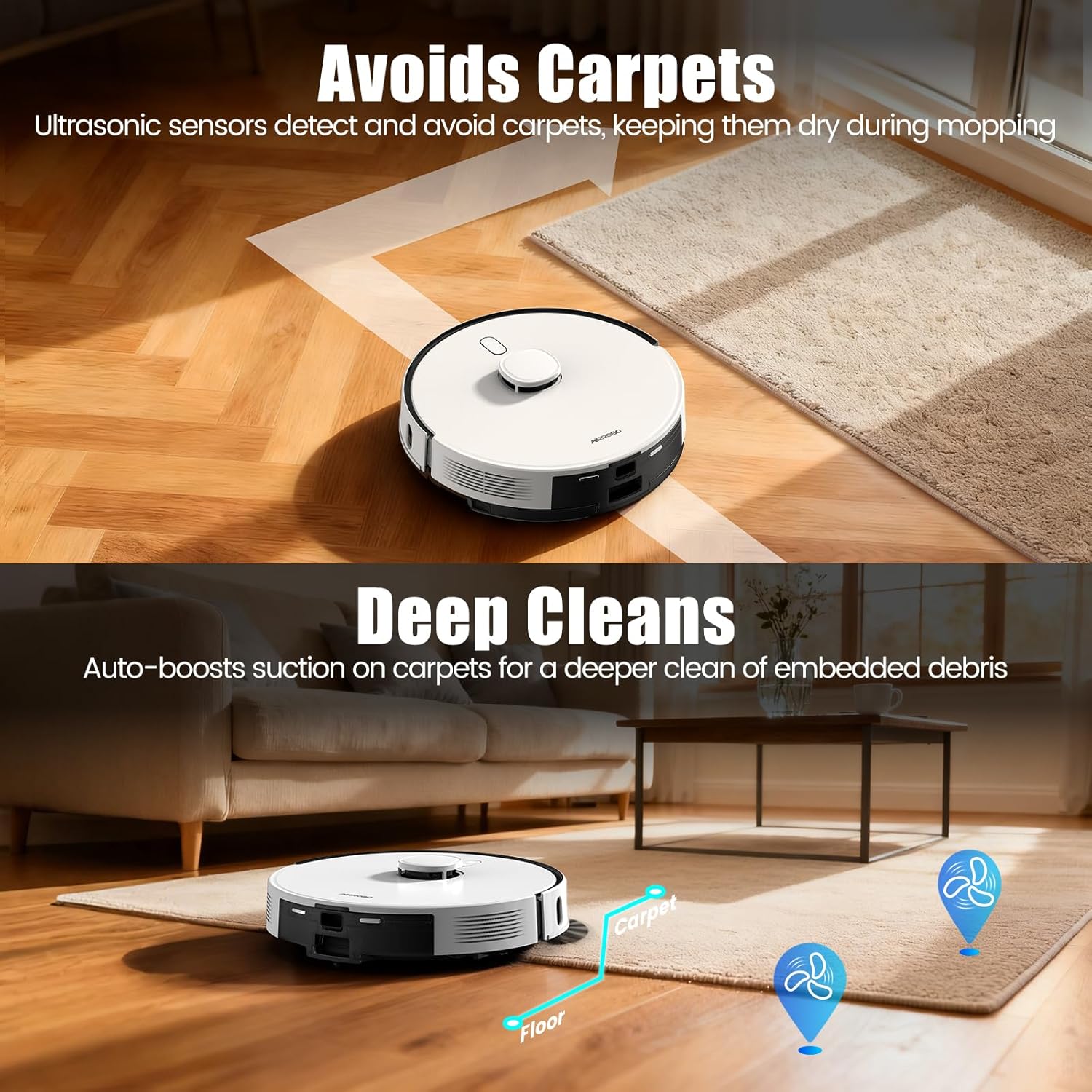
Figure 5: Carpet detection and avoidance during mopping, and auto-boost suction on carpets.
4. Smart Features in Action
Video 1: This video demonstrates the AIRROBO T30+ Robot Vacuum and Mop in action, highlighting its features such as tangle-free brush, 6000Pa suction, pet zone cleaning, carpet boost, carpet avoidance, 240-minute runtime, auto-docking with self-emptying, LiDAR navigation, and no-go zone settings.
Opretholdelse
Regular maintenance ensures the optimal performance and longevity of your AIRROBO T30+ robot vacuum and mop.
- Suction Level for Pets: If you have pets, set the suction level to Max and the self-empty frequency to 30 minutes to effectively manage pet hair.
- Rengøring af tilbehør: Refer to the accessory maintenance page in the app to clean the roller brush, side brushes, and filter at least once a week.
- Opladningsstifter: Regularly wipe the robot's charging contacts and the base's connection pins to ensure they rebound normally and maintain a good connection.
- Brush Ends: Perform daily cleaning of the brush ends and the brush roller junction area to prevent issues. If the robot reports an error like "brushes are tangled," clean the brushes of any hair or foreign matter after shutting down the robot.
- Firmwareopdateringer: Regularly check for new firmware updates in the app and upgrade to ensure optimal cleaning performance and access to new features.
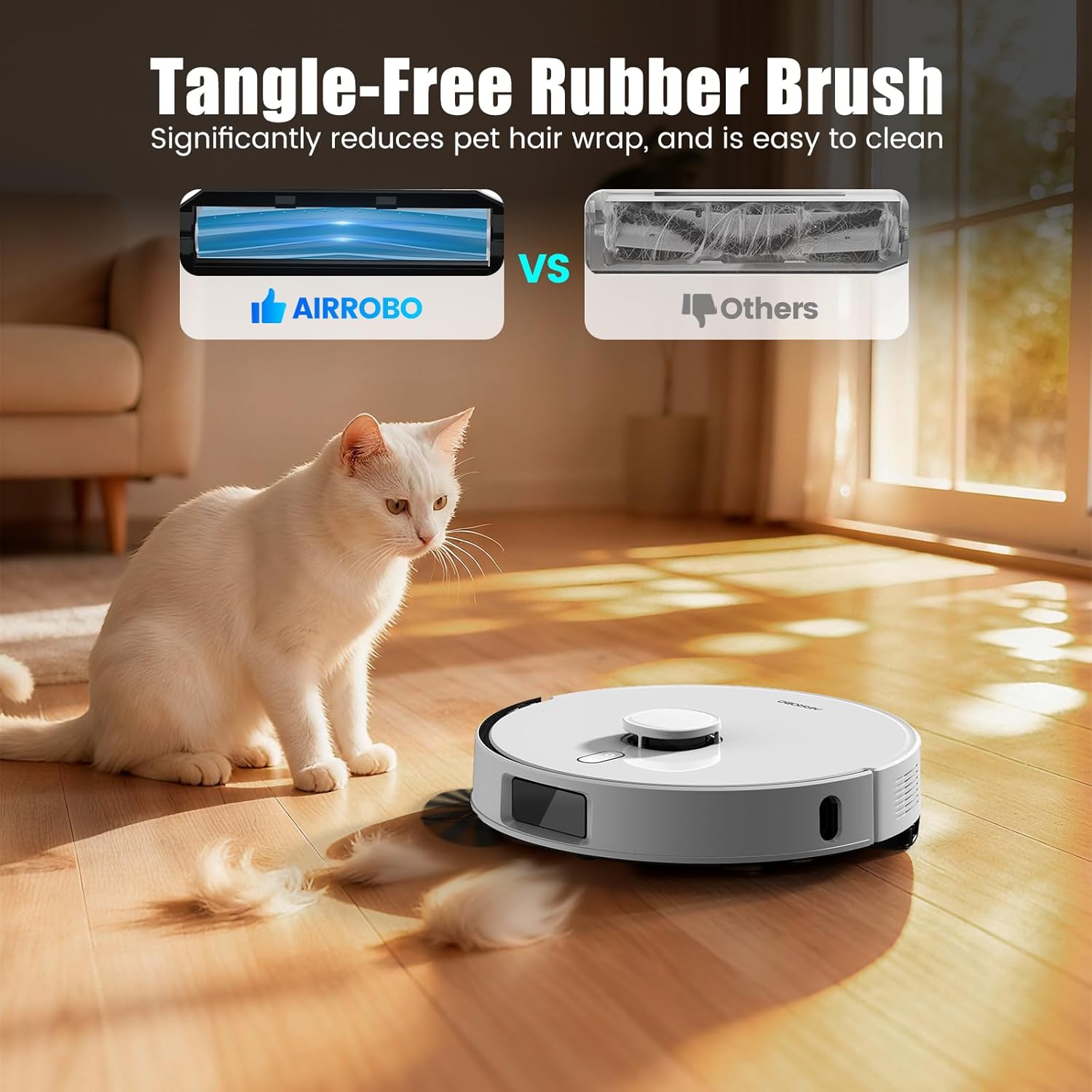
Figure 6: The tangle-free brush is designed for easy maintenance, especially in homes with pets.
Fejlfinding
This section addresses common issues you might encounter with your AIRROBO T30+.
| Spørgsmål | Løsning |
|---|---|
| Shipping damage or missing accessories | Contact AIRROBO support immediately for assistance. |
| Robot not recharging efficiently | Ensure the base station is on a flat, hard floor against a wall with no obstacles. Avoid direct sunlight or carpets near the base. |
| Difficulty connecting to the app/Wi-Fi | Verify 2.4GHz Wi-Fi and Bluetooth are enabled on your phone. Keep your phone, router, and robot close during setup. Check for firmware updates. |
| Robot getting stuck or inefficient cleaning | Clear debris (wires, toys) from the floor. Set no-go zones for problematic areas. Backup your map in the app for restoration if needed. |
| Mopping function issues | Ensure the mopping module is removed when cleaning carpets. The robot will automatically avoid carpets if the module is installed. Adjust settings in the app. |
| "Brushes are tangled" error | Shut down the robot and clean the main brush and side brushes of any tangled hair or debris. |
Specifikationer
| Feature | Detalje |
|---|---|
| Mærke | AIRROBO |
| Modelnavn | T30+ |
| Særlige funktioner | LiDAR Navigation, No-Go Zone, Obstacle Avoidance, Self-Emptying, Smart Mapping |
| Farve | Hvid |
| Produktdimensioner | 15.74 cm L x 15.15 cm B x 16.29 cm H |
| Inkluderede komponenter | T30+ Robot Vacuum (and accessories listed in Package Contents) |
| Filtertype | Hepa |
| Batterilevetid | 240 minutter |
| Voltage | 110 volt |
| Capacity (Dustbag) | 60 G/day (3.5L for 60-day self-emptying) |
| Strømkilde | Batteridrevet |
| Kontrolmetode | App, Stemme (Alexa) |
| Formfaktor | Rund |
| Smart Home-kompatibilitet | Smart Home Compatible |
| Varens vægt | 20.2 pund |
| Fabrikant | AIRROBO |
| Dato først tilgængelig | 25. august 2025 |
| Overfladeanbefaling | Hard Floors, Wood Floors, Low-Carpet, Pet Hair |
Garanti og support
The AIRROBO T30+ includes a warranty card in the package. Please refer to this card for detailed warranty terms and conditions. For any issues such as damaged packaging, missing accessories, signs of prior use, or technical support, please contact AIRROBO customer support directly. AIRROBO is committed to promptly resolving your concerns and ensuring your satisfaction.
For further assistance, visit the official AIRROBO website or contact their customer service through the AIRROBO app.