
Indledning
Thank you for choosing the XINDADA F7 Ultra Smart Watch. This manual provides essential information to help you set up, operate, and maintain your device. Please read these instructions carefully before use to ensure optimal performance and longevity of your smartwatch.
1. Opsætning
1.1 Pakkens indhold
- 1 x F7 Ultra Smart Watch
- 1 x USB Wireless Magnetic Charging Cable
- 1 x brugermanual
1.2 Opladning af smarturet
Before first use, fully charge your F7 Ultra Smart Watch. Connect the USB wireless magnetic charging cable to a power source and attach the magnetic end to the charging points on the back of the watch. The watch will indicate charging status on its screen.
1.3 Appinstallation og parring
- Download RDFit application from your smartphone's app store (compatible with Android 4.4 and above, and iOS 9.0 and above).
- Sørg for, at Bluetooth er aktiveret på din smartphone.
- Open the RDFit app and follow the on-screen instructions to search for and connect to your F7 Ultra Smart Watch via Bluetooth 5.0.
- Bekræft parringsanmodningen på både din smartphone og uret.
2. Betjeningsvejledning
2.1 Grundlæggende navigation
- Hæv for at vågne: Løft dit håndled for automatisk at aktivere skærmen.
- Cover to Turn Off Screen: Place your palm over the screen to turn it off.
- Altid tændt skærm (AOD): Configure this mode in the watch settings for continuous time display.
- Side Lamp: Utilize the side lamp feature for illumination in low-light conditions.
2.2 Nøglefunktioner
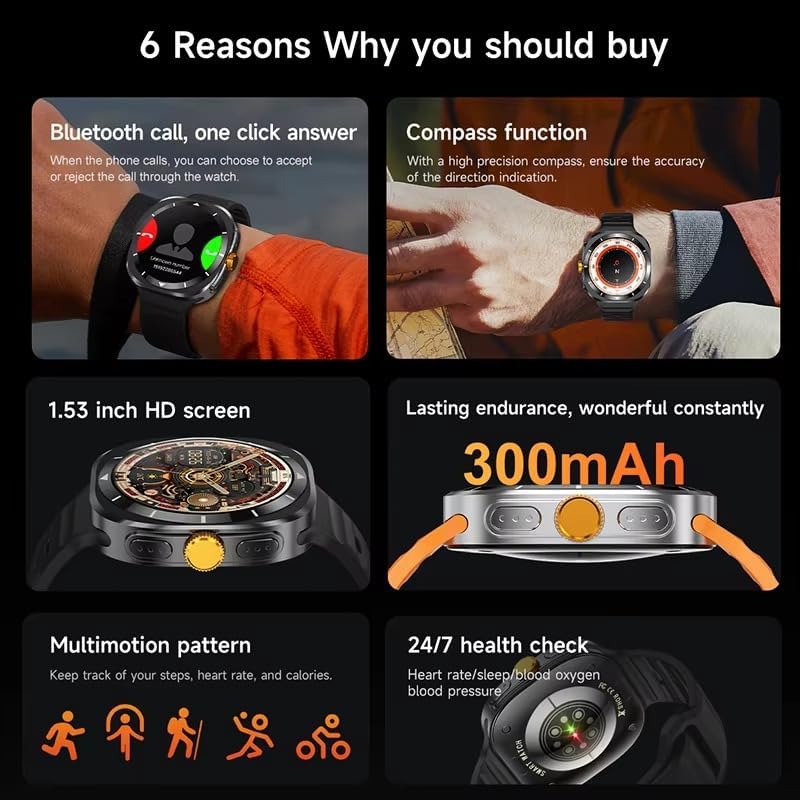
This image illustrates several key features of the F7 Ultra Smart Watch, including its Bluetooth call capability, compass function, 1.53-inch HD screen, 300mAh battery, various sports modes, and continuous health monitoring.
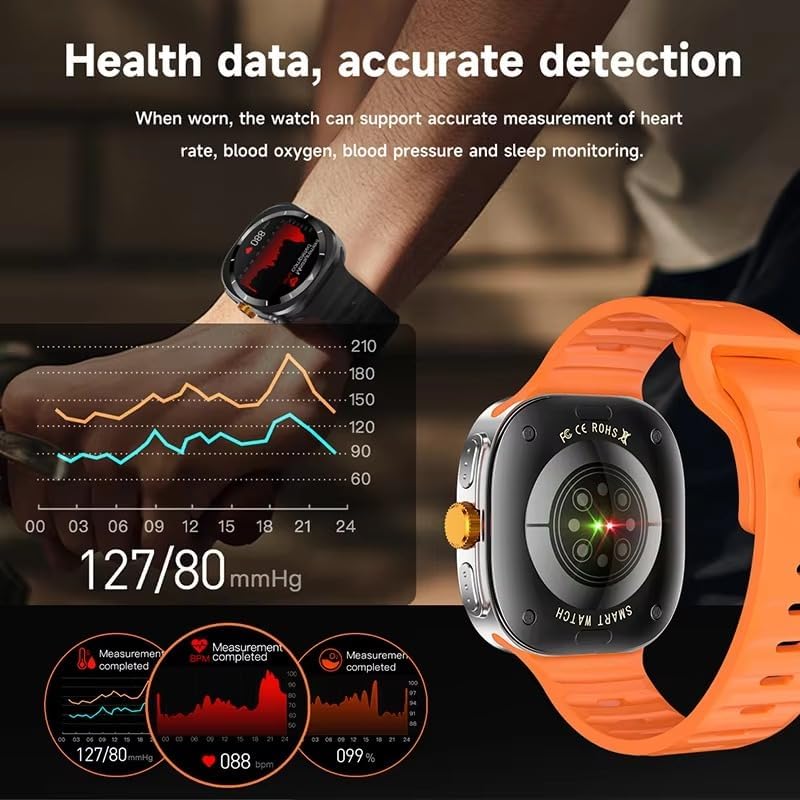
The watch provides accurate health data detection, including real-time heart rate, blood oxygen, and blood pressure monitoring, as shown with graphical representations.

Expand your exercise routine with multiple sports modes such as mountaineering, basketball, and running, each with precise record-keeping to help achieve fitness goals.

The GPS motion track feature accurately records your position during outdoor activities, enhancing safety and providing meaningful data for your adventures.
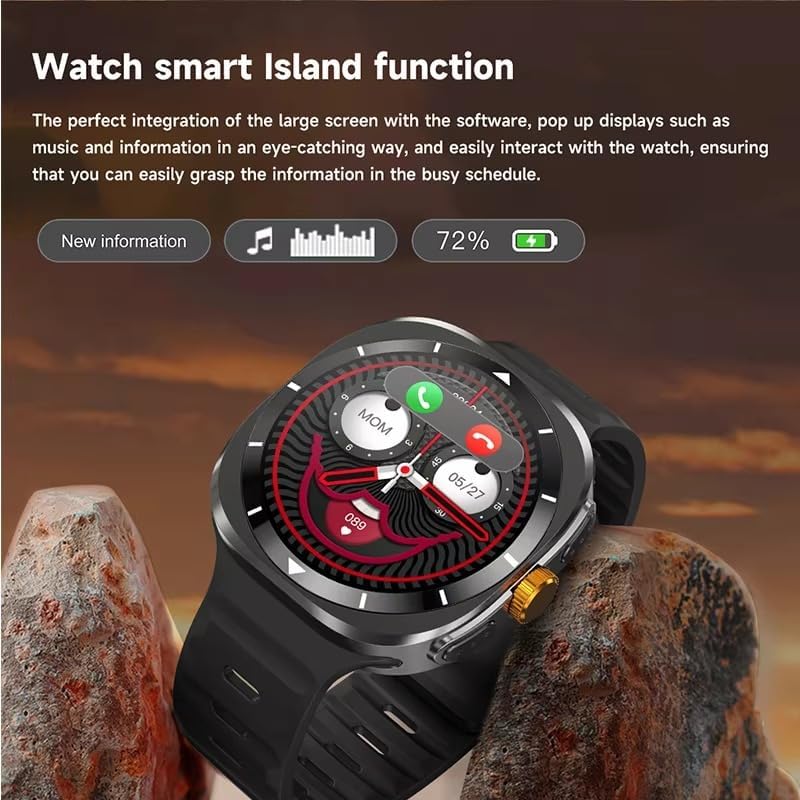
The Smart Island function integrates seamlessly with the large screen, providing eye-catching pop-up displays for new information, music controls, and battery status, allowing easy interaction even during a busy schedule.
- Bluetooth-opkald: Answer or reject calls directly from your watch when connected to your phone.
- Kompas funktion: Utilize the high-precision compass for accurate direction indication.
- Sundhedsovervågning: Track heart rate, blood pressure, blood oxygen, and sleep patterns 24/7.
- Sportstilstande: Access 156 sports algorithms, including mountaineering, basketball, and running, with GPS motion tracking.
- Smart Island Function: Experience dynamic pop-up notifications for calls, music, and other information.
- NFC Door Access: Use your watch for convenient NFC-enabled door access.
- Meddelelser: Receive app notifications directly on your wrist.
- Musik- og kamerastyring: Remotely control music playback and your smartphone camera.
- Hjælpeprogrammer: Features include weather updates, 'Find My Phone', password protection, calculator, split screen, quick widgets, Alipay, QR code, Qibla finder, and AI voice assistant.
2.3 Sprogsupport
The F7 Ultra Smart Watch supports multiple languages, including Chinese, English (default), Russian, Spanish, German, Italian, French, Portuguese, Polish, Dutch, Greek, Turkish, Romanian, Japanese, Traditional Chinese, Hebrew, Czech, Slovak, Hungarian, Arabic, Indonesian, Korean, Vietnamese, Thai, Persian, Ukrainian, Malay, and Burmese.
3. Vedligeholdelse
3.1 Vandtæthed
The watch has an IP67 waterproof rating, meaning it is resistant to splashes and brief immersion in water. It is not suitable for swimming, diving, or high-pressure water activities. Avoid exposing the watch to hot water or steam.
3.2 Rengøring
Tør uret og remmen regelmæssigt af med en blød, tør klud. Brug om nødvendigt en let tør klud.amp kluden og tør den derefter grundigt. Undgå at bruge skrappe kemikalier eller slibende materialer.
3.3 Pleje af batterier
To prolong battery life, avoid extreme temperatures. Charge the watch using only the provided magnetic charging cable. Do not attempt to replace the battery yourself.
4. Fejlfinding
- Uret tænder ikke: Sørg for, at uret er fuldt opladet. Tilslut det til opladeren i mindst 30 minutter.
- Kan ikke parres med telefonen: Make sure Bluetooth is enabled on both devices. Restart both the watch and your phone. Ensure the RDFit app is open and running.
- Unøjagtige sundhedsdata: Sørg for, at uret sidder tæt på dit håndled, hverken for stramt eller for løst. Rengør sensoren på bagsiden af uret.
- Ikke modtaget meddelelse: Check app notification settings on your phone and within the RDFit app to ensure they are enabled for the watch.
- Kort batterilevetid: Reduce screen brightness, disable unnecessary features, and limit background app refresh.
5. Specifikationer
| Skærmstørrelse | 1.54 inch HD large screen |
| Skærmopløsning | 360 x 360 pixels |
| Watch Dimensioner | 47 x 45 x 12.5 mm |
| Bluetooth version | Bluetooth 5.0 |
| Integreret chip | Jerry 7012F6 |
| Vandtæt niveau | IP67 |
| Opladningstype | Trådløs magnetisk opladning |
| Batterikapacitet | 300 mAh |
| Menustilarter | 5 typer |
| Kompatibilitet | Android 4.4 og nyere, iOS 9.0 og nyere |
| Companion app | RDFit |
6. Garanti og support
For warranty information and technical support, please refer to the documentation provided with your purchase or contact XINDADA customer service. Keep your purchase receipt for any warranty claims. This user manual is included in the product package for your convenience.