
Indledning
Thank you for choosing the AWEI T28 Wireless Earbuds. This manual provides detailed instructions for setting up, operating, and maintaining your earbuds to ensure optimal performance and longevity. Please read this manual thoroughly before using the product.
Pakkens indhold
Bekræft at alle varer er til stede i din pakke:
- Wireless Bluetooth Headset (Left and Right Earbuds)
- Wireless Bluetooth Headset Charging Case
- USB-C ladekabel
- User Instructions (This Manual)
Produkt overview
The AWEI T28 Wireless Earbuds are designed for a comfortable in-ear fit, offering high-fidelity audio and clear call performance. They feature Bluetooth 5.3 technology for stable connectivity and touch controls for easy operation.

Figur 1: AWEI T28 Wireless Earbuds and Charging Case. This image displays the white earbuds resting inside their open charging case, highlighting their compact and sleek design.

Figur 2: Earbuds and Charging Case. The image shows the earbuds removed from the charging case, which is open, illustrating the product's design and indicating its readiness for use or charging.
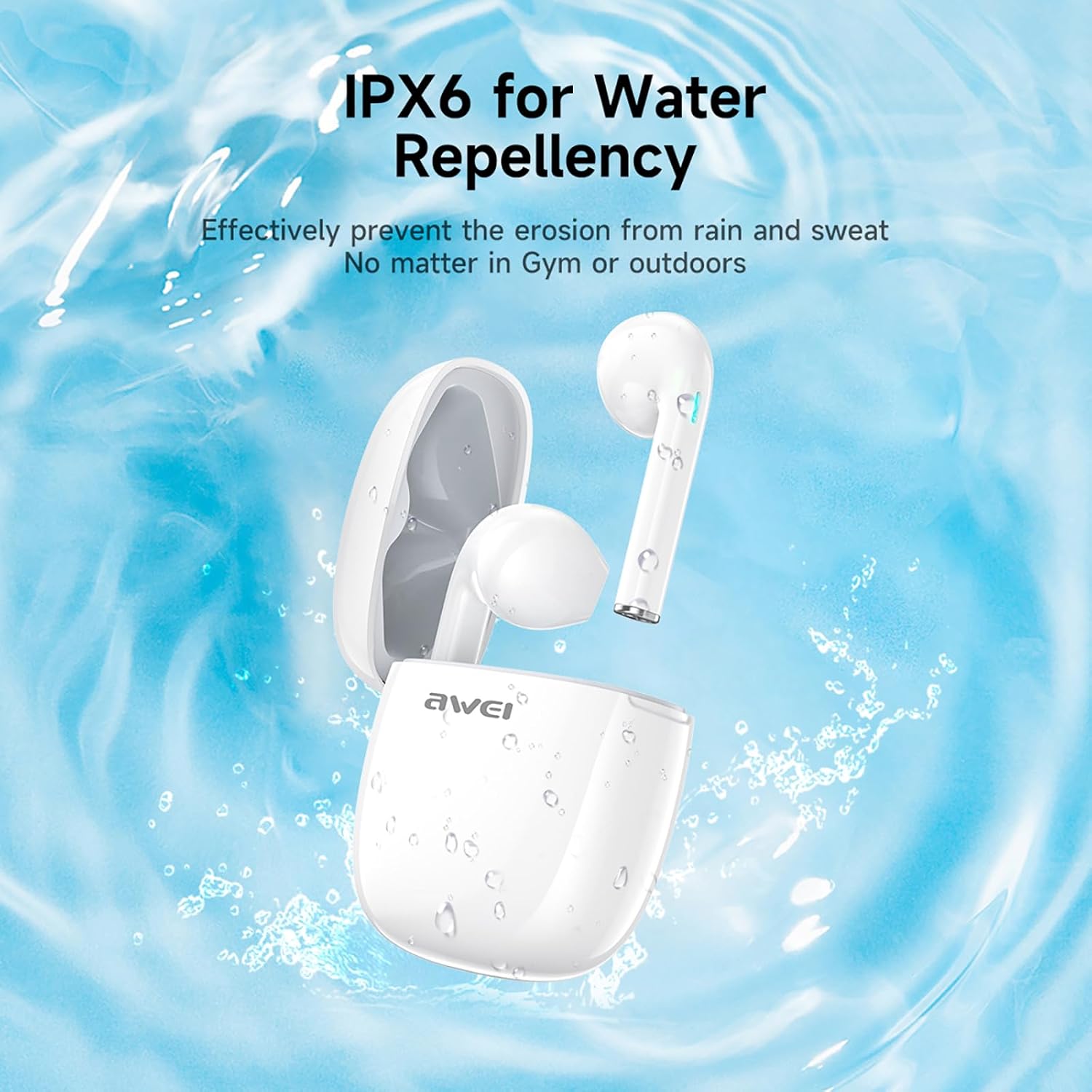
Figur 3: IPX6 Water Repellency. This image depicts the earbuds and charging case with water splashes, visually representing their IPX6 waterproof rating, suitable for use during exercise or in light rain.
Opsætning
1. Opladning af øretelefoner og etuiet
- Indledende opkrævning: Oplad ørepropperne og opladningsetuiet helt inden første brug.
- Opladning af etuiet: Connect the provided USB-C charging cable to the charging port on the case and to a USB power source. The charging time for the case is approximately 1.5 hours.
- Opladning af øretelefoner: Place the earbuds into the charging case. They will automatically begin charging. The earbuds provide approximately 7 hours of continuous use per charge. The charging case extends total playback time to 35 hours in dual-ear mode, or up to 70 hours in single-ear mode by alternating earbuds.
- Batteriindikatorer: Refer to the LED indicators on the case and earbuds for charging status.
2. Parring med en enhed
- Tænd: Åbn opladningsetuiet. Ørepropperne tændes automatisk og går i parringstilstand.
- Aktiver Bluetooth: Gå til Bluetooth-indstillingerne på din smartphone, tablet eller anden Bluetooth-aktiveret enhed, og tænd Bluetooth.
- Vælg enhed: Look for "AWEI T28" in the list of available devices and select it to connect.
- Bekræftelse: Once connected, you will hear an audio prompt from the earbuds, and the device's Bluetooth settings will show "AWEI T28" as connected.
- Automatisk genforbindelse: After the initial pairing, the earbuds will automatically connect to the last paired device when removed from the charging case, provided Bluetooth is enabled on the device.
Betjeningsvejledning
Tryk på kontrolelementer
The AWEI T28 earbuds feature smart touch controls on each earbud for convenient management of audio playback and calls.
- Afspil/pause: Et enkelt tryk på begge øretelefoner.
- Næste sang: Tryk to gange på den højre øretelefon.
- Forrige sang: Dobbelttryk på venstre øretelefon.
- Lydstyrke op: Tryk tre gange på den højre øretelefon.
- Skrue ned for lyden: Tryk tre gange på venstre øretelefon.
- Besvar/afslut opkald: Enkelt tryk på begge øretelefoner under et indgående opkald.
- Afvis opkald: Tryk og hold en af øretelefonerne nede i 2 sekunder under et indgående opkald.
- Aktiver stemmeassistent: Press and hold either earbud for 3 seconds (functionality may vary by device).
Monaural and Binaural Mode
The earbuds support both monaural (single earbud) and binaural (both earbuds) modes. You can seamlessly switch between modes:
- Binaural tilstand: Remove both earbuds from the charging case. They will automatically connect to each other and then to your device.
- Monaural tilstand: Remove only one earbud from the charging case. It will connect to your device independently. You can place the other earbud back in the case or keep it off.
- Skift: If using one earbud, simply remove the other from the case to automatically switch to binaural mode. If using both, place one back in the case to switch to monaural mode.
Opretholdelse
Proper maintenance ensures the longevity and performance of your AWEI T28 Wireless Earbuds.
- Rensning: Rengør regelmæssigt ørepropperne og opladningsetuiet med en blød, tør og fnugfri klud. Brug ikke slibende rengøringsmidler eller opløsningsmidler.
- Ørespidser: If applicable, gently remove ear tips and clean them with mild soap and water, then dry thoroughly before reattaching.
- Opladningskontakter: Sørg for, at opladningskontakterne på både ørepropperne og indersiden af etuiet er rene og fri for snavs for at opretholde korrekt opladning.
- Vandtæthed: The earbuds are IPX6 waterproof, meaning they are resistant to strong jets of water. However, they are not designed for swimming or submersion. Ensure they are dry before placing them back in the charging case.
- Opbevaring: Når ørepropperne ikke er i brug, skal de opbevares i deres opladningsetui for at beskytte dem mod støv og skader. Opbevares køligt og tørt, væk fra ekstreme temperaturer.
Fejlfinding
If you encounter issues with your AWEI T28 Wireless Earbuds, refer to the following common solutions:
- Øretelefoner parrer ikke med enheden:
- Sørg for, at begge øretelefoner er fuldt opladede.
- Sluk Bluetooth på din enhed, og tænd den derefter igen.
- Forget "AWEI T28" from your device's Bluetooth list and attempt to pair again.
- Ensure the earbuds are in pairing mode (usually indicated by flashing LED lights).
- Prøv at parre med en anden enhed for at udelukke enhedsspecifikke problemer.
- Kun én øreprop virker:
- Place both earbuds back into the charging case, close the lid, wait a few seconds, then open the lid and remove both earbuds simultaneously.
- Sørg for, at begge øretelefoner er opladet.
- Check if the earbuds are connected in monaural mode. If so, try re-pairing both earbuds.
- Øretelefoner oplader ikke:
- Sørg for, at opladningsetuiet er opladet.
- Check that the charging contacts on the earbuds and inside the case are clean and free of obstructions.
- Sørg for, at ørepropperne er korrekt placeret i opladningsetuiet.
- Prøv at bruge et andet USB-C-kabel eller en anden strømadapter.
- Lav lydstyrke eller dårlig lydkvalitet:
- Juster lydstyrken på både din enhed og ørepropperne.
- Sørg for, at ørepropperne sidder korrekt i dine ører for at sikre god tætning.
- Rengør øreproppernes dyser for ørevoks eller snavs.
- Try playing different audio sources to determine if the issue is with the earbuds or the audio file.
- Forbindelsen afbrydes ofte:
- Ensure there are no significant obstacles (walls, large electronic devices) between the earbuds and your connected device.
- Keep the earbuds within the 10-meter Bluetooth range of your device.
- Avoid environments with high Wi-Fi or other wireless interference.
Specifikationer
| Model | T28 |
| Mærke | Awei |
| Forbindelsesteknologi | Trådløs (Bluetooth 5.3) |
| Øreplacering | In Ear |
| Kontroltype | Tryk på kontrol |
| Vandmodstandsniveau | IPX6 vandtæt |
| Batteriets gennemsnitlige levetid (ørepropper) | 7 timer |
| Samlet spilletid med opladningsetui | Up to 35 Hours (Dual-ear), 70 Hours (Single-ear) |
| Opladningstid (etui) | 1.5 timer |
| Materiale | Silikone |
| Varens vægt | 150 g |
| Kompatible enheder | Smartphones, computere, tv'er |
Garanti og support
For warranty information and customer support, please refer to the documentation provided with your purchase or contact the retailer where you purchased the AWEI T28 Wireless Earbuds. Keep your proof of purchase for any warranty claims.
For further assistance, you may also visit the official Awei webhjemmeside eller kontakt deres kundeservice direkte.