
TABYIK DH-CS10-B
TABYIK 30-Pint High-Capacity Dehumidifier
Model: DH-CS10-B
Indledning
The TABYIK 30-Pint High-Capacity Dehumidifier is designed to efficiently remove excess moisture from your indoor environment, creating a more comfortable and healthier living space. This unit is suitable for various areas, including living rooms, bedrooms, closets, basements, bathrooms, and laundry rooms, covering up to 1500 sq.ft.
It features a 31-pint daily dehumidification capacity (at 86°F, 80% humidity), customizable humidity settings, a built-in 24-hour timer, and quiet operation. Please read this manual thoroughly before operation to ensure proper use and maintenance.

Billede: Forside view of the TABYIK 30-Pint High-Capacity Dehumidifier, showcasing its compact design and water tank.
Vigtige sikkerhedsoplysninger
WARNING: To prevent potential damage to the built-in compressor, it is crucial to let the dehumidifier stand upright for at least 24 hours before plugging it in and powering it on for the first time.
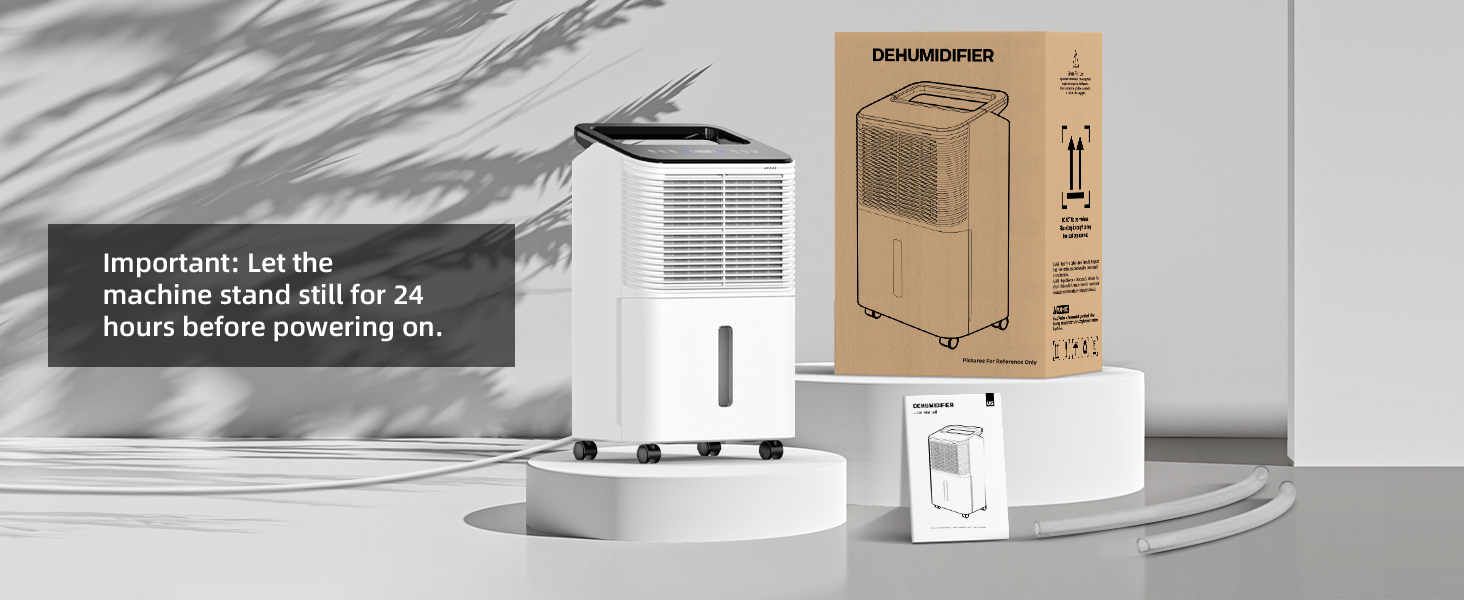
Image: A visual reminder to let the dehumidifier stand for 24 hours before initial power-on, showing the unit next to its packaging.
- Placer altid enheden på en stabil, plan overflade.
- Sørg for ordentlig ventilation omkring enheden; bloker ikke luftindtag eller -udtag.
- Betjen ikke enheden med en beskadiget strømledning eller stik.
- Hold børn og kæledyr væk fra enheden under drift.
- Tag stikket ud af enheden, før du rengør eller udfører vedligeholdelse.
Pakkens indhold
Bekræft at alle varer er til stede i pakken:
- TABYIK 30-Pint High-Capacity Dehumidifier Unit
- 0.66-Gallon Water Tank (integrated)
- Drain Pipe (3.28 feet)
- Drain Pipe (1.64 feet)
- Brugermanual
Opsætning
- Udpakning: Tag forsigtigt affugteren ud af emballagen.
- Placering: Place the unit upright in the desired location. Ensure there is at least 8 inches of space around the unit for proper airflow. The unit features 360-degree rotating wheels and an ergonomic handle for easy movement.
- Indledende standby: As noted in the safety section, allow the dehumidifier to stand upright for 24 hours before plugging it into a power outlet. This allows the refrigerant to settle, preventing damage to the compressor.
- Strømtilslutning: After the 24-hour standby period, plug the power cord into a grounded electrical outlet.

Image: The dehumidifier highlighting its dimensions (11.4 x 8.2 x 18.9 inches), 360-degree rotating wheels, and carry handle for easy portability.
Betjeningsvejledning
Kontrolpanel overview

Image: Close-up of the user-friendly touchscreen control panel, showing icons for Sleep Mode, Auto Adjust Humidity Level, Continuous Dehumidification (two-speed), Real-time Humidity display, Light On/Off Control, Set Timer Duration (1-24 hrs), and Power On/Off Control.
Tænd/sluk
- Tryk på ON/OFF knappen for at tænde eller slukke for enheden.
Setting Humidity Levels and Modes
The dehumidifier features a real-time humidity display. You can select from various operating modes:
- Automatisk tilstand (Auto): Tryk på AUTO button. In this mode, the unit will automatically maintain a comfortable humidity level between 35% and 70%.
- Continuous Mode (Speed): Tryk på HASTIGHED button. This mode provides continuous dehumidification at either low or high fan speed, ideal for quick drying or very damp forhold.
- Sove mode: Tryk på SOVE button. In sleep mode, the airflow decreases, and the control panel lights dim to ensure a peaceful and undisturbed rest, with noise levels as low as 40 dB.

Image: The dehumidifier's display showing real-time humidity levels and indicating different humidity ranges (Very High, High, Moderate, Low, Very Low).

Image: A visual representation of smart humidity adjustment, showing recommended humidity levels for various items like food, clothes, and plants, ranging from 35% to 70%.
Timer funktion
- Tryk på TIMER button to set the desired operating time (1-24 hours). The unit will automatically turn off once the set time is reached, promoting energy efficiency.
Afløbsmuligheder
The dehumidifier offers two methods for water collection:
- Continuous Drainage (Water Pipe): For continuous operation or in high humidity areas, connect one of the provided drain pipes to the drainage outlet on the back of the unit. Ensure the pipe is sloped downwards to allow gravity drainage into a floor drain or larger container.
- Manuel dræning (vandtank): When the 0.66-gallon water tank is full, the unit will automatically stop operating and alert you. Carefully remove the water tank, empty it, and reinsert it into the unit. The unit will resume operation.

Image: Illustrations showing correct (downward slope) and incorrect (kinked or upward slope) setups for the continuous drainage pipe, alongside the water tank for manual emptying.

Image: A visual comparison of the two drainage methods: continuous water pipe drainage into a floor drain and manual emptying of the 0.66-gallon water tank.
Officiel produktvideo: Opsætning og betjening
Video: This official product video demonstrates the initial setup, including the 24-hour waiting period, powering on the unit, selecting operating modes (Automatic, Continuous, Sleep), monitoring humidity, and utilizing both continuous drainage and manual water tank emptying methods.
Opretholdelse
Rengøring af luftfilteret
Regular cleaning of the air filter helps maintain the dehumidifier's efficiency and prolong its lifespan. It is recommended to clean the filter every two weeks or more frequently depending on usage and air quality.
- Sluk for affugteren, og tag stikket ud af stikkontakten.
- Find luftfilterdækslet (normalt på bagsiden eller siden af enheden).
- Fjern filteret.
- Clean the filter with warm, soapy water. Rinse thoroughly and allow it to air dry completely before reinserting. Do not use a dishwasher.
- Sæt det tørre filter i igen, og luk dækslet.
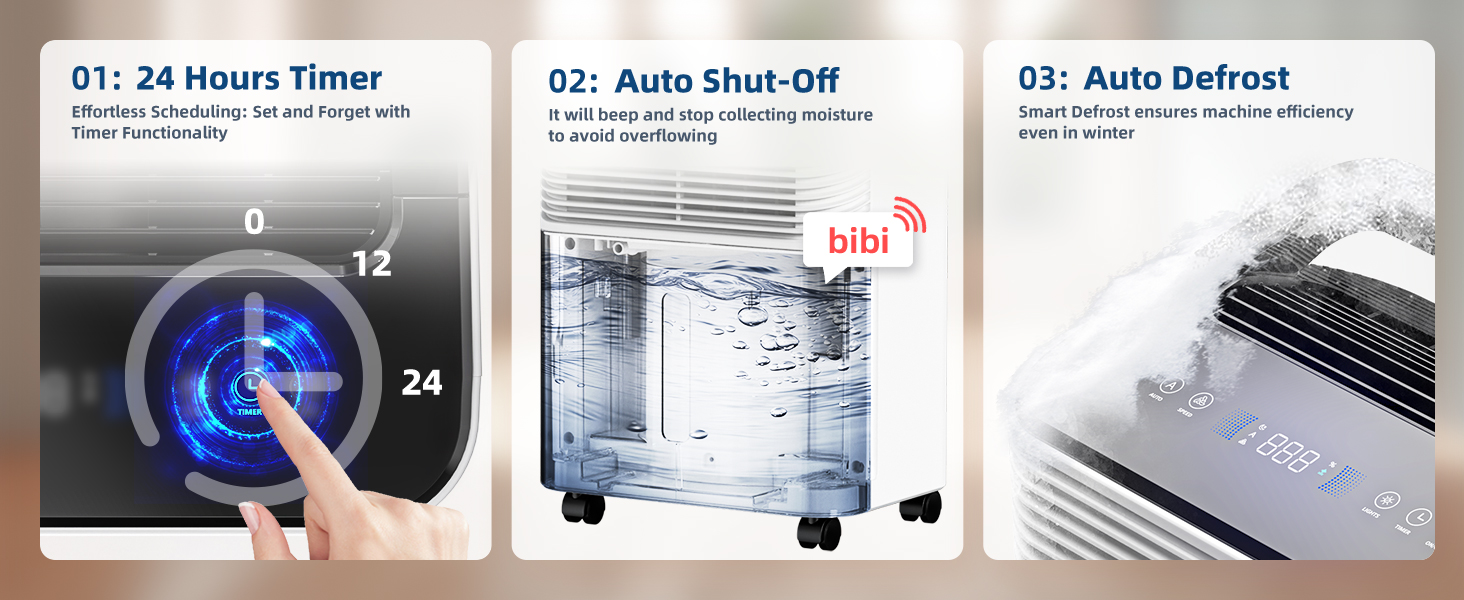
Image: A visual guide demonstrating how to remove and clean the air filter of the dehumidifier, showing the filter being rinsed under water.
Rengøring af vandtanken
Rengør vandtanken regelmæssigt for at forhindre vækst af skimmelsvamp og meldug.
- Fjern vandtanken fra enheden.
- Vask tanken med varmt vand og et mildt rengøringsmiddel.
- Skyl grundigt og tør, inden det sættes tilbage i affugteren.
Fejlfinding
| Problem | Mulig årsag | Løsning |
|---|---|---|
| Affugteren tænder ikke. | Ingen strømforsyning; netledningen er ikke korrekt tilsluttet. | Ensure the unit is plugged into a working outlet. Check for tripped circuit breakers. |
| Unit stops working and beeps (E1 error). | Water tank is full or improperly installed. | Tøm vandtanken, og sørg for, at den er korrekt sat i igen. |
| Intet vand opsamles eller lav affugtning. | Humidity level is already low; air filter is clogged; room temperature is too low; doors/windows are open. | Check current humidity level; clean the air filter; ensure room temperature is above 41°F (5°C); close all doors and windows. |
| Enheden er støjende. | Unit is not on a level surface; air filter is clogged. | Place the unit on a flat, stable surface; clean the air filter. |
| Water pipe drainage not working. | Pipe is kinked or not sloped downwards; silicone plug not properly installed. | Ensure the drain pipe is straight and has a continuous downward slope. Verify the silicone plug is correctly positioned if not using continuous drainage. |
Specifikationer
| Feature | Specifikation |
|---|---|
| Mærke | TABYIK |
| Modelnavn | DH-CS10-B |
| Affugtningskapacitet | 31 pints om dagen |
| Dækning af gulvareal | Op til 1500 kvadratmeter |
| Vandbeholdervolumen | 0.66 gallons (2 liter) |
| Produktdimensioner | 10.2" D x 13.4" B x 20.5" H |
| Varens vægt | 26.5 pund |
| Wattage | 145 watt |
| Antal hastigheder | 3 (Low, High, Sleep) |
| Speciel funktion | Adjustable Humidity Control, Auto Shut-Off, Built-In Timer, Auto Defrost |
| Inkluderede komponenter | Two drain pipes (3.28 feet and 1.64 feet) |
Garanti og support
TABYIK is committed to providing customers with a happy and comfortable family environment. If you encounter any confusion or dissatisfaction during usage, please feel welcome to reach out to us at any time. We will make every effort to resolve any issues for you.
For support, please refer to the contact information provided with your purchase or visit the official TABYIK store on Amazon: TABYIK Store
Ask a question about this manual
Ask about setup, troubleshooting, compatibility, parts, safety, or missing instructions. Manuals+ will review the question and use this page’s manual context to help answer it.