
Indledning
Thank you for choosing the TESMEN TN-213 Voltage Tester and TWM-186 Pen Moisture Meter Combo. This manual provides essential information for the safe and effective operation, maintenance, and troubleshooting of your new tools. Please read this manual thoroughly before use and keep it for future reference.

Image: The TESMEN TN-213 Voltage Tester and TWM-186 Pen Moisture Meter, shown together. The TN-213 is a green pen-style device with an LCD screen and buttons, while the TWM-186 is a similar green device with two metal pins at the top for moisture detection.
This combo is designed for electricians, home inspectors, and DIY enthusiasts, offering reliable solutions for electrical safety checks and moisture detection in various materials.
Sikkerhedsoplysninger
Always observe safety precautions when working with electrical systems or inspecting materials. Failure to do so may result in injury or damage to the device.
- Brug ikke voltage tester if it appears damaged or is not operating correctly.
- Always verify the tester's operation on a known live circuit before and after use.
- Voltage tester is rated for CAT. III 1000V and CAT. IV 600V. Do not exceed these ratings.
- Keep the moisture meter pins clean and dry when not in use.
- Do not attempt to measure moisture in live electrical circuits.
- Udskift batterierne med det samme, når indikatoren for lavt batteri vises.

Image: The TESMEN TN-213 Voltage Tester inserted into an electrical outlet, with a red light indicating voltage detection. The image highlights safety ratings: CAT. III 1000V and CAT. IV 600V.
Opsætning
Installation af batteri
Both the TN-213 Voltage Tester and TWM-186 Moisture Meter require batteries for operation. Typically, these devices use standard AAA batteries. To install or replace batteries:
- Locate the battery compartment cover on the back or bottom of the device.
- Åbn dækslet ved at skubbe eller skrue det af.
- Insert the batteries, ensuring correct polarity (+ and -).
- Luk batterirummets dæksel forsvarligt.
- Perform a quick test to ensure the device powers on.
Indledende inspektion
Before first use, inspect both devices for any signs of damage, such as cracks in the casing or bent probes. Do not use if damage is present.
Betjeningsvejledning
TESMEN TN-213 Voltage tester
The TN-213 is a non-contact AC voltage detector designed for quick and safe electrical checks.
- Tænd: Press the power button (usually marked with a power symbol) to turn on the device. The LCD screen will illuminate.
- Følsomhedsjustering: The TN-213 features dual-range sensitivity.
- High Sensitivity (12V-1000V): Ideal for detecting lower voltages or tracing wires from a distance.
- Low Sensitivity (70V-1000V): Suitable for standard household voltage detection, reducing false positives.
Press the sensitivity button (often marked 'S' or with a sensitivity icon) to switch between ranges. The current range will be indicated on the LCD.
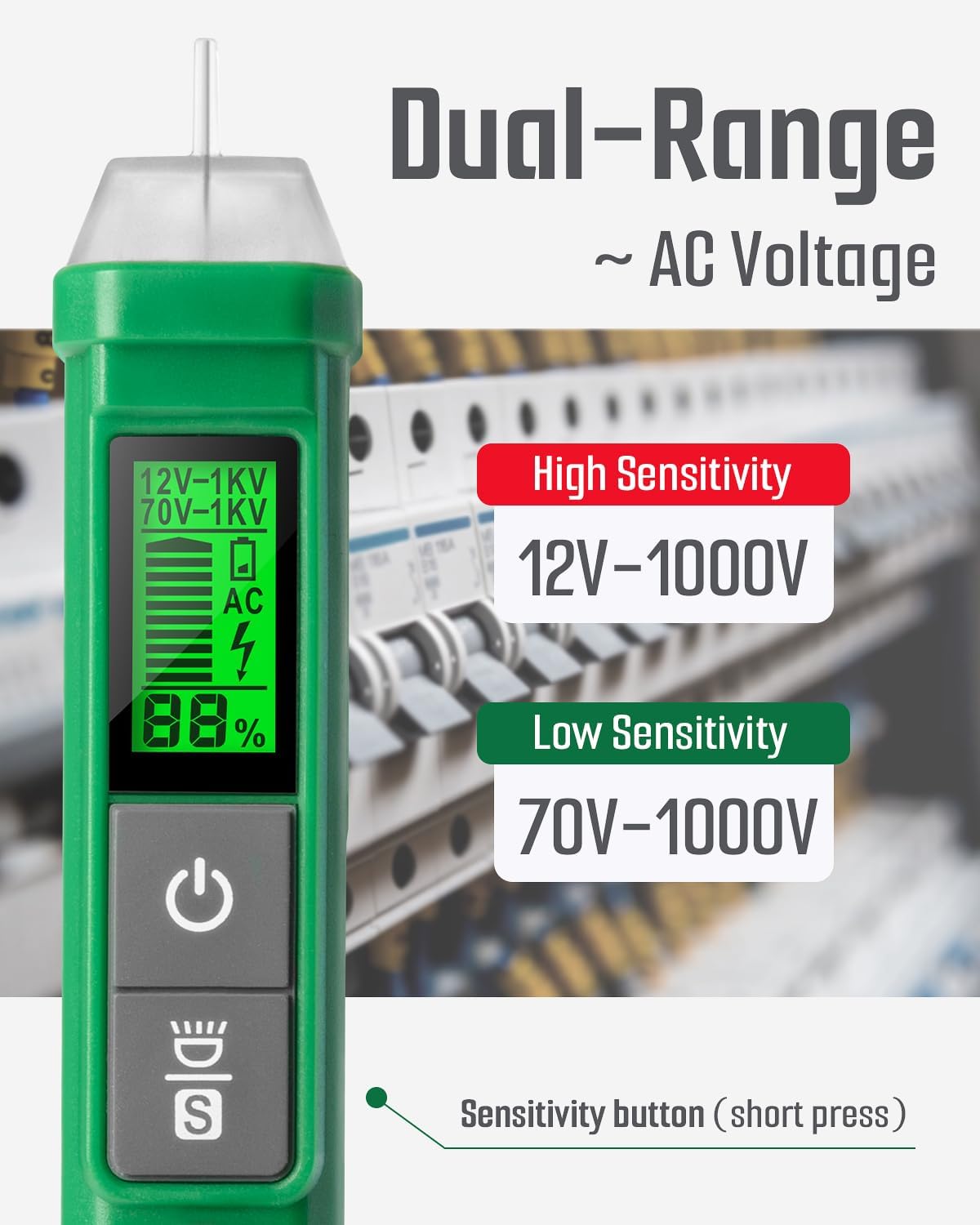
Image: The TESMEN TN-213 Voltage Tester displaying its dual-range AC voltage detection capabilities, with indicators for High Sensitivity (12V-1000V) and Low Sensitivity (70V-1000V). A sensitivity button is also visible.
- Voltage Detektion: Bring the tip of the tester close to the wire, outlet, or electrical component you wish to test.
- Hvis AC voltage is detected, the tester's tip will glow red, an audible buzzer will sound, and the LCD will display the voltage styrke.
- Voltage strength is visualized with a percentage and an analog bar on the LCD for clear indication.
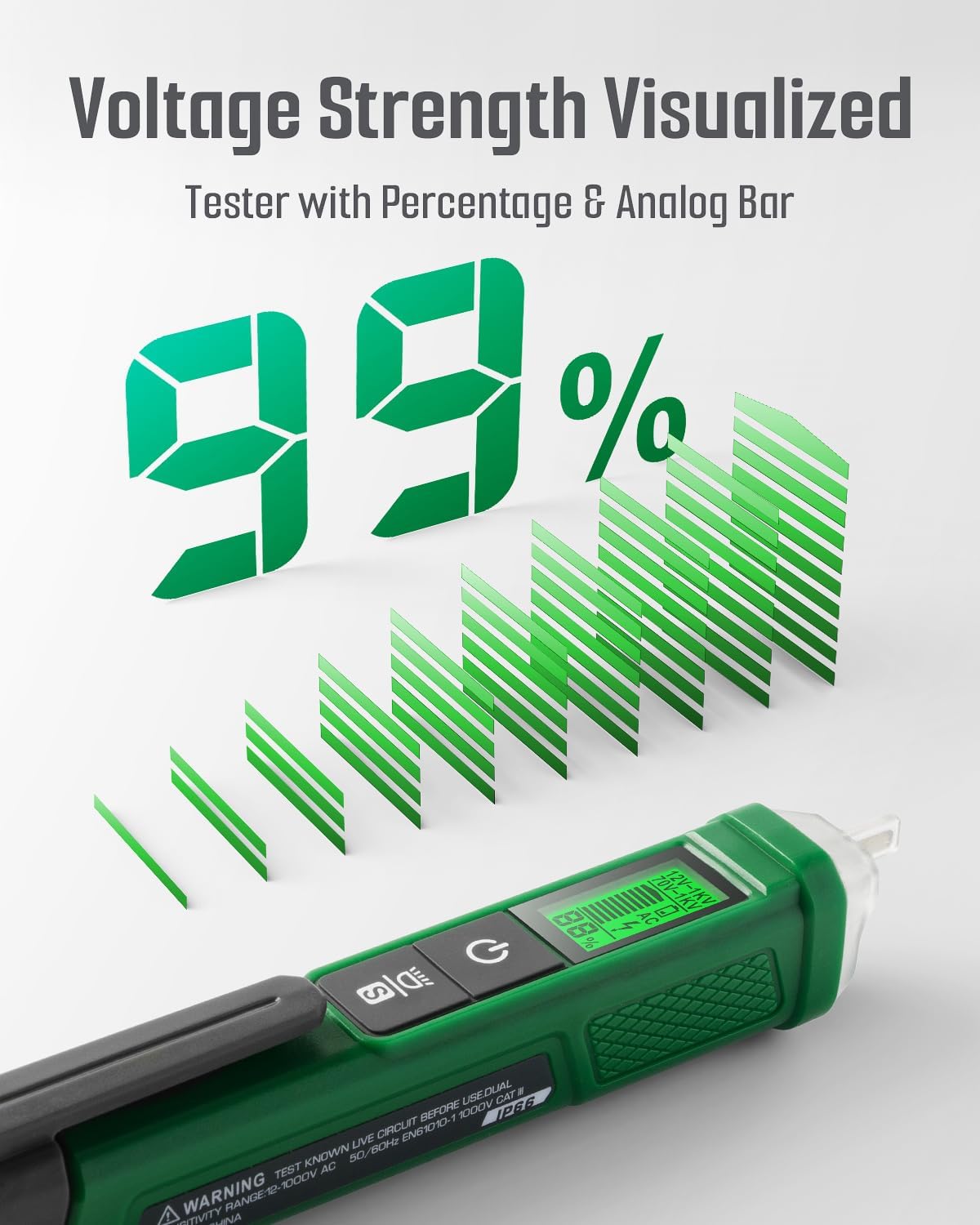
Image: The TESMEN TN-213 Voltage Tester's LCD screen showing a "99%" voltage strength reading alongside an analog bar visualization, indicating the intensity of the detected voltage.
- Automatisk sluk: Enheden slukker automatisk efter en periode med inaktivitet for at spare på batteriet.
TESMEN TWM-186 Pen Moisture Meter
The TWM-186 is a pin-type moisture meter for measuring moisture content in wood and construction materials.
- Tænd: Tryk på tænd/sluk-knappen for at tænde enheden.
- Select Material Mode: The TWM-186 offers different modes and calibration scales for various materials.
- Trætilstand: For measuring moisture in various types of wood (e.g., 6.8% to 58%).
- Construction Material Mode: For materials like concrete, plaster, and drywall (e.g., 0% to 24.5%).
Refer to the device's manual or on-screen indicators to select the appropriate mode for your material. Press the 'M' (Mode) button to cycle through available modes.

Image: The TESMEN TWM-186 Pen Moisture Meter illustrating its two modes and calibration scales: 6.8% to 58% for wood and 0% to 24.5% for construction materials, with corresponding images of logs and concrete.
- Måling: Carefully press the two metal pins into the surface of the material you wish to measure. Ensure both pins penetrate the surface for an accurate reading.
- Læsefortolkning: The LCD screen will display the moisture content percentage. The TWM-186 features a three-color backlight system for quick interpretation:
- Grøn: Indicates a dry or acceptable moisture level.
- Orange: Indicates a moist or elevated moisture level.
- Rød: Indicates a wet or high moisture level, suggesting potential issues.

Image: The TESMEN TWM-186 Moisture Meter's display showing three different backlight colors (green, orange, red) corresponding to Dry, Moist, and Wet moisture levels, with example readings for wood and concrete.
- Hold funktion: Some models may include a 'Hold' button to freeze the current reading on the display.
- Automatisk sluk: Enheden slukker automatisk efter en periode med inaktivitet for at spare på batteriet.
Alsidige applikationer
The TWM-186 is suitable for a wide range of applications, including:
- Wood Processing and Lumber Inspection
- Wood Floor Installation and Repair
- Checking Firewood for optimal burning
- Detecting moisture on wall surfaces (e.g., drywall, plaster)
- General home inspection for water damage

Image: The TESMEN TWM-186 Moisture Meter with visual examples of its versatile applications, including wood processing, wood floor repair, checking firewood, and detecting moisture on wall surfaces.
Opretholdelse
- Rensning: Wipe the devices with a dry, soft cloth. Do not use abrasive cleaners or solvents. For the TWM-186, ensure the pins are clean and free of debris after each use.
- Opbevaring: Store both devices in a cool, dry place, away from direct sunlight and extreme temperatures. If storing for extended periods, remove the batteries to prevent leakage.
- Udskiftning af batteri: Replace batteries when the low battery indicator appears on the display to ensure accurate readings and proper operation.
- Holdbarhed: The TESMEN TN-213 Voltage Tester is rated IP66, indicating it is shielded from dust and powerful water jets. While robust, avoid unnecessary exposure to water and dust for prolonged device life.

Image: The TESMEN TN-213 Voltage Tester lying on a rough, dusty, and slightly wet surface, emphasizing its IP66 rating for protection against dust and water.
Fejlfinding
| Problem | Mulig årsag | Løsning |
|---|---|---|
| Enheden tænder ikke. | Døde eller forkert installerede batterier. | Kontroller batteripolariteten; udskift batterierne. |
| TN-213 gives inconsistent voltage aflæsninger. | Low battery; interference; incorrect sensitivity setting. | Replace batteries; move away from other electrical devices; adjust sensitivity. |
| TWM-186 shows "Err" or inaccurate moisture readings. | Pins not fully inserted; dirty pins; incorrect material mode. | Ensure pins penetrate surface; clean pins; select correct material mode. |
| Auto shutoff occurs too quickly. | Normal drift for at spare batteri. | No action needed; simply power on again. |
If problems persist, please contact TESMEN customer support.
Specifikationer
TESMEN TN-213 Voltage tester
- Voltage Detektionsområde: Dual-range (12V-1000V AC / 70V-1000V AC)
- Sikkerhedsvurdering: CAT. III 1000V, CAT. IV 600V
- Vise: LCD with percentage and analog bar, LED indicator
- Funktioner: Non-Contact Voltage (NCV), Live/Null wire distinction, Buzzer alarm, Auto Shutoff, Low Battery Indicator
- Miljøbeskyttelse: IP66 Rated (Dust tight and protected against powerful water jets)
TESMEN TWM-186 Pen Moisture Meter
- Måleprincip: Pin-type resistance
- Measurement Range (Wood): 6.8 % til 58 %
- Measurement Range (Construction Materials): 0 % til 24.5 %
- Tilstande: Multiple material modes with 7 calibration scales
- Vise: LCD with three-color backlight (Green: Dry, Orange: Moist, Red: Wet)
- Funktioner: Auto Shutoff, Low Battery Indicator
Generel
- Fabrikant: TESMEN
- Model: TN-213 (Voltage Tester), TWM-186 (Moisture Meter)
- Strømkilde: Batteries (type not specified, typically AAA)
Garanti og support
TESMEN products are designed for reliability and performance. For specific warranty details, please refer to the warranty card included with your product or visit the official TESMEN website. If you encounter any issues or have questions regarding your TN-213 Voltage Tester or TWM-186 Pen Moisture Meter, please contact TESMEN customer support for assistance.
TESMEN Customer Support: Refer to your product packaging or the TESMEN official webwebsted for kontaktoplysninger.