
1. Introduktion
Thank you for choosing the GreenForest L Shaped Desk. This manual provides detailed instructions for assembly, operation, maintenance, and troubleshooting to ensure you get the most out of your new desk. Please read this manual thoroughly before assembly and use, and keep it for future reference.
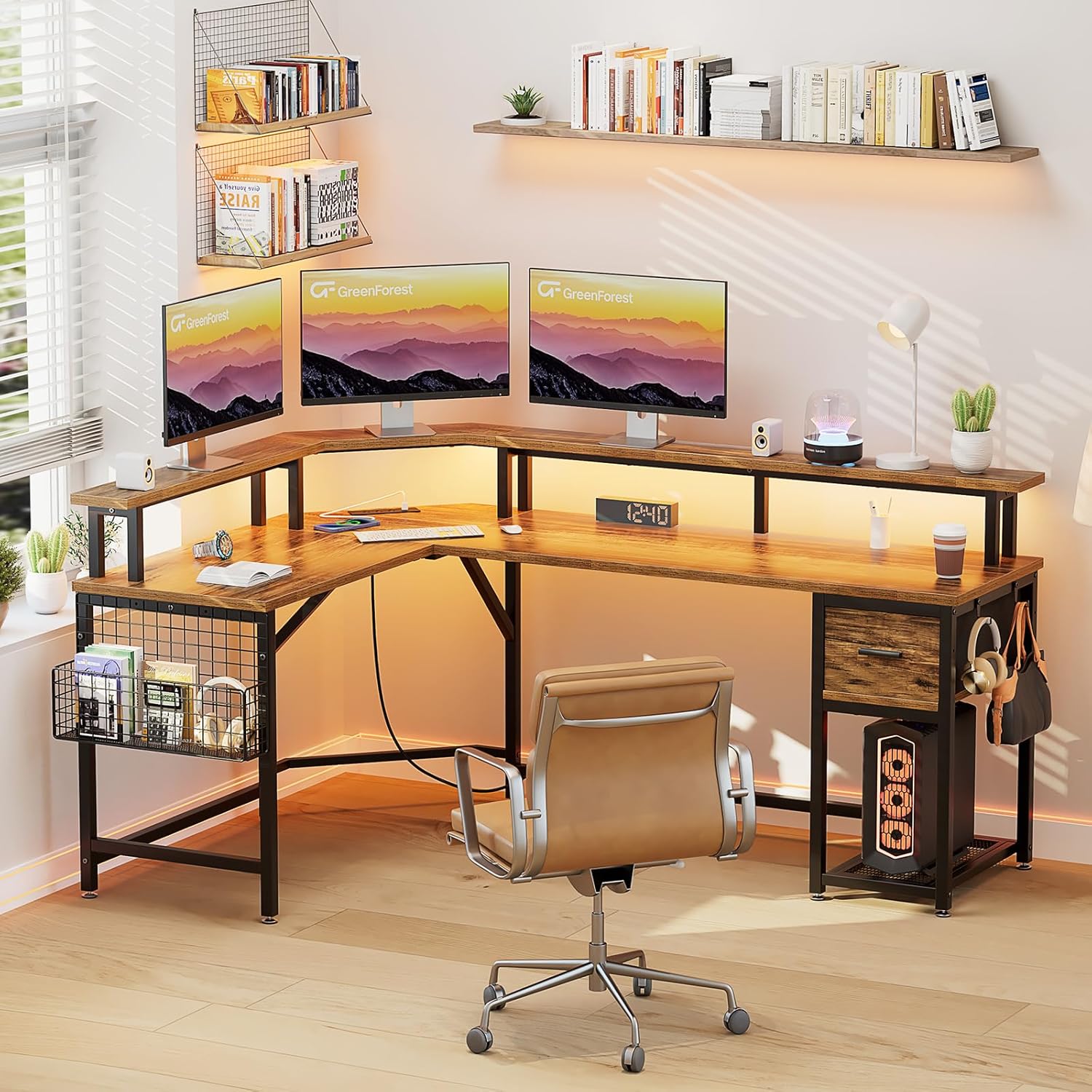
The GreenForest L Shaped Desk, designed for home office and gaming setups.
2. Sikkerhedsoplysninger
Overhold venligst følgende sikkerhedsretningslinjer for at forhindre personskade eller beskadigelse af produktet:
- Saml altid skrivebordet i henhold til de medfølgende instruktioner.
- Overskrid ikke den anbefalede maksimale vægt på 116.4 pund (52.8 kg) for at sikre stabilitet.
- Keep the desk away from heat sources and direct sunlight.
- Undgå at placere tunge genstande på kanterne af skrivebordet for at forhindre, at det vælter.
- Sørg for, at alle skruer og fastgørelseselementer er forsvarligt fastspændt før brug. Kontroller regelmæssigt og efterspænd efter behov.
- Brug på en flad, stabil overflade.
3. Pakkens indhold
Verify that all components are present before beginning assembly. All assembly tools are included.
- L-Shaped Desktop Panels
- Metalrammekomponenter
- Full Monitor Stand
- Stofskuffe
- Mesh Storage Basket
- LED lysbånd
- Power Outlet Unit (3 AC outlets, 2 USB ports)
- Hovedtelefonkroge (2)
- Justerbare trædepuder
- Samlebeslag (skruer, bolte, unbrakonøgle)
- Instruktionsmanual
4. Monteringsvejledning
Assembly is required for this desk. It is recommended that to personer assemble the desk for ease and safety. Please follow the step-by-step diagrams provided in the included printed manual for detailed visual guidance.
Trin for generalforsamling:
- Udpak og identificer dele: Carefully remove all components from the packaging. Lay them out and compare them against the parts list to ensure everything is present and undamaged.
- Saml metalrammen: Connect the main metal frame components using the provided screws and Allen wrench. Do not fully tighten screws until all frame parts are loosely assembled.
- Fastgør skrivebordspaneler: Secure the L-shaped desktop panels to the assembled metal frame. Ensure proper alignment before tightening all screws.
- Installer skærmstativ: Place and secure the full monitor stand onto the designated areas of the desktop.
- Install Power Outlet Unit: Integrate the power outlet unit into its designated slot on the desktop. Connect the power cord.
- Assemble Storage Components: Insert the fabric drawer into its compartment. Attach the mesh storage basket and headphone hooks to the frame as desired.
- Fastgør justerbare fodpuder: Screw the adjustable footpads into the bottom of the desk legs to ensure stability and protect your floor.
- Endelig stramning: Når alle komponenter er på plads og justeret, skal alle skruer og fastgørelseselementer strammes helt.

Detailed dimensions and component breakdown for assembly.
5. Betjeningsvejledning
5.1. Strømstik og USB-porte
The desk is equipped with a built-in power strip for convenient device charging and power access.
- AC stikkontakter: Features 3 standard 125V/12A AC outlets for powering monitors, computers, and other office equipment.
- USB -opladningsporte: Includes 2 USB 5V/2A charging ports for mobile phones, tablets, and other USB-powered devices.
- Strømledning: The unit comes with a 6.5-foot power cord. Plug it into a standard wall outlet.

Integrated power outlets and USB ports for convenient charging.
5.2. LED-lysstrimler
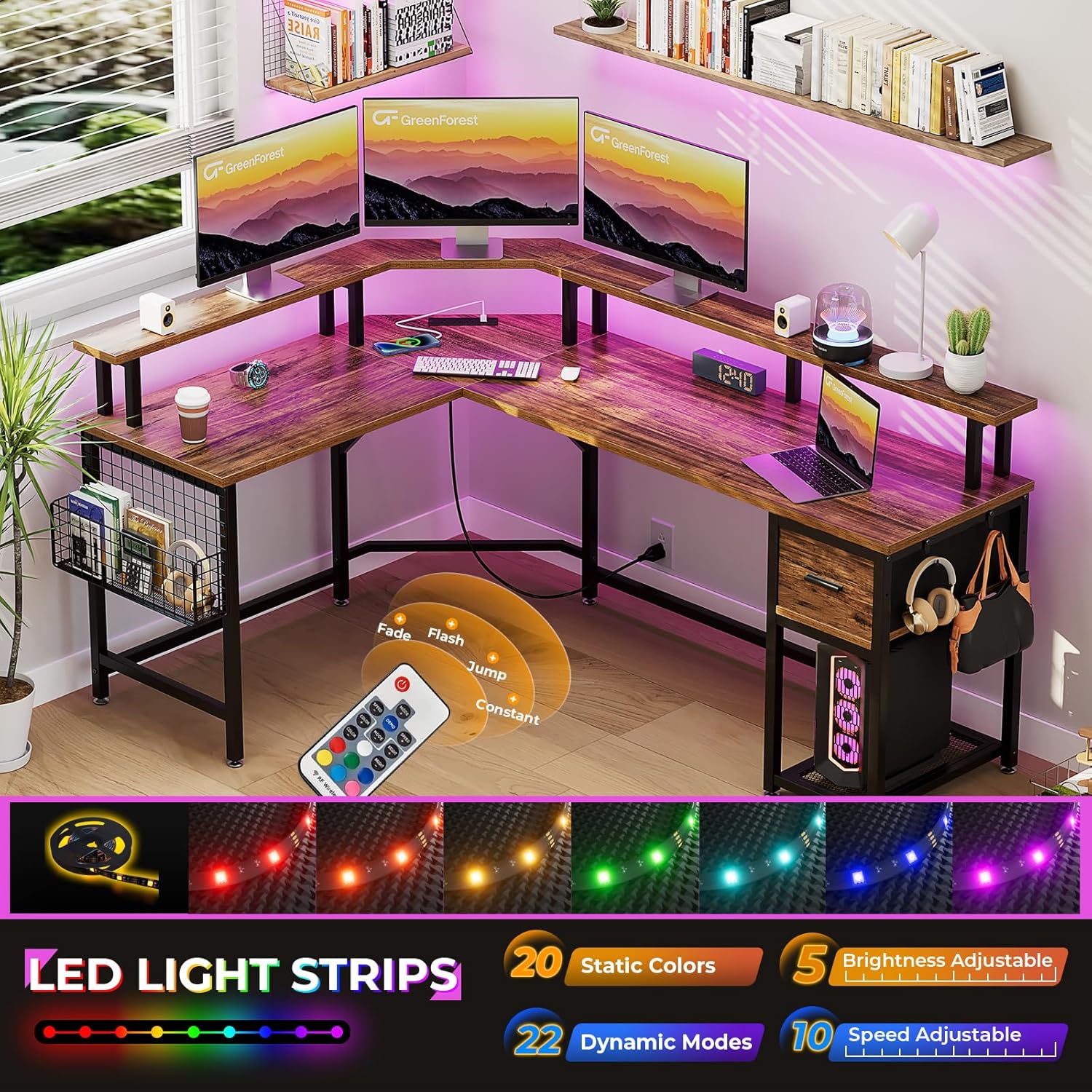
Enhance your workspace or gaming environment with the integrated LED light strips.
- Farver: Vælg mellem 20 statiske farver.
- Dynamiske tilstande: Vælg mellem 22 dynamiske tilstande for forskellige lyseffekter.
- Justeringer: Adjust brightness (5 levels) and speed (10 levels) to suit your preference.
- Kontrollere: Use the included remote control to manage the LED light settings.

LED light strips with multiple colors and dynamic modes.
5.3. Full Monitor Stand
The built-in full monitor stand provides additional desktop space and helps improve ergonomic posture.
- Pladsbesparelse: Elevates monitors, freeing up valuable desk surface area below.
- Ergonomi: Raises screen height to a more comfortable viewing level, promoting better neck and back posture.
- Kapacitet: Designed to accommodate multiple monitors and laptops.
The full monitor stand helps save workspace and promotes ergonomic screen height.
5.4. Opbevaringsfunktioner
The desk includes various storage options to keep your workspace organized.
- Stofskuffe: A pull-out fabric drawer provides enclosed storage for office supplies, accessories, or personal items.
- Mesh Storage Basket: A side-mounted mesh basket offers open storage for books, magazines, or frequently accessed items.
- Hovedtelefonkroge: Two integrated hooks allow for convenient hanging of headphones, bags, or other accessories.

Fabric storage drawer for organizing items.
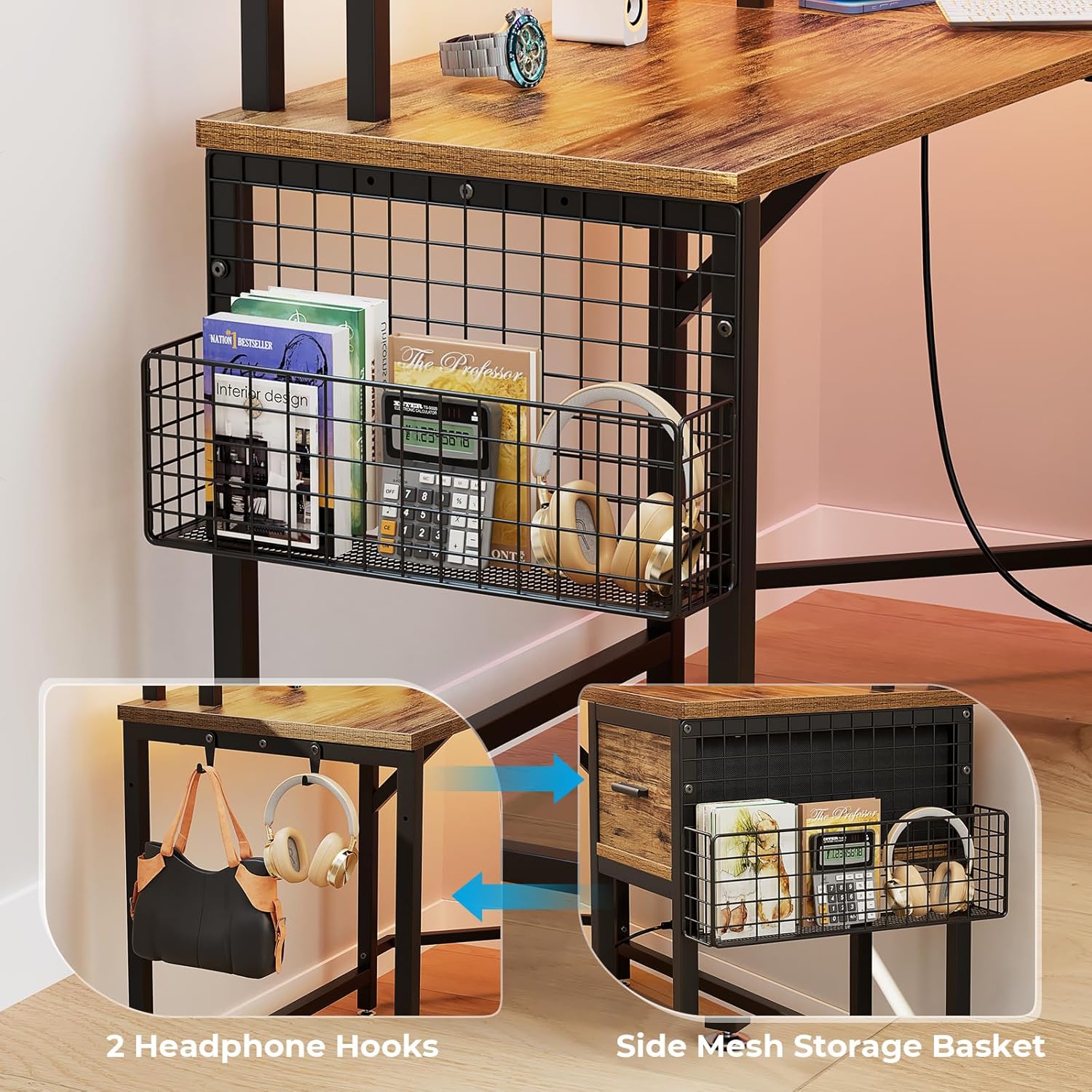
Side mesh storage basket and headphone hooks for additional organization.
6. Vedligeholdelse
To maintain the appearance and longevity of your GreenForest L Shaped Desk, follow these simple care instructions:
- Rensning: Wipe the desk surfaces with a dry, soft cloth. Avoid abrasive cleaners or harsh chemicals that may damage the finish.
- Spild: Tør straks eventuelle spild op for at forhindre pletter eller beskadigelse af det konstruerede træ.
- Fastgørelsesmidler: Kontrollér regelmæssigt alle skruer og bolte for at sikre, at de forbliver stramme. Spænd dem igen om nødvendigt for at opretholde stabiliteten.
- Vægtfordeling: Distribute weight evenly across the desktop and shelves. Avoid concentrating heavy items in one area.
7. Fejlfinding
Hvis du støder på problemer med dit skrivebord, kan du se følgende almindelige fejlfindingstips:
- Skrivebordet er vaklende:
- Sørg for, at alle monteringsskruer er helt spændt.
- Adjust the footpads on the bottom of the legs to level the desk on uneven floors.
- Strømudtag/USB-porte virker ikke:
- Check if the main power cord is securely plugged into a functional wall outlet.
- Verify that the power outlet unit is correctly installed and connected within the desk.
- Test with different devices to rule out device-specific issues.
- LED-lys fungerer ikke:
- Sørg for, at LED-lysstrimlen er korrekt tilsluttet strømkilden.
- Kontroller fjernbetjeningens batteri.
- Ret fjernbetjeningen direkte mod LED-modtageren.
- Manglende dele eller beskadigede komponenter:
- Review the package contents list and assembly instructions carefully.
- Contact GreenForest customer support for assistance with replacement parts.
8. Specifikationer
| Mærke | Grønskov |
| Modelnavn | DESK |
| Form | L-form |
| Produktmål (D x B x H) | 118 cm x 167.5 cm x 90.9 cm (46.45" x 65.94" x 35.8") |
| Farve | Walnut (Brown) |
| Stil | Moderne |
| Grundmateriale | Metal |
| Top materialetype | Konstrueret træ |
| Finish Type | Malet |
| Varens vægt | 58.2 pund (26.4 kg) |
| Maksimal vægtanbefaling | 116.4 pund (52.8 kg) |
| Antal skuffer | 1 (Fabric Drawer) |
| Antal hylder | 1 (Open Shelf / Mesh Basket) |
| Påkrævet samling | Ja |
| Anbefalet antal personer til forsamling | 2 |
| Indeholder alt monteringsværktøj | Ja |
| Produktplejevejledning | Tør af med en tør klud |
9. Produktvideoer
9.1. GreenForest L Shaped Gaming Desk with LED Lights
This video showcases the multi-functional design of the GreenForest L Shaped Desk, highlighting its storage features, LED lighting, and overall aesthetic in a gaming setup. It demonstrates the fabric storage drawer, mesh basket, headphone hooks, and the integrated power outlets.
9.2. GreenForest Home Office Writing Study Table
Denne video giver en overview of the GreenForest L Shaped Desk, emphasizing its stable structure, reasonable size, and the ergonomic benefits of the built-in full monitor stand for eye protection. It also briefly touches upon the power outlets and storage options.
10. Garanti og support
GreenForest is committed to providing high-quality products. For any questions, concerns, or warranty inquiries regarding your L Shaped Desk, please contact our customer support team.
Please have your purchase information and model number (DESK) ready when contacting support.
For yderligere hjælp, besøg GreenForest-butikken på Amazon.