
1. Introduktion
This user manual provides detailed instructions for the setup, operation, and maintenance of your FULLJA 10.1-Inch WiFi Digital Photo Frame. Please read this manual thoroughly before using the device to ensure proper functionality and to maximize your experience.
2. Pakkens indhold
Bekræft at alle varer er til stede i pakken:
- 1x FULLJA 10.1-Inch Digital Photo Frame
- 1x brugermanual
- 1x strømadapter
- 1x Frame Stand/Bracket
3. Produktet er slutview
The FULLJA 10.1-Inch WiFi Digital Photo Frame is designed to display your cherished memories with ease. It features a high-resolution IPS touch screen and various smart functions.
Nøglefunktioner:
- 10.1-Inch IPS HD Touch Screen: For clear and vibrant photo display.
- WiFi-forbindelse: For easy photo and video sharing via app or email.
- 32 GB intern hukommelse: Stores thousands of photos and videos.
- Bevægelsessensor: Automatically turns the frame on/off.
- Automatisk rotation: Adjusts display orientation automatically.
- Yderligere funktioner: Alarm clock, weather station, sleep mode.

Figur 1: Overview of the digital photo frame's key features.
4. Opsætning
4.1 Tænding og indledende konfiguration
- Connect the power adapter to the frame and plug it into an electrical outlet. The frame will automatically power on.
- Follow the on-screen prompts to select your preferred language, time zone, and connect to your Wi-Fi network.
4.2 Appinstallation og parring
To share photos and videos remotely, download the VPhoto app on your iOS or Android smartphone.
- Søg efter "VPhoto" in the App Store (iOS) or Google Play Store (Android) and install the application.
- Åbn VPhoto-appen, og opret en konto, eller log ind.
- On your digital photo frame, navigate to the settings and locate the "Add Friend" or "Connect App" option to generate a unique code.
- In the VPhoto app, select "Add Device" and enter the code displayed on your frame to pair your smartphone with the frame.

Figure 2: Steps to connect your frame using the VPhoto App.
5. Betjening af rammen
5.1 Deling af fotos og videoer
You can share photos and videos to your frame using the VPhoto app, email, or external storage devices.
Via VPhoto-appen:
Once paired, select photos or videos from your smartphone's gallery within the VPhoto app and send them directly to your frame. You can also invite friends and family to share their photos to your frame.
Via e-mail:
The frame has a unique email address. Send photos and videos as attachments to this email address, and they will appear on your frame.
Via TF Card or USB Drive:
Insert a TF card or USB drive containing your media files into the designated slot on the frame. The frame will detect the storage and allow you to import files.

Figure 3: Sharing photos and videos to the frame.
5.2 Slideshow Settings
Customize your photo display experience:
- Display Interval: Adjust how long each photo is displayed in the slideshow.
- Overgangseffekter: Choose from various transition styles between photos.
- Vis rækkefølge: Set photos to display chronologically, randomly, or by date received.
- Billedtekster: Enable or disable captions for your photos.
5.3 Bevægelsessensor
The built-in motion sensor can automatically turn the frame on when motion is detected and off after a period of inactivity, saving energy.
- To enable/disable: Go to Settings > Display > Motion Sensor.
- Adjust sensitivity and inactivity time as needed.

Figure 4: Motion detection feature in action.
5.4 Auto Rotate
The frame automatically detects its orientation (landscape or portrait) and adjusts the display accordingly. This allows for flexible placement.

Figure 5: Automatic rotation for landscape and portrait display.
5.5 Yderligere funktioner
Explore other useful features in the settings menu:
- Vækkeur: Indstil alarmer for påmindelser.
- Vejrstation: Display local weather information.
- Sove mode: Schedule specific times for the frame to automatically turn off and on.
5.6 How to Send Photos and Videos (Video Guide)
Video 1: This official video demonstrates the process of sending photos and videos to your digital photo frame using the dedicated app. It covers selecting media, adding captions, choosing recipients, and adjusting video length for optimal display.
6. Opbevaring
Your FULLJA Digital Photo Frame comes with 32GB of built-in memory, capable of storing thousands of high-resolution photos and videos.
- Udvidelig lagerplads: If you require more space, you can easily expand the storage using TF cards or USB drives.
- Cloud-backup: Enjoy unlimited free cloud backup for all your precious moments, ensuring your memories are safe and accessible.
7. Monteringsmuligheder
The frame offers versatile placement options to suit your home or office decor.
- Brug af stativet: Attach the included stand to the back of the frame to place it on any flat surface, such as a desk, shelf, or nightstand. The auto-rotate feature will adjust the display.
- Vægmontering: The frame is equipped with mounting holes on the back, allowing you to securely hang it on a wall. Ensure you use appropriate screws and wall anchors for your wall type.
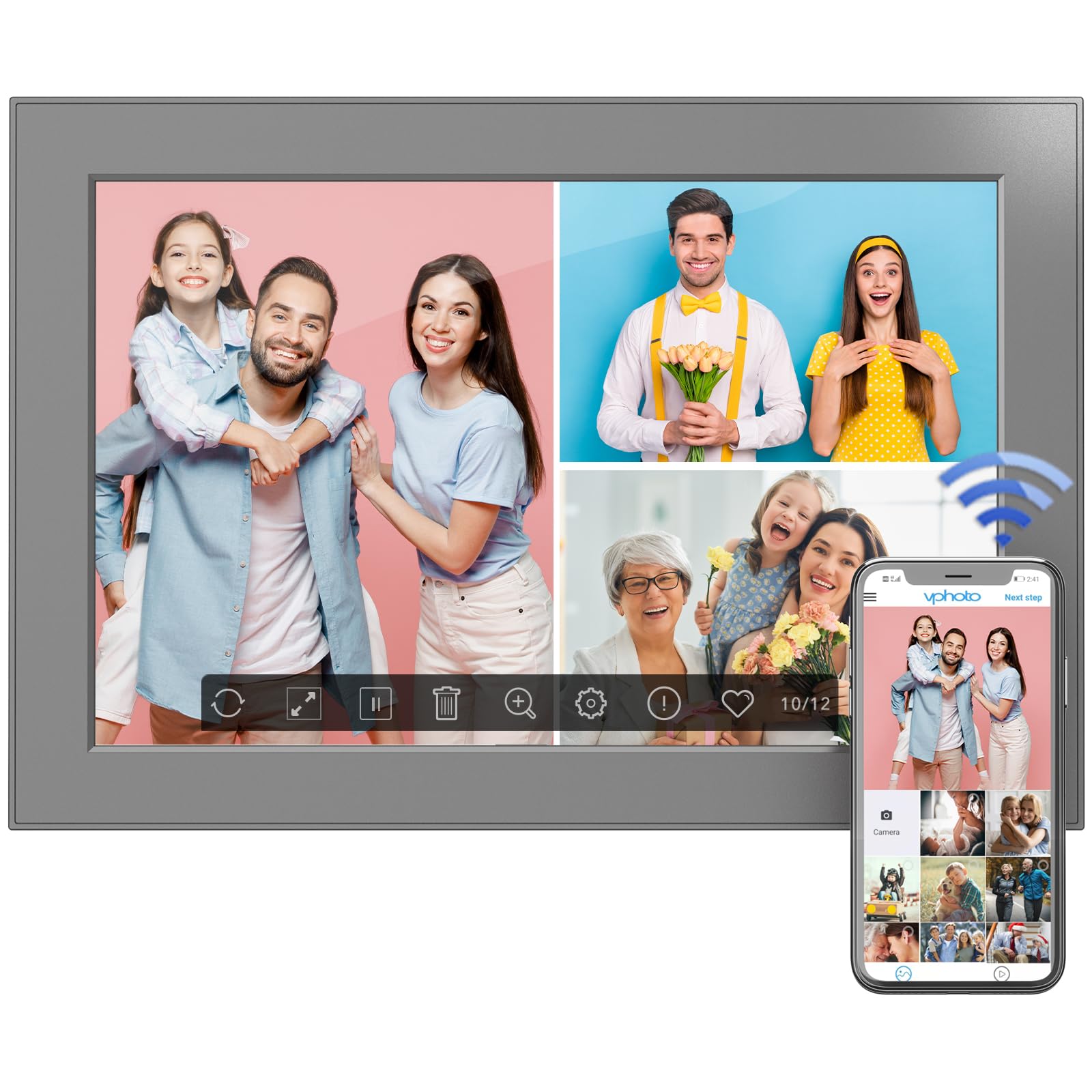
Figure 6: Digital photo frame displayed on a surface using its stand.
8. Vedligeholdelse
To ensure the longevity and optimal performance of your digital photo frame, follow these maintenance guidelines:
- Rengøring af skærmen: Brug en blød, fnugfri klud til forsigtigt at tørre skærmen af. Ved genstridige pletter, tør let afampRengør kluden med vand eller en skærmrengøringsopløsning. Undgå skrappe kemikalier.
- Rengøring af rammen: Tør rammens yderside af med en tør, blød klud.
- Softwareopdateringer: Periodically check for software updates in the frame's settings menu to ensure you have the latest features and improvements.
- Sluk: If not in use for an extended period, power off the frame and unplug it from the power source.
9. Fejlfinding
If you encounter any issues with your FULLJA Digital Photo Frame, refer to the following common solutions:
- Rammen tænder ikke:
- Sørg for, at strømadapteren er korrekt tilsluttet både stellet og en fungerende stikkontakt.
- Kontroller om stikkontakten fungerer ved at tilslutte en anden enhed.
- Kan ikke oprette forbindelse til Wi-Fi:
- Bekræft, at dit Wi-Fi-netværk er aktivt og inden for rækkevidde.
- Dobbelttjek Wi-Fi-adgangskoden.
- Restart your Wi-Fi router and the digital photo frame.
- Photos/Videos Not Appearing:
- Ensure the frame is connected to Wi-Fi if sharing via app or email.
- Check your VPhoto app or email client for successful upload confirmation.
- If using a TF card/USB drive, ensure it is properly inserted and the fileer i et understøttet format.
- Skærmen reagerer ikke på berøring:
- Gently clean the screen to remove any dirt or debris.
- Restart the frame by unplugging and re-plugging the power adapter.
Hvis problemet fortsætter, bedes du kontakte kundesupport for yderligere hjælp.
10. Specifikationer
| Feature | Detalje |
|---|---|
| Produktdimensioner | 6.97 x 10.2 x 0.99 tommer |
| Varens vægt | 1.3 pund |
| Skærmstørrelse | 10.1 tommer |
| Opløsning | 1280x800 (WXGA) |
| Intern hukommelse | 32 GB |
| Forbindelse | WiFi |
| Farve | Sort |
| Modelnummer | 101-Z |
11. Garanti og support
This electronic photo frame comes with a one-year warranty from the date of purchase.
If you experience any issues or have questions regarding your FULLJA Digital Photo Frame, please contact our customer support team. We are committed to ensuring your satisfaction.
- Kundesupport: Refer to the contact information provided in your product packaging or on the official FULLJA webwebsted.