
Indledning
The SCYAN X4 Smart Keyless Entry Door Lock offers advanced security and convenient access for residential and rental properties. This manual provides detailed instructions for installation, operation, and maintenance to ensure optimal performance and user satisfaction.
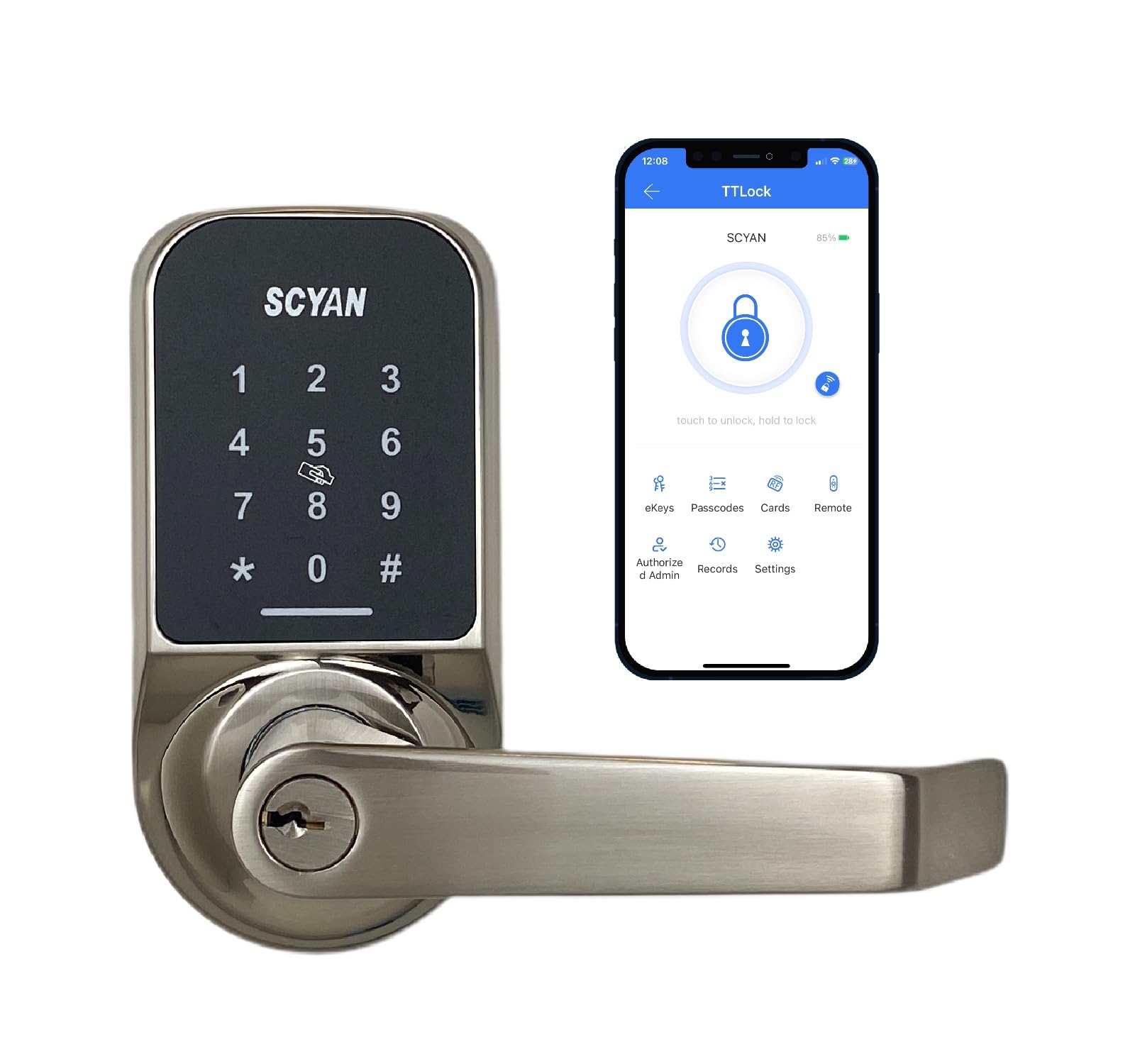
Image: SCYAN X4 Smart Door Lock, showcasing the keypad and handle design.
Opsætning og installation
Installation of the SCYAN X4 lock is designed to be straightforward, requiring only a Phillips screwdriver. No complex wiring or professional locksmith services are typically needed.
1. Forbered døren
- Ensure your door thickness is between 1 1/8 inches and 2 inches.
- Verify the adjustable backset is set to either 2 3/8 inches or 2 3/4 inches, matching your door's existing bore hole.
2. Installer låsen og låsepladen
Follow the standard procedure for installing a door latch and strike plate into your door frame. Ensure the latch bolt operates smoothly.
3. Monter den udvendige enhed
Carefully feed the cable from the exterior keypad assembly through the door's cross-bore hole and under the latch. Position the exterior assembly flush against the door.
4. Installer den indvendige monteringsplade
Secure the interior mounting plate to the door using the provided screws, ensuring it aligns correctly with the exterior assembly.
5. Connect Cables and Install Interior Assembly
Connect the cable from the exterior assembly to the interior assembly. Ensure the cylindrical protrusions are horizontally aligned before attaching the interior assembly. Secure the interior assembly with screws.
Video: Detailed installation guide for the SCYAN X4 touchscreen keypad door lock, including cable connections and alignment.
6. Installer batterier
Remove the battery cover on the interior assembly and insert 4 AA batteries (not included), ensuring correct polarity. Replace the cover.

Image: Technical drawing showing the dimensions of the SCYAN X4 Smart Door Lock for installation reference.
Betjening af låsen
Flere måder at låse op
- Adgangskode: Activate the touchscreen by touching any key, then enter your 4-9 digit passcode followed by '#'. The lock will unlock.
- Nøglebrik: Present the key fob to the card reader sensor on the smart lock. The lock will unlock.
- Smartphone App (TTLock): Download the TTLock app. Pair your lock via Bluetooth. From the app, tap the unlock icon to unlock the door.
- Fysisk nøgle: Use the provided "Schlage C key" as an override in case of battery failure or other issues.
App Management Features
- Generering af adgangskode: Create various types of passcodes: Limited Time, Permanent, One-time, or Customized.
- Brugeradministration: Easily share access with guests or contractors.
- Revisionsspor: Store up to 2000 audit trail logs to track lock activity.
- Mute-funktion: Option to turn off voice prompts via the app.
- Batteriniveau: Monitor the lock's battery level directly from the app.
Auto-Locking Function
Enable auto-lock through the app and set a delay time. The lock will automatically re-lock itself after the specified delay, providing added security.
Privatlivstilstand
To enable Privacy Mode, locate the small switch on the interior side of the lock and slide it to the 'locked' position. When Privacy Mode is active, the lock cannot be unlocked from the exterior using passcodes or key fobs, enhancing privacy and security from within. To disable, slide the switch back to the 'unlocked' position.
