
Indledning
Thank you for choosing the AWEI A996BL Bluetooth Over-Ear Headphones. This manual provides detailed instructions for setting up, operating, and maintaining your headphones to ensure optimal performance and longevity. Please read this manual carefully before use.
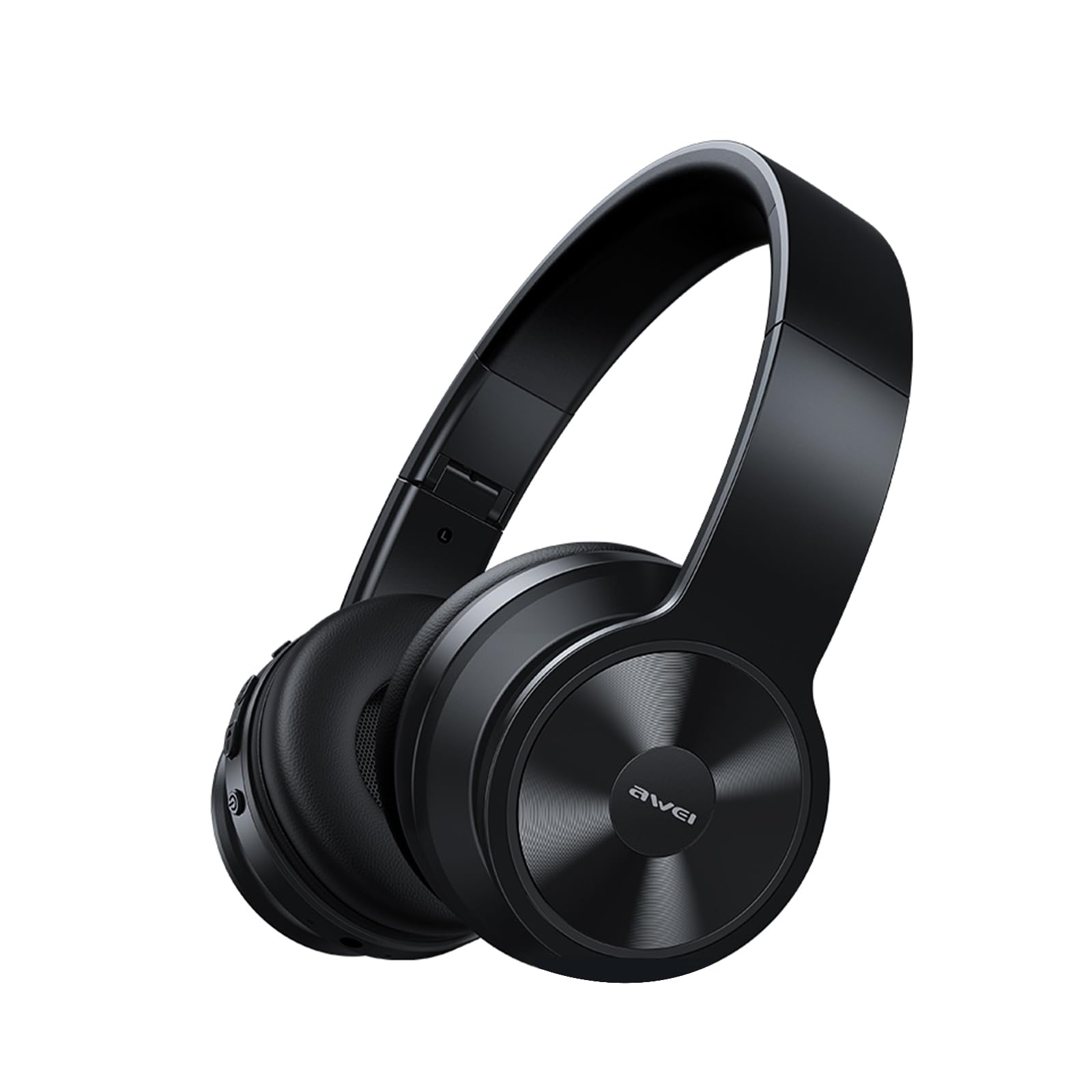
Image: AWEI A996BL over-ear headphones, showcasinderes design.
The AWEI A996BL headphones feature advanced Bluetooth 5.3 technology for stable connections, 40mm drivers for immersive stereo sound, and a comfortable, foldable design with soft protein earpads. Enjoy up to 16 hours of playtime on a single charge, with the flexibility of both wireless and wired (AUX) listening modes.
Pakkens indhold
- AWEI A996BL Bluetooth Over-Ear Headphones
- USB opladningskabel
- Brugermanual
- (Note: An AUX cable may be included for wired connection, depending on the specific package.)
Produkt overview
Gør dig bekendt med hovedtelefonens komponenter og betjeningselementer.

Image: Right earcup of the AWEI A996BL headphones, highlighting the control buttons.
Kontroller og indikatorer:
- Multifunktionsknap (MFB): Power On/Off, Play/Pause, Answer/End Call, Reject Call, Activate Voice Assistant.
- Knap til lydstyrke op / Næste nummer: Kort tryk for at øge lydstyrken, langt tryk for at åbne næste nummer.
- Knap til lydstyrke ned / forrige nummer: Kort tryk for lydstyrke ned, langt tryk for forrige nummer.
- LED-indikator: Viser strømstatus, parringstilstand og opladningsstatus.
- Mikrofon: Til håndfri opkald.
- USB-C opladningsport: Til opladning af høretelefoner.
- 3.5 mm AUX-port: Til kablet lydforbindelse.
Opsætning
1. Opladning af hovedtelefonerne
Oplad hovedtelefonerne helt før første brug. En fuld opladning tager cirka 2 timer.
- Connect the USB charging cable to the USB-C charging port on the headphones.
- Tilslut den anden ende af kablet til en USB-strømadapter (medfølger ikke) eller en computers USB-port.
- The LED indicator will show a red light during charging and turn off or blue when fully charged.

Image: Visual representation of the 300mAh battery capacity, indicating long battery life.
2. Tænd/sluk
- Tænd: Press and hold the Multi-function Button (MFB) for approximately 3 seconds until the LED indicator flashes blue and a voice prompt confirms "Power On".
- Sluk: Press and hold the Multi-function Button (MFB) for approximately 3 seconds until the LED indicator flashes red and a voice prompt confirms "Power Off".
3. Bluetooth-parring (trådløs tilstand)
The headphones use Bluetooth 5.3 for a stable connection.
- Sørg for, at hovedtelefonerne er fuldt opladede og slukkede.
- Press and hold the Multi-function Button (MFB) for approximately 5-7 seconds until the LED indicator flashes blue and red alternately. This indicates pairing mode.
- Aktiver Bluetooth på din enhed (smartphone, tablet, pc), og søg efter tilgængelige enheder.
- Vælg "AWEI A996BL" fra listen over fundne enheder.
- Når parringen er færdig, blinker LED-indikatoren langsomt blåt, og en stemmemeddelelse bekræfter "Tilsluttet".
- Hvis en adgangskode er påkrævet, skal du indtaste "0000".

Image: Headphones connected wirelessly to a laptop and smartphone, demonstrating a stable Bluetooth connection. Note: The product features Bluetooth 5.3 for enhanced performance.
4. Kablet forbindelse (AUX-tilstand)
You can use the headphones in wired mode even when the battery is depleted or with non-Bluetooth devices.
- Connect one end of a 3.5mm audio cable (not included) to the AUX port on the headphones.
- Tilslut den anden ende til 3.5 mm lydudgangsstikket på din enhed.
- The headphones will automatically switch to wired mode. Note that controls on the headphones (volume, play/pause) may not function in wired mode; control playback from your connected device.

Image: Headphones showing both USB-C charging port and 3.5mm AUX port, illustrating wired and wireless options.
Betjeningsvejledning
Iført hovedtelefoner
Adjust the headband for a comfortable fit. The soft protein earpads are designed for extended wear.

Image: A person wearing the AWEI A996BL headphones, highlighting their lightweight and comfortable design with adjustable headband and bendable earmuffs.
Basic Functions (Wireless Mode)
| Fungere | Operation |
|---|---|
| Afspil/pause musik | Tryk kort på multifunktionsknappen (MFB). |
| Lydstyrke op | Tryk kort på knappen "Lydstyrke op / Næste nummer". |
| Lydstyrke ned | Tryk kort på knappen "Lydstyrke ned / Forrige nummer". |
| Næste spor | Tryk længe på knappen "Lydstyrke op / Næste nummer". |
| Forrige spor | Tryk længe på knappen "Lydstyrke ned / Forrige nummer". |
| Besvar/afslut opkald | Tryk kort på multifunktionsknappen (MFB). |
| Afvis opkald | Long press the Multi-function Button (MFB). |
| Aktiver Voice Assistant | Double-press the Multi-function Button (MFB). |
Opretholdelse
Rensning
- Tør hovedtelefonerne af med en blød, tør og fnugfri klud.
- Brug ikke slibende rengøringsmidler, alkohol eller kemiske opløsningsmidler.
- Undgå at fugt kommer ind i åbninger.
Opbevaring
- Når hovedtelefonerne ikke er i brug, skal de opbevares køligt og tørt, væk fra direkte sollys og ekstreme temperaturer.
- The headphones feature a foldable design for easy storage and portability.
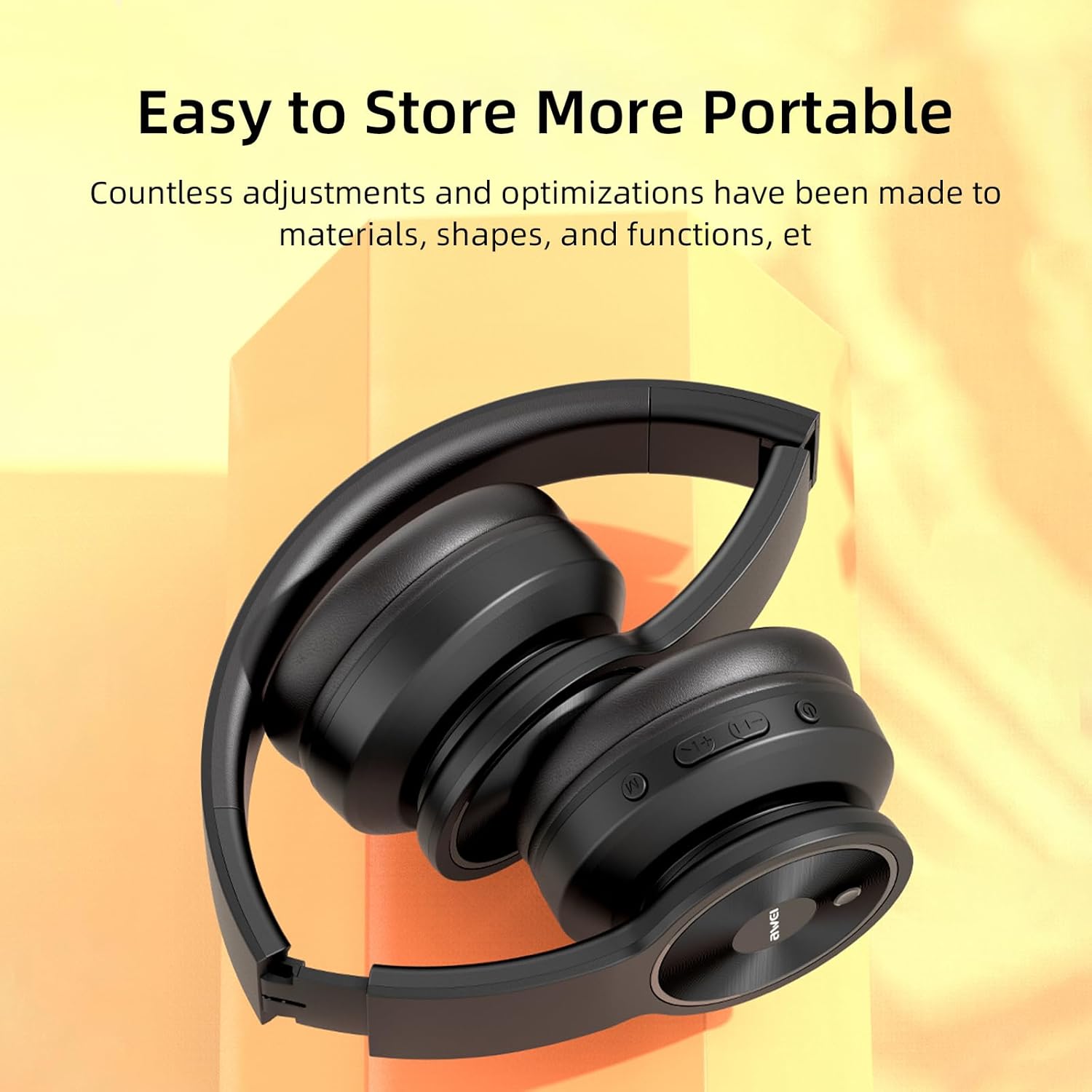
Image: The AWEI A996BL headphones in a folded position, demonstrating their portable and easy-to-store design.
Batteripleje
- To preserve battery life, charge the headphones regularly, even if not used frequently.
- Undgå at aflade batteriet helt i længere perioder.
- Udsæt ikke batteriet for høje temperaturer.
Fejlfinding
| Problem | Løsning |
|---|---|
| Hovedtelefonerne tændes ikke. | Ensure the headphones are charged. Connect to a power source using the USB cable. |
| Kan ikke parres med enheden. |
|
| Ingen lyd eller lav lydstyrke. |
|
| Lydkvaliteten er dårlig eller uregelmæssig. |
|
| Mikrofon virker ikke. |
|
Specifikationer
| Feature | Detalje |
|---|---|
| Model | A996BL |
| Bluetooth version | 5.3 |
| Driver størrelse | 40 mm |
| Batterikapacitet | 300mAh |
| Spilletid | Op til 16 timer |
| Opladningstid | Cirka 2 timer |
| Wireless Range | Op til 33 fod (10 meter) |
| Forbindelse | Trådløs (Bluetooth), Kablet (3.5 mm AUX) |
| Særlige funktioner | Ergonomic, Lightweight, Foldable design |
| Øreplacering | Over Ear |
Garanti og support
AWEI provides a 12-month warranty for the A996BL headphones from the date of purchase, covering manufacturing defects. A 30-day return policy is also available. For any questions, technical support, or warranty claims, please contact our customer service team.
Kundesupport:
- E-mail: support@awei.com
- Webwebsted: www.awei.com
Vi bestræber os på at besvare alle henvendelser inden for 12 timer.