
Indledning
Thank you for choosing JVC Marshmallow True Wireless Bluetooth 5.3 Earbuds. These earbuds are designed for comfort and convenience, featuring soft memory foam earpieces, Bluetooth 5.3 connectivity, and IPX4 water resistance. This manual provides essential information for setting up, operating, and maintaining your earbuds.
Hvad er der i æsken
- JVC Marshmallow True Wireless Earbuds
- Trådløs opladningsetui
- USB opladningskabel
- Memory Foam Earpieces (multiple sizes)
- Silicone Earpieces (multiple sizes)
Opsætning
1. Opladning af øretelefoner og etuiet
Before first use, fully charge the earbuds and charging case. Connect the provided USB charging cable to the charging port on the back of the case and to a power source. The indicator lights on the case will show the charging status. Once fully charged, the lights will remain solid or turn off.

Image: JVC Marshmallow Earbuds in their charging case, illustrating the charging process.
2. Earpiece Selection and Fit
The earbuds come with both memory foam and silicone earpieces in various sizes. Choose the size that provides a snug, comfortable fit and optimal sound isolation. Gently insert the earbud into your ear canal and twist slightly to secure it.

Billede: Nærbillede view of JVC Marshmallow earbuds highlighting the soft and elastic ear tips for a comfortable fit.

Image: A selection of memory foam and silicone earpieces in different sizes, included with the earbuds for personalized comfort.
3. Bluetooth-parring
- Åbn opladningsetuiet. Ørepropperne går automatisk i parringstilstand.
- Aktiver Bluetooth på din enhed (smartphone, tablet osv.) og søg efter tilgængelige enheder.
- Select "JVC HAA18TB" from the list to connect.
- Når ørepropperne er parret, opretter de automatisk forbindelse til din enhed, når de tages ud af etuiet.
Betjeningsvejledning
1. Berøringssensorer
The earbuds feature intuitive touch sensor controls for various functions:
- Afspil/pause: Et enkelt tryk på begge øretelefoner.
- Næste nummer: Dobbelttryk på den højre øreprop.
- Forrige nummer: Dobbelttryk på den venstre øreprop.
- Lydstyrke op: Tryk tre gange på den højre øreprop.
- Skrue ned for lyden: Tryk tre gange på den venstre øreprop.
- Besvar/afslut opkald: Et enkelt tryk på begge øretelefoner.
- Afvis opkald: Tryk og hold nede på en af øretelefonerne.
- Aktiver stemmeassistent: Tryk og hold nede på en af øretelefonerne (når du ikke er i gang med et opkald).

Image: An earbud with a glowing circle on its surface, demonstrating the convenient touch sensor controls.
2. Lydtilstande
The earbuds offer three distinct sound modes to customize your listening experience:
- Normal: Balanceret lyd til hverdagslytning.
- Klar: Enhanced vocals and treble for podcasts and spoken content.
- Bas: Amplified low frequencies for a richer, deeper sound.
To switch between sound modes, press and hold the touch sensor on the left earbud for approximately 1 second.

Image: Visual representation of the three sound modes (Normal, Clear, Bass) available on the JVC Marshmallow earbuds.
3. Lav latenstidstilstand
Activate Low Latency Mode for a delay-free audio experience, ideal for gaming and video playback. This mode minimizes audio lag, ensuring synchronization between visuals and sound.

Image: JVC Marshmallow earbuds demonstrating Low Latency Mode, suitable for gaming and video content.
Opretholdelse
1. Rensning
Regularly clean your earbuds and charging case to ensure optimal performance and hygiene. Use a soft, dry cloth to wipe the surfaces. For earpieces, remove them and gently clean with a damp klud, og sørg for, at de er helt tørre, inden de sættes på igen.
2. Vandafvisende (IPX4)
The earbuds are IPX4 water-resistant, meaning they are protected against splashing water from any direction. This makes them suitable for workouts and light rain. However, they are not designed for submersion in water. Ensure the earbuds are dry before placing them back in the charging case.
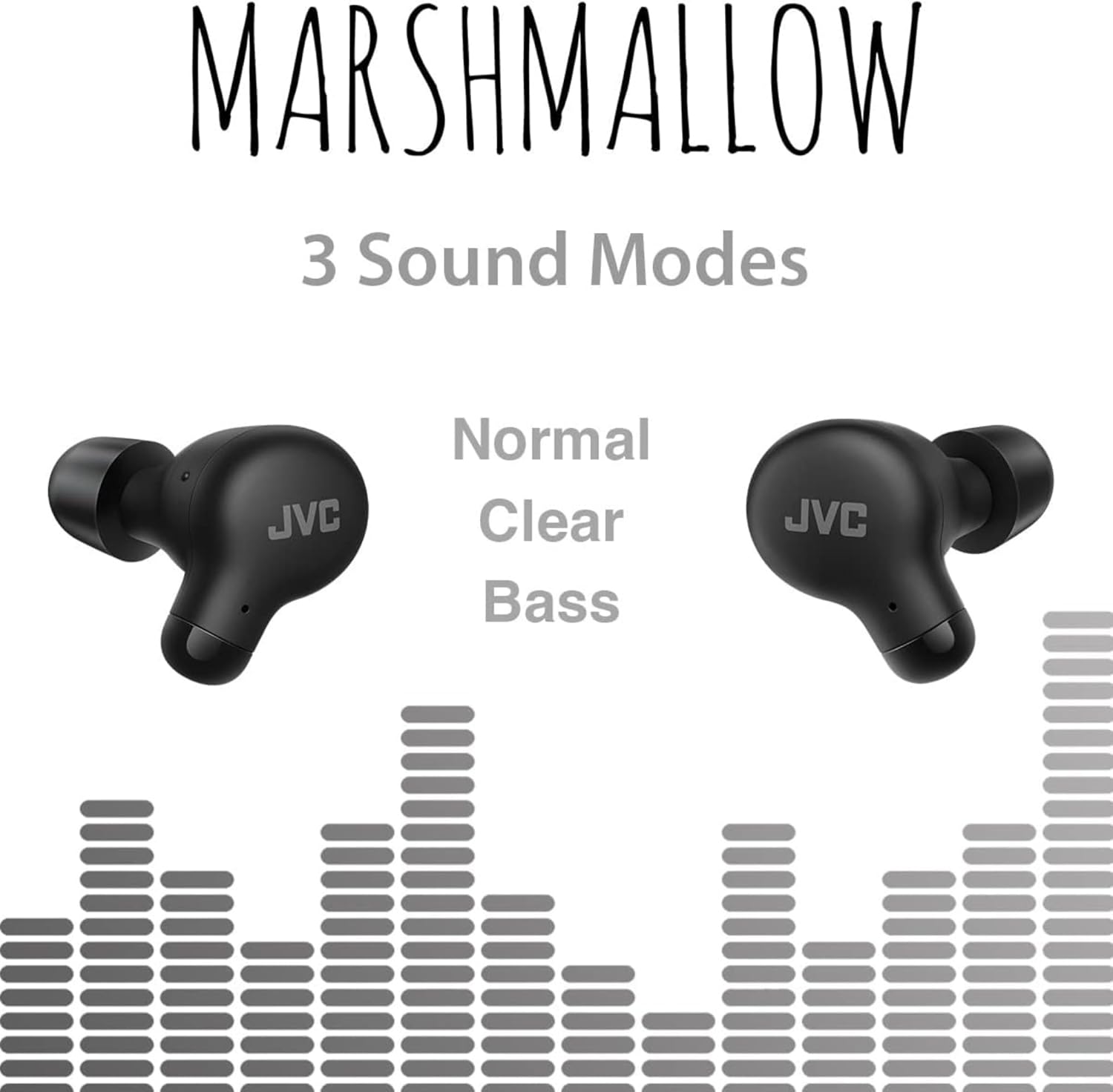
Image: A person wearing JVC Marshmallow earbuds during a workout, highlighting their IPX4 water-resistant design.
Fejlfinding
- Ørepropper parrer ikke: Sørg for, at begge ørepropper er i opladningsetuiet, og åbn derefter låget for at starte parringstilstand. Tjek din enheds Bluetooth-indstillinger, og prøv at genoprette forbindelsen.
- Ingen lyd fra den ene øreprop: Place both earbuds back in the case, close the lid, and then reopen. This often resets the connection.
- Lav lydstyrke eller dårlig lydkvalitet: Ensure earpieces are clean and properly fitted. Adjust sound modes (Normal, Clear, Bass) to your preference.
- Opladningsproblemer: Kontroller, at opladningskablet er korrekt tilsluttet til både etuiet og strømkilden. Rengør opladningskontakterne på ørepropperne og inde i etuiet.
Specifikationer
| Mærke | JVC |
| Modelnummer | HAA18TB |
| Forbindelsesteknologi | Bluetooth 5.3 |
| Øreplacering | In Ear |
| Vandmodstandsniveau | IPX4 (vandtæt) |
| Batteriets gennemsnitlige levetid | 28 timer (med opladningsetui) |
| Batteriopladningstid | 2 timer |
| Kontrolmetode | Tryk, stemme |
| Varens vægt | 1.44 ounce |
| UPC | 046838501890 |
Garanti og support
Your JVC Marshmallow True Wireless Earbuds come with a 1-year warranty covering parts and labor. For technical support, warranty claims, or further assistance, please visit the official JVC webwebstedet eller kontakt JVC kundeservice.
Video: Official JVC Marshmallow True Wireless Earbuds (HAA18T) product overview, der demonstrerer nøglefunktioner og anvendelse.