
Google GE2AE
Google Pixel 7 Pro
Brugermanual
Model: GE2AE | Mærke: Google
Indledning
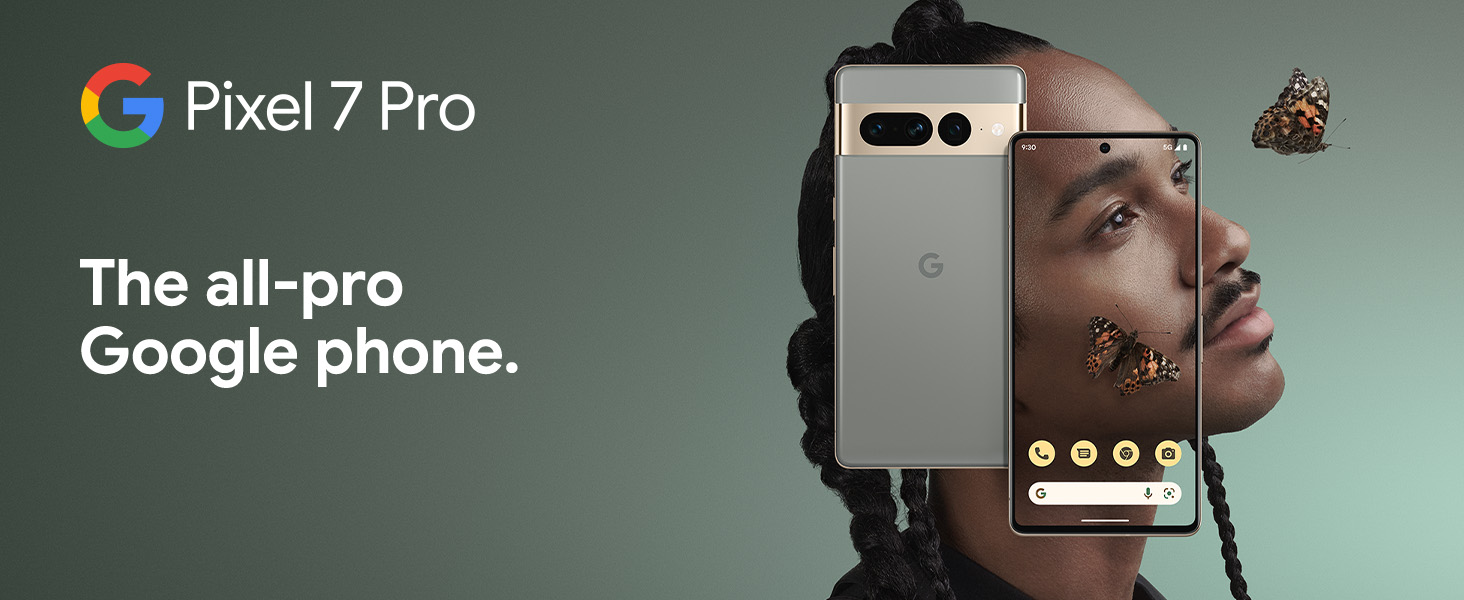
The Google Pixel 7 Pro is a powerful 5G Android smartphone designed for an exceptional user experience. Powered by the Google Tensor G2, it offers fast and secure performance, an immersive display, and extended battery life. This manual provides essential information for setting up, operating, maintaining, and troubleshooting your device.
Hvad er der i æsken
Upon unboxing your Google Pixel 7 Pro, you should find the following items:
- Cell Phone (Google Pixel 7 Pro)
- USB-kabel (til opladning og dataoverførsel)
- SIM Tray Ejector (for accessing the SIM card slot)
- Quick Switch Adapter (for easy data transfer from your old phone)
- Quick Start Guide (a brief setup guide)

Opsætning
Follow these steps to set up your new Google Pixel 7 Pro:
- Indsæt SIM-kort: Brug det medfølgende SIM-kortskuffeværktøj til at åbne SIM-kortstikket på siden af telefonen. Sæt dit nano-SIM-kort i bakken, og sæt det i telefonen igen.
- Tænd: Tryk og hold tænd/sluk-knappen på siden af enheden nede, indtil Google-logoet vises.
- Indledende opsætning: Følg vejledningen på skærmen for at vælge dit sprog, oprette forbindelse til Wi-Fi og logge ind med din Google-konto.
- Dataoverførsel: If you are transferring data from an old device, use the Quick Switch Adapter and follow the instructions. Note that some third-party apps and data may not transfer automatically. For more information, visit g.co/pixel/copydatahelp.
- Lås op med fingeraftryk: Set up the on-screen fingerprint sensor for secure and convenient unlocking.

Betjening af din enhed
Nøglefunktioner
- Google Tensor G2-processor: Experience fast and efficient performance with improved AI capabilities for smarter features.
- 5G-forbindelse: Enjoy high-speed internet access on major carrier networks (requires a 5G data plan, sold separately).
- Adaptivt batteri: Designed to last over 24 hours with typical usage, extending up to 72 hours with Extreme Battery Saver mode.
- Smooth 120Hz Display: The 6.7-inch display intelligently adjusts its refresh rate for smooth scrolling and responsive interactions.
- Titan M2 Security Chip: Multiple layers of hardware security protect your personal information and data.
- Google Assistant and Find My Device: Utilize hands-free voice commands and easily locate your device if lost.
- Holdbart og vandafvisende design: Built to withstand daily use, with an IP68 rating for dust and water resistance.
Kamerafunktioner
The Pixel 7 Pro features an advanced triple camera system, enabling you to capture stunning photos and videos in various conditions:
- 50MP hovedsensor: For high-resolution, detailed images.
- 12MP ultravidvinkelobjektiv: Capture broader scenes with a wider field of view.
- 48MP teleobjektiv: Tilbyder 4x optisk zoom for klare, detaljerede billeder på afstand.
Advanced features include Macro Focus for extreme close-ups, Cinematic Blur for professional-looking videos, and improved low-light photography.

Vand- og støvbestandighed (IP68)
Your Pixel 7 Pro is designed to be water and dust resistant, with an IP68 rating under IEC standard 60529. This means it can withstand submersion in up to 1.5 meters of fresh water for up to 30 minutes. While durable, water and dust resistance are not permanent conditions and may diminish over time with normal wear and tear. Avoid intentional submersion or exposure to harsh chemicals.

Opretholdelse
To ensure the longevity and optimal performance of your Google Pixel 7 Pro, follow these maintenance guidelines:
- Rensning: Brug en blød, fnugfri klud til at rengøre telefonens skærm og kabinet. Tør let ved genstridige pletter.ampen the cloth with water. Avoid abrasive materials or harsh cleaning agents.
- Beskyttelse: Consider using a protective case and screen protector to guard against scratches and accidental drops.
- Temperatur: Undgå at udsætte din telefon for ekstreme temperaturer (meget varmt eller meget koldt), da dette kan påvirke batteriets levetid og de interne komponenter.
- Opladning: Use only Google-approved chargers and cables to prevent damage to the battery and charging port.
- Softwareopdateringer: Keep your device's software updated to the latest version to benefit from security patches, bug fixes, and new features.
Fejlfinding
If you encounter issues with your Pixel 7 Pro, try the following common troubleshooting steps:
- Genstart enhed: A simple restart can often resolve minor software glitches. Press and hold the power button, then tap "Restart."
- Tjek for opdateringer: Ensure your Android operating system is up to date. Go to Settings > System > System update.
- Ryd app-cache: If a specific app is causing issues, try clearing its cache. Go to Settings > Apps > See all apps, select the app, then Storage & cache > Clear cache.
- Sikker tilstand: Booting into Safe Mode can help identify if a third-party app is causing problems. Press and hold the power button, then touch and hold "Power off." Tap "OK" when prompted to restart in Safe Mode.
- Gendan fabriksindstillinger: Som en sidste udvej kan du udføre en fabriksnulstilling. Advarsel: Dette vil slette alle data på din telefon. Sikkerhedskopier vigtige data, før du fortsætter. Gå til Indstillinger > System > Nulstillingsindstillinger > Slet alle data (fabriksnulstilling).
- Kontakt support: If the issue persists, contact Google Support for further assistance.
Specifikationer
Detailed technical specifications for the Google Pixel 7 Pro (Obsidian, 256GB model):
| Feature | Specifikation |
|---|---|
| Produktdimensioner | 6.42 x 3.02 x 0.34 tommer |
| Varens vægt | 7.4 ounce |
| ASIN | B0BCQVFQHD |
| Varemodelnummer | GE2AE |
| Batterier | 1 Lithium-ion-batterier påkrævet. (inkluderet) |
| Operativsystem | Android 13.0 |
| VÆDDER | 12 GB |
| Hukommelseslagringskapacitet | 256 GB |
| Trådløse kommunikationsteknologier | Bluetooth |
| Forbindelsesteknologier | Bluetooth, NFC, Wi-Fi |
| GPS | ægte |
| Human Interface Input | Touchskærm |
| Scanneropløsning | 2560 x 1440 |
| Andre kamerafunktioner | Forende bagende |
| Lydstik | Intet hovedtelefonstik |
| Formfaktor | Bar |
| Farve | Obsidian |
| Batteristyrke | 4926 mAh |
| Telefonens taletid | 24 timer |
| Fabrikant | |
| Dato først tilgængelig | 6. oktober 2022 |
| Stående skærm displaystørrelse | 6.7 tommer |
| CPU hastighed | 2.85 GHz |
| Opdateringshastighed | 120 Hz |
| Modelnavn | Pixel 7 Pro |
| Trådløs bærer | Låst op for alle udbydere |
Garanti og support
Your Google Pixel 7 Pro comes with a 1 års producentgaranti, providing comprehensive coverage for peace of mind.
For additional support, frequently asked questions, or to contact customer service, please visit the official Google Support website or the Google Store:
Ask a question about this manual
Ask about setup, troubleshooting, compatibility, parts, safety, or missing instructions. Manuals+ will review the question and use this page’s manual context to help answer it.