
1. Introduktion
Thank you for choosing the sayrelances R20 PRO-2 Bone Conduction Headphones. These headphones are designed to provide an open-ear listening experience, allowing you to stay aware of your surroundings while enjoying audio. Featuring Bluetooth 5.3 connectivity, IPX8 waterproofing, and a built-in 32GB MP3 player, they are suitable for various activities, including swimming and sports. This manual provides detailed instructions for setup, operation, and maintenance.

Image 1.1: The sayrelances R20 PRO-2 Bone Conduction Headphones, shown partially submerged in water, highlighting their waterproof design. The headphones are black with gray accents, featuring the 'sayrelances' logo on the side.
2. Pakkens indhold
Kontroller venligst, at alle varer er til stede i din pakke:
- sayrelances R20 PRO-2 Bone Conduction Headphones
- Magnetic Charging Cable (USB-A to proprietary connector)
- Svømmeørepropper
- Opbevaringspose
- Brugermanual

Image 2.1: The complete package contents for the sayrelances R20 PRO-2 headphones. This includes the headphones, two magnetic charging cables, a pair of yellow earplugs, a black drawstring pouch, and the operating manual, all presented neatly.
3. Produktdiagram
Familiarize yourself with the components of your headphones:
- Knogleledningstransducere: Deliver sound through your cheekbones.
- Kontrolknapper: Power, Volume Up/Down, Mode Switch.
- Magnetisk ladeport: Til opladning og dataoverførsel.
- LED-indikator: Displays status (charging, pairing, power).
- Sikkerhedslys: Located on the rear band for visibility.
4. Opsætning
4.1. Opladning af hovedtelefonerne
Before first use, fully charge the headphones. Use the provided magnetic charging cable.
- Connect the magnetic end of the cable to the charging port on the headphones.
- Tilslut USB-A-enden af kablet til en standard USB-strømadapter (medfølger ikke) eller en USB-port på computeren.
- LED-indikatoren viser opladningsstatus. En fuld opladning tager cirka 1.5 timer.
4.2. Bluetooth-parring
Sådan tilslutter du dine hovedtelefoner til en Bluetooth-aktiveret enhed:
- Sørg for, at hovedtelefonerne er slukket.
- Press and hold the Power button until the LED indicator flashes red and blue, indicating pairing mode.
- Aktiver Bluetooth på din enhed (smartphone, tablet, bærbar computer), og søg efter nye enheder.
- Select "R20 PRO-2" from the list of available devices.
- Når der er oprettet forbindelse, lyser LED-indikatoren konstant blåt eller blinker langsomt.
4.3. Using the Built-in MP3 Player (32GB Memory)
The headphones feature 32GB of internal storage for MP3 playback, ideal for use where Bluetooth connectivity is not available or desired (e.g., swimming).
- Overførsel af musik: Connect the headphones to a computer using the magnetic charging cable. The headphones will appear as a removable drive. Drag and drop your audio files (FLAC, AAC, MP3, WAV formats supported) into the drive folder.
- Skift til MP3-tilstand: While the headphones are on, press the Mode button to switch between Bluetooth and MP3 playback modes.
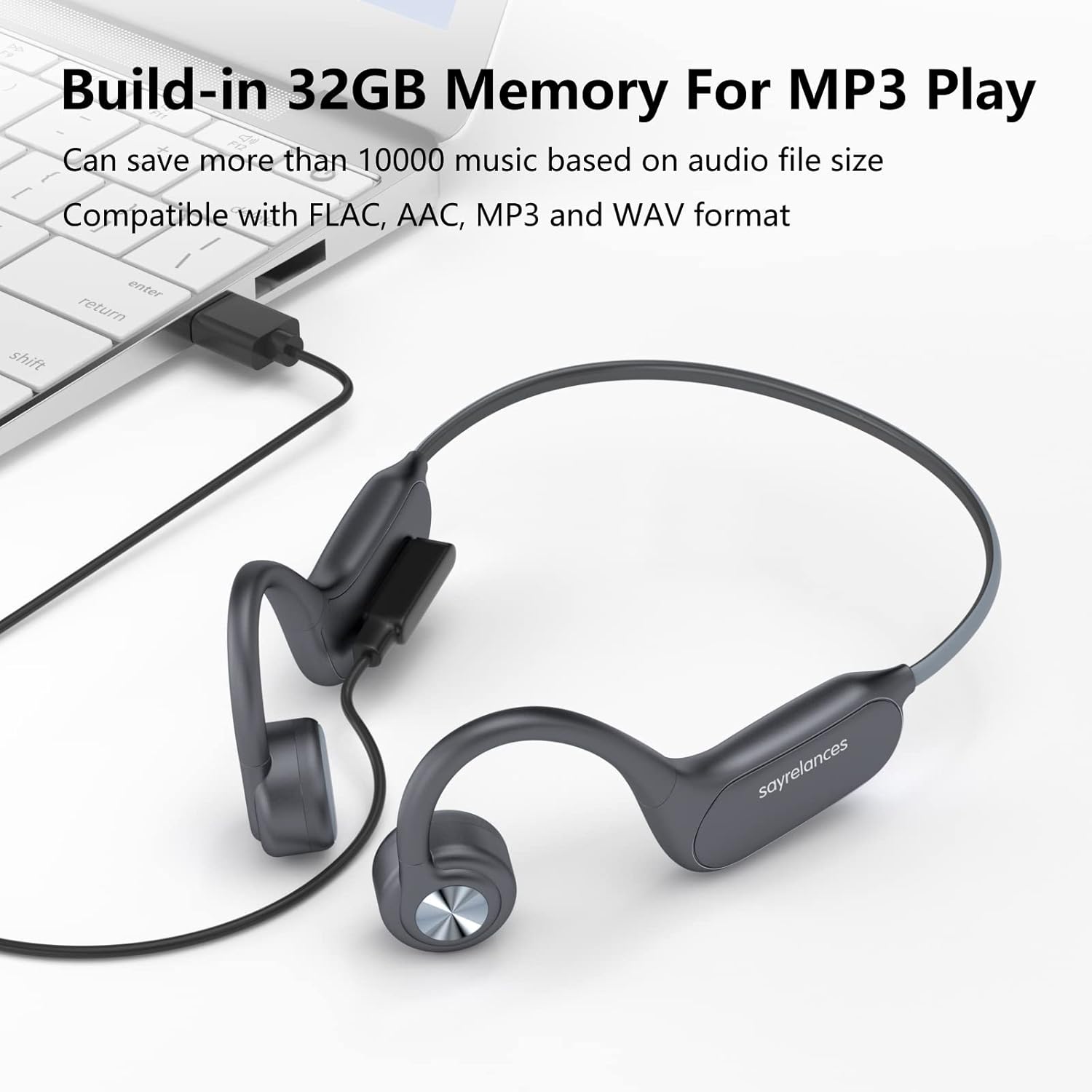
Image 4.1: The sayrelances R20 PRO-2 headphones connected to a laptop via their magnetic charging cable, illustrating the process of transferring music files to the built-in 32GB memory for MP3 playback. The screen shows file explorer, indicating compatibility with various audio formats.
5. Betjeningsvejledning
5.1. Tænd/sluk
- Tænd: Tryk og hold tænd/sluk-knappen nede i 3 sekunder.
- Sluk: Tryk og hold tænd/sluk-knappen nede i 5 sekunder.
5.2. Musikafspilning
- Afspil/pause: Tryk én gang på tænd/sluk-knappen.
- Lydstyrke op: Tryk på knappen Lydstyrke op.
- Skrue ned for lyden: Tryk på knappen Lydstyrke ned.
- Næste nummer: Tryk og hold på lydstyrke op-knappen.
- Forrige nummer: Tryk og hold lydstyrke ned-knappen.
5.3. Opkaldsstyring
- Besvar/afslut opkald: Tryk én gang på tænd/sluk-knappen.
- Afvis opkald: Tryk og hold tænd/sluk-knappen nede i 2 sekunder.
5.4. Safety Lights Operation
The headphones feature integrated safety lights for enhanced visibility in low-light conditions.
- Press the dedicated Light button to cycle through 3 different lighting modes.
- These lights provide additional safety during outdoor activities in the dark.

Image 5.1: A person wearing the sayrelances R20 PRO-2 headphones from behind, with the integrated safety lights illuminated on the rear band. This image demonstrates the visibility feature for nighttime use, emphasizing safety and awareness.
6. Vedligeholdelse
6.1. Rensning
Tør hovedtelefonerne af med en blød, damp cloth. Do not use abrasive cleaners or immerse them in water for cleaning, despite their waterproof rating, to prevent damage to the charging port or internal components.
6.2. Opbevaring
Store the headphones in the provided pouch in a cool, dry place away from direct sunlight and extreme temperatures.
6.3. Waterproof Rating (IPX8)
The R20 PRO-2 headphones are IPX8 rated, meaning they are protected against continuous immersion in water. This makes them suitable for swimming. Ensure the charging port is dry before charging.

Image 6.1: A swimmer wearing the sayrelances R20 PRO-2 headphones while swimming, with water splashing around. This image highlights the IPX8 waterproof capability, allowing users to enjoy music underwater by switching to MP3 mode.
7. Fejlfinding
| Spørgsmål | Mulig årsag | Løsning |
|---|---|---|
| Hovedtelefoner tænder ikke | Lavt batteri | Oplad hovedtelefonerne i 1.5 timer. |
| Kan ikke parres via Bluetooth | Ikke i parringstilstand; enhed Bluetooth slukket; for langt fra enheden | Ensure headphones are in pairing mode (flashing red/blue LED). Turn device Bluetooth on/off. Move closer to device. |
| Ingen lyd | Volume too low; incorrect mode; audio source issue | Increase volume. Switch between Bluetooth/MP3 mode. Check audio on connected device. |
| Safety lights not working | Lys slukket; lavt batteri | Press the Light button to activate. Charge the headphones. |
8. Specifikationer
- Modelnavn: R20 PRO-2
- Modelnummer: us-uk-AA0054
- Mærke: sayrelances
- Forbindelse: Bluetooth 5.3, Trådløs
- Vandtæthed: IPX8 (vandtæt)
- Intern hukommelse: 32 GB (til MP3-afspilning)
- Understøttede lydformater: FLAC, AAC, MP3, WAV
- Batterilevetid: Up to 8 hours (music/calls, with safety lights off)
- Standby tid: Op til 200 timer
- Opladningstid: Cirka 1.5 timer
- Batteritype: Lithium-ion (1 inkluderet)
- Særlige funktioner: Bone Conduction Technology, Safety Lights, Sweat Resistant
- Kompatible enheder: iOS, Android, Laptops, iPad
- Materiale: Plast
9. Garanti og support
For warranty information or technical support, please refer to the documentation provided with your purchase or contact the manufacturer directly. Specific details regarding spare parts availability and software updates are not available at this time.