
Indledning
This manual provides detailed instructions for the installation, operation, and maintenance of your EZoneTronics Android 11 Car Stereo. Please read this manual thoroughly before using the product to ensure proper function and safety. This unit is designed for Peugeot 308 and 408 models manufactured between 2010 and 2016.
Pakkens indhold
Bekræft, at alle nedenstående varer er inkluderet i din pakke:
- 1 x EZoneTronics Android Player
- 1 x GPS-antenne
- 1 x strømsele
- 1 x RCA indgangs-/udgangskabel
- 2 x USB-adaptere
- 1 x kameraindgangskabel
- 1 x Brugermanual (dette dokument)
Opsætning og installation
The EZoneTronics Android 11 Car Stereo is designed for plug-and-play installation in compatible Peugeot 308/408 models. Professional installation is recommended.
Kontrol før installation
- Sørg for, at køretøjets tænding er slukket, og at batteriet er frakoblet, før installationen påbegyndes.
- Confirm compatibility with your vehicle's make, model, and year (Peugeot 308/408, 2010-2016).
Installationstrin
- Carefully remove the original car stereo unit from your vehicle's dashboard. Refer to your vehicle's service manual for specific instructions.
- Connect the provided Power Harness to the vehicle's wiring harness. Ensure all connections are secure.
- Connect the GPS Antenna. Position the antenna in a location with a clear view af himlen for optimal signalmodtagelse.
- Connect the RCA Input/Output Cable, USB Adapters, and Camera Input Cable as needed for external devices (e.g., rear camera, USB drives).
- Carefully slide the EZoneTronics Android Player into the dashboard opening. Ensure all cables are tucked away and not pinched.
- Secure the unit in place using the appropriate mounting brackets or screws.
- Tilslut køretøjets batteri igen, og tænd for tændingen for at teste enheden.
Note: Minor modifications to the vehicle's frame (e.g., removing plastic tabs) may be required for a perfect fit. Consult online resources or a professional if unsure.
Betjeningsvejledning
Your EZoneTronics Android 11 Car Stereo features a 9-inch TFT Capacitive Touch Screen and an Octa Core CPU for a responsive user experience.
Grundlæggende navigation
- Tænd/sluk: Tryk på tænd/sluk-knappen på enheden, og hold den nede, eller brug bilens tænding.
- Berøringsskærm: Naviger gennem menuer og applikationer ved at trykke, stryge og knibe på skærmen.
- Startskærm: Access frequently used apps and widgets. Customize by long-pressing on empty areas.
- Indstillinger: Få adgang til systemindstillinger, netværkskonfigurationer, visningsindstillinger og mere.

Image: The Android 11 interface with various application icons, highlighting the Octa Core processor for smooth operation.
Bluetooth 5.0 Forbindelse
The unit features built-in Bluetooth 5.0 for hands-free calling and audio streaming (A2DP).
- Gå til Bluetooth-indstillingerne på bilstereoen.
- Aktivér Bluetooth på din mobiltelefon, og søg efter tilgængelige enheder.
- Select the car stereo (e.g., "EZoneTronics Car Stereo") from your phone's list and pair.
- Når den er parret, kan du foretage/modtage opkald og streame musik direkte fra din telefon.

Image: The Bluetooth 5.0 interface displaying options for call history, dialing, hanging up, and playing music from a connected phone.
CarPlay og Android Auto
Integrated CarPlay and Android Auto allow seamless smartphone integration via USB (wired) or wirelessly.
- Connect your iPhone (for CarPlay) or Android phone (for Android Auto) to one of the USB ports.
- Follow the on-screen prompts to initiate CarPlay or Android Auto.
- Once connected, you can access navigation, music, messages, and calls through the car stereo interface.
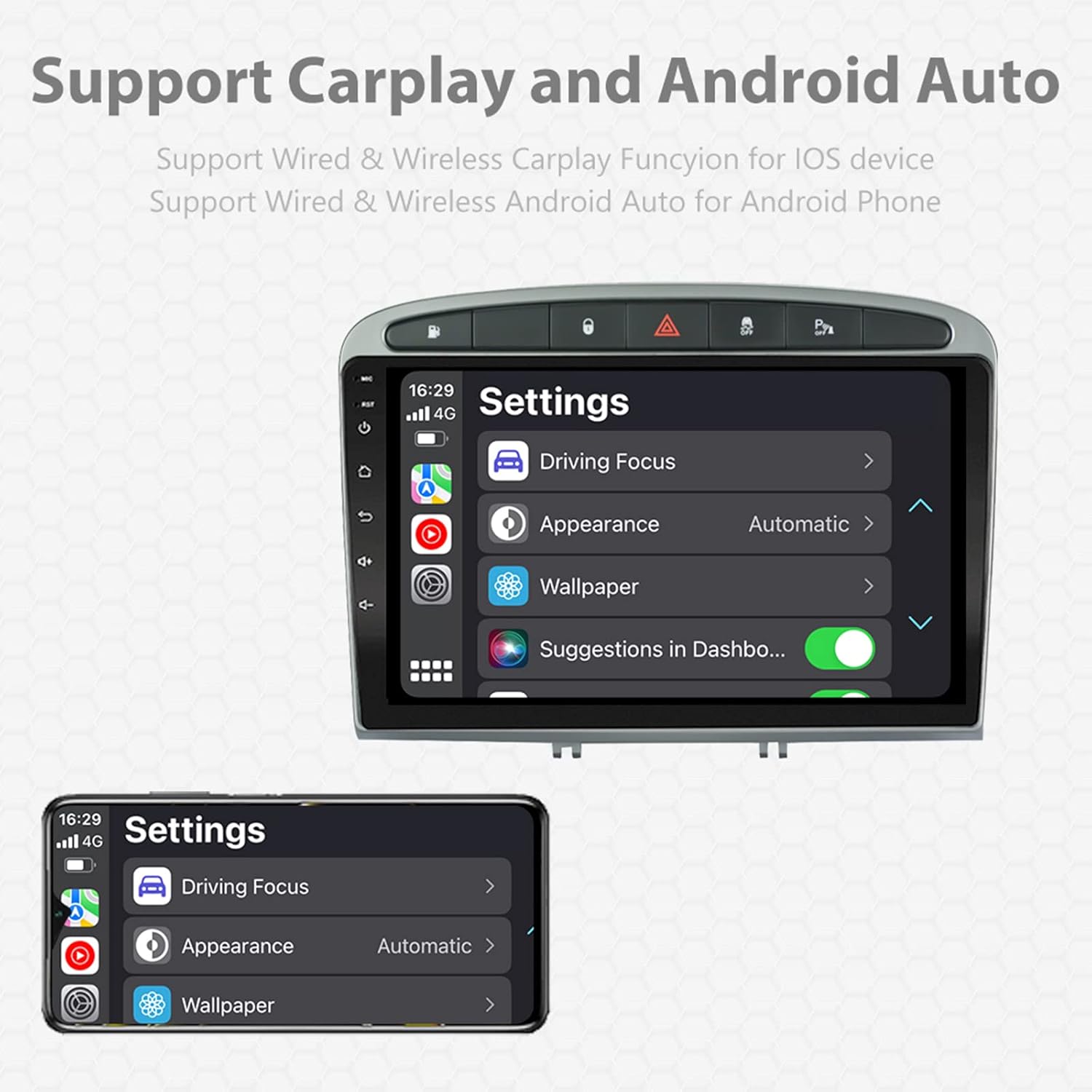
Image: A screen capture showing the settings menu for CarPlay and Android Auto, indicating support for both wired and wireless connections.
Opdelt skærmfunktion
The Android 11 system supports multi-tasking, allowing two applications to run side-by-side.
- To activate, open an application, then swipe up from the bottom of the screen (or use the recent apps button) and drag another app to one side of the screen.
- This enables simultaneous use of navigation and music playback, or browsing while listening to the radio.
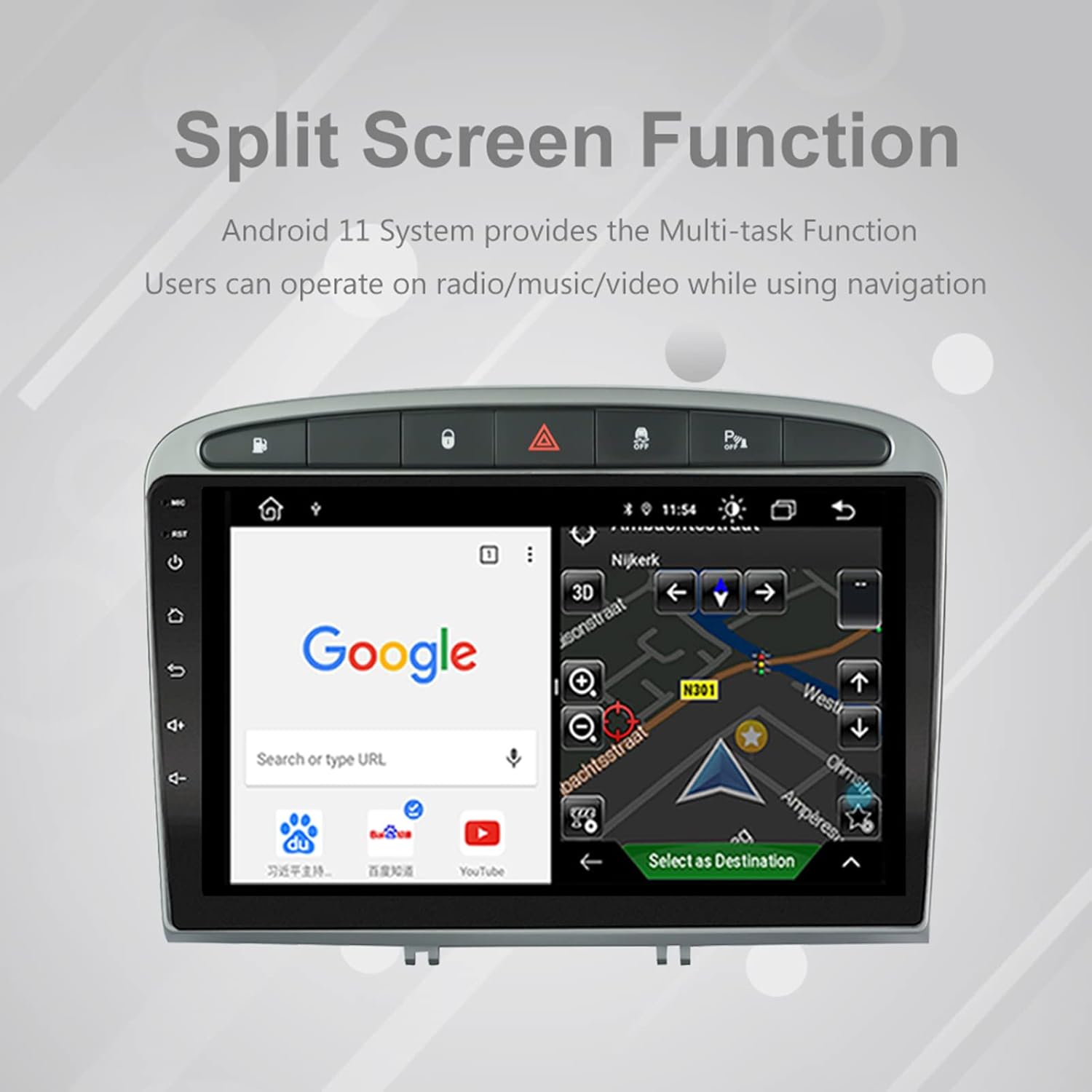
Image: The split-screen feature in action, displaying a Google search interface on one side and a navigation map on the other.
Radio (AM/FM/RDS)
The unit includes an automotive-grade chipset for optimal radio signal reception.
- Vælg applikationen 'Radio' på startskærmen.
- Brug skærmfunktionerne til at søge efter stationer, indstille manuelt eller vælge forudindstillede stationer.
- RDS (Radio Data System) provides additional information like station name and program type where available.
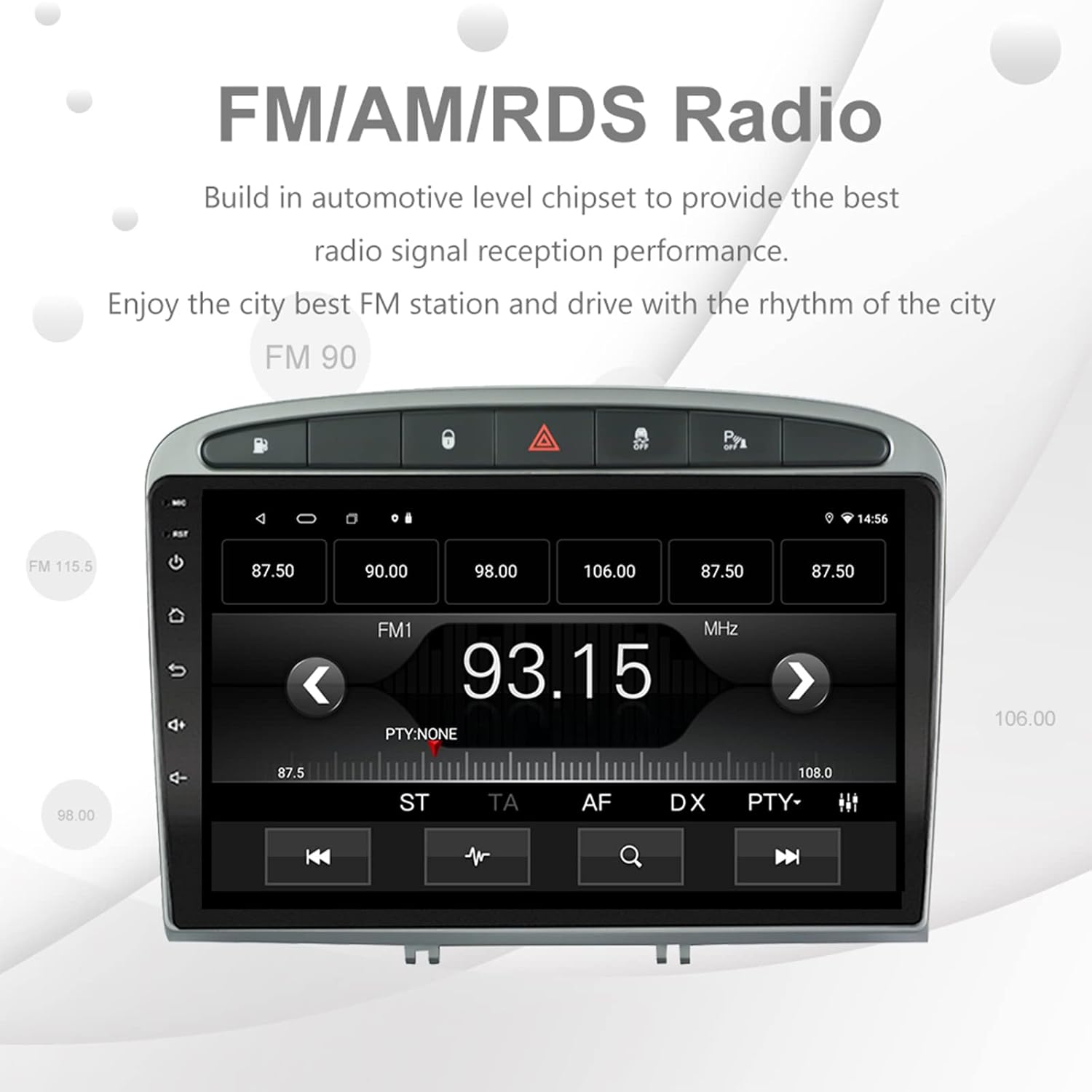
Image: The FM/AM/RDS radio interface, showing frequency display, tuning controls, and preset options.
Digital lydprocessor (DSP)
The built-in 32-band DSP allows for precise audio customization to match your preferences and vehicle acoustics.
- Access the 'EQ' or 'DSP' application from the home screen.
- Adjust individual frequency bands, fader, balance, treble, and bass settings.
- Select from preset EQ modes or create and save your custom profiles.

Image: The DSP system interface, illustrating the multi-band equalizer with adjustable frequency sliders for sound customization.
Multimedia Playback (Music & Video)
The unit supports various multimedia formats for music and 1080P HD video playback.
- Connect USB drives to the rear USB inputs for media files.
- Use the 'Music' or 'Video' applications to browse and play your media.
- Stream music from your mobile phone via Bluetooth or compatible apps like Spotify (requires internet connection).

Image: The multimedia player displaying a high-definition scenic image, demonstrating its capability for 1080P video and music playback.
Bakkameraindgang
The unit supports a reverse camera input for enhanced parking safety. An AHD camera (optional) provides superior clarity compared to standard CVBS cameras.
- Connect a compatible reverse camera to the 'Camera Input' cable.
- Skærmen skifter automatisk til kameraet view når køretøjet sættes i bakgear.
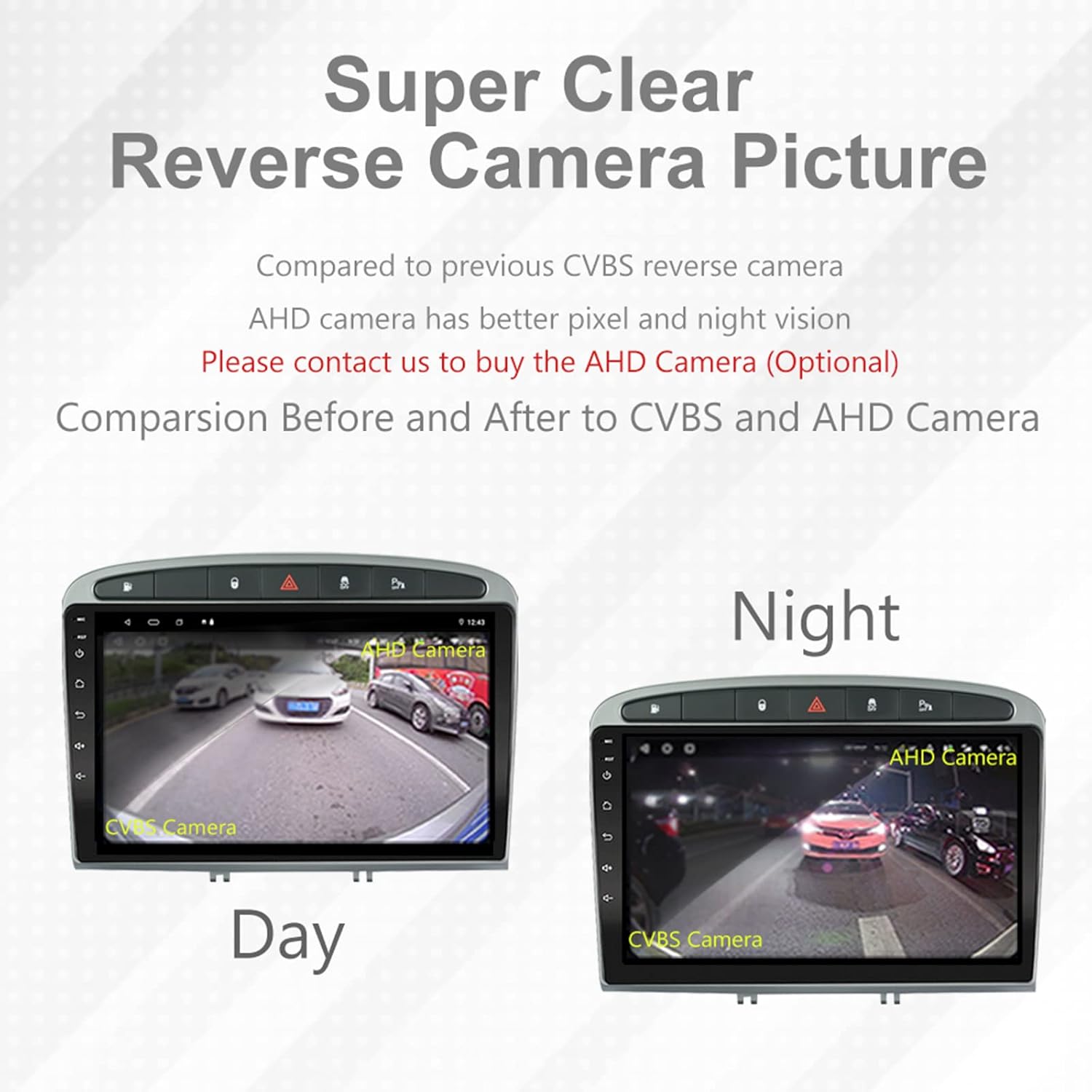
Image: A visual comparison demonstrating the clear reverse camera picture, highlighting the improved clarity of an AHD camera during both day and night conditions.
Opretholdelse
Korrekt vedligeholdelse sikrer din bilstereos levetid og optimale ydeevne.
- Rengøring af skærmen: Brug en blød, fnugfri klud til forsigtigt at tørre berøringsskærmen af. Undgå slibende rengøringsmidler eller opløsningsmidler.
- Softwareopdateringer: Periodically check for system software updates to ensure optimal performance and access to new features. Updates can usually be found in the system settings or on the manufacturer's webwebsted.
- Temperatur: Undgå at udsætte enheden for ekstreme temperaturer.
Fejlfinding
Hvis du støder på problemer, kan du se følgende almindelige problemer og løsninger:
| Problem | Mulig årsag | Løsning |
|---|---|---|
| Enheden tænder ikke | Løs strømforbindelse, sprunget sikring, problem med bilbatteri. | Kontroller strømforsyningens forbindelser. Undersøg bilens sikringer. Sørg for, at bilens batteri er opladet. |
| Ingen lyd | Lydstyrken er for lav, lydløs aktiveret, problem med højttalerledningerne, forkerte indstillinger for lydudgang. | Increase volume. Check mute status. Verify speaker connections. Adjust audio settings in DSP/EQ. |
| GPS-signalet er svagt eller unøjagtigt | GPS-antennen er forkert placeret eller frakoblet, miljøforstyrrelser. | Sørg for, at GPS-antennen har en fri view of the sky and is securely connected. Avoid placing near metal objects. |
| Problemer med Bluetooth-parring | Bluetooth not enabled on unit or phone, incorrect pairing procedure, device interference. | Ensure Bluetooth is enabled on both devices. Restart both devices. Follow pairing instructions carefully. |
| CarPlay/Android Auto virker ikke | Faulty USB cable, phone software issue, app not installed/updated. | Try a different USB cable. Ensure your phone's OS and CarPlay/Android Auto apps are updated. Restart phone and stereo. |
| Unit is slow or unresponsive | Too many apps running in background, low storage, software glitch. | Close unnecessary applications. Clear cache. Perform a system restart. If persistent, a factory reset might be needed (backup data first). |
Ved problemer, der ikke er dækket her, bedes du kontakte kundesupport.
Specifikationer
- Modelnummer: RMS8-PGT-408-08-2G32
- Operativsystem: Android 11
- Skærmstørrelse: 9 tommer
- Skærmtype: TFT Capacitive Touch Screen
- Opløsning: 1280 x 720 pixels (Note: Some documentation may state 1024x600, but 1280x720 is the primary specification)
- CPU: Octa Core with 1.6GHz Cortex A55
- VÆDDER: 2GB DDR3
- Intern opbevaring: 32 GB flashhukommelse
- Bluetooth: Version 5.0 (A2DP, Hands-Free, Phonebook)
- Forbindelse: Built-in WiFi, 4G SIM Card Compatible (requires external module/dongle for 4G), RCA, USB
- GPS: Built-in receiver, compatible with Waze/Navfree/Yandex Map etc.
- Radio: AM/FM/RDS with Auto Memory Store/Preset Scan
- Lydudgang: 4 x 45W Power Output, 4.1 Channel RCA/Sub Output
- Lydbehandling: 32 Band DSP, Multi EQ Settings, Volume/Fader/Balance/Treble/Bass Control
- Videoindgang: 1 Channel Video Input, Back Camera Input
- Lydindgang: 2-kanals lydindgang
- Kompatible enheder: Smartphone (for CarPlay/Android Auto, Bluetooth)
- Understøttede internettjenester: Spotify
- Sprog: Engelsk, fransk, italiensk, tysk, spansk, portugisisk, kinesisk, japansk og mere.
- Pakkedimensioner: 31.3 x 21.6 x 11.9 cm
- Pakkevægt: 1.51 kg
Garanti og support
Your EZoneTronics car stereo comes with a 1 års garanti fra købsdatoen.
For technical assistance, warranty claims, or any inquiries, please contact our customer support team:
- E-mail: sales2@rhythmhk.com
Please provide your model number (RMS8-PGT-408-08-2G32) and a detailed description of the issue when contacting support.