
Indledning
Thank you for choosing the mcdodo MC-7051 Magnetic Fast Wireless Power Bank. This device is designed to provide convenient and efficient charging for your compatible smartphones and other devices. Please read this manual carefully before use to ensure proper operation and to maximize the lifespan of your product.
Produktegenskaber
- 5000mAh batterikapacitet: Giver ampstrøm til opladning på farten.
- 15W hurtig trådløs opladning: Offers quick and efficient wireless power delivery.
- Magnetisk fastgørelse: Securely attaches to compatible devices for stable wireless charging.
- Integreret stativ: Features a foldable stand for comfortable viewunder opladning.
- USB Type-C-port: For recharging the power bank and wired charging of devices.
- Mulighed for dobbelt opladning: Supports both wireless and wired charging.
- Kompakt og bærbart design: Easy to carry for daily use and travel.
Pakkens indhold
- mcdodo MC-7051 Magnetic Fast Wireless Power Bank
- USB Type-C opladerkabel
- Brugermanual
Opsætning
Opladning af Power Bank
- Connect the provided USB Type-C charging cable to the USB Type-C port on the power bank.
- Tilslut den anden ende af kablet til en kompatibel USB-strømadapter (medfølger ikke) eller en computers USB-port.
- LED-indikatorerne på powerbanken lyser for at vise opladningsstatus. En fuld opladning indikeres, når alle LED-indikatorer lyser konstant.
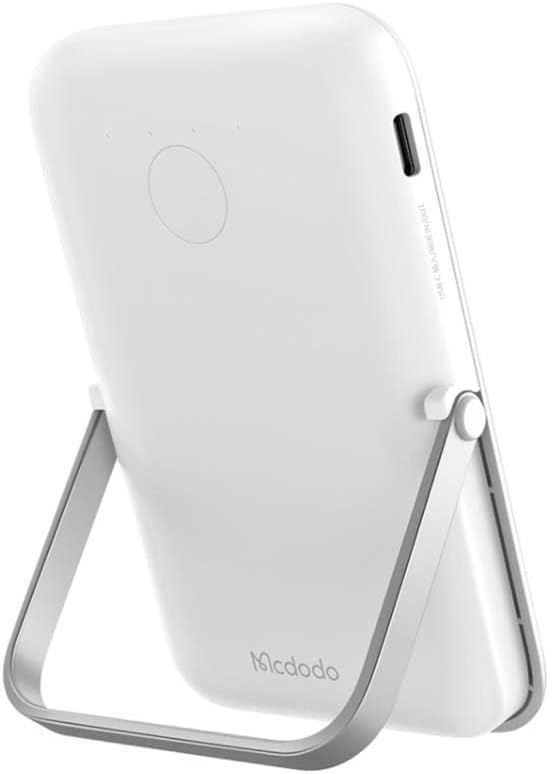
Image: The mcdodo MC-7051 Power Bank, viewed from the side, highlighting the USB Type-C charging port for recharging the device.
Indledende brug
For optimal ydeevne skal powerbanken oplades helt inden første brug.
Betjeningsvejledning
Trådløs opladning
- Ensure your smartphone is compatible with magnetic wireless charging (e.g., iPhone 12 series or newer, or other phones with magnetic cases).
- Align the back of your compatible smartphone with the magnetic charging area on the power bank. The magnets will automatically snap into place.
- The power bank will automatically begin wireless charging. Check your phone's screen for the charging indicator.
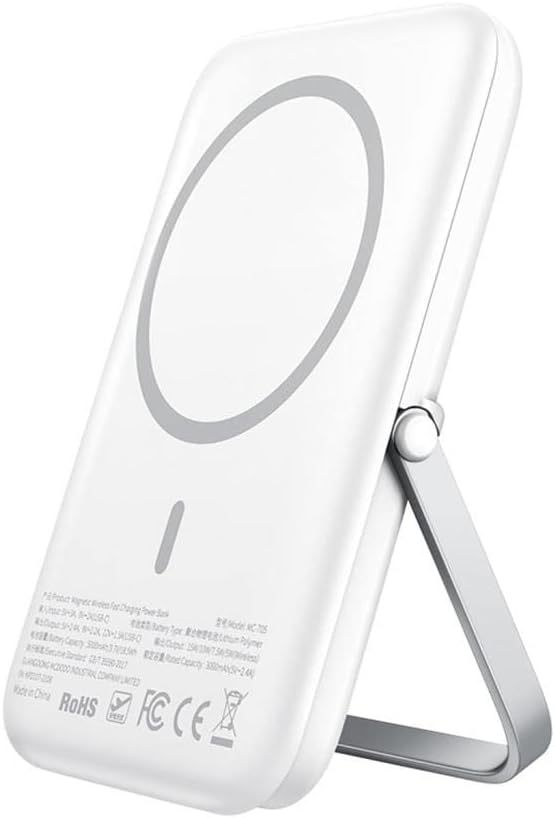
Image: The mcdodo MC-7051 Power Bank shown magnetically attached to the back of a smartphone, with its integrated kickstand extended to support the phone in an upright position.
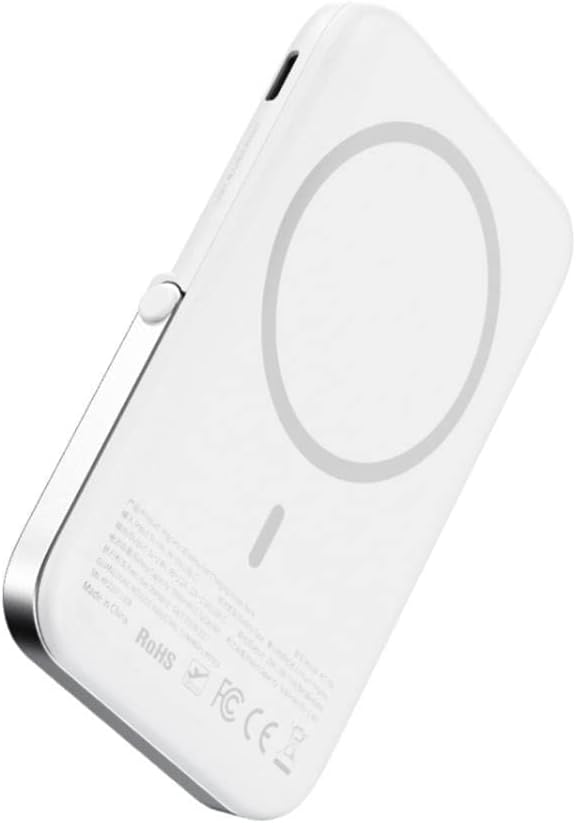
Billede: Et nærbillede view of the mcdodo MC-7051 Power Bank's back surface, clearly displaying the circular magnetic charging area and product labels.
Kablet opladning
To charge a device via cable:
- Connect one end of a compatible USB Type-C cable (or your device's charging cable) to the power bank's USB Type-C port.
- Tilslut den anden ende af kablet til din enhed.
- Powerbanken vil automatisk begynde at oplade din enhed.
Brug af den integrerede stativ
The power bank features a foldable stand for convenient viewing:
- Gently pull out the stand from the back of the power bank.
- Juster stativet til det ønskede viewvinkel.
- Place your magnetically attached smartphone on a flat surface using the stand.
Opretholdelse
- Rensning: Tør powerbanken af med en blød, tør klud. Brug ikke skrappe kemikalier eller slibende materialer.
- Opbevaring: Opbevar powerbanken et køligt, tørt sted væk fra direkte sollys og ekstreme temperaturer.
- Batteripleje: For at forlænge batteriets levetid, bør du oplade powerbanken fuldt op mindst én gang hver tredje måned, hvis den ikke bruges regelmæssigt. Undgå at aflade batteriet helt ofte.
- Undgå dråber: Tab ikke powerbanken og udsæt den ikke for kraftige stød.
Fejlfinding
- Powerbanken oplader ikke: Sørg for, at opladningskablet er korrekt tilsluttet til både powerbanken og strømadapteren. Prøv et andet kabel eller en anden adapter.
- Enheden oplader ikke trådløst: Ensure your device is compatible with magnetic wireless charging and is properly aligned with the power bank's charging area. Remove any thick phone cases that may interfere with wireless charging.
- Langsom opladning: Ensure you are using a fast-charging compatible adapter for the power bank and that your device supports fast wireless charging.
- Magnetisk fastgørelse er svag: Ensure your phone or case has magnetic compatibility. Foreign objects between the power bank and phone can also weaken the magnetic connection.
- LED-indikatorer virker ikke: If the power bank is completely drained, it may take a few minutes for the LEDs to light up after connecting to power. If the issue persists, contact support.
Specifikationer
| Modelnummer | MC-7051 |
| Mærke | mcdodo |
| Batterikapacitet | 5000 mAh |
| Trådløs opladningsoutput | Op til 15W |
| Connector Type | USB Type-C |
| Antal havne | 2 (1x USB Type-C for input/output, 1x Wireless Charging) |
| Særlige funktioner | Fast Charge, Wireless Charge, Magnetic Attachment, Integrated Stand |
| Kompatible telefonmodeller | Smartphones (with magnetic wireless charging capability for optimal use) |
| Strømkilde | Batteridrevet |
| Genanvendelighed | Genopladelig |
| Produktdimensioner | 6 x 6 x 2 cm |
Sikkerhedsoplysninger
- Udsæt ikke powerbanken for ekstreme temperaturer (over 45 °C eller under 0 °C).
- Keep away from water, moisture, and flammable liquids.
- Enheden må ikke skilles ad, punkteres eller ændres.
- Opbevares utilgængeligt for børn.
- Avoid placing metal objects between the power bank and your device during wireless charging, as this may cause overheating.
- If the power bank swells, emits an odor, or becomes excessively hot during use or charging, discontinue use immediately and contact support.
- Bortskaf powerbanken ansvarligt i henhold til lokale regler. Bortskaf den ikke med husholdningsaffaldet.
Garanti og support
This mcdodo product is covered by a standard manufacturer's warranty. For specific warranty terms and conditions, please refer to the warranty card included with your purchase or visit the official mcdodo website. If you encounter any issues or require technical assistance, please contact mcdodo customer support through their official channels.