
ARTISTRY MA-RM-UTP-FLCN-BLU-FLAT-1B
ARTISTRY Falcon Professional Wireless Tattoo Machine User Manual
Model: MA-RM-UTP-FLCN-BLU-FLAT-1B
Indledning
This manual provides essential information for the safe and effective operation, maintenance, and troubleshooting of your ARTISTRY Falcon Professional Wireless Tattoo Machine. Please read this manual thoroughly before using the device to ensure optimal performance and longevity.
The Falcon wireless machine is designed for professional tattoo artists, offering freedom of movement with its detachable batteries. Its robust construction from a solid rod ensures durability, while its lightweight design provides ideal weight distribution for comfortable use.
Produkt overview

Figur 1: Samlet set view of the ARTISTRY Falcon Professional Wireless Tattoo Machine.
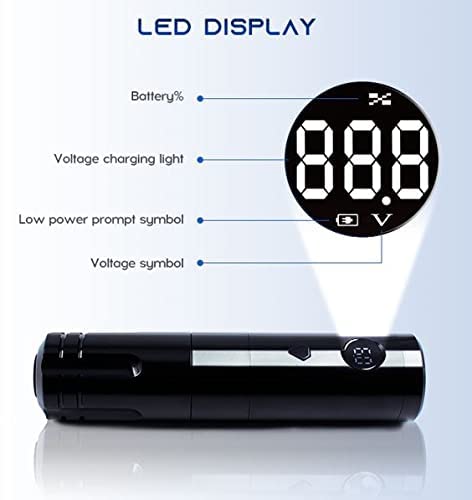
Figur 2: Close-up of the LED display, showing battery percentage, bindtage og opladningsindikatorer.
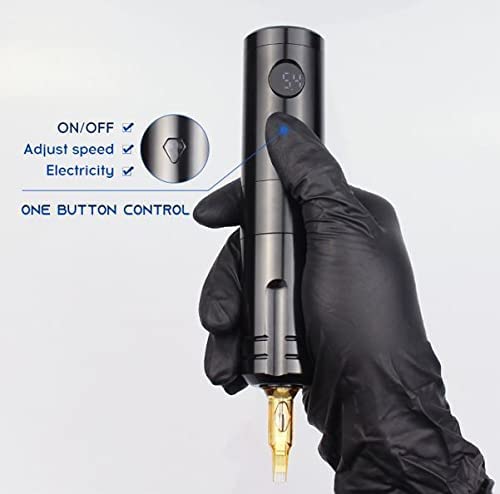
Figur 3: Illustration of the single-button control for power, speed adjustment, and battery check.
Nøglefunktioner:
- Japanese coreless motor (10,000 RPM) for powerful and precise operation.
- LED display for real-time battery indicator, voltage og opladningsstatus.
- Detachable 1200 mAh Lithium Battery for extended wireless operation (up to 6 hours on a single charge).
- One-key operation for power, speed adjustment, and battery level check.
- Compatible with universal tattoo cartridge needles.
Opsætning
Opladning af batteriet:
- Ensure the battery is properly inserted into the machine or connected to the charger.
- Connect the provided DC 5V/2A (Standard USB Adapter) battery charger to a power source.
- The LED display will indicate charging status. A full charge typically provides up to 6 hours of working time.
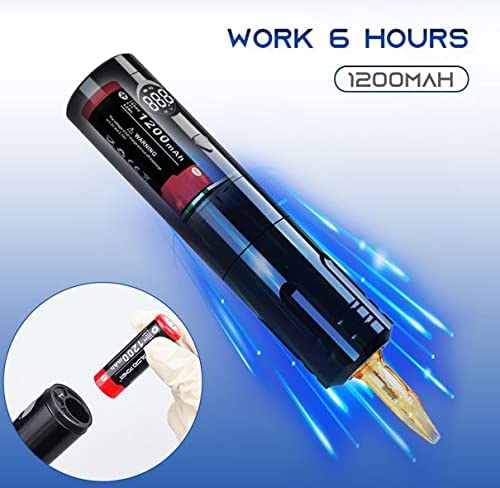
Figur 4: The machine is capable of up to 6 hours of continuous operation on a fully charged 1200mAh battery. The image also shows the detachable battery being inserted.
Attaching a Cartridge Needle:
- Ensure the machine is turned off before attaching or detaching needles.
- Carefully insert the universal tattoo cartridge needle into the machine's needle port until it clicks securely into place.
- Verify that there is no gap between the needle cartridge and the machine body for stable operation.
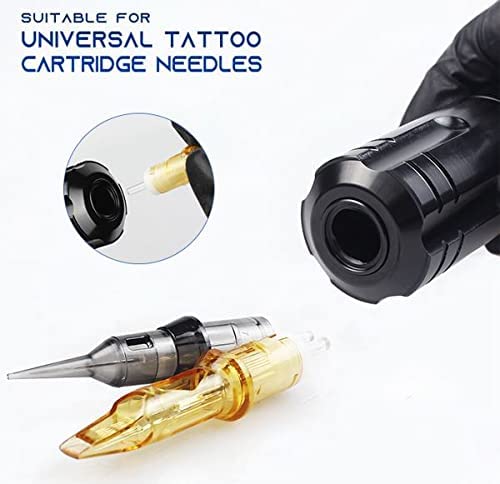
Figur 5: The machine is designed to be compatible with universal tattoo cartridge needles, shown here being inserted.
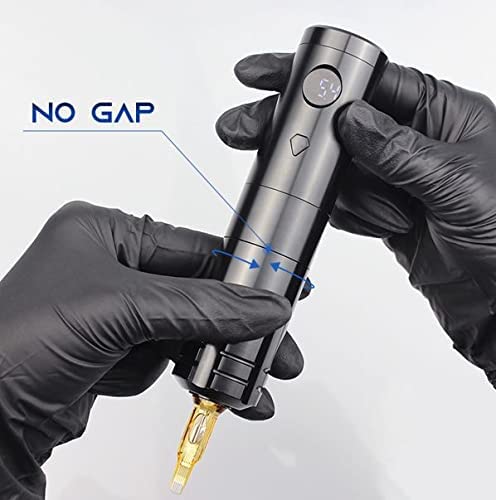
Figur 6: Proper attachment of the needle cartridge ensures a "no gap" fit, crucial for stable and precise tattooing.
Betjeningsvejledning
Tænd/sluk:
- To turn on the machine, press and hold the power button until the LED display illuminates.
- To turn off the machine, press and hold the power button again until the LED display turns off.
Justering Voltage/Speed:
- While the machine is on, short press the power button to cycle through voltage settings or adjust speed. The LED display will show the current voltage.
- The machine features a 10,000 RPM coreless motor, providing consistent power across various settings.
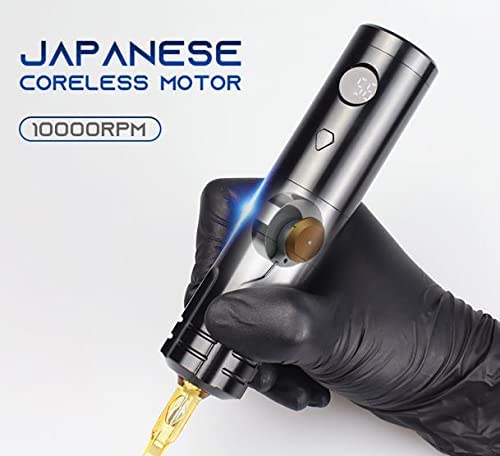
Figur 7: The machine is equipped with a powerful Japanese coreless motor, operating at 10,000 RPM for efficient tattooing.
Monitoring Battery and Voltage:
- The LED display provides real-time information on battery percentage and current voltage.
- A low power prompt symbol will appear when the battery needs recharging.
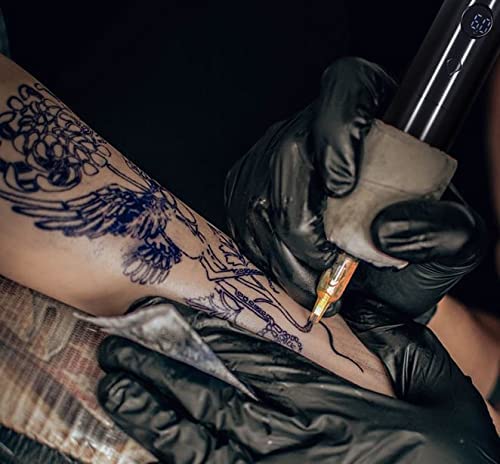
Figur 8: The ARTISTRY Falcon tattoo machine in active use, demonstrating its ergonomic design and wireless capability.
Opretholdelse
Rensning:
- Always disconnect the power and remove the battery before cleaning.
- Tør maskinens yderside af med en ren, tør klud.amp klud og et mildt, ikke-slibende desinfektionsmiddel.
- Do not submerge the machine in any liquid.
- Sørg for, at alle dele er helt tørre, før de monteres igen eller opbevares.
Batteripleje:
- Opbevar batterier på et køligt, tørt sted væk fra direkte sollys og ekstreme temperaturer.
- Undgå at aflade batteriet helt ofte for at forlænge dets levetid.
- Use only the specified DC 5V/2A charger.
Fejlfinding
| Problem | Mulig årsag | Løsning |
|---|---|---|
| Maskinen tænder ikke. | Battery is discharged or not properly inserted. | Oplad batteriet. Sørg for, at batteriet er korrekt isat. |
| Machine loses power during operation. | Lav batteriopladning. | Genoplad eller udskift batteriet. |
| Needle not moving smoothly. | Needle cartridge not properly seated or damaged. | Re-seat the needle cartridge. Replace with a new cartridge if damaged. |
| LED-displayet virker ikke. | Batteriproblem eller intern fejl. | Sørg for, at batteriet er opladet. Kontakt kundesupport, hvis problemet fortsætter. |
Specifikationer
- Model: MA-RM-UTP-FLCN-BLU-FLAT-1B
- Slaglængde: 3.6 MM
- Motor: Coreless 10,000 RPM Motor
- Batteri: 1200 mAH Lithium Battery (included)
- Batterioplader: DC 5V/2A (Standard USB Adapter)
- Arbejdstid: Op til 6 timer på en enkelt fuld opladning
- Kropskonstruktion: Solid rod
- Dimensioner (pakke): 12 x 7 x 5 tommer
- Vægt (pakke): 14.08 ounce
- Fabrikant: ARTISTRY
Garanti og support
ARTISTRY products are manufactured to the highest quality standards. For warranty information and customer support, please refer to the warranty card included with your purchase or visit the official ARTISTRY webwebsted.
For technical assistance or service inquiries, please contact ARTISTRY customer support through the following channels:
- Online support: ARTISTRY Official Store on Amazon
- Fabrikant: ARTISTRY
Gem venligst dit købsbevis for garantikrav.
Ask a question about this manual
Ask about setup, troubleshooting, compatibility, parts, safety, or missing instructions. Manuals+ will review the question and use this page’s manual context to help answer it.