
1. Sikkerhedsoplysninger
Læs alle instruktioner omhyggeligt, inden du bruger dette apparat, og gem dem til senere brug. Manglende overholdelse af disse instruktioner kan resultere i elektrisk stød, brand eller alvorlig personskade.
- Tag altid stikket ud af stikkontakten, inden du rengør, servicerer eller flytter den.
- Do not operate the fan with a damaged cord or plug. If the cord or plug is damaged, contact customer service for repair or replacement.
- Denne ventilator er kun beregnet til indendørs brug. Må ikke anvendes udendørs eller i våde omgivelser.
- Keep the fan away from water and other liquids. Do not immerse the fan in water.
- Sørg for, at ventilatoren er placeret på en stabil, plan overflade for at forhindre, at den vælter.
- Hold børn og kæledyr væk fra ventilatoren under drift.
- Do not insert fingers or any objects into the grille when the fan is operating.
- Do not block air openings or operate near curtains, drapes, or other objects that could block airflow.
- Do not use the fan in areas where flammable liquids or gases are stored.
2. Produktet er slutview
The Amazon Basics 40" 70-Degree Oscillating Digital Tower Fan is designed to provide efficient and customizable cooling for various indoor spaces. It features a sleek, compact design and user-friendly controls.
Komponenter
- Tower-ventilatorenhed
- Base (kræver samling)
- Fjernbetjening
Nøglefunktioner
- Effektiv køling: Delivers powerful airflow for effective cooling in enclosed spaces.
- Tilpasselige hastigheder: Four intuitive speed settings to adjust airflow.
- Flere tilstande: Includes Standard, Breeze, and Nature modes for varied airflow patterns.
- oscillation: 70-degree oscillation for wide-range air flow coverage.
- Timer funktion: Programmable timer up to 15 hours for energy saving and convenience.
- Fjernbetjening: Convenient remote for adjusting settings from a distance.
- Digital kontrol: Easy-to-use digital control panel located on the top of the fan.
- Kompakt design: Slim tower design (11.4"D x 11.4"W x 39.3"H) fits easily into any room.

Figur 2.1: The Amazon Basics 40-inch Digital Tower Fan shown with its remote control. The fan is black with a sleek, tall design, and the remote is compact with clearly labeled buttons for power, speed, mode, oscillation, and timer.

Figur 2.2: A diagram illustrating the key features of the tower fan, including its 40-inch height, 4 customizable airflow speed settings, timer with auto shutoff (1h, 2h, 4h, 8h options), and convenient remote control for adjusting speed, oscillation, and timer. The diagram highlights the digital display and control panel on top of the fan.
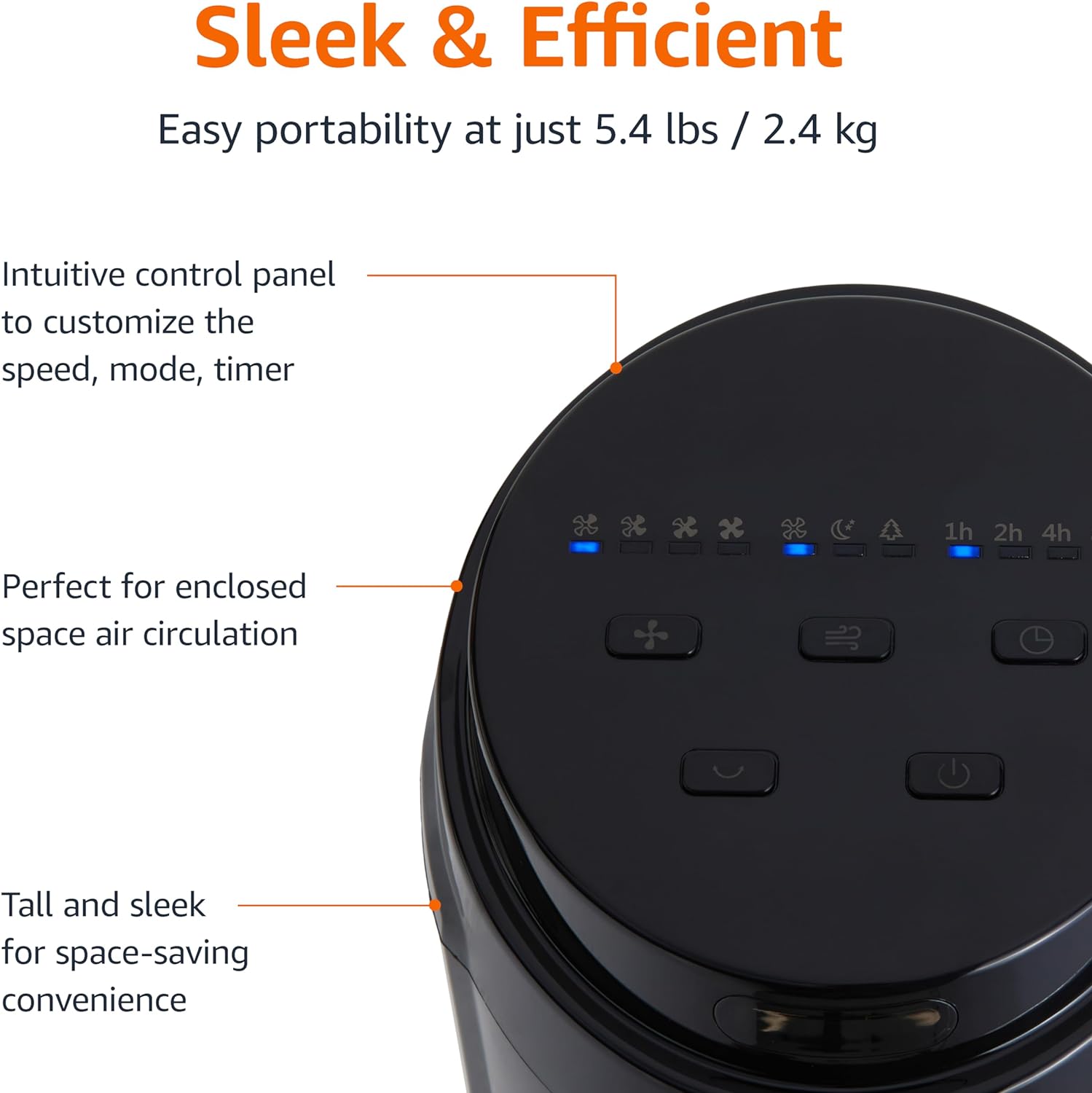
Figur 2.3: Et nærbillede view of the intuitive control panel located on the top of the Amazon Basics Tower Fan. The panel features buttons for speed, mode, power, oscillation, and timer, along with LED indicators for selected settings. This design allows for easy customization of fan operation.
3. Opsætning
3.1 Montering
- Fjern forsigtigt alle komponenter fra emballagen.
- Attach the fan base to the main tower unit. Align the slots on the base with the corresponding tabs on the bottom of the fan.
- Secure the base using the provided screws, if any, ensuring it is firmly attached.
3.2 Placering
- Placer ventilatoren på en fast, plan overflade.
- Ensure there is adequate space around the fan for proper air circulation, especially for the oscillation feature.
- Keep the fan at least 1 foot (30 cm) away from walls, furniture, and other objects.
- Plug the power cord into a standard NEMA 5-15 (US Standard Wall Outlet) electrical outlet.
4. Betjeningsvejledning
The fan can be operated using either the control panel on top of the unit or the included remote control.
4.1 Control Panel & Remote Control Functions
| Knap/funktion | Beskrivelse |
|---|---|
| Strøm (Tænd/Fra) | Tænder eller slukker for blæseren. |
| Hastighed | Cycles through 4 fan speed settings (Low, Medium, High, Max). |
| Mode | Selects between 3 operating modes:
|
| oscillation | Activates or deactivates the 70-degree oscillation feature, allowing the fan to sweep air across a wider area. |
| Timer | Sets the fan to automatically turn off after a specified period (up to 15 hours in 1-hour increments). |
4.2 Brug af fjernbetjening
The remote control allows for convenient operation of all fan functions from a distance. Ensure the remote is pointed towards the fan's control panel for optimal response.
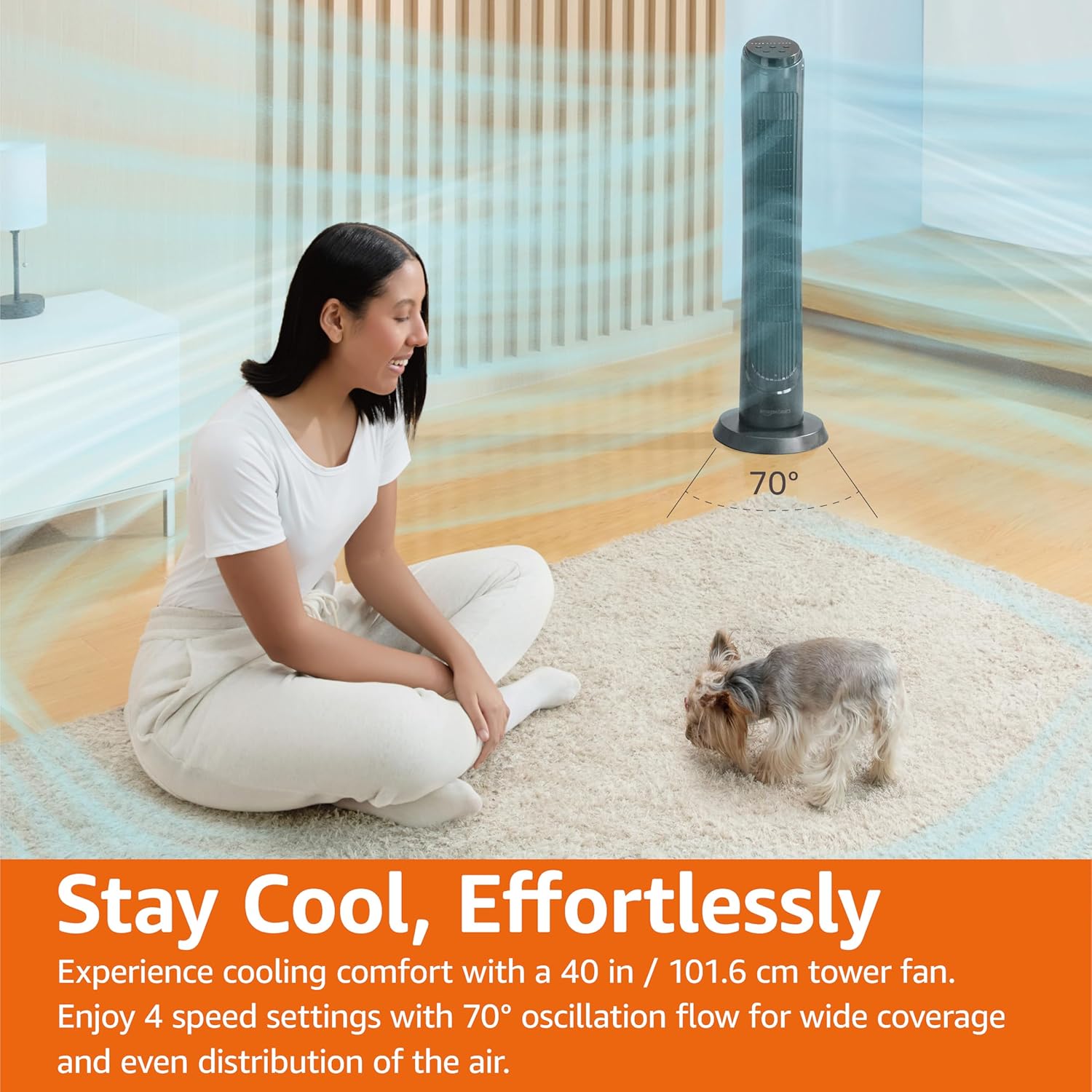
Figur 4.1: The Amazon Basics Tower Fan oscillating 70 degrees, providing wide coverage and even air distribution in a room. A person and a small dog are comfortably seated on a rug, benefiting from the airflow.

Figur 4.2: The Amazon Basics Tower Fan positioned in a modern living space, demonstrating its effective airflow. The image visually represents the air movement from the fan, highlighting its ability to circulate air throughout the room.
5. Vedligeholdelse
5.1 Rengøring
- Tag altid ventilatoren ud af stikkontakten før rengøring.
- Brug en blød, damp klud til at tørre ventilatorens yderflader af.
- Brug ikke slibende rengøringsmidler eller stærke kemikalier, da disse kan beskadige ventilatorens overflade.
- For dust accumulation on the air intake or output grilles, use a vacuum cleaner with a brush attachment to gently remove dust.
- Sørg for, at ventilatoren er helt tør, før du sætter den i stikkontakten igen.
5.2 Opbevaring
- Hvis ventilatoren opbevares i længere tid, skal den rengøres grundigt som beskrevet ovenfor.
- Opbevar ventilatoren i dens originale emballage eller en passende kasse for at beskytte den mod støv og skader.
- Opbevares på et køligt, tørt sted.
6. Fejlfinding
Hvis du oplever problemer med din ventilator, kan du se følgende almindelige problemer og løsninger:
| Problem | Mulig årsag | Løsning |
|---|---|---|
| Ventilatoren tænder ikke. | Ingen strømforsyning; Tænd/sluk-knappen er ikke trykket ned. | Ensure the power cord is securely plugged into a working outlet. Press the Power button on the control panel or remote. |
| Svag eller ingen luftstrøm. | Air intake/output blocked; Fan speed too low. | Check for any obstructions around the fan grilles. Increase the fan speed setting. |
| Oscillationen virker ikke. | Oscillationsfunktionen er ikke aktiveret. | Press the Oscillation button on the control panel or remote. Ensure the fan is on a flat surface. |
| Fjernbetjening virker ikke. | Batteries are dead; Remote not pointed correctly. | Replace the remote control batteries. Ensure the remote is pointed directly at the fan's control panel. |
| Usædvanlig støj. | Ventilatoren står ikke på en plan overflade; Intern blokering. | Place the fan on a stable, level surface. Unplug the fan and check for any foreign objects inside the grilles (do not attempt to disassemble). |
Hvis problemet fortsætter efter at have prøvet disse løsninger, bedes du kontakte kundesupport.
7. Specifikationer
| Attribut | Detalje |
|---|---|
| Mærke | Grundlæggende om Amazon |
| Modelnavn | DC2021 |
| Farve | Sort |
| Elektrisk ventilator design | Gulv Fan |
| Strømkilde | AC strøm |
| Stil | 40" - Digital |
| Produktdimensioner | 11.4" D x 11.4" B x 39.3" H |
| Værelsestype | Soveværelse, stue, kontor |
| Speciel funktion | Oscillating, 4 Speeds, 3 Modes, Timer, Remote Control |
| Anbefalede anvendelser | Cooling and Air Circulation for Indoor Spaces |
| Støjniveau | 60 dB |
| Wattage | 50 watt |
| Varens vægt | 7.5 pund (ca. 3.4 kg) |
| Inkluderede komponenter | Fjern |
| Indendørs/Udendørs brug | Indendørs |
| Kontrolmetode | Fjern |
| Bladmateriale | Plast |
| Antal effektniveauer | 4 |
| Type hovedstrømstik | NEMA 5-15 (US Standard Wall Outlet) |
| Fabrikant | Amazon |
| UPC | 840095880428 |
| Oprindelsesland | Kina |
8. Garanti og support
For detailed warranty information, please refer to the official Warranty PDF document provided by Amazon Basics. This document outlines the terms and conditions of your product's warranty.
For further assistance, troubleshooting not covered in this manual, or to inquire about replacement parts, please contact Amazon Basics customer support.
- Officiel brugermanual (PDF): Download PDF
- Officiel garanti (PDF): Download PDF
- Amazon Basics-butik: Besøg butik