
1. Produktet er slutview
The Logitech MK295 Silent Wireless Keyboard & Mouse Combo is designed for comfort, precision, and quiet operation. It features Logitech's SilentTouch technology, significantly reducing typing and clicking noises. This combo connects wirelessly via a tiny USB Nano receiver, offering a reliable connection and extended battery life for both the keyboard and mouse.
Nøglefunktioner
- Innovative SilentTouch technology for same typing and clicking feel with 90% less noise.
- Full-size keyboard with 8 convenient shortcuts and a full numpad for efficient data entry and easier navigation.
- Contoured and portable mouse with smooth, precise clicking and pointing on most surfaces.
- Strong, reliable 2.4 GHz wireless connection with a 10-meter range and a tiny USB receiver.
- Compatible with Windows or Chrome OS for plug-and-play simplicity.
- Spill-proof keyboard design, durable keys, and sturdy tilt legs with adjustable height.
- Extended battery life: up to 36 months for the keyboard and 18 months for the mouse, with on/off switches.
- One-touch access to media controls (play/pause, volume, mute) and internet.
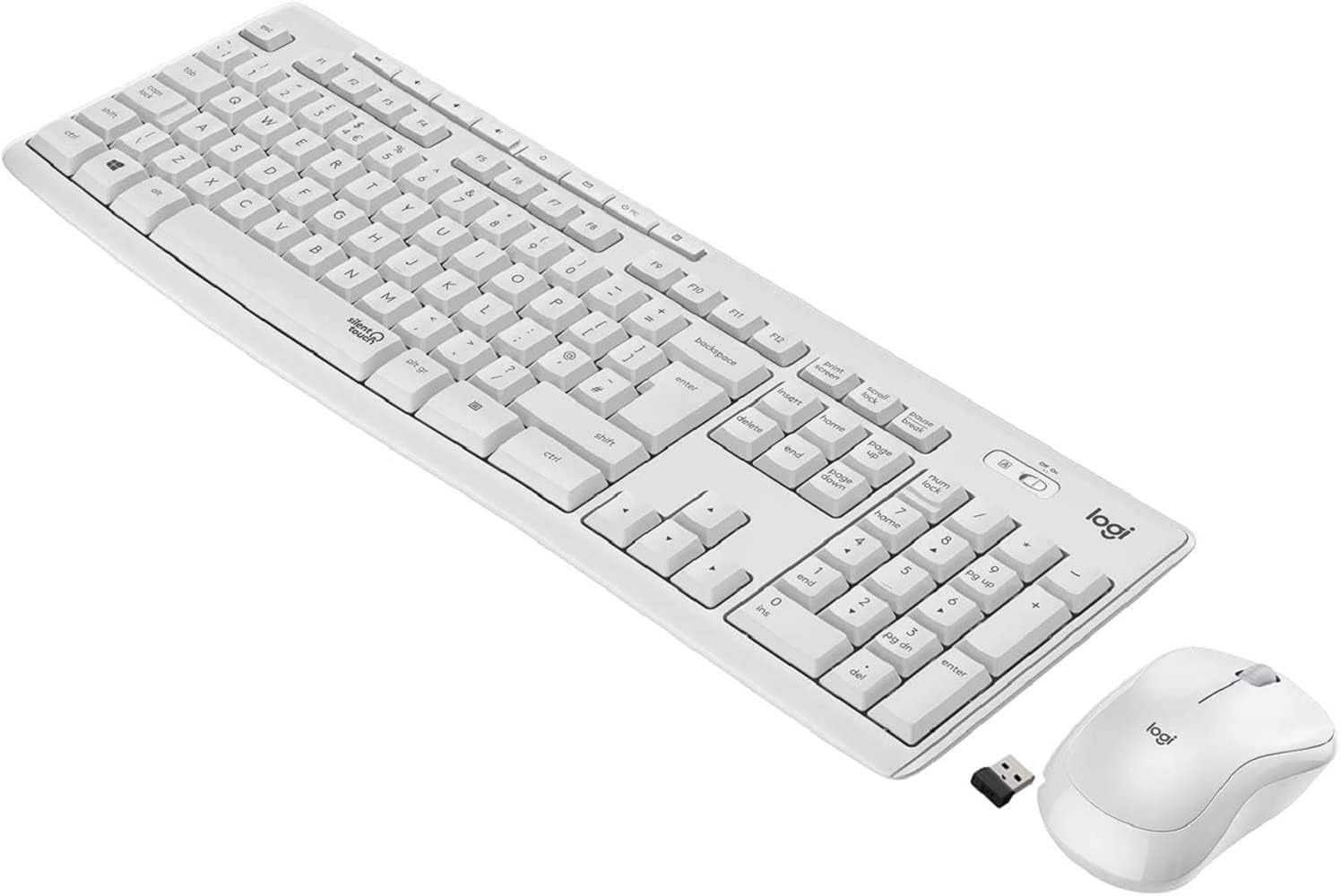
Figure 1.1: The Logitech MK295 Wireless Keyboard and Mouse Combo, including the USB receiver.
2. Opsætningsvejledning
2.1 Pakkens indhold
- Trådløst Logitech MK295-tastatur
- Logitech MK295 trådløs mus
- USB Nano-modtager
- 2 AAA-batterier (forudinstalleret i tastaturet)
- 1 AA-batteri (forudinstalleret i musen)
- Brugerdokumentation (denne manual)
2.2 Batteriinstallation
The keyboard requires two AAA batteries, and the mouse requires one AA battery. Batteries are typically pre-installed. If replacement is needed:
- Find batterirummet på undersiden af tastaturet og musen.
- Skub batterirummets dæksel op.
- Insert the batteries, ensuring correct polarity (+ and - ends).
- Luk batterirummets dæksel forsvarligt.
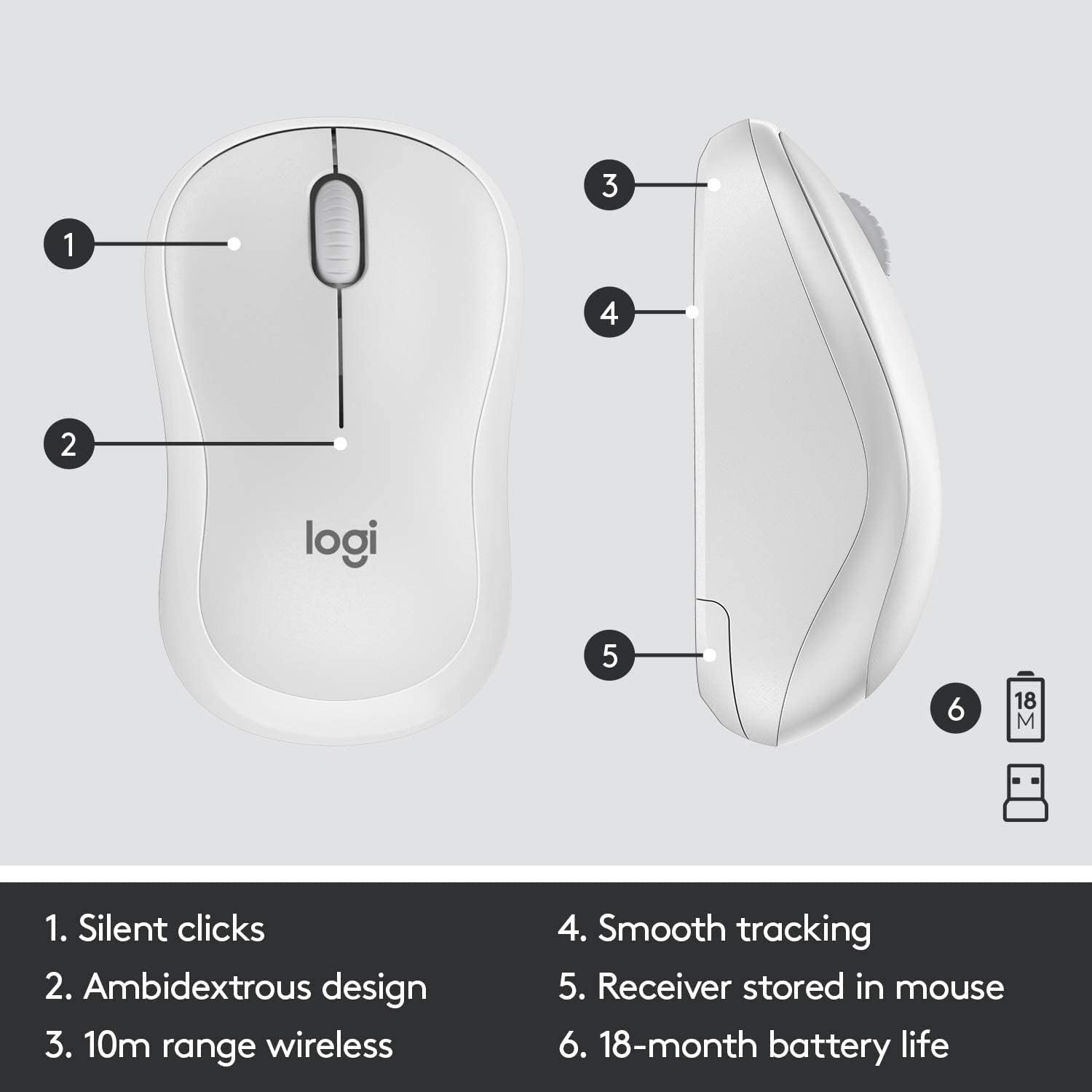
Figure 2.1: The underside of the mouse, showing the battery compartment and the storage slot for the USB receiver.
2.3 Tilslutning af enhederne
The keyboard and mouse connect to your computer using a single USB Nano receiver.
- Remove the USB Nano receiver from its storage slot in the mouse (if stored there).
- Sæt USB Nano-modtageren i en ledig USB-port på din computer.
- Turn on the keyboard and mouse using their respective On/Off switches. The switches are located on the top right of the keyboard and the underside of the mouse.
- Din computer burde automatisk registrere og installere de nødvendige drivere. Enhederne er klar til brug, når de registreres.

Figure 2.2: The keyboard's On/Off switch, located above the numpad, and an indicator for its 10m (33ft) wireless range.
3. Operating Your MK295 Combo
3.1 Tastaturfunktioner
The MK295 keyboard features a full-size layout for comfortable typing, including a dedicated numeric keypad for efficient data entry. It also includes several convenient shortcut keys:
- Mediekontrol: Play/Pause, Volume Up, Volume Down, Mute.
- Programgenveje: Home, Mail, Calculator, PC Sleep.
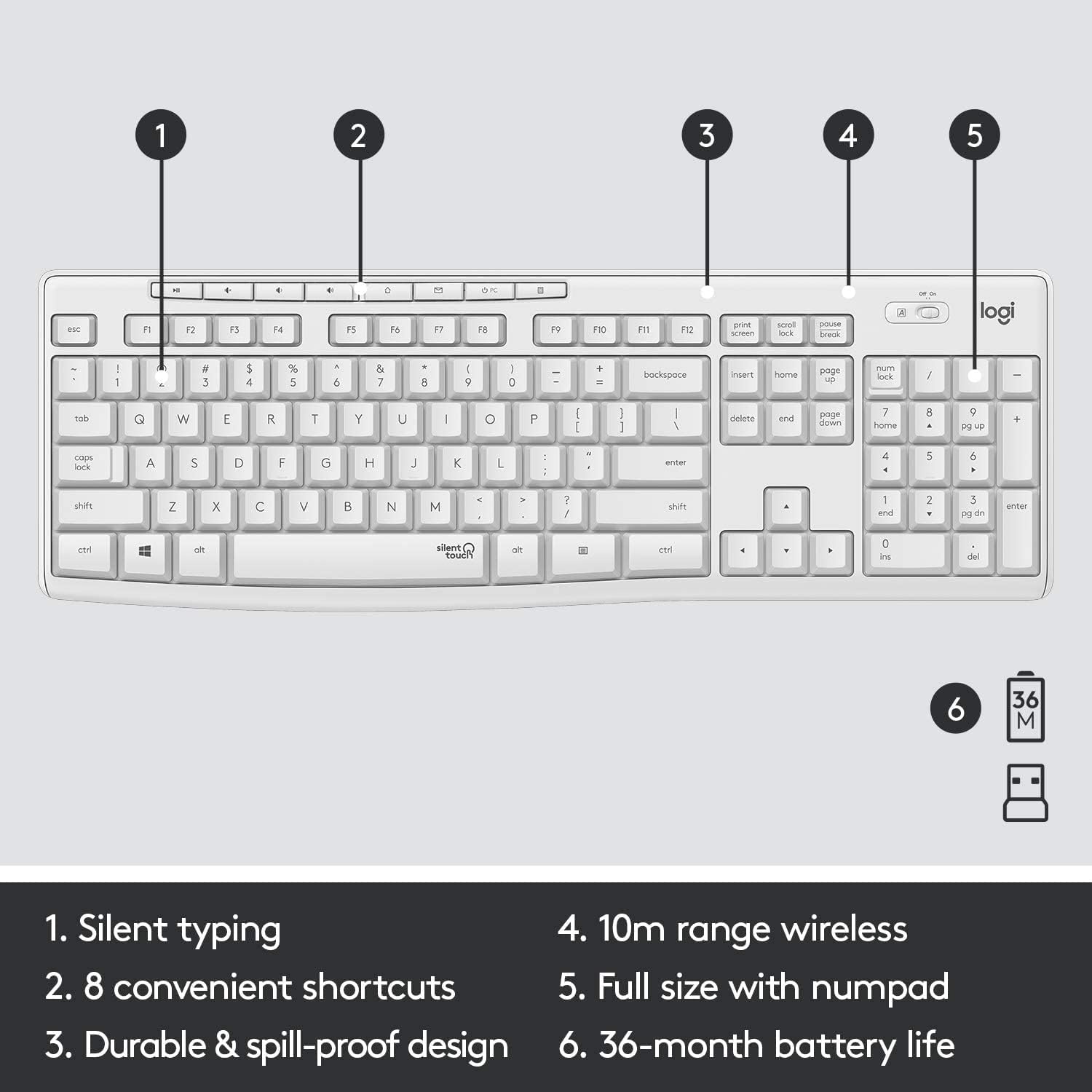
Figure 3.1: Key features of the MK295 keyboard, including its full-size layout with numpad and shortcut keys.
3.2 Musens funktioner
The MK295 mouse is designed with a comfortable, contoured shape that fits well in either hand (ambidextrous design). It provides smooth and precise tracking on most surfaces, making navigation effortless.

Figure 3.2: The comfortable and compact design of the MK295 mouse in use.
3.3 SilentTouch Technology
Logitech's SilentTouch technology significantly reduces the noise from keyboard typing and mouse clicks by over 90% compared to traditional Logitech keyboards and mice. This allows for a quieter work environment without compromising the familiar typing and clicking feel.

Figure 3.3: SilentTouch technology provides a quiet user experience with 90% less noise from typing and clicking.
4. Pleje og vedligeholdelse
- Rensning: Brug en blød, damp klud til at rengøre overfladerne på tastaturet og musen. Undgå skrappe kemikalier eller slibende materialer.
- Spildmodstand: The keyboard features a spill-resistant design. In case of accidental spills, quickly wipe off the liquid. Do not immerse the keyboard in water.
- Batteribesparelse: Utilize the On/Off switches on both the keyboard and mouse when not in use for extended periods to conserve battery life.
- Opbevaring: When transporting or storing the combo, you can store the USB Nano receiver inside the mouse's battery compartment to prevent loss.
5. Fejlfinding af almindelige problemer
- Ingen forbindelse/forsinkelse:
- Ensure the USB Nano receiver is securely plugged into a working USB port on your computer.
- Verify that both the keyboard and mouse are turned On.
- Kontroller batteriniveauet, og udskift det om nødvendigt.
- Flyt tastaturet og musen tættere på USB-modtageren for at sikre, at de er inden for den trådløse rækkevidde på 10 meter.
- Avoid placing the receiver near other electronic devices that might cause interference (e.g., Wi-Fi routers, cordless phones).
- Keys Not Responding/Mouse Not Tracking:
- Replace the batteries in the affected device.
- Prøv at tilslutte USB-modtageren til en anden USB-port på din computer.
- Genstart din computer.
- Uventet adfærd:
- If the keyboard or mouse behaves erratically, try turning it Off and On again.
- Ensure your operating system (Windows or Chrome OS) is up to date.
6. Tekniske specifikationer
| Feature | Specifikation |
|---|---|
| Produktdimensioner | 20.08 x 6.22 x 1.81 tommer |
| Varens vægt | 2.05 pund |
| Fabrikant | Logitech |
| ASIN | B08V5LPFLZ |
| Dato først tilgængelig | 27. januar 2021 |
| Farve | Off White |
| Forbindelsesteknologi | USB (2.4 GHz wireless via Nano receiver) |
| Speciel funktion | Portable, SilentTouch Technology, Spill-resistant keyboard |
| Kompatible enheder | Personal Computer (Windows, Chrome OS) |
| Tastaturets batterilevetid | Op til 36 måneder (2 AAA-batterier) |
| Musens batterilevetid | Up to 18 months (1 AA battery) |
| Wireless Range | 10 meter (33 fod) |
7. Garantioplysninger
Logitech products typically come with a limited hardware warranty. For specific warranty terms and conditions applicable to your MK295 combo, please refer to the warranty card included with your product or visit the official Logitech webwebsted. Gem din købsbevis til garantikrav.
8. Kundesupport
For further assistance, technical support, or to download the latest software and drivers for your Logitech MK295 Wireless Keyboard and Mouse Combo, please visit the official Logitech support webwebsted:
You may also find helpful FAQs and community forums on the support site.