
1. Introduktion
Thank you for choosing the tectake Gaming Chair Model 403209. This ergonomic office and computer chair is designed to provide comfort and support for both focused work and intense gaming sessions. Featuring a robust construction, thick padding, adjustable armrests, and a continuously adjustable gas lift, this chair ensures a comfortable seating experience. The five smooth-rolling double casters are floor-friendly and highly wear-resistant. This manual provides essential information for assembly, operation, maintenance, and troubleshooting to ensure optimal use and longevity of your chair.

Image 1.1: The tectake Gaming Chair Model 403209 in a typical usage environment.
2. Sikkerhedsinstruktioner
- Læs alle instruktioner omhyggeligt før montering og brug.
- Hold alle emballagematerialer væk fra børn for at undgå kvælningsfare.
- Sørg for, at alle skruer og bolte er forsvarligt fastspændt før brug. Kontroller med jævne mellemrum og efterspænd efter behov.
- Do not stand on the chair. Use it only for seating.
- Brug ikke stolen, hvis nogen af delene er beskadigede eller mangler. Kontakt kundesupport for at få reservedele.
- Undgå at udsætte stolen for direkte sollys eller ekstreme temperaturer for at forhindre materialenedbrydning.
- Maksimal vægtkapacitet: 120 kg (264 lbs). Overskrid ikke denne grænse.
- Brug stolen på en plan overflade for at forhindre den i at vælte.
3. Pakkens indhold
Before assembly, please ensure all components are present and undamaged. If any parts are missing or damaged, do not proceed with assembly. Contact tectake customer service for assistance.
- Ryglæn
- Sæde
- Armrests (2x)
- Stjernebase
- Hjul (5x)
- Gasløftecylinder
- Gas lift cover
- Mekanismeplade
- Lumbar support cushion
- Nakkepude
- Hardware-sæt (skruer, skiver, unbrakonøgle)
- Samlingsvejledning (denne manual)

Billede 3.1: Forside view of the chair, illustrating the main components.
4. Monteringsvejledning
Follow these steps carefully for proper assembly. It is recommended to assemble the chair on a soft, clean surface to prevent damage.
- Fastgør hjul til stjernebase: Sæt hvert af de fem hjul ind i hullerne for enden af stjernebasen, indtil de klikker sikkert på plads.
- Indsæt gasløft: Placer gasløftcylinderen i det centrale hul på stjernebasen. Dæk gasløfteren med det teleskopiske plastikdæksel.
- Fastgør mekanismepladen til sædet: Align the mechanism plate with the pre-drilled holes on the underside of the seat. Ensure the front of the mechanism plate faces the front of the seat. Secure with screws provided in the hardware kit.
- Fastgør armlæn til sæde: Secure the armrests to the sides of the seat using the provided screws. Do not overtighten initially, allow for minor adjustments.
- Fastgør ryglænet til sædet: Align the backrest with the mounting brackets on the seat. Secure with screws. Once all screws are in place, tighten all armrest and backrest screws firmly.
- Tilslut sædeenheden til gasliften: Carefully place the assembled seat and backrest onto the gas lift cylinder, ensuring the central hole of the mechanism plate aligns with the top of the gas lift. Press down firmly to secure.
- Fastgør puder: Place the lumbar support cushion and neck cushion onto the chair. The lumbar cushion typically attaches with straps around the backrest, and the neck cushion can be positioned as desired.
5. Betjeningsvejledning
Your tectake Gaming Chair offers several adjustment options for personalized comfort.
5.1. Højdejustering
To adjust the chair height, locate the lever on the right side, beneath the seat (Image 5.1). While seated, pull the lever up to lower the chair. To raise the chair, stand up and pull the lever up. Release the lever to lock the height.

Image 5.1: Control levers for chair adjustments.
5.2. Ryglænets tilbagelæning
To recline the backrest, pull the lever on the left side of the chair (Image 5.1). Lean back to the desired angle (88-125 degrees) and release the lever to lock the position. To return the backrest to an upright position, pull the lever and lean forward slightly.

Image 5.2: Illustration of the backrest recline mechanism.
5.3. Justering af armlæn
The armrests are height-adjustable. Locate the button or lever on the side of each armrest (Image 5.3). Press or lift it and move the armrest up or down to your preferred height. Release the button/lever to lock the armrest in place.

Image 5.3: Armrest height adjustment feature.
5.4. Lumbar and Neck Cushion Adjustment
The lumbar and neck cushions are removable and adjustable. The lumbar cushion can be moved up or down along the backrest to provide support where you need it most (Image 5.4). The neck cushion can be positioned for optimal head and neck support.

Image 5.4: Lumbar cushion adjustment for personalized support.
5.5. Swivel and Casters
The chair features a 360-degree swivel function for easy movement. The five double casters (Image 5.5) are designed for smooth gliding on various floor types, providing mobility within your workspace.
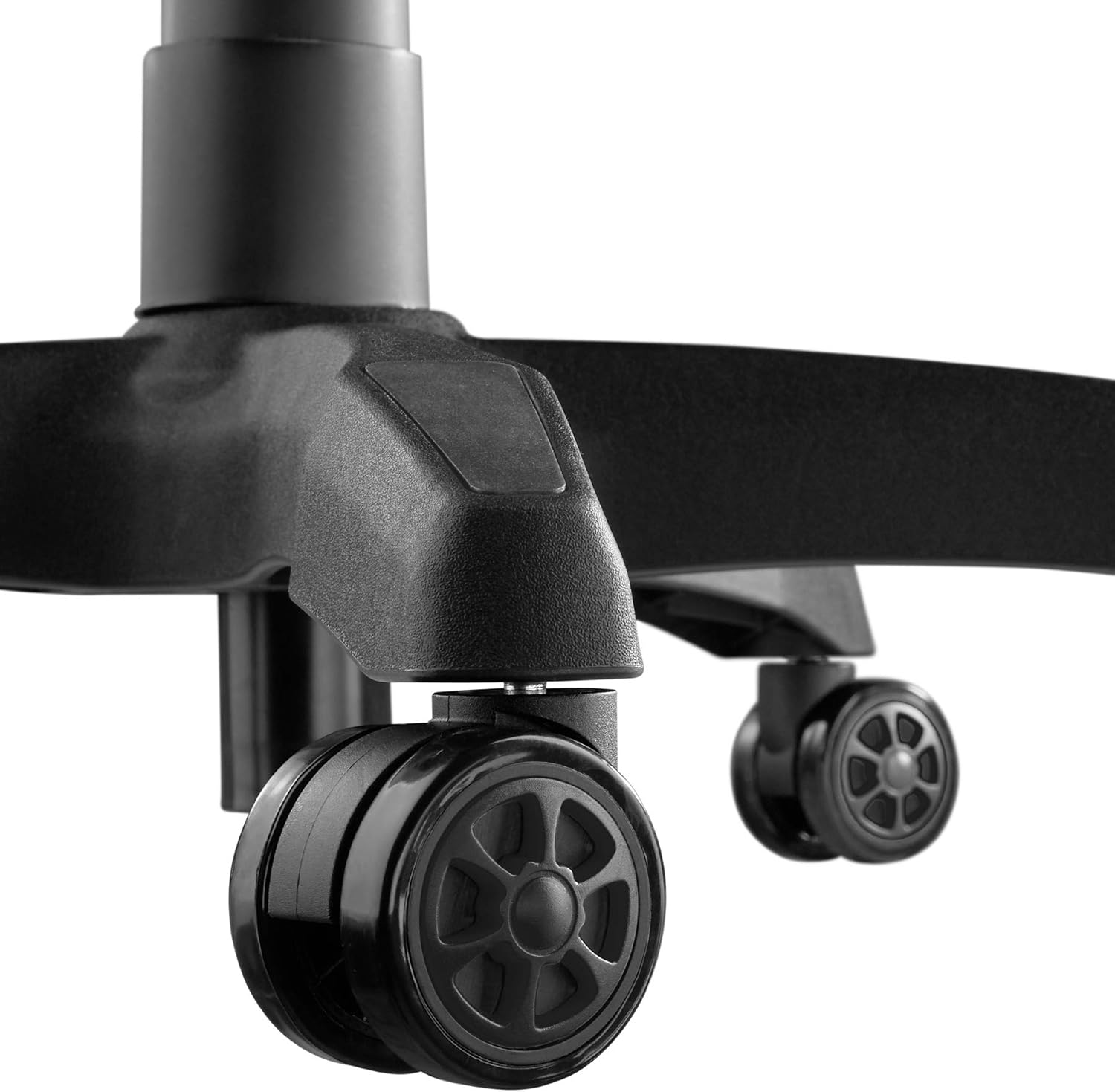
Image 5.5: Durable double casters for smooth mobility.
6. Vedligeholdelse
6.1. Rensning
- Tør stolens overflade af med en blød, tør klud.amp klæde.
- Til genstridige pletter, brug en mild sæbeopløsning og tør straks af med en ren klud.amp klud, tør derefter grundigt.
- Avoid using abrasive cleaners, solvents, or harsh chemicals, as these can damage the PU/PVC material.
- Regularly vacuum or wipe the casters to remove dust and debris that could hinder smooth movement.
6.2. Almen pleje
- Kontrollér regelmæssigt alle skruer og bolte for at sikre, at de er stramme. Spænd dem igen om nødvendigt for at opretholde stabilitet og sikkerhed.
- Avoid placing heavy objects on the armrests or backrest when not seated.
- Keep the chair away from sharp objects that could puncture or tear the upholstery.
7. Fejlfinding
| Problem | Mulig årsag | Løsning |
|---|---|---|
| Stolen vakler eller føles ustabil. | Løse skruer eller ujævnt gulv. | Kontrollér og spænd alle monteringsskruer. Sørg for, at stolen står på en plan og jævn overflade. |
| Stolen kan ikke justeres i højden. | Gasløfthåndtaget er ikke aktiveret, eller gasløftcylinderen er defekt. | Sørg for, at højdejusteringshåndtaget er trukket helt ud. Hvis problemet fortsætter, skal gasliften muligvis udskiftes. Kontakt support. |
| Hjulene ruller ikke jævnt. | Affald sidder fast i hjulene eller er beskadigede hjul. | Clean casters to remove hair, dust, or other debris. If damaged, replace casters. |
| Ryglænet kan ikke lænes tilbage eller låses. | Recline lever not engaged or mechanism faulty. | Ensure the recline lever is fully pulled/released. Check for any obstructions in the mechanism. |
| Knirkende lyde. | Løse forbindelser eller friktion mellem dele. | Spænd alle skruer. Påfør en lille mængde silikone-smøremiddel på de bevægelige dele, hvis det er nødvendigt. Undgå polstring. |
8. Specifikationer

Image 8.1: Key dimensions of the tectake Gaming Chair.
| Feature | Detalje |
|---|---|
| Modelnummer | 403209 |
| Overordnede mål (B x D x H) | Approx. 68 x 69 x 117.5 - 125 cm (26.8 x 27.2 x 46.3 - 49.2 inches) |
| Sædehøjde | Approx. 42.5 - 50 cm (16.7 - 19.7 inches) |
| Sædemål (B x D) | Ca. 51 x 50 cm (20.1 x 19.7 tommer) |
| Sædetykkelse | Ca. 8 cm (3.1 tommer) |
| Lumbar Cushion Dimensions (W x D x H) | Ca. 29 x 7.5 x 19 cm (11.4 x 3.0 x 7.5 tommer) |
| Neck Cushion Dimensions (W x D x H) | Ca. 26 x 10 x 17.5 cm (10.2 x 3.9 x 6.9 tommer) |
| Ryglænets højde | Ca. 81 cm (31.9 tommer) |
| Ryglænets vinkel | 88 - 125 grader |
| Armrest Dimensions (W x D) | Ca. 7.5 x 28 cm (3.0 x 11.0 tommer) |
| Armrest Height from Floor | Approx. 57 - 71.5 cm (22.4 - 28.1 inches) |
| Armrest Height Adjustment Range | Ca. 7 cm (2.8 tommer) |
| Star Base Diameter | Ca. 70 cm (27.6 tommer) |
| Caster Diameter/Width | Approx. 6 cm / 5.6 cm (2.4 inches / 2.2 inches) |
| Maksimal belastningskapacitet | 120 kg (264 lbs) |
| Vægt | Ca. 19 kg (41.9 lbs) |
| Materiale | Polyurethane (PU), Polyvinyl Chloride (PVC), Plastic |
| Farve | Sort |
9. Garanti og support
For warranty information, replacement parts, or technical support, please refer to the purchase documentation or contact tectake customer service directly. Keep your proof of purchase for any warranty claims.
Contact information for tectake can typically be found on their official webhjemmeside eller gennem den forhandler, hvor produktet blev købt.