1. Introduktion
Thank you for choosing the Kaidi KD-750 Bluetooth Headphones. This manual provides essential information for the proper setup, operation, and maintenance of your device. Please read it thoroughly before use to ensure optimal performance and longevity of your headphones.
2. Pakkens indhold
Bekræft at alle varer er til stede i din pakke:
- 1 x Kaidi KD-750 Bluetooth Headphones
- 1 x USB ladekabel
- 1 x Reinforced 3.5mm Audio Cable with Microphone (P2 Cable)
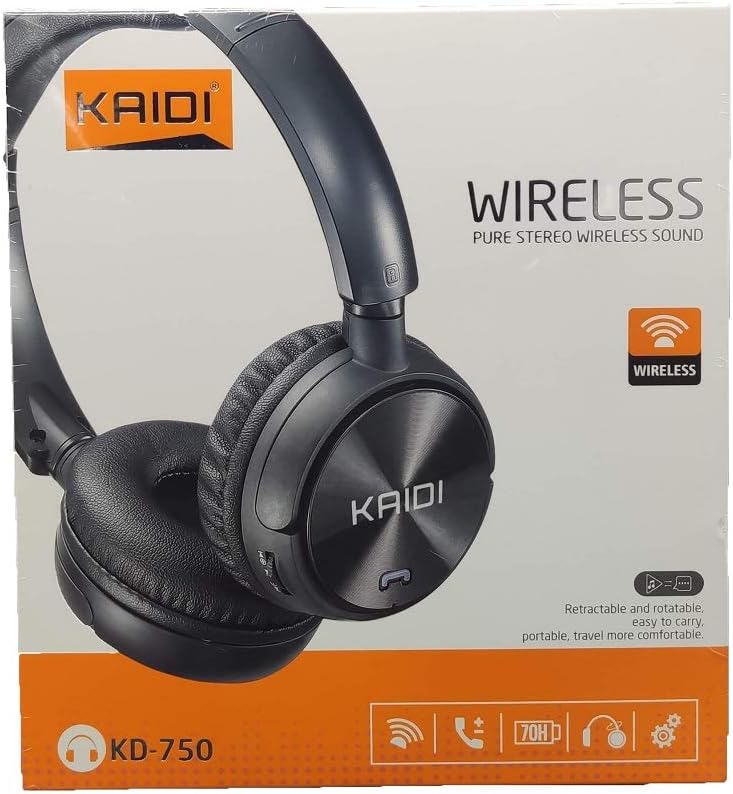
Billede: Forside view of the Kaidi KD-750 retail packaging, showing the headphones and branding.
3. Produktet er slutview
Familiarize yourself with the various parts and controls of your Kaidi KD-750 headphones.

Billede: Forside view of the Kaidi KD-750 Bluetooth Headphones, showcasing the earcups with Kaidi logo and the adjustable headband.
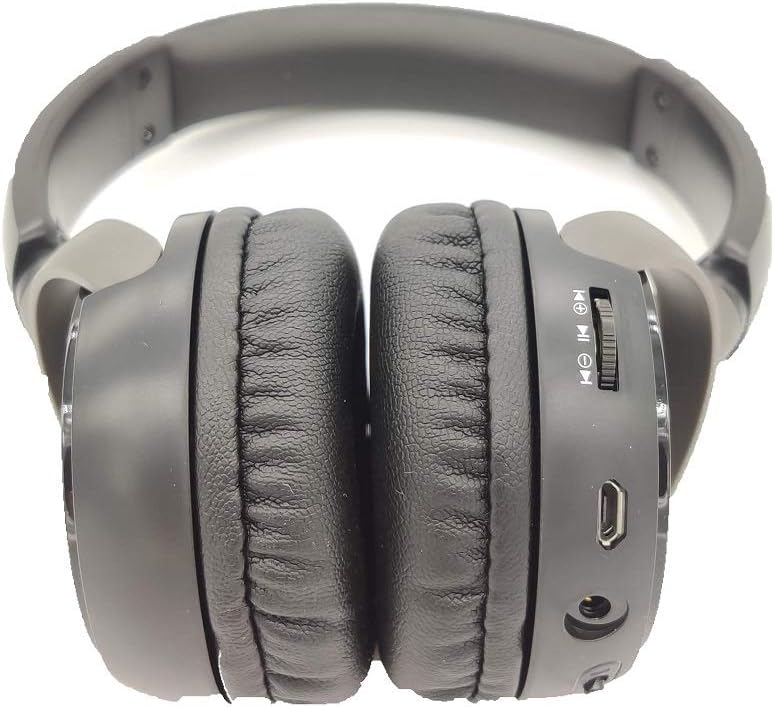
Billede: Side view of the Kaidi KD-750 Bluetooth Headphones, highlighting the control buttons, charging port, and audio jack on the earcup.

Image: Back of the Kaidi KD-750 retail box, featuring a diagram of the headphone controls and key product features.
3.1. Betjeningselementer og porte
- Tænd/sluk-knap / multifunktionsknap: Tænd/sluk, afspil/pause, besvar/afslut opkald.
- Knap til lydstyrke op / Næste nummer: Kort tryk for at øge lydstyrken, langt tryk for at åbne næste nummer.
- Knap til lydstyrke ned / forrige nummer: Kort tryk for lydstyrke ned, langt tryk for forrige nummer.
- Mode-knap (M): Switch between Bluetooth, FM Radio, and SD Card modes.
- Micro USB-opladningsport: Til opladning af høretelefoner.
- 3.5 mm AUX-indgang: Til kabelforbindelse med det medfølgende lydkabel.
- Micro SD -kortplads: Til afspilning af musik direkte fra et Micro SD-kort.
- Mikrofon: Til håndfri opkald.
4. Opsætning
4.1. Opladning af hovedtelefonerne
Oplad dine hovedtelefoner helt inden første brug.
- Tilslut Micro USB-enden af opladningskablet til opladningsporten på hovedtelefonerne.
- Tilslut USB-A-enden af opladningskablet til en USB-strømadapter (medfølger ikke) eller en computers USB-port.
- The LED indicator will illuminate (usually red) during charging.
- Once fully charged (approximately 2 hours), the LED indicator will change color or turn off (refer to specific LED behavior in the specifications).
Note: Batteriets levetid er cirka 5 timer ved fuld opladning.
4.2. Bluetooth-parring
Par dine hovedtelefoner med en Bluetooth-aktiveret enhed.
- Sørg for, at hovedtelefonerne er slukket.
- Tryk på tænd/sluk-knappen og hold den nede i cirka 3-5 sekunder, indtil LED-indikatoren blinker skiftevis blåt og rødt, hvilket angiver parringstilstand.
- Aktiver Bluetooth på din enhed (smartphone, tablet, computer) og søg efter tilgængelige enheder.
- Select "KD-750" from the list of found devices.
- Når den er parret, vil LED-indikatoren typisk blinke blåt langsomt eller forblive konstant blå.
- Hvis en adgangskode er påkrævet, skal du indtaste "0000".
Den effektive Bluetooth-rækkevidde er cirka 10 meter (33 fod).
5. Betjeningsvejledning
5.1. Tænd/sluk
- Tænd: Press and hold the Power Button for 2-3 seconds until the LED indicator lights up.
- Sluk: Press and hold the Power Button for 3-4 seconds until the LED indicator turns off.
5.2. Musikafspilning (Bluetooth-tilstand)
- Afspil/pause: Tryk kort på tænd/sluk-knappen.
- Næste nummer: Tryk længe på lydstyrke op-knappen.
- Forrige nummer: Tryk længe på lydstyrke ned-knappen.
- Lydstyrke op: Tryk kort på lydstyrke op-knappen.
- Skrue ned for lyden: Tryk kort på lydstyrke ned-knappen.
5.3. Telefonopkald
- Besvar opkald: Short press the Power Button when an incoming call rings.
- Afslut opkald: Tryk kort på tænd/sluk-knappen under et opkald.
- Afvis opkald: Long press the Power Button when an incoming call rings.
- Genopkald sidste nummer: Double-press the Power Button.
5.4. Mode Switching (FM Radio / SD Card / AUX)
Tryk på Mode (M) knap to cycle through available modes: Bluetooth, FM Radio, and SD Card playback.
5.4.1. FM-radiotilstand
- Switch to FM mode using the Mode (M) Button.
- Long press the Power Button to automatically scan and save available FM stations.
- Short press the Volume Up/Down buttons to adjust volume.
- Long press the Volume Up/Down buttons to switch between saved stations.
5.4.2. Afspilning fra Micro SD-kort
- Indsæt et Micro SD-kort (med MP3 files) into the SD card slot.
- Switch to SD Card mode using the Mode (M) Button. The headphones will automatically begin playing music from the card.
- Use the Play/Pause, Volume Up/Down, and Next/Previous Track controls as in Bluetooth mode.

Billede: Nærbillede view of the Micro SD card slot on the Kaidi KD-750 headphones.
5.4.3. AUX Wired Mode
- Connect one end of the included 3.5mm audio cable to the AUX input on the headphones.
- Tilslut den anden ende til 3.5 mm lydudgangen på din enhed.
- Hovedtelefonerne skifter automatisk til AUX-tilstand.
- In AUX mode, controls on the headphones (volume, track control) may not function; use your connected device for control.
6. Vedligeholdelse og pleje
- Rengør hovedtelefonerne med en blød, tør klud. Brug ikke slibende rengøringsmidler eller opløsningsmidler.
- Undgå at udsætte hovedtelefonerne for ekstreme temperaturer, fugtighed eller direkte sollys.
- Nedsænk ikke hovedtelefonerne i vand eller andre væsker.
- Opbevar hovedtelefonerne på et køligt, tørt sted, når de ikke er i brug.
- Oplad hovedtelefonerne regelmæssigt, selvom de ikke bruges i længere perioder, for at opretholde batteriets sundhedstilstand.
7. Fejlfinding
7.1. Headphones do not power on.
Løsning: The battery may be depleted. Connect the headphones to a power source using the USB charging cable and allow them to charge for at least 30 minutes before attempting to power on again.
7.2. Cannot pair with a Bluetooth device.
- Løsning 1: Ensure the headphones are in pairing mode (LED flashing blue and red alternately).
- Løsning 2: Make sure Bluetooth is enabled on your device and it is within 10 meters of the headphones.
- Løsning 3: Sluk Bluetooth på din enhed, tænd den derefter igen, og prøv at søge igen.
- Løsning 4: If previously paired, try "forgetting" or "unpairing" the headphones from your device's Bluetooth list and then re-pairing.
7.3. No sound or low volume.
- Løsning 1: Kontroller lydstyrkeniveauerne på både hovedtelefonerne og din tilsluttede enhed.
- Løsning 2: Sørg for, at hovedtelefonerne er korrekt tilsluttet via Bluetooth eller 3.5 mm AUX-kablet.
- Løsning 3: If using AUX mode, ensure the cable is fully inserted into both the headphones and the audio source.
7.4. FM radio reception is poor.
Løsning: Move to an open area away from obstructions or electronic interference. The 3.5mm audio cable can sometimes act as an antenna; try connecting it even if not using AUX mode for improved reception.
8. Specifikationer
| Bluetooth version: | v4.2 |
| Understøttede protokoller: | AVRCP1.3, A2DP1.0, HFP1.5, HSP1.0 |
| Effektiv rækkevidde: | 10 meter (33 fod) |
| Arbejdshyppighed: | 2.402 GHz - 2.480 GHz |
| Batteritype: | Indbygget 3.7V 300mAh genopladeligt litiumbatteri |
| Opladning Voltage: | DC 4.2V - 5.5V |
| Opladningstid: | Cirka 2 timer |
| Batterivarighed: | Approximately 5 hours (playback) |
| Højttalerimpedans: | 32 Ohm |
| Støjkontrol: | Passiv støjreduktion |
| Forbindelse teknologi: | Bluetooth, 3.5 mm stik |
| Kompatible enheder: | Any device supporting Bluetooth connectivity |
| Produktvægt: | 190 g |
| Farve: | Sort |
9. Garanti og support
The Kaidi KD-750 Bluetooth Headphones come with a standard manufacturer's warranty against defects in materials and workmanship. Please refer to the warranty card included with your purchase for specific terms and conditions, including the warranty period.
For technical support, troubleshooting assistance, or warranty claims, please contact your retailer or the official Kaidi customer service. Contact information can typically be found on the product packaging or the official Kaidi webwebsted.
Gem venligst din købsbevis af garantihensyn.