
Indledning
This manual provides detailed instructions for the proper use and maintenance of your Awei T10C True Waterproof Bluetooth Wireless Earbuds. Please read this manual thoroughly before using the product to ensure optimal performance and longevity.
The Awei T10C earbuds feature Bluetooth 5.0 connectivity, a 6mm metal cavity speaker unit, smart touch controls, and a wireless charging case. They are designed for comfortable and stable wear, providing clear audio for calls and music.
Pakkens indhold
- Awei T10C True Wireless Earbuds (Left and Right)
- Trådløs opladningsetui
- USB opladningskabel
- Brugermanual
Opsætning
1. Første opladning
Before first use, fully charge the earbuds and the charging case. Place the earbuds into the charging case. Connect the charging case to a power source using the provided USB cable, or place the case on a compatible wireless charging pad.
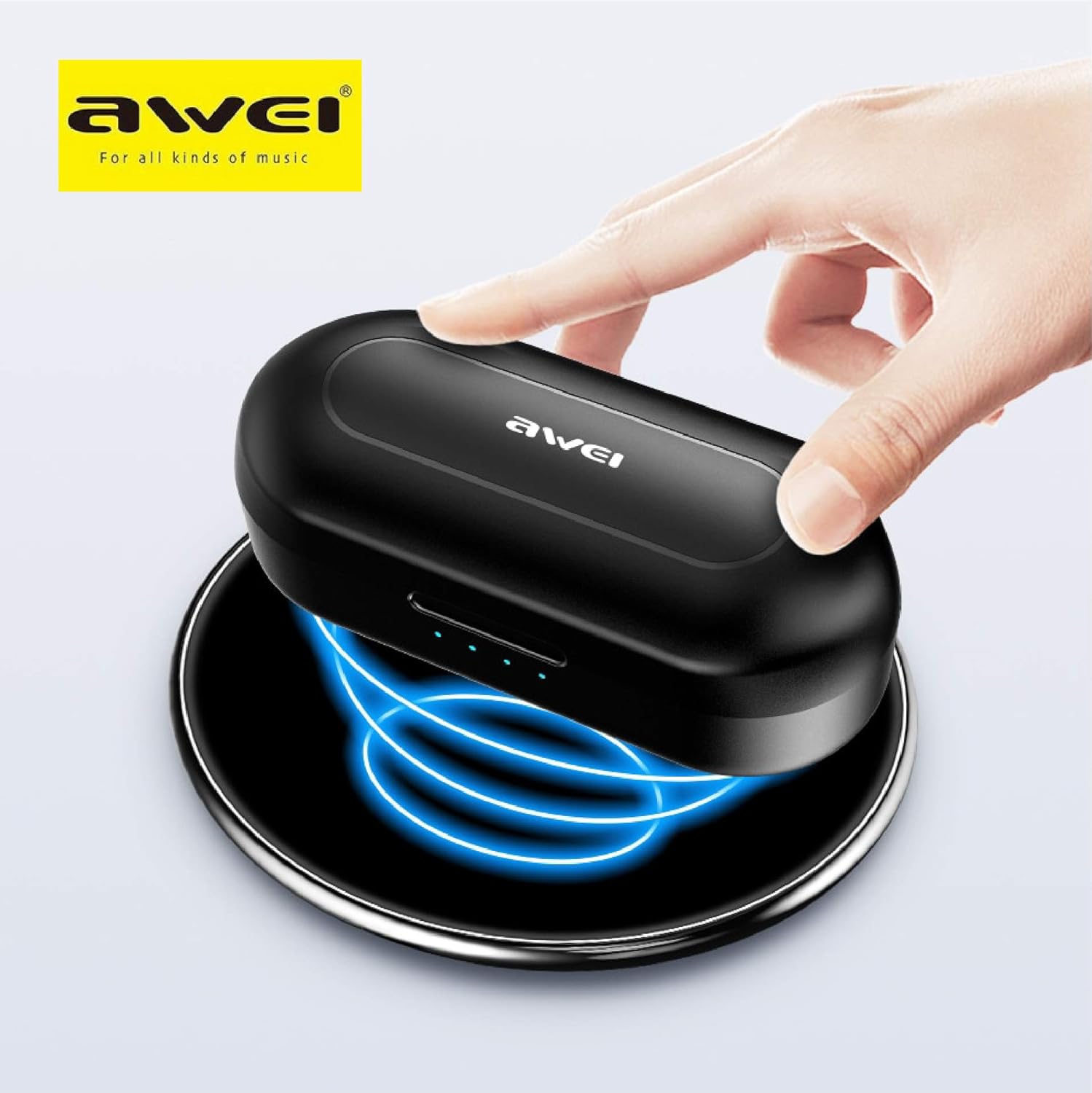
The Awei T10C charging case placed on a wireless charging pad, with blue light effects indicating active wireless charging.
The LED indicators on the charging case will show the charging status. Once fully charged, the indicators will behave according to the case's design (e.g., turn solid or off).
2. Tænding og automatisk parring
The earbuds are designed for automatic pairing. Simply open the charging case, and the earbuds will power on and enter pairing mode. Remove them from the case.
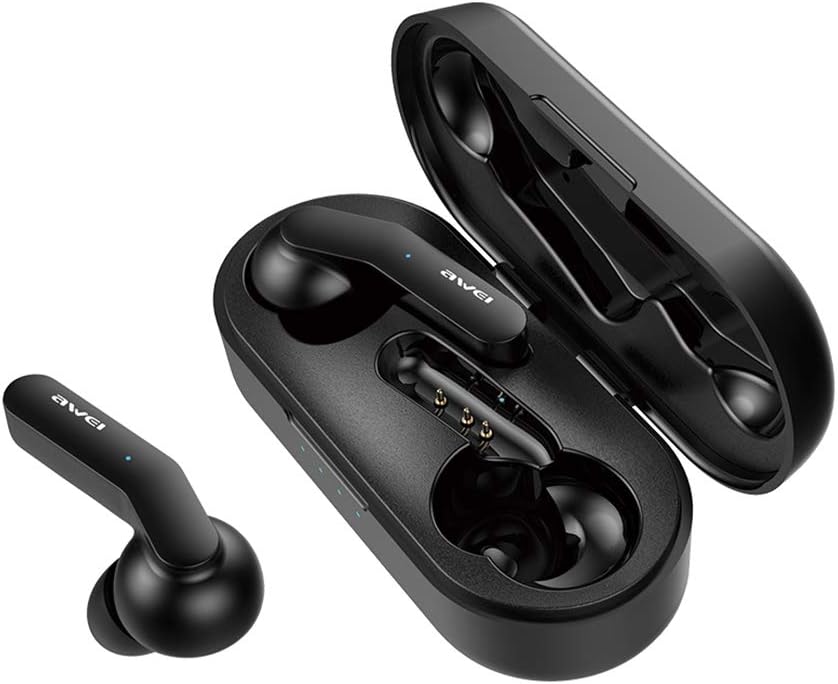
Awei T10C True Wireless Earbuds and open charging case, showcasing the earbuds nestled within the charging contacts.
3. Bluetooth-forbindelse
- Sørg for, at Bluetooth er aktiveret på din enhed (smartphone, tablet osv.).
- Søg efter tilgængelige Bluetooth-enheder.
- Select "Awei T10C" from the list to connect.
- Når der er oprettet forbindelse, hører du en bekræftelseslyd, og indikatorlamperne på øretelefonerne skifter.
The earbuds will automatically reconnect to the last paired device when removed from the case, if the device's Bluetooth is active and within range.
Betjeningsvejledning
1. Sådan tager du ørepropperne på
Gently insert the earbuds into your ears, ensuring a snug and comfortable fit. Adjust them until they feel secure. The ergonomic design is intended to provide stability during use.

Two Awei T10C True Wireless Earbuds, viewed from the side, highlighting their ergonomic design and the Awei logo.
2. Smarte berøringskontroller
The Awei T10C earbuds feature touch-sensitive areas for controlling various functions:
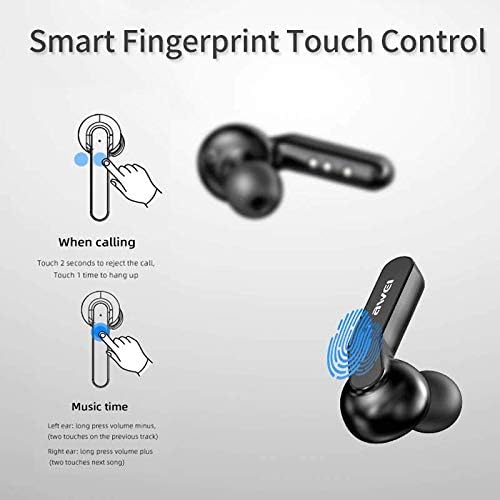
Diagram illustrating the 'Smart Fingerprint Touch Control' functions for calls and music playback on the Awei T10C earbuds.
- Besvarelse / afslutning af opkald: Touch either earbud once.
- Afvisning af opkald: Tryk på en af øretelefonerne i 2 sekunder.
- Afspil/sæt musik på pause: Touch either earbud once.
- Næste nummer: Double-touch the right earbud.
- Forrige nummer: Double-touch the left earbud.
- Lydstyrke op: Tryk længe på den højre øreprop.
- Skrue ned for lyden: Tryk længe på den venstre øreprop.
- Stemmeassistent: Triple-touch either earbud (functionality may vary by device).
3. Sluk
To power off the earbuds, place them back into the charging case. They will automatically disconnect and begin charging. Alternatively, if disconnected from a device and left idle for a period, they may power off automatically.
Opretholdelse
1. Rensning
Regularly clean the earbuds and charging case with a soft, dry, lint-free cloth. Do not use abrasive cleaners, alcohol, or chemical solvents. Ensure charging contacts are free of dust and debris.
2. Vandtætning
The Awei T10C earbuds are designed to be waterproof. However, this does not mean they are suitable for prolonged submersion or use in extreme water conditions. Avoid exposing the charging case to water.
3. Opbevaring
Når ørepropperne ikke er i brug, skal de opbevares i deres opladningsetui for at beskytte dem og holde dem opladede. Opbevares køligt og tørt, væk fra direkte sollys og ekstreme temperaturer.
Fejlfinding
- Øretelefoner parrer ikke med enheden:
- Sørg for, at ørepropperne er opladet og taget ud af etuiet.
- Sluk og tænd for din enheds Bluetooth.
- Forget/delete "Awei T10C" from your device's Bluetooth list and try pairing again.
- Genstart din enhed.
- Kun én øreprop virker:
- Sørg for, at begge øretelefoner er opladet.
- Place both earbuds back into the charging case, close the lid, wait a few seconds, then open and remove them again.
- Check if the earbuds are properly seated in the charging case to ensure connection.
- Ingen lyd eller lav lydstyrke:
- Kontrollér lydstyrkeniveauet på både din enhed og ørepropperne (ved hjælp af berøringsknapperne).
- Sørg for, at ørepropperne er korrekt tilsluttet din enhed.
- Rengør eventuelt snavs fra øreproppens højttalernet.
- Opladeretuiet oplader ikke:
- Sørg for, at USB-kablet er korrekt tilsluttet til både kabinettet og strømkilden.
- Prøv et andet USB-kabel eller strømadapter.
- Hvis du bruger trådløs opladning, skal du sørge for, at etuiet er korrekt placeret på opladningspad'en.
Specifikationer
| Modelnavn | T10C |
| Varemodelnummer | EM-JH133-CP |
| Mærke | Awei |
| Forbindelsesteknologi | Trådløs (Bluetooth 5.0) |
| Hovedtelefoner Form Factor | In Ear |
| Støjkontrol | Aktiv støjreduktion |
| Hovedtelefonstik | USB |
| Inkluderede komponenter | Trådløs opladningsetui |
| Batterier | 1 Lithium Ion batteri påkrævet (medfølger) |
| Produktdimensioner | 4.5 x 2.4 x 1.8 cm |
| Produktets vægt | 200 g |
| Farve | Sort |
| Fabrikant | Awei |
| Dato først tilgængelig | 13. december 2019 |
Garanti og support
Awei products are manufactured to high quality standards. For warranty information, technical support, or customer service inquiries, please refer to the official Awei webwebstedet eller kontakt din lokale forhandler.
You may also find additional support and product information via the Awei WeChat channel: http://weixin.qq.com/r/7XQ0O7vEfoUBh6pYnyHJ