
1. Introduktion
This manual provides instructions for the proper use and maintenance of your Sony WH-CH700N Wireless Noise Cancelling Headphones. Please read this manual thoroughly before operating the headphones to ensure optimal performance and longevity.
2. Produktet er slutview
2.1 Pakkens indhold
- Sony WH-CH700N Headphones
- Micro-USB Cable (approx. 3.94 ft)
- Headphone Cable (approx. 3.94 ft, detachable single-sided type)
2.2 Hovedtelefonkomponenter
Gør dig bekendt med de forskellige dele af dine hovedtelefoner:

Billede: Forside view of the Sony WH-CH700N Wireless Noise Cancelling Headphones, illustrating the overall design and earcups.
- Power knap: Used to turn the headphones on or off and initiate Bluetooth pairing.
- Lydstyrkekontroller (+/-): Justerer lydudgangsniveauet.
- Multifunktionsknap: Controls playback (play/pause), call management (answer/end), and voice assistant activation.
- NC (Noise Cancelling) Button: Activates or deactivates the noise cancelling function.
- Mikrofon: Integreret til håndfri opkald og stemmeassistentkommandoer.
- Mikro-USB-opladningsport: For connecting the supplied micro-USB cable to charge the headphones.
- Audio Input Jack (3.5 mm): For connecting the supplied headphone cable for wired listening.
- NFC Detection Area: For one-touch Bluetooth pairing with NFC-compatible devices.
- Indikatorer: LED lights for power, Bluetooth connection status, and noise cancelling activation.

Billede: Nærbillede view of the left earcup, highlighting the NC button, audio input jack, and micro-USB charging port.
3. Opsætning
3.1 Opladning af hovedtelefonerne
- Connect the supplied micro-USB cable to the micro-USB charging port on the headphones.
- Connect the other end of the micro-USB cable to a USB charging adapter or a USB port on your computer.
- Indikatorlampen lyser under opladning og slukker, når opladningen er færdig.
A full charge provides approximately 35 hours of wireless playback with noise cancelling. A 10-minute quick charge can provide additional playback time.
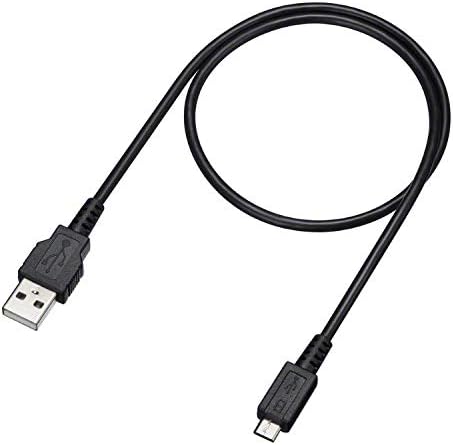
Image: The micro-USB charging cable included with the headphones.
3.2 Bluetooth -parring
Sådan tilslutter du dine hovedtelefoner trådløst til en enhed:
- Sørg for, at hovedtelefonerne er slukket.
- Press and hold the power button for approximately 7 seconds until the indicator flashes blue and red alternately. This indicates the headphones are in pairing mode.
- On your Bluetooth-enabled device (e.g., smartphone, tablet, computer), enable Bluetooth and search for available devices.
- Select "WH-CH700N" from the list of detected devices to complete the pairing process.
NFC-parring: If your device supports NFC, simply touch the device to the N-Mark on the left earcup of the headphones to initiate and complete pairing automatically.
4. Betjeningsvejledning
4.1 Tænd/sluk
- For at tænde skal du trykke på tænd/sluk-knappen og holde den nede, indtil den blå indikator blinker.
- To power off, press and hold the power button until the red indicator flashes and then turns off.
4.2 Støjreducerende funktion
- Tryk på NC button on the left earcup to activate or deactivate the noise cancelling function.
- When noise cancelling is active, a green indicator light next to the NC button will illuminate.
- For optimal noise cancelling performance, ensure the earpads fit snugly around your ears.
- The noise cancelling function is most effective for low-frequency sounds (e.g., airplane engines, air conditioning) and less effective for high-frequency sounds or human voices.
4.3 Lydstyrkejustering
- Brug + og - buttons on the headphones to increase or decrease the volume.
4.4 Stemmeassistent
- Press and hold the multi-function button to activate your connected device's voice assistant (e.g., Alexa, Google Assistant).
4.5 Foretage og modtage opkald
- Tryk én gang på multifunktionsknappen for at besvare et indgående opkald.
- To end a call, press the multi-function button once during the call.
- Den indbyggede mikrofon muliggør håndfri kommunikation.
4.6 Kabelforbindelse
- Connect the supplied headphone cable to the 3.5 mm audio input jack on the headphones and to the audio output jack of your device.
- The headphones can be used in wired mode even when powered off. Note that noise cancelling will not be active unless the headphones are powered on.
5. Vedligeholdelse
5.1 Rengøring
- Tør hovedtelefonerne af med en blød, tør klud.
- Do not use alcohol, benzene, thinners, or other chemical cleaners, as these may damage the surface or components.
5.2 Opbevaring
- Opbevar hovedtelefonerne et køligt, tørt sted væk fra direkte sollys og ekstreme temperaturer.
- Undgå at placere tunge genstande på hovedtelefonerne for at forhindre skader.
6. Fejlfinding
6.1 Almindelige problemer og løsninger
- Ingen strøm: Sørg for, at hovedtelefonerne er tilstrækkeligt opladede.
- Ingen lyd: Check the Bluetooth connection. Verify that the volume is not muted on both the headphones and the connected device. If using a wired connection, ensure the cable is securely connected.
- Støjreduktion ikke effektiv:
- Verify that the NC function is turned on (green indicator light).
- Adjust the earpad position to ensure a proper seal around your ears.
- Remember that noise cancelling is less effective for high-frequency sounds like human voices.
- Kan ikke parres via Bluetooth:
- Ensure the headphones are in pairing mode (indicator flashing blue and red).
- Delete any existing pairing information for "WH-CH700N" from your device's Bluetooth settings and attempt to pair again.
- Ensure the headphones are within 10 meters (33 feet) of the Bluetooth device.
6.2 Nulstilling til fabriksindstillinger
If the headphones are not functioning correctly, you can reset them to their factory settings:
- Disconnect the micro-USB cable from the headphones.
- Sluk headsettet.
- Tryk og hold på tænd/sluk-knap og den NC knap samtidigt i mere end 7 sekunder.
- The indicator (blue) will flash 4 times, indicating that all settings, including volume adjustments and pairing information, have been reset to factory defaults.
- After resetting, you must delete the headset's pairing information from your Bluetooth device and pair them again.
Vedvarende problemer: If the headset does not operate correctly even after initializing, consult your nearest Sony dealer or an authorized Sony service center.
7. Specifikationer
| Feature | Detalje |
|---|---|
| Modelnavn | WH-CH700N |
| Fabrikant | Sony |
| Forbindelsesteknologi | Bluetooth, NFC |
| Bluetooth version | 4.0 |
| Bluetooth rækkevidde | 10 meter (33 fod) |
| Frekvensrespons | 7 Hz – 20,000 Hz |
| Hovedtelefonstik | 3.5 mm Jack |
| Speciel funktion | Aktiv støjreduktion |
| Batterilevetid | Up to 35 Hours (with Noise Cancelling) |
| Opladningstid | Approximately 7 hours for full charge; 10-minute quick charge capability |
| Inkluderede komponenter | Headphones, Micro-USB Cable, Headphone Cable |
| Varens vægt | 8.5 ounce (240 g) |
| Produktdimensioner | 8.71 x 2.72 x 10.28 tommer |
| Vandmodstandsniveau | Ikke vandafvisende |
| Kontroltype | Stemmestyring, berøring |
| Batterier | 1 Lithium Metal batteri (medfølger) |
8. Garanti og support
For detailed warranty information, product registration, and further technical support, please refer to the official Sony website or contact your local Sony customer service center. It is recommended to keep your proof of purchase for any warranty claims.