
Indledning
Thank you for choosing the SPT SF-16T07 Touch Stop Stand Fan. This 16-inch stand fan is designed to provide efficient air circulation with advanced features for comfort and safety. Key features include a unique touch-stop sensor, 6 fan speeds, 4 distinct wind modes (Normal, Natural, Sleep, and Smart), oscillation, and a convenient timer-off function. This manual provides detailed instructions for assembly, operation, maintenance, and troubleshooting to ensure safe and optimal use of your fan.
Vigtige sikkerhedsinstruktioner
Læs alle instruktioner omhyggeligt, inden du bruger dette apparat, og gem dem til senere brug. Manglende overholdelse af disse instruktioner kan resultere i elektrisk stød, brand eller alvorlig personskade.
- Tag altid stikket ud af stikkontakten, inden du rengør, servicerer eller flytter den.
- Do not operate the fan with a damaged cord or plug. If the cord or plug is damaged, contact qualified service personnel for repair or replacement.
- Hold ventilatoren væk fra vand eller andre væsker. Ventilatoren må ikke nedsænkes i vand.
- Sørg for, at ventilatoren er placeret på en stabil, plan overflade for at forhindre, at den vælter.
- Stik ikke fingre eller genstande ind gennem gitteret, når ventilatoren er i drift.
- The fan features a Touch-Stop Sensor: If the fan guard is touched while the fan is operating, the fan will automatically stop. This is a safety feature designed to protect users, especially children. The fan will resume operation once the touch is removed and the fan is restarted.
- Close supervision is necessary when the fan is used by or near children or individuals with reduced physical, sensory, or mental capabilities.
- Denne ventilator er kun beregnet til indendørs brug. Må ikke anvendes udendørs.
Pakkens indhold
Kontroller venligst pakkens indhold for at sikre, at alle varer er til stede og ubeskadigede:
- Fan Unit (Motor Housing, Fan Blades, Front and Rear Grilles)
- Stand Pole and Base
- Fjernbetjening
- Brugervejledning (dette dokument)
Monteringsvejledning
The SPT SF-16T07 fan requires some assembly before use. Follow these steps carefully:
- Saml basen: Connect the two halves of the base together, if applicable, and secure them with the provided screws.
- Fastgør stativstangen: Insert the stand pole into the assembled base and tighten the locking nut or screw from underneath the base to secure it.
- Monter motorhuset: Place the fan's motor housing onto the top of the stand pole. Ensure it is firmly seated and secure it with the provided screw or locking mechanism.
- Installer baggitteret: Position the rear grille onto the motor housing, aligning the notches. Secure it with the grille nut.
- Fastgør ventilatorbladet: Slide the fan blade onto the motor shaft, ensuring it clicks into place or is secured with a cap.
- Installer frontgitteret: Place the front grille over the fan blade and align it with the rear grille. Secure the grilles together using the clips or screws provided around the perimeter.
Sørg for, at alle dele er forsvarligt fastgjort, inden ventilatoren tilsluttes.
Betjeningsvejledning
Your SPT SF-16T07 fan can be operated using the control panel on the fan unit or the included remote control. Ensure the fan is plugged into a standard electrical outlet.
Kontrolpanel overview
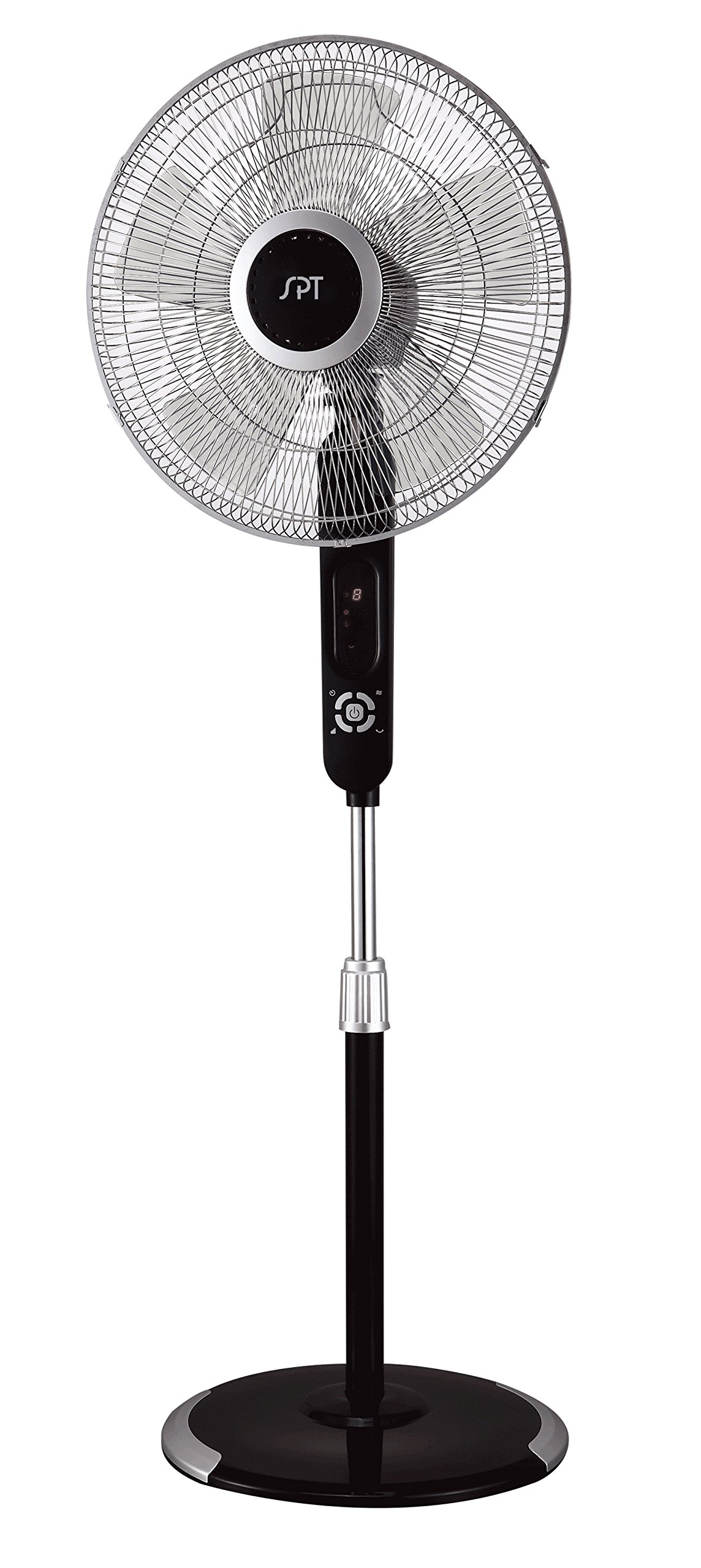
Image: The control panel of the SPT SF-16T07 Stand Fan. It features a digital display at the top showing numbers (e.g., '8') and icons for timer, fan speed, and mode. Below the display are several white buttons arranged in a circular pattern around a central power button. Other buttons include timer, fan speed, oscillation, and mode selection.
- Tænd/sluk-knap (⏻): Tryk for at tænde eller slukke for ventilatoren.
- Speed Button ( ✴ ): Press repeatedly to cycle through 6 fan speeds. The current speed will be indicated on the digital display.
- Mode Button ( ☻ ): Press to select one of the 4 wind modes: Normal, Natural, Sleep, or Smart.
- Oscillation Button ( 🌀 ): Press to start or stop the fan head oscillation (side-to-side movement).
- Timer Button ( ⏱ ): Press to set the auto-off timer. Each press increases the timer by 1 hour, up to a maximum of 8 hours. The set time will be displayed.
Forklaring af vindtilstande
- Normal tilstand: Giver en konstant luftstrøm ved den valgte hastighed.
- Naturlig tilstand: Simulerer naturlig brise ved at variere ventilatorhastigheden periodisk.
- Sove mode: Gradually decreases the fan speed over time to provide a quieter and more comfortable environment for sleeping.
- Smart Mode: Adjusts the fan speed automatically based on the ambient room temperature.
Fjernbetjening
The included remote control allows you to operate all fan functions from a distance. The buttons on the remote correspond to the functions on the main control panel. Ensure batteries are correctly installed in the remote control.
Opretholdelse
Regular cleaning and proper maintenance will ensure the longevity and efficient operation of your fan.
- Rensning: Tag altid stikket ud af ventilatoren før rengøring. Brug en blød, tør klud.amp cloth to wipe the exterior surfaces. For stubborn dirt, a mild soap solution can be used. Do not use abrasive cleaners or solvents.
- Rengøring af gitter: Periodically remove the front grille (refer to assembly instructions in reverse) to clean the fan blades and inside of the grilles. Use a soft brush or vacuum cleaner to remove dust and debris. Ensure all parts are dry before reassembling.
- Opbevaring: Når ventilatoren ikke er i brug i længere perioder, skal den opbevares et køligt og tørt sted, helst i originalemballagen, for at beskytte den mod støv og skader.
Fejlfinding
Hvis du støder på problemer med din ventilator, kan du se følgende almindelige problemer og løsninger:
| Problem | Mulig årsag | Løsning |
|---|---|---|
| Ventilatoren tænder ikke. | No power supply; fan unplugged; power button not pressed. | Ensure the fan is securely plugged into a working electrical outlet. Press the power button. Check household circuit breaker. |
| Fan stops unexpectedly during operation. | Touch-stop sensor activated; power interruption; internal fault. | Check if the fan guard was touched, activating the safety sensor. Remove any contact and restart the fan. Verify stable power supply. If the issue persists, contact customer support. |
| Ventilatoren laver usædvanlig lyd. | Loose parts; obstruction in fan blades/grille; fan not on a level surface. | Unplug the fan and check for any loose components or obstructions. Ensure the fan is placed on a flat, stable surface. |
| Fjernbetjening virker ikke. | Dead batteries; remote out of range; obstruction between remote and fan. | Replace batteries in the remote control. Ensure there are no obstructions and operate within effective range. |
Specifikationer
| Feature | Detalje |
|---|---|
| Mærke | SPT |
| Modelnavn | SF-16T07 (Touch-stop) |
| Elektrisk ventilator design | Gulvventilator / Sokkelventilator |
| Farve | Black (Matte Black finish) |
| Produktdimensioner | 16" D x 16" B x 57.09" H |
| Varens vægt | 17 pund |
| Strømkilde | Elektrisk med ledning |
| Antal blade | 3 |
| Luftmængde kapacitet | 1659.8 kubikfod i minuttet |
| Antal effektniveauer | 6 blæserhastigheder |
| Vindtilstande | 4 (Normal, Natural, Sleep, Smart) |
| Timer funktion | Op til 8 timer |
| Særlige funktioner | 16" fan blade, Touch-stop sensor, Remote control, Head oscillation, Manual tilting, Adjustable height, ETL certified |
| Kontrolmetode | Touch (Control Panel) / Button Control (Remote) |
| Indendørs/Udendørs brug | Indendørs |
Garantioplysninger
The SPT SF-16T07 Touch Stop Stand Fan comes with a 1 års garanti covering both labor and parts from the date of purchase. This warranty covers defects in materials and workmanship under normal use. Please retain your proof of purchase for warranty claims. The warranty does not cover damage resulting from misuse, accident, alteration, or unauthorized repair.
Kundesupport
For further assistance, technical support, or warranty inquiries, please contact SPT customer service. Refer to the product packaging or the official SPT webhjemmeside for de seneste kontaktoplysninger.