
Lenovo 80NV0026US
Lenovo Y700 Gaming Laptop User Manual
Model: 80NV0026US
Produkt overview
The Lenovo ideapad Y700 is a 15.6-inch Full HD Gaming Laptop designed for an immersive mobile gaming experience. It features an Intel Quad Core i7-6700HQ processor, 8 GB RAM, a 1TB HDD, and NVIDIA GeForce GTX 960M graphics. The laptop runs on Windows 10 and includes a Full HD display with Anti-Glare and IPS technology, complemented by JBL speakers and a subwoofer for enhanced audio.
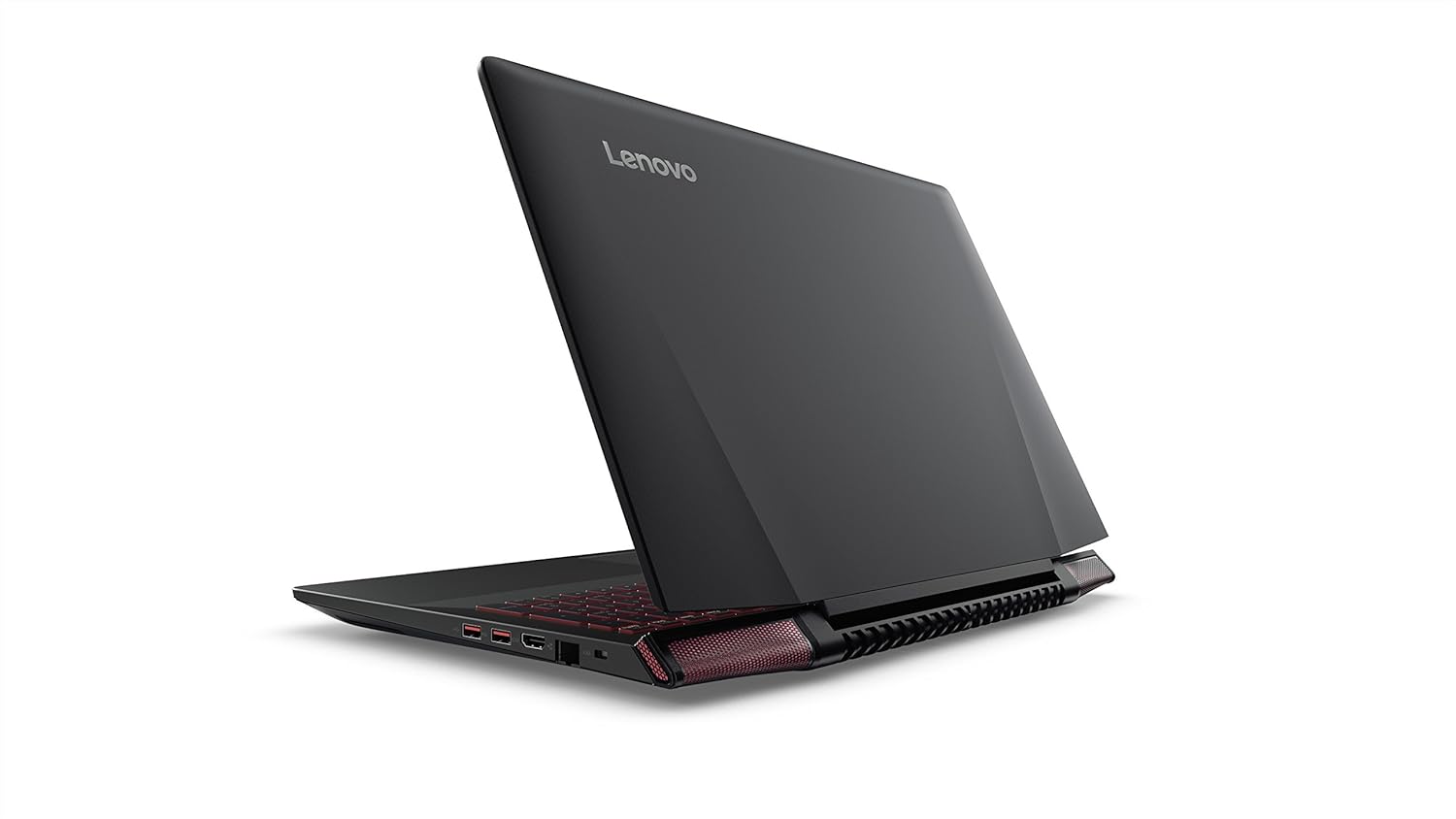
Image: Lenovo Y700 Gaming Laptop, showcasing its sleek black design with red accents on the keyboard and speaker grilles. The laptop is open, revealing the screen and keyboard.
Hvad er der i æsken
- Notesbog
- Strømledning
- AC Adapter
- Manual (dette dokument)
- Eksternt DVD-drev
Opsætning
Initial Unboxing and Inspection
Carefully remove all components from the packaging. Inspect the laptop and accessories for any signs of damage. Retain the original packaging for future transport or service needs.
Video: Unboxing the Lenovo Y700 laptop. This video demonstrates the careful process of opening the product packaging and revealing the laptop and its accessories.
Tilslutning af strøm
- Tilslut AC-adapteren til netledningen.
- Sæt netledningen i en jordet stikkontakt.
- Connect the AC adapter's output plug to the power input port on the laptop.
Første opstart og Windows-opsætning
- Tryk på tænd/sluk-knappen for at tænde for den bærbare computer.
- Følg instruktionerne på skærmen for at fuldføre den første opsætning af Windows 10, inklusive sprog, region, netværksforbindelse og oprettelse af brugerkonto.
- Ensure a stable internet connection for necessary updates during setup.
Betjening af den bærbare computer
Tastatur og touchpad
The Lenovo Y700 features a full-sized keyboard with red backlighting and a responsive touchpad. The red backlighting enhances visibility in low-light conditions and adds to the gaming aesthetic.
Video: Et nærbillede view of the Lenovo Y700's keyboard and touchpad, demonstrating the red backlighting and the tactile feel of the keys. This video highlights the input features of the laptop.
Lydfunktioner
Experience rich audio with integrated JBL speakers and a dedicated subwoofer. The subwoofer is located on the underside of the laptop, providing enhanced bass for an immersive gaming and multimedia experience.
Video: This video showcases the JBL speakers and the subwoofer on the Lenovo Y700, emphasizing their placement and design for optimal audio output.
Tilslutning af eksterne enheder
Den bærbare computer er udstyret med forskellige porte til tilslutning af eksterne enheder:
- USB 3.0-porte (2): Til højhastigheds dataoverførsel med kompatible enheder.
- USB 2.0-port (1): Til standard USB-enheder.
- HDMI-port: Tilslut til eksterne skærme eller tv'er.
- Lydstik: Til hovedtelefoner eller eksterne højttalere.
- Ethernet-port: Til kabelbaseret netværksforbindelse.
Opretholdelse
Rengøring af den bærbare computer
- Brug en blød, fnugfri klud til at rengøre skærmen. Undgå skrappe kemikalier.
- For the keyboard and chassis, use a slightly damp cloth. Ensure the laptop is powered off and unplugged before cleaning.
- Rengør køleventilerne regelmæssigt for at forhindre støvophobning, hvilket kan påvirke ydeevnen.
Batteripleje
- For at forlænge batteriets levetid bør du undgå at aflade batteriet helt ofte.
- Opbevar den bærbare computer et køligt og tørt sted, når den ikke er i brug i længere perioder.
Fejlfinding
Fælles problemer og løsninger
- Bærbar computer tænder ikke:
- Sørg for, at strømadapteren er korrekt tilsluttet både den bærbare computer og en fungerende stikkontakt.
- Kontroller, om strømindikatoren lyser. Hvis ikke, prøv en anden stikkontakt.
- Hvis batteriet er helt afladet, kan det tage et par minutter at oplade den bærbare computer, før den kan tændes.
- Ingen visning på skærmen:
- Sørg for, at den bærbare computer er tændt.
- Try connecting an external monitor to verify if the issue is with the laptop's display or graphics card.
- Juster skærmens lysstyrke ved hjælp af funktionstasterne (Fn + F11/F12).
- Overophedning:
- Ensure the cooling vents are not blocked.
- Brug den bærbare computer på en hård, flad overflade for at sikre korrekt luftgennemstrømning.
- Consider using a laptop cooling pad for prolonged heavy use.
- Langsom ydeevne:
- Luk unødvendige programmer, der kører i baggrunden.
- Sørg for, at Windows og drivere er opdaterede.
- Kør en diskoprydning og defragmentering (for harddiskmodeller).
For mere detaljeret fejlfinding henvises til den officielle Lenovo-support. webwebsted eller kontakt kundeservice.
Specifikationer
| Feature | Detalje |
|---|---|
| Mærke | Lenovo |
| Modelnavn | FBA_80NV0026US |
| Skærmstørrelse | 15.6 tommer |
| Skærmopløsning | 1920 x 1080 pixels (Fuld HD) |
| Processor | Intel Quad Core i7-6700HQ (2.6 GHz, up to 3.50 GHz) |
| VÆDDER | 8 GB DDR4 |
| Harddisk | 1 TB HDD (5400 RPM) |
| Grafik coprocessor | NVIDIA GeForce GTX 960M (4000 MB) |
| Operativsystem | Windows 10 |
| Trådløs type | 802.11ac |
| USB-porte | 2 x USB 3.0, 1 x USB 2.0 |
| Gennemsnitlig batterilevetid | 4 timer |
| Varens vægt | 5.72 pund |
| Produktdimensioner | 15.24 x 1.02 x 10.91 tommer |
Garanti og support
For garantioplysninger henvises til den dokumentation, der fulgte med dit køb, eller besøg den officielle Lenovo-supportside website. Lenovo provides comprehensive support for its products, including drivers, software updates, and technical assistance.
Officiel brugervejledning (PDF): Download her
For further assistance, please contact Lenovo Customer Support.
Ask a question about this manual
Ask about setup, troubleshooting, compatibility, parts, safety, or missing instructions. Manuals+ will review the question and use this page’s manual context to help answer it.