
1. Introduktion
This manual provides essential information for the safe and efficient operation of your McGrey DJ-1022 Passive PA DJ Speakers. Please read it thoroughly before use and retain it for future reference. These speakers are designed for sound reinforcement applications, offering a robust and clear audio experience.
2. Sikkerhedsinstruktioner
- Read all instructions carefully before operating the speakers.
- Opbevar denne vejledning et sikkert sted til fremtidig reference.
- Udsæt ikke højttalerne for regn, fugt eller ekstreme temperaturer.
- Ensure adequate ventilation around the speakers to prevent overheating.
- Connect the speakers only to compatible amplifiers with appropriate power ratings and impedance.
- Avoid operating the speakers at excessive volume levels for prolonged periods to prevent hearing damage and speaker damage.
- Forsøg ikke selv at servicere højttalerne. Overlad al service til kvalificeret personale.
- Position speakers securely to prevent them from falling, especially when using pole mounts.
3. Pakkens indhold
Pakken skal indeholde følgende varer:
- 2 x McGrey DJ-1022 Passive PA DJ Speakers
- Brugervejledning (dette dokument)
Inspect the package upon receipt to ensure all components are present and undamaged. Contact your retailer immediately if any items are missing or damaged.
4. Opsætning
4.1 Højttalerplacering
Place the speakers on a stable, level surface or mount them on suitable speaker stands using the integrated pole mount. Ensure the speakers are positioned to provide optimal sound coverage for your intended audience.

Billede: Bund view of the speaker, highlighting the integrated pole mount socket for stand placement.
4.2 Forbindelser
Før du foretager nogen tilslutninger, skal du sørge for din amplifier is turned off and disconnected from the power supply. Connect the speakers to your amplifier using high-quality speaker cables. The McGrey DJ-1022 speakers feature a versatile connection panel.

Billede: Detaljeret view of the speaker's rear connection panel, showing two Speakon compatible connectors and two binding post terminals for amplifier tilslutning.
- Speakon Compatible Connectors: Use these for secure and reliable connections with amplifiers equipped with Speakon outputs. You can use one for input and the other for daisy-chaining to another speaker if your amplifier understøtter det.
- Binding Post Terminals: These allow connection using bare wire, banana plugs, or spade connectors. Ensure correct polarity (+ to + and - to -) when connecting.
Always ensure a secure connection to prevent signal loss or damage to your equipment.
5. Betjeningsvejledning
5.1 Tænd/sluk
- Ensure all connections between the speakers and the amplifier are secure before powering on.
- Turn on your audio source (e.g., mixer, media player).
- Tænd for din amplifer. Start med amplydstyrken er på den laveste indstilling.
- When powering off, first turn down the amplifier volume, then turn off the amplifier, and finally turn off your audio source.
5.2 Lydstyrkekontrol
Øg gradvist ampIndstil lydstyrken til det ønskede lytteniveau. Undgå at trykke på amplifier or speakers into distortion, as this can cause damage.
5.3 Impedanstilpasning
The McGrey DJ-1022 speakers have an impedance of 8 Ohms. Ensure your amplifier is rated to safely drive an 8 Ohm load. Mismatching impedance can lead to amplifier overheating or speaker damage.
6. Vedligeholdelse
6.1 Rengøring
Wipe the speaker cabinets with a dry, soft cloth. Do not use liquid cleaners, solvents, or abrasive materials, as these can damage the felt surface or other components.
6.2 Opbevaring
When not in use, store the speakers in a dry, cool environment, away from direct sunlight and extreme temperature fluctuations.
6.3 Eftersyn
Periodically inspect speaker cables and connectors for any signs of wear or damage. Replace damaged cables immediately.
7. Fejlfinding
| Problem | Mulig årsag | Løsning |
|---|---|---|
| Ingen lyd fra højttalerne |
|
|
| Forvrænget lyd |
|
|
| Lav lydstyrke |
|
|
8. Specifikationer
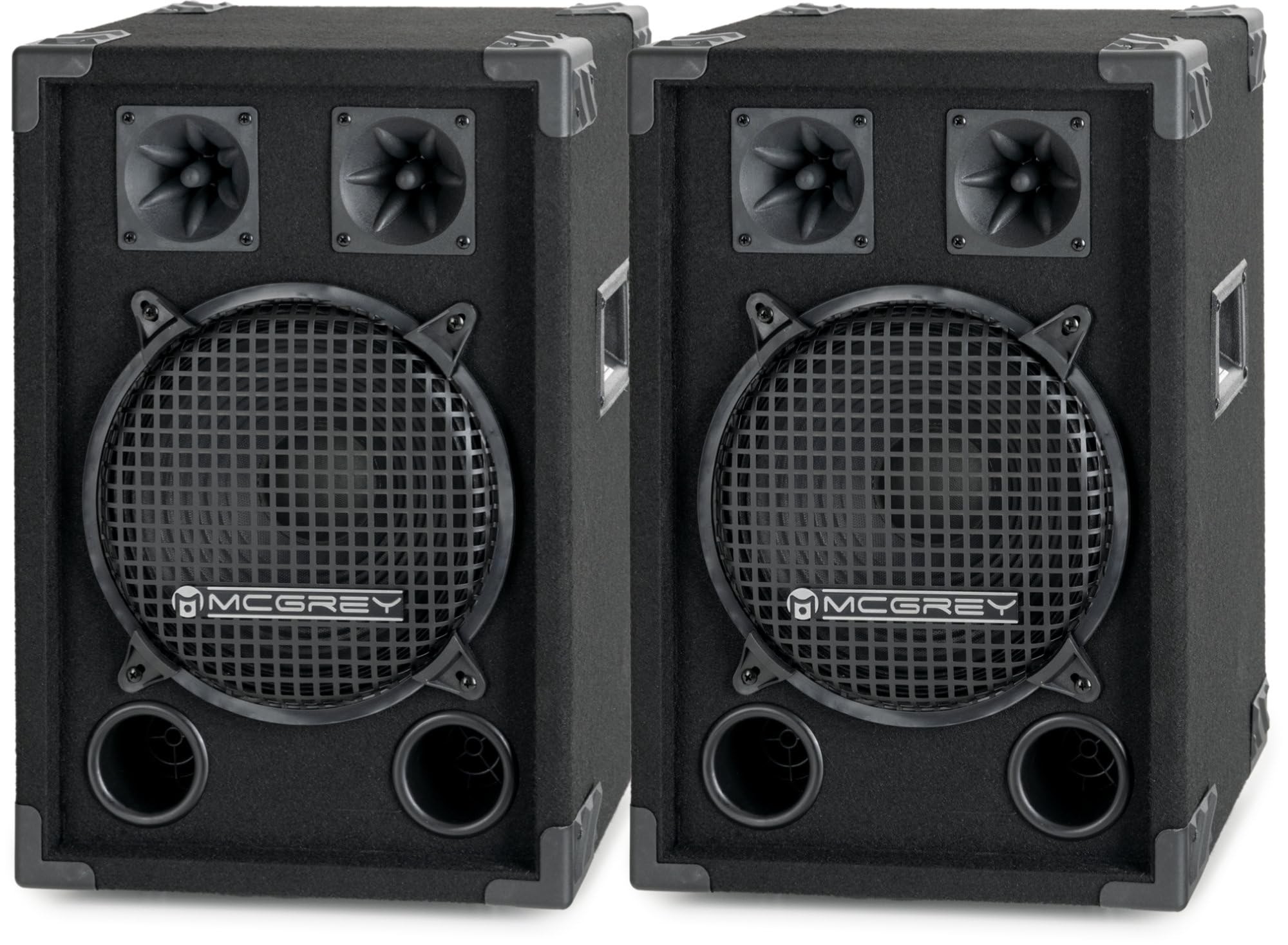
Billede: En samlet view of the McGrey DJ-1022 speaker, showcasing its robust design and components.
- Højttalertype: 2-way passive PA DJ speaker
- subwoofer: 10-tommer (25 cm)
- Tweetere: Two piezo tweeters
- RMS effekt: 200W
- Maks effekt: 400W
- Impedans: 8 Ohm
- Følsomhed: 90dB (+/-2dB)
- Frekvensrespons: 55Hz - 18kHz
- Dimensioner (H x B x D): 49 x 33 x 30 cm
- Vægt: 6.2 kg pr højttaler
- Skabsmateriale: Robust wood with felt surface
- Beskyttelse: Metal grille for subwoofer, protective corners
- Håndtag: Integrated side handles for transport
- Tilslutningspanel: Two Speakon compatible inputs/outputs, two binding post terminals
- Montering: Integrated pole mount socket
9. Garanti og support
The McGrey DJ-1022 speakers come with a limited warranty. For specific details regarding warranty coverage, duration, and terms, please refer to the warranty card included with your product or contact your point of purchase.
For technical support, troubleshooting assistance, or warranty claims, please contact your retailer or the manufacturer, McGrey, directly. Have your product model number (DJ-1022) and proof of purchase ready when contacting support.