
1. Introduktion
The TP-Link TL-R480T+ Load Balance Broadband Router is a robust networking device designed for small and medium businesses. It features 5 ports, with up to 4 configurable WAN ports, allowing for multiple internet connections to be utilized simultaneously. This router enhances network reliability and bandwidth through its intelligent load balancing capabilities, ensuring optimal performance for various network demands.
Nøglefunktioner:
- Multi-WAN Ports: Up to 4 configurable WAN/LAN ports for flexible internet connectivity.
- Load Balance: Automatically distributes data streams according to the bandwidth proportion of each WAN port, maximizing multi-line broadband utilization.
- Advanced Firewall: Provides robust security against external threats.
- Bandwidth Control: Manages bandwidth allocation for specific users or applications.
- Port Mirroring: Allows network traffic to be monitored.
- DDNS, UPnP, VPN Pass-through: Supports various network protocols for enhanced functionality.
2. Pakkens indhold
Please verify that all items listed below are included in your package. If any item is missing or damaged, please contact your retailer or TP-Link support.
- TL-R480T+ Load Balance Broadband Router
- Strømledning
- RJ-45 Ethernet-kabel
- Installationsvejledning
- Ressource CD
3. Opsætningsvejledning
3.1 Hardwareinstallation
Follow these steps to connect your TL-R480T+ router:
- Sluk: Afbryd strømmen til dit modem og eventuelle eksisterende routere.
- WAN-forbindelse: Connect your modem's Ethernet cable to the WAN port (Port 1) on the TL-R480T+. If you have multiple internet connections, connect additional modems to the WAN/LAN ports (Ports 2-4) configured as WAN.
- Tilslut LAN: Connect your computer or a network switch to any of the LAN ports (Port 5, or Ports 2-4 if configured as LAN) using an Ethernet cable.
- Tænd: Connect the power adapter to the router and plug it into a power outlet. Power on your modem first, then the router.

Figure 3.1: Front panel of the TL-R480T+ router, illustrating the WAN, WAN/LAN, and LAN ports, along with LED indicators.
3.2 Indledende konfiguration
For at få adgang til routerens web-baseret administrationsgrænseflade:
- Sørg for, at din computer er tilsluttet en LAN-port på routeren.
- Åbn a web browser (f.eks. Chrome, Firefox, Edge).
- Indtast standard-IP-adressen i adresselinjen: 192.168.0.1 og tryk på Enter.
- Et loginvindue vises. Standardbrugernavnet og -adgangskoden er begge admin (alle små bogstaver).
- Follow the on-screen Quick Setup Guide to configure your WAN connections and basic network settings. It is highly recommended to change the default login credentials for security.
4. Betjeningsvejledning
4.1 Load Balance Functionality
The TL-R480T+ intelligently distributes internet traffic across multiple WAN connections to optimize bandwidth usage and provide redundancy. You can configure load balancing policies through the web interface under the 'Load Balance' section. Options typically include:
- Link Backup: Designate a primary WAN and a backup WAN. If the primary fails, traffic automatically switches to the backup.
- Policy Routing: Define rules to route specific types of traffic or traffic from certain IP addresses through a particular WAN port.
- Bandwidth Based Balance: Distribute traffic based on the configured bandwidth of each WAN port.
4.2 WAN/LAN Port Configuration
Ports 2, 3, and 4 on the TL-R480T+ are configurable, meaning they can function as either WAN or LAN ports. This flexibility allows you to adapt the router to your specific network needs, whether you require more internet connections or more internal network ports. Configuration is performed within the router's web management interface under the 'Network' or 'WAN' settings.
4.3 Avancerede funktioner
The router offers several advanced features to enhance network management and security:
- Firewall: Configure rules to filter incoming and outgoing network traffic, protecting your network from unauthorized access and attacks.
- Port Bandwidth Control: Manage the upload and download speeds for specific IP addresses or IP ranges within your network.
- Port Mirror: Monitor network traffic by sending a copy of packets from one port to another for analysis.
- DDNS (dynamisk DNS): Giver dig adgang til dine netværksressourcer eksternt ved hjælp af et domænenavn, selvom din offentlige IP-adresse ændres.
- UPnP (Universal Plug and Play): Enables automatic discovery and configuration of network devices.
- VPN-gennemgang: Supports VPN tunnels to allow secure remote access to your network.
5. Vedligeholdelse
Regular maintenance ensures the optimal performance and longevity of your TL-R480T+ router:
- Firmwareopdateringer: Tjek regelmæssigt den officielle TP-Link-udbyder website for the latest firmware versions. Updating firmware can improve performance, add new features, and fix security vulnerabilities.
- Regelmæssig genstart: Rebooting the router every few weeks can help clear its memory and resolve minor performance issues.
- Fysisk rengøring: Keep the router in a well-ventilated area. Gently clean dust from the vents and ports using a soft, dry cloth or compressed air.
- Sikkerhedskopiering af konfiguration: Sikkerhedskopier regelmæssigt din routers konfigurationsindstillinger via web interface. This allows for quick restoration in case of a factory reset or unexpected issues.
6. Fejlfinding
If you encounter issues with your TL-R480T+ router, refer to the following common problems and solutions:
- Ingen internetadgang:
- Check all cable connections between the modem, router, and computer.
- Verify that the WAN port LEDs on the router are lit, indicating a connection.
- Reboot your modem and router in sequence (modem first, then router).
- Ensure your WAN settings in the router's web interface are correct (e.g., IP address, DNS).
- Kan ikke få adgang Web Ledelsesside:
- Ensure your computer's IP address is in the same subnet as the router (e.g., 192.168.0.x).
- Prøv at rydde din browsers cache eller brug en anden browser.
- Verify the router's IP address (default is 192.168.0.1).
- Langsom netværkshastighed:
- Check the status of your internet service provider (ISP).
- Review load balancing settings to ensure optimal distribution.
- Tjek for eventuelle båndbreddekontrolregler, der muligvis begrænser hastigheden.
- Ensure the router is in a well-ventilated area to prevent overheating.
- Glemt login-adgangskode:
- Press and hold the Reset button on the router for about 5-10 seconds until the system LED blinks rapidly. This will restore the router to factory default settings (username/password: admin/admin). Note that this will erase all your custom configurations.
7. Tekniske specifikationer
Below are the key technical specifications for the TP-Link TL-R480T+ Load Balance Broadband Router:
| Feature | Specifikation |
|---|---|
| Mærke | TP-Link |
| Modelnavn | TL-R480T |
| Varemodelnummer | FBA_TL-R480T+ |
| Trådløs type | 802.11ac (Note: This router is primarily wired, this specification might refer to internal components or compatibility) |
| Forbindelsesteknologi | Wi-Fi (Note: This router is primarily wired, this specification might refer to internal components or compatibility) |
| Operativsystemkompatibilitet | Linux, Microsoft Windows |
| Varens vægt | 3.52 pund (ca. 1.6 kg) |
| Produktdimensioner | 7.1 x 11.6 x 1.7 tommer (ca. 18 x 29.5 x 4.3 cm) |
| Farve | Sort |
| Voltage | 100 volt |
| Første ledige dato | 22. december 2011 |
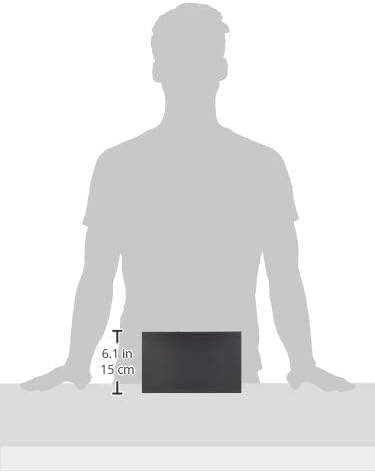
Figure 7.1: Illustrative image showing the approximate dimensions of the TL-R480T+ router.
8. Garantioplysninger
TP-Link products are backed by a limited warranty. The specific terms and duration of the warranty may vary by region and product. For detailed warranty information, including coverage, limitations, and the process for making a warranty claim, please refer to the official TP-Link webwebstedet eller garantikortet, der fulgte med dit produkt. Gem din købskvittering som købsbevis.
9. Teknisk support
For further assistance, technical support, or to download the latest drivers and firmware, please visit the official TP-Link support webwebsted. Du kan typisk finde ofte stillede spørgsmål, fejlfindingsvejledninger og kontaktoplysninger til kundeservice der.
TP-Link Officiel Webwebsted: https://www.tp-link.com/us/support/
When contacting support, please have your product model (TL-R480T+) and serial number ready.