
1. Úvod
Děkuji za nákupasing the VECHTEL 9-inch Android 15 Car Stereo. This manual provides detailed instructions for installation, operation, and troubleshooting to ensure optimal performance and a safe user experience. Please read this manual thoroughly before installation and use, and retain it for future reference.
Bezpečnostní opatření:
- Ensure the vehicle's ignition is off and the battery is disconnected before beginning installation to prevent electrical shorts and damage.
- Professional installation is recommended. If you choose to install it yourself, ensure you have the necessary tools and technical knowledge.
- Neovládejte zařízení způsobem, který by vás rozptyloval od řízení. Vždy upřednostňujte bezpečnost silničního provozu.
- Nevystavujte jednotku extrémním teplotám, delšímu přímému slunečnímu záření nebo nadměrné vlhkosti.
2. Kompatibilita s vozidly
This car stereo is designed for specific Chrysler 200 models. It is compatible with:
- Chrysler 200 (2015-2019)
- Chrysler 200C (2015-2019)
- Chrysler 200S (2015-2019)
Důležité: Před nákupemasing or installing, carefully compare your vehicle's center console and dashboard with the images provided below to confirm compatibility. If your dashboard matches Figure D, this product is not suitable.

Image: Dashboard comparison for Chrysler 200, 200C, 200S models (2015-2019). Figures A, B, C show compatible dashboards, while Figure D shows an incompatible one. Ensure your car's dashboard matches A, B, or C.
3. Obsah balení
Ověřte prosím, zda jsou ve vašem balení obsaženy všechny níže uvedené položky:
- VECHTEL 9-inch Android 15 Car Stereo Unit
- Záložní kamera
- Externí mikrofon
- GPS anténa
- USB kabel (x2)
- Napájecí kabel
- Vstupní/výstupní kabely RCA
- Vstupní kabel couvací kamery
- Rádiová anténa
- CANbus Box
- Instalační nástroj
- Uživatelská příručka (tento dokument)

Image: Visual representation of all components included in the VECHTEL car stereo package, including the main unit, cables, and accessories.
4. Nastavení a instalace
This section outlines the general steps for installing your new car stereo. Specific vehicle disassembly instructions are not included and may vary by model year. Refer to a professional installer or a vehicle-specific guide if needed.
4.1. Kroky před instalací
- Odpojit baterii: Turn off the vehicle's ignition and disconnect the negative terminal of the car battery.
- Odstraňte starou jednotku: Carefully remove the existing car radio and trim panels from your dashboard.
- Zkontrolujte kabeláž: Familiarize yourself with the vehicle's wiring harness and the provided cables.
4.2. Připojení vodičů
- Napájecí kabel: Connect the provided power cable to the car stereo and the vehicle's wiring harness. Ensure all connections are secure.
- CANbus Box: Connect the CANbus box as shown in the attached photo (if applicable). This is crucial for features like steering wheel control and air conditioning integration.
- GPS anténa: Připojte GPS anténu a namontujte ji na místo s volným view of the sky (e.g., on the dashboard, away from metal obstructions).
- USB kabely: Connect the USB cables. These can be routed to the glove compartment or center console for easy access.
- Externí mikrofon: Connect the external microphone for improved call quality and voice commands. Mount it in a suitable location (e.g., near the rearview mirror or on the A-pillar).
- Záložní kamera: Connect the backup camera cable to the designated input on the stereo. Route the camera cable to the rear of the vehicle and install the camera.
- Anténa rádia: Connect the vehicle's radio antenna to the stereo.
- RCA kabely: Connect any additional RCA input/output cables for external amplifiers, subwoofers, or video sources as needed.
4.3. Kontroly po instalaci
- Znovu připojte baterii: Znovu připojte záporný pól autobaterie.
- Test funkčnosti: Turn on the ignition and test all functions of the car stereo (power, audio, touch screen, radio, GPS, Bluetooth, etc.) before reassembling the dashboard.
- Ovládání klimatizace: If the air conditioning control does not work after installation, ensure the power cable and CANbus box are correctly connected. Enter the Car Info app, then Factory Setup (password: 1234), navigate to CAN Setting, select 'Raise', and choose the corresponding model and year of your car.
- Zabezpečená jednotka: Once all functions are verified, securely mount the car stereo and reassemble all trim panels.
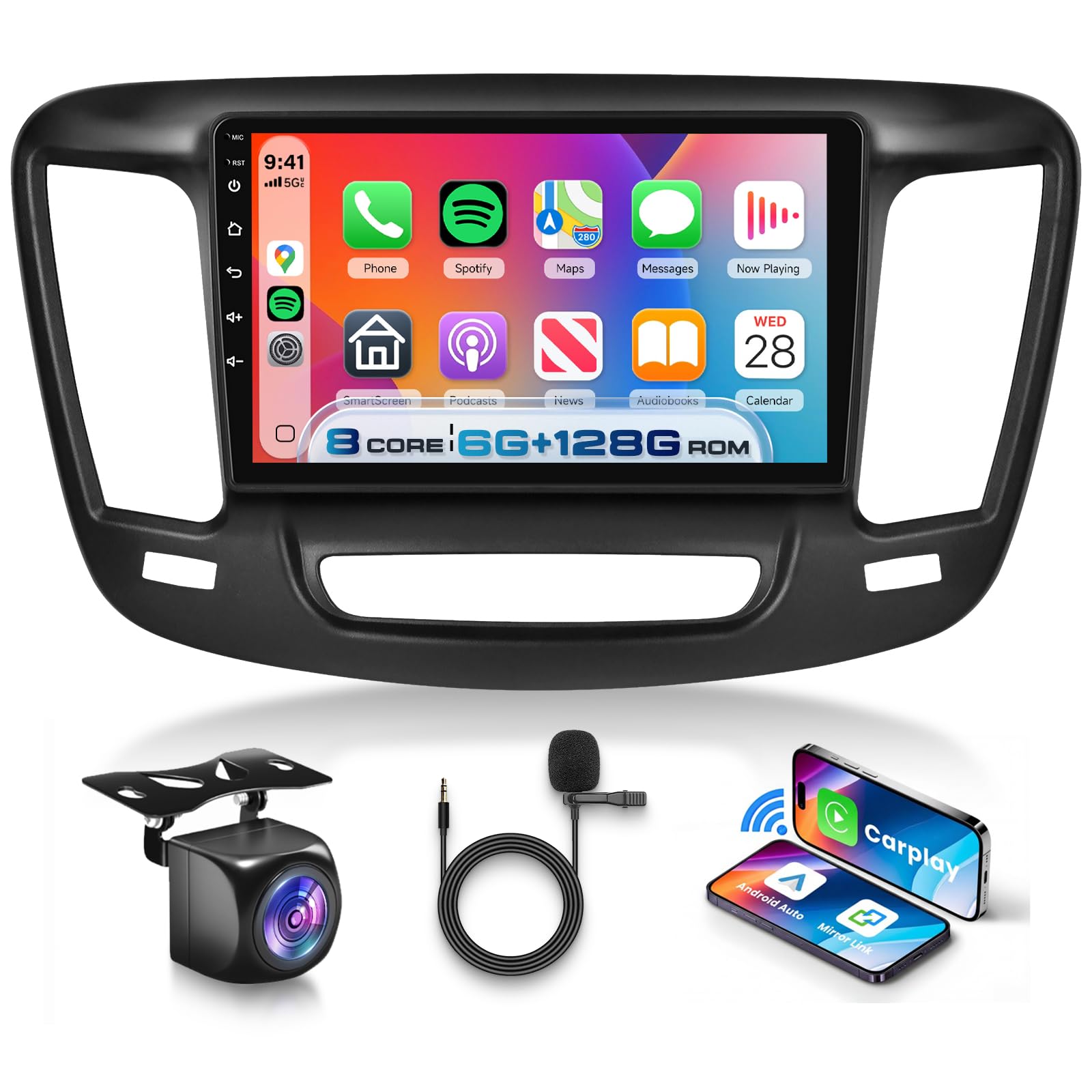
Image: Comparison of a Chrysler 200 dashboard before and after the installation of the VECHTEL 9-inch Android 15 Car Stereo, showing the integrated appearance.
5. Návod k obsluze
This section details the operation of the VECHTEL Android 15 Car Stereo and its various features.
5.1. Android 15 Operating System & Performance
The unit runs on the latest Android 15 operating system, powered by an 8-core CPU, 6GB RAM, and 128GB ROM. This configuration ensures fast processing and smooth operation for all applications.
- 5G WiFi & Hotspot: Connect to 5G WiFi networks or use your phone's hotspot to access online content, download apps, and browse the internet.
- Obchod Google Play: Download and install your favorite apps like Waze, Spotify, YouTube, and Facebook directly from the Google Play Store.

Image: Illustrates the 8-core processor, 6GB RAM, and 128GB ROM, highlighting the high-performance specifications of the Android 15 car stereo.
5.2. Bezdrátové CarPlay a Android Auto
Enjoy seamless integration with your smartphone using wireless or wired CarPlay and Android Auto. This feature provides instant access to navigation, calls, messages, and music.
- Spojení: Connect your iPhone via Wireless CarPlay or Android phone via Wireless Android Auto. Follow the on-screen prompts for initial setup.
- Hlasové ovládání: Utilize Siri (for CarPlay) or Google Assistant (for Android Auto) for hands-free control of navigation, calls, and music.

Image: Displays the user interface for Wireless CarPlay and Android Auto, showing various apps like Spotify, YouTube Music, and navigation.

Image: Illustrates the voice control functionality, showing a user interacting with Siri or Google Assistant for tasks like playing music or making calls.
5.3. GPS navigace
The unit supports both online and offline navigation. The included GPS antenna ensures accurate positioning.
- Online mapy: Use pre-installed map applications or download others from the Play Store (e.g., Google Maps, Waze) with an internet connection.
- Offline mapy: Download map data for offline use, allowing navigation without an internet connection.

Image: Shows the GPS navigation interface with both offline and online map options, alongside the 5G WiFi connectivity icon.
5.4. Bluetooth 5.0
Připojte svůj smartphone přes Bluetooth 5.0 pro handsfree volání a streamování hudby.
- Párování: Enable Bluetooth on your phone and search for the car stereo. Select the device and confirm the pairing code.
- Hands-free volání: Volejte a přijímejte hovory přímo z obrazovky stereo systému.
- Streamování zvuku: Přehrávejte hudbu z telefonu přes reproduktory v autě.
5.5. Rádio FM/RDS
Získejte přístup k svým oblíbeným rozhlasovým stanicím díky vestavěnému FM/RDS tuneru.
- Automatické skenování: Pro vyhledání a uložení dostupných stanic použijte funkci automatického skenování.
- Funkce RDS: Receive station information, song titles, and traffic announcements where available.

Image: Displays the Bluetooth 5.0 interface for calls and music, along with the FM/RDS radio tuner showing frequency selection and station presets.
5.6. DSP with 32-Band EQ
Customize your audio experience with the Digital Sound Processor (DSP) and 32-band equalizer.
- Ekvalizér: Adjust audio frequencies to match your preferences or vehicle acoustics.
- Výstup subwooferu: Pro vylepšené basy připojte externí subwoofer.

Image: Shows the DSP interface with a 32-band graphic equalizer, allowing fine-tuning of audio output for various sound profiles.
5.7. Zrcadlový odkaz
Zrcadlete obrazovku svého smartphonu přímo na displej autorádia.
- Spojení: Use the 'CarbitLink' app or similar functionality to connect your Android or iOS device.
- Zobrazit: View your phone's apps, videos, and content on the larger car stereo screen.

Image: Depicts the Mirror Link function, showing a smartphone screen being mirrored onto the car stereo display, compatible with both Android and iOS systems.
5.8. Ovládání na volantu (SWC)
Control essential functions of the car stereo using your vehicle's existing steering wheel buttons for convenience and safety.
- Konfigurace: Access the SWC settings in the stereo's menu to map your steering wheel buttons to specific functions (e.g., volume up/down, track skip, mode change).
5.9. HD zadní kamera
The included waterproof night vision backup camera provides clear reversing images, assisting with parking and enhancing safety.
- Automatické zobrazení: Zadní kamera view will automatically display on the screen when the vehicle is shifted into reverse gear.
- Static Trackline: If the reverse trackline is not displayed, navigate to the Car Info app > About > Custom Set, and enable 'Show static trackline'.

Image: Shows the backup camera view with parking guidelines and an illustration of steering wheel controls for safe and convenient operation.
5.10. IPS HD Touch Screen & UI
The 9-inch IPS HD touchscreen features a 1280x720 ultra-high resolution, offering clear visuals and a wide viewúhel.
- Displej s rozdělenou obrazovkou: Use two applications simultaneously on the screen, such as navigation and music playback.
- Customizable UI Themes: Choose from 59 different UI themes to personalize the look and feel of your stereo interface.
- Správa aplikací: Customize your home screen by deleting or rearranging app icons.

Image: Highlights the features of the IPS HD screen, including 1280x720 resolution, 178-degree wide viewing angle, 2.5D curved glass, and split-screen capability.

Image: Showcases the variety of 59 UI themes available, allowing users to customize the visual appearance of their car stereo interface.

Image: Demonstrates the screen partitioning feature, allowing two applications (e.g., FM Radio and Music, or Navigation and other apps) to be displayed simultaneously.
6. Řešení problémů
Tato část se zabývá běžnými problémy, se kterými se můžete setkat, a nabízí řešení.
| Problém | Možná příčina / řešení |
|---|---|
| Air conditioning control does not work. | Check if the power cable and CANbus box are well connected. Enter the Car Info app > Factory Setup (password: 1234) > CAN Setting > Raise, then choose the corresponding model and year of your car. |
| Reverse trackline is not displayed. | Enter the Car Info app > About > Custom Set, then turn on 'Show static trackline'. |
| Jednotka není napájena. | Check all power connections, including the main power harness and fuse. Ensure the vehicle battery is properly connected. |
| Žádný zvuk. | Check speaker connections. Ensure volume is not muted or set to zero. Verify DSP settings. |
| Signál GPS je slabý nebo nepřesný. | Ujistěte se, že je anténa GPS správně připojena a namontována na místě s volným view oblohy, dál od kovových překážek. |
| Zařízení Bluetooth se nemůže připojit. | Ensure Bluetooth is enabled on both the stereo and your device. Try restarting both devices and re-pairing. |
7. Specifikace
| Funkce | Detail |
|---|---|
| Značka | VECHTEL |
| Číslo modelu | A8026A3476NA59 |
| Operační systém | Android 15 |
| CPU | 8 jádro |
| BERAN | 6 GB |
| ROM | 128 GB |
| Velikost obrazovky | 9 palce |
| Typ zobrazení | Dotykový displej IPS HD |
| Rezoluce | 1280 x 720 |
| Konektivita | 5G Wi-Fi, Bluetooth 5.0, USB |
| Speciální funkce | Wireless CarPlay, Wireless Android Auto, GPS Navigation, DSP (32-band EQ), Mirror Link, Steering Wheel Control, Backup Camera Support |
| Režim zvukového výstupu | Stereo |
| Zahrnuté komponenty | Backup Camera, External Microphone, GPS Antenna, USB Cables, User Manual, Power Cable, RCA Cables, Radio Antenna, CANbus Box, Installation Tool |
8. Záruka a podpora
Informace o záruce:
This VECHTEL car stereo comes with a 2-letá záruka od data nákupu, která se vztahuje na výrobní vady a poruchy při běžném používání. Uschovejte si prosím doklad o koupi pro případné reklamace.
Zákaznická podpora:
If you encounter any issues, have questions about installation, or require technical assistance, please contact the VECHTEL customer support team. You can typically find contact information on the product packaging or by visiting the VECHTEL store page on Amazon (click 'VECHTEL' and then 'Ask a question').
When contacting support, please provide your product model number (A8026A3476NA59) and a detailed description of the issue.