
1. Úvod
This manual provides essential information for setting up, operating, and maintaining your Samsung Galaxy S26 Ultra 5G smartphone. Please read this manual carefully to ensure proper use and to maximize the device's capabilities.
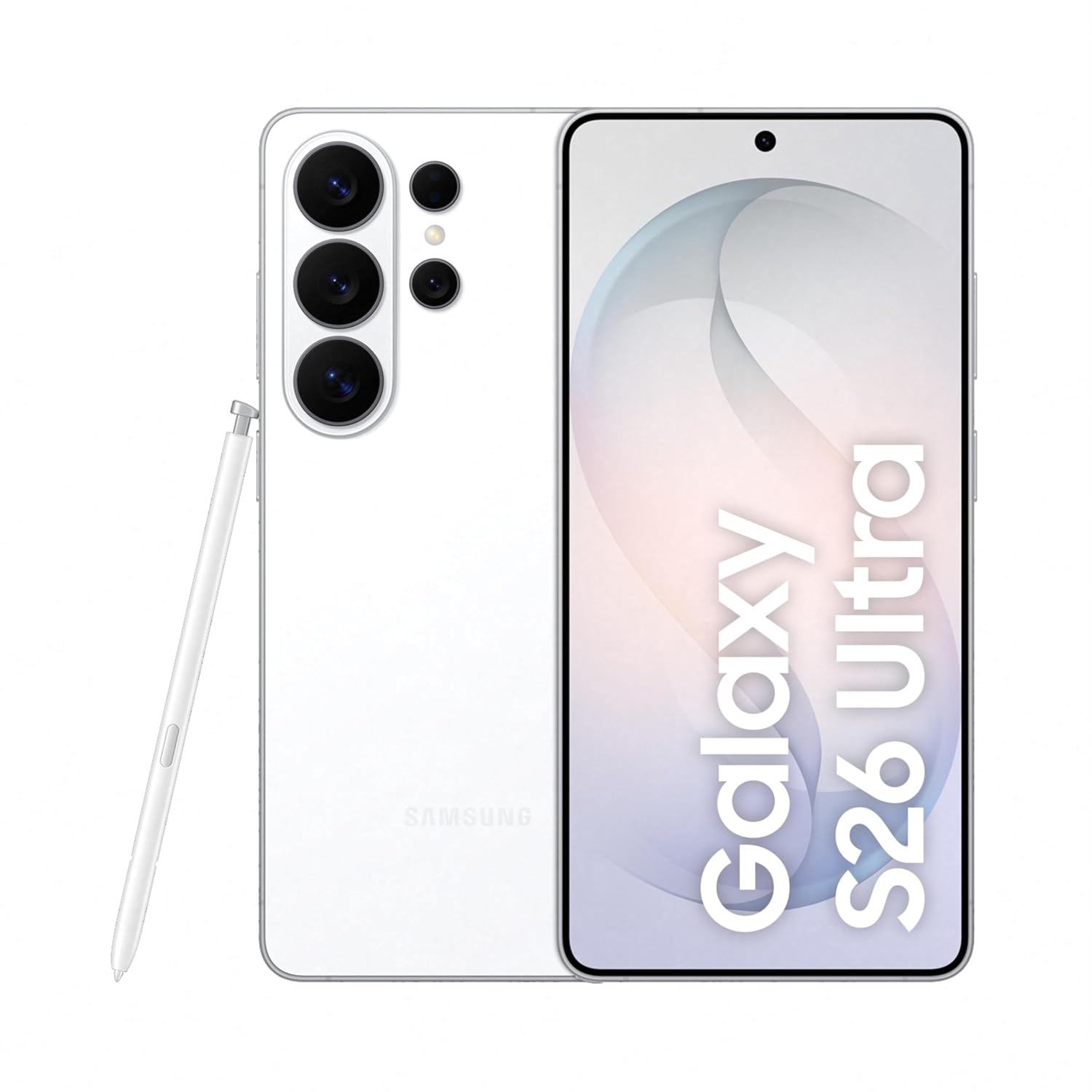
Figure 1: Samsung Galaxy S26 Ultra 5G in White with S Pen.
2. Nastavení
2.1 Co je v krabici
Ověřte, zda balení vašeho produktu obsahuje následující položky:
- Chytrý telefon Samsung Galaxy S26 Ultra 5G
- Data Cable (Type C to C)
- Kolík pro vysunutí SIM karty
- Rychlý průvodce
- S Pen

Obrázek 2: Obsah balení produktu.
2.2 Vložení SIM karty
- Vyhledejte držák SIM karty na boku zařízení.
- Vložte kolík pro vysunutí SIM karty do malého otvoru vedle zásobníku, abyste jej otevřeli.
- Vložte kartu (karty) Nano-SIM do slotu zlatými kontakty směrem dolů. Toto zařízení podporuje dvě SIM karty.
- Jemně zatlačte zásobník zpět do slotu, dokud nezacvakne na místo.
2.3 Počáteční zapnutí a nastavení
Press and hold the Power button until the Samsung logo appears. Follow the on-screen instructions to complete the initial setup, including language selection, Wi-Fi connection, Google account login, and security settings.
3. Obsluha vašeho zařízení
3.1 Privacy Display
The Galaxy S26 Ultra features a built-in Privacy Display, designed to protect your screen content from prying eyes in public places. When activated, the screen's pixels dynamically adjust to limit the viewing angle, making the display visible only when viewed straight on, while appearing dimmed from the sides.
- Aktivace: Customize settings to activate Privacy Display for specific apps or notifications.
- Přizpůsobení: Adjust the level of privacy and viewing angles in the display settings.

Figure 3: Privacy Display in action, showing restricted viewing from the side.
3.2 Funkce umělé inteligence
Experience enhanced functionality with the integrated Galaxy AI features:
- Fotoasistent: Utilize AI to easily edit your photos with simple prompts, enhancing clarity and details.
- Kreativní studio: Generate personalized stickers from your photos with a simple tap.
- Now Nudge: Receive intelligent, real-time suggestions based on your screen content, simplifying tasks.
- Nálezce: Quickly search for information on your device, including flight details or notes, directly from the home screen.

Figure 4: Photo Assist feature for image editing.

Figure 5: Generating stickers using Creative Studio.
3.3 Kamerový systém
The Galaxy S26 Ultra features an advanced camera system for high-quality photography and videography:
- 200MP High Resolution Camera: Capture bright and detailed photos and videos, even in challenging lighting conditions, with enhanced noise reduction.
- Noční fotografie: Optimized for low-light environments, ensuring clear and vibrant night shots.
- Space Zoom: Utilize 100x AI-powered Space Zoom for capturing distant subjects with clarity.
- ProVisual Engine: Enhances image processing for improved color depth and clarity.

Obrázek 6: Přesview of the Galaxy S26 Ultra camera system.
3.4 Rychlé sdílení
Quick Share allows for easy and fast sharing of files with other Galaxy devices and compatible Android and Apple devices. Access Quick Share from the share panel to send photos, videos, and documents wirelessly.
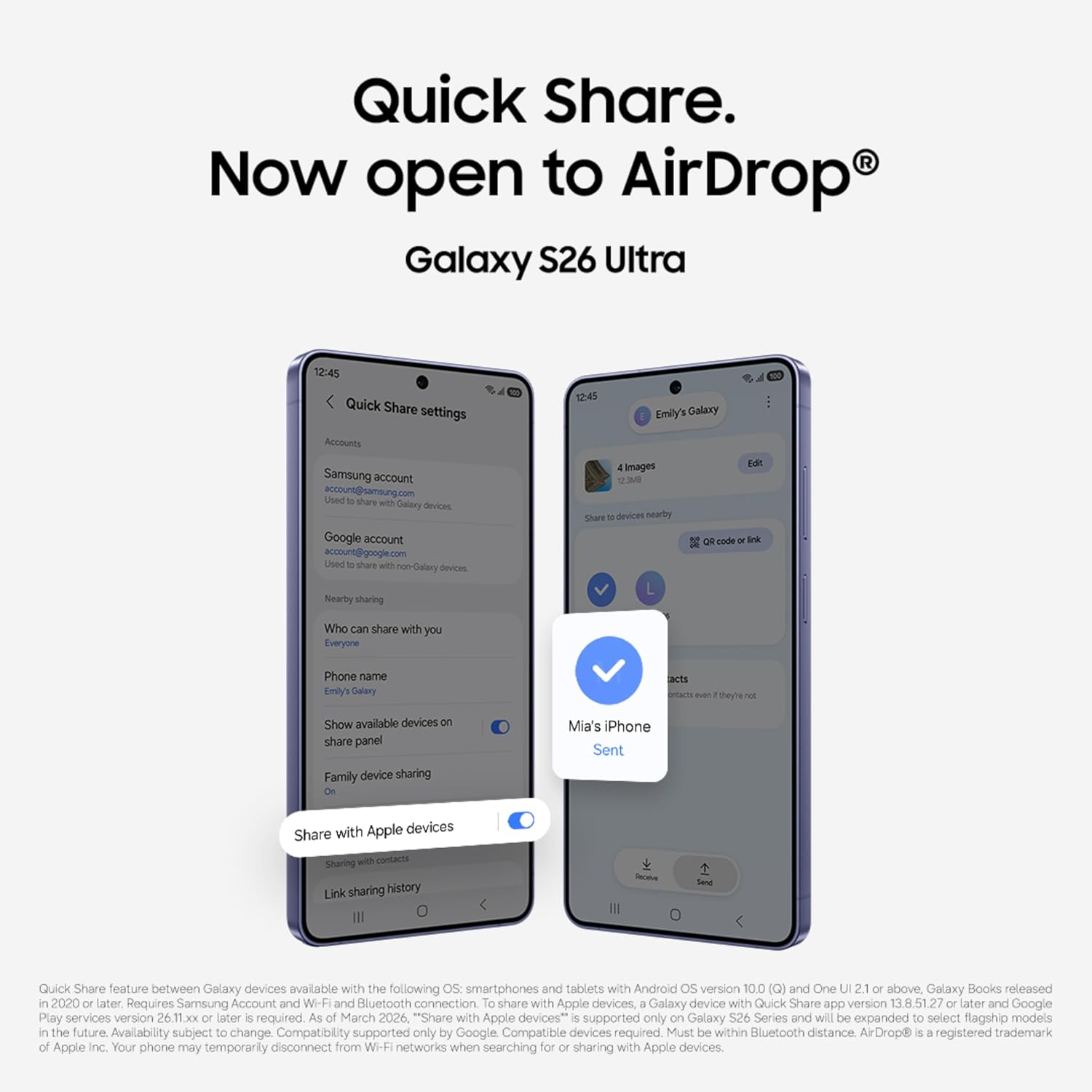
Figure 7: Quick Share interface for sharing files.
3.5 Výkon
The Galaxy S26 Ultra is powered by the Snapdragon 8 Elite Gen 5 processor, customized for Galaxy devices, ensuring smooth performance for demanding applications and games. A newly designed Vapor Chamber efficiently dissipates heat, maintaining optimal performance during extended use.

Figure 8: Customized processor architecture for enhanced performance.
4. Údržba
4.1 Nabíjení
The Galaxy S26 Ultra supports Super Fast Charging 3.0 (up to 60W) and Super Fast Wireless Charging (up to 25W). Use only Samsung-approved chargers and cables to prevent damage to your device.
- A typical charge can reach up to 75% in approximately 30 minutes with a compatible 60W charger.
- The 5000mAh battery provides up to 31 hours of video playback on a full charge.

Figure 9: Super Fast Charging capability.
4.2 Voděodolnost
Your Galaxy S26 Ultra is water resistant. However, avoid exposing the device to high-pressure water, water at high temperatures, or submersion beyond recommended depths and durations. Always ensure the SIM tray is properly closed to maintain water resistance.
4.3 Čištění vašeho zařízení
Zařízení jemně otřete měkkým hadříkem, který nepouští vlákna. Nepoužívejte agresivní chemikálie ani abrazivní materiály, které by mohly poškodit obrazovku nebo povrchovou úpravu.
5. Řešení problémů
Pokud se se zařízením setkáte s problémy, vyzkoušejte následující základní kroky pro řešení potíží:
- Restartujte zařízení: Jednoduchý restart může vyřešit mnoho drobných softwarových závad.
- Zkontrolujte aktualizace softwaru: Ujistěte se, že vaše zařízení používá nejnovější verzi softwaru. Přejděte na Nastavení > Aktualizace softwaru.
- Vymazat mezipaměť aplikace: If a specific app is causing issues, try clearing its cache in Nastavení > Aplikace > [Název aplikace] > Úložiště > Vymazat mezipaměť.
- Obnovení továrního nastavení: As a last resort, you may perform a factory data reset. Varování: Tímto se smažou všechna data v zařízení. Před pokračováním si zálohujte důležitá data.
V případě složitějších problémů se obraťte na oficiální podporu společnosti Samsung. webnebo kontaktujte zákaznický servis.
6. Specifikace
| Funkce | Specifikace |
|---|---|
| Značka | Samsung |
| Model | Galaxy S26 Ultra |
| Operační systém | Android 16 |
| BERAN | 12 GB |
| Interní úložiště | 256 GB |
| Model CPU | Snapdragon 8 Elite 5. generace |
| Rychlost CPU | 4.74 GHz |
| Barva | Bílý |
| Počet slotů pro SIM karty | Duální SIM |
| Typ konektoru | USB typ C |
| Biometrické zabezpečení | Rozpoznávání otisků prstů |
| Human Interface Types | Dotyková obrazovka s podporou stylusu |
| Úroveň odolnosti proti vodě | Vodě odolný |
| Vlastnosti produktu | Always On Display, Built-In GPS, Fast Charging Support, Stereo Speakers, Water Resistant |
| Rozlišení předního fotoaparátu | 12 MP |
| Rozlišení zadní kamery | 10 MP, 200 MP, 50 MP, 50 MP (Quad Camera) |
| Kapacita baterie | 5000 miliamp hodiny |
| Hmotnost položky | 214 gramů |
| Rozměry položky | 8 x 78 x 164 milimetrů |
| Velikost obrazovky | 6.9 palce |
| Rezoluce | 3120 x 1440 |
| Obnovovací frekvence | 120 Hz |
| Typ zobrazení | AMOLED |
| Buněčná technologie | 5G |
| Rozlišení záznamu videa | 4K, 8K |
7. Záruka a podpora
7.1 Informace o záruce
Your Samsung Galaxy S26 Ultra 5G comes with a 1 roky záruka výrobce for the device and Záruka 6 měsíců for in-box accessories from the date of purchase.
7.2 Security and Software
The device is protected by Samsung Knox security, offering defense-grade multi-layered protection for your data. The user interface is powered by Jedno uživatelské rozhraní 8.5, providing a personalized and intuitive experience.

Figure 10: Samsung Knox security logo, representing device protection.
7.3 Zákaznická podpora
For further assistance, technical support, or warranty claims, please contact Samsung customer service:
- Výrobce: Samsung India Electronics Pvt ltd
- Adresa: 6. patro, DLF Centre, Sansad Marg, Nové Dillí - 110001, Indie
- E-mail: support.india@samsung.com