
Zavedení
This manual provides essential information for setting up, operating, maintaining, and troubleshooting your Amazon Echo Dot Max stereo pair. Please read these instructions carefully to ensure optimal performance and safe use of your devices.

The Echo Dot Max stereo pair in Amethyst color, designed for immersive audio experiences.
Nastavení
Co je zahrnuto
- Two (2) Echo Dot Max (2025 release) devices
- Two (2) Power adapters (22W)
- Průvodce rychlým startem
Počáteční nastavení
- Plug In Your Devices: Connect each Echo Dot Max to a power outlet using the provided power adapters. The light ring on the device will turn blue, then orange, indicating it is ready for setup.
- Stáhněte si aplikaci Alexa: On your mobile device, download the latest version of the Amazon Alexa app from your app store. The Alexa app is compatible with Fire OS, Android, and iOS devices.
- Připojení k Wi-Fi: Open the Alexa app and follow the on-screen instructions to connect your Echo Dot Max devices to your Wi-Fi network. Amazon Wi-Fi simple setup is supported for easy connection.
- Enable Alexa+ Early Access: During setup, you will have the option to upgrade to Alexa+ Early Access for a smarter, more proactive AI assistant.

Experience the enhanced intelligence of Alexa+ with your Echo Dot Max.
Stereo párování
To enjoy richer, room-filling sound, you can pair your two Echo Dot Max devices as a stereo pair:
- Ensure both Echo Dot Max devices are set up and connected to the same Wi-Fi network.
- Otevřete aplikaci Alexa.
- Přejít na Zařízení > Echo a Alexa.
- Select one of your Echo Dot Max devices.
- Klepněte na Nastavení icon (gear symbol).
- Pod Nastavení zvuku, vyberte Stereo Pair / Subwoofer.
- Follow the on-screen prompts to select the second Echo Dot Max and designate left and right channels.
Ovládání zařízení Echo Dot Max
Hlasové ovládání pomocí Alexa
Your Echo Dot Max is primarily controlled by voice. Simply say the wake word, "Alexa," followed by your command or question. Alexa+ offers a more natural and conversational experience.
- Přehrávání hudby: "Alexa, play jazz music." "Alexa, play my Spotify playlist."
- Informace: "Alexa, what's the weather today?" "Alexa, tell me a joke."
- Reminders & Alarms: "Alexa, set a timer for 10 minutes." "Alexa, remind me to call John at 3 PM."
- Ovládání chytré domácnosti: "Alexa, turn on the living room lights." (Requires compatible smart home devices)

The Echo Dot Max delivers room-filling sound from a compact design, integrating a smart home hub for convenience.
Smart Home Control
The Echo Dot Max features a built-in smart home hub (Zigbee, Matter, Thread Border Router), allowing you to control compatible smart lights, locks, and other devices directly with Alexa, without needing a separate hub.

The Echo Dot Max features a built-in smart home hub, allowing control of various smart devices.
Device Pairing and Home Theater
Beyond stereo pairing, you can connect compatible Echo devices in different rooms for multi-room audio. You can also pair your Echo Dot Max with compatible Fire TV devices to create an immersive home theater system.
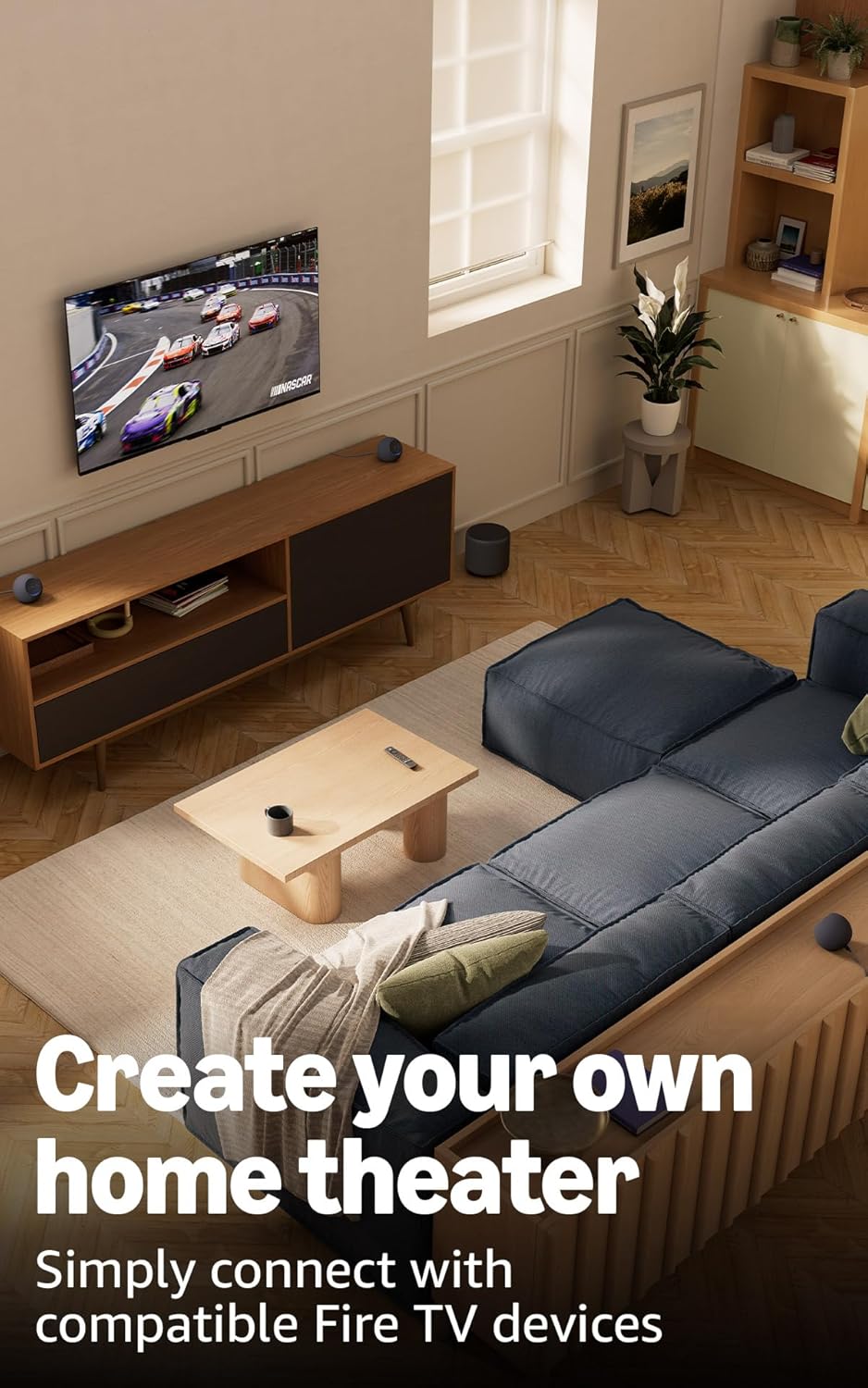
Easily create a home theater system by pairing your Echo Dot Max speakers with compatible Fire TV devices.
Funkce ochrany osobních údajů
Your Echo Dot Max is designed with multiple layers of privacy controls. You can physically disable the microphones by pressing the microphone enable/disable button located on the top of the device. The light ring will turn red when the microphones are off.

Control your privacy by pressing the microphone button to enable or disable audio input.
Omnisense Technology
Omnisense technology provides ambient AI capabilities, including presence detection, temperature sensing, and tap gestures, enabling more proactive and personalized experiences.
eero Vestavěný
If you have a compatible eero router, your Echo Dot Max can extend your Wi-Fi coverage. Link your eero and Amazon accounts and manage eero Built-in from the eero mobile application.
Údržba
To maintain your Echo Dot Max, follow these simple guidelines:
- Čištění: Use a soft, dry, lint-free cloth to clean the exterior of the device. Do not use abrasive cleaners or solvents.
- Umístění: Place the device on a stable surface, away from heat sources, direct sunlight, and moisture. Ensure adequate ventilation around the device.
- Moc: Only use the power adapter provided with your Echo Dot Max.
Odstraňování problémů
If you encounter issues with your Echo Dot Max, try the following steps:
- Bez napájení: Ujistěte se, že je napájecí adaptér bezpečně zapojený do zařízení i do funkční zásuvky.
- Žádné připojení k Wi-Fi: Check your router and internet connection. Restart your Echo Dot Max by unplugging it for a few seconds and plugging it back in. Verify Wi-Fi settings in the Alexa app.
- Alexa neodpovídá: Ensure the microphone is not muted (the light ring should not be red). Speak clearly and ensure you are within range of the device.
- Problémy se zvukem: Check volume levels. If using a stereo pair, ensure both devices are powered on and correctly paired in the Alexa app.
- Obecné problémy: Restart the device by unplugging it for 30 seconds and plugging it back in. If problems persist, consult the help section within the Alexa app or visit Amazon's support webmísto.
Specifikace
| Funkce | Detail |
|---|---|
| Velikost | 4.27” x 4.27” x 3.9” (108.7 mm x 108.6 mm x 99.2 mm) |
| Hmotnost | 17.82 Oz (505.3 grams) 1.11 lbs. |
| Šířka pásma zvuku | 53 Hz - 16 kHz (hlasitost 6) |
| Loudspeaker Driver Dimensions | 1x 0.8” výškový reproduktor, 1x 2.5” basový reproduktor |
| Přehrávací kanály | Obousměrný monofonní |
| Audio Signal Processing Technology | Bezztrátové vysoké rozlišení, automatická adaptace místnosti |
| Wi-Fi připojení | 1x1 Wi-Fi 6E 11a/b/g/n/ac/ax |
| Připojení Bluetooth | Bezdrátová technologie Bluetooth/Bluetooth Low Energy 5.3, A2DP, AVRCP |
| Smart Home Hub | Zigbee + Matter + Thread Border Router |
| Procesor | AZ3 s akcelerátorem umělé inteligence |
| Senzory | Ambient temperature sensor, Ambient light sensor, Presence Detection, Accelerometer for Tap Gestures |
| Omnisense Technology | Zakázková technologie pro ambientní umělou inteligenci, která umožňuje detekci přítomnosti, snímání teploty a gesta klepnutí. |
| eero Vestavěný | Extends Wi-Fi coverage with compatible eero routers (up to 1,000 sq. ft. additional coverage, up to 100 Mbps, 10 or fewer devices on 5GHz band). |
| Amazonský chodník | Uses Echo and Ring devices to securely keep other devices connected and help find lost items. |
| Systémové požadavky | Wi-Fi connection, Alexa app (Fire OS, Android, iOS, web prohlížeč). |
| Funkce ochrany osobních údajů | Wake word technology, microphones enable/disable button, ability to review and delete voice recordings. |
| Funkce usnadnění | Adaptive Listening, Preferred Speaking Rate, Request Sound, Kindle Read Aloud, Notify When Nearby. |
| Jazyk | Alexa mluví anglicky a španělsky. |
| Aktualizace zabezpečení softwaru | Information available on Amazon's webmísto. |
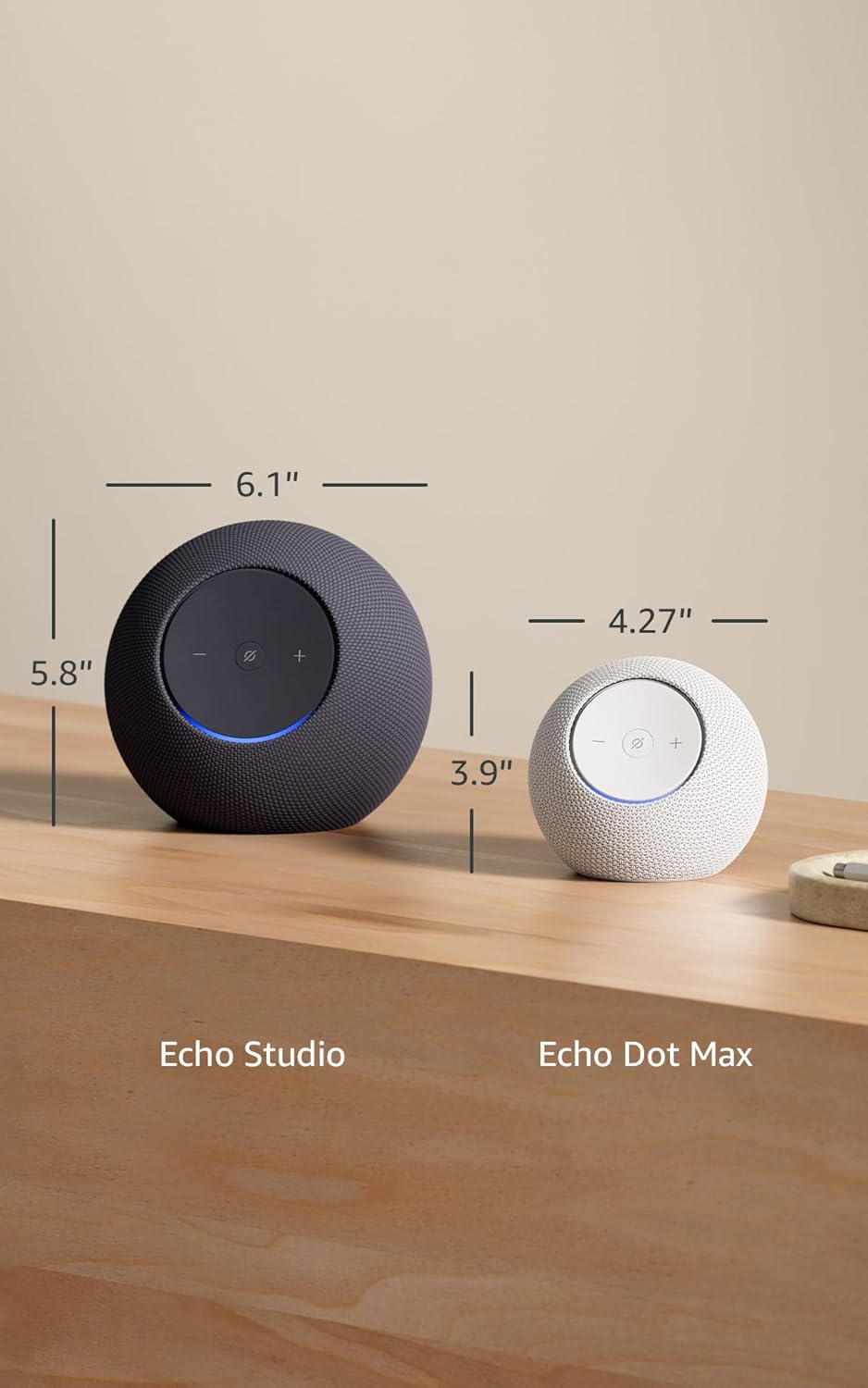
Dimensions of the Echo Dot Max compared to the Echo Studio, illustrating its compact form factor.
Záruka a podpora
Informace o záruce
Your Echo Dot Max includes a 1-year limited warranty and service. Optional 2-year and 3-year extended warranties are available for U.S. customers and sold separately. Use of Echo Dot Max is subject to the terms found on Amazon's official webmísto.
Zákaznická podpora
For further assistance, please refer to the help section within the Alexa app or visit the Amazon support website for your region. You can also find more information about Alexa Privacy and Software Security Updates on Amazon's official pages.