
1. Úvod
This manual provides essential information for the safe and efficient use of your Infinix Smart 10 smartphone. Please read this guide thoroughly before operating your device to ensure optimal performance and longevity. Keep this manual for future reference.
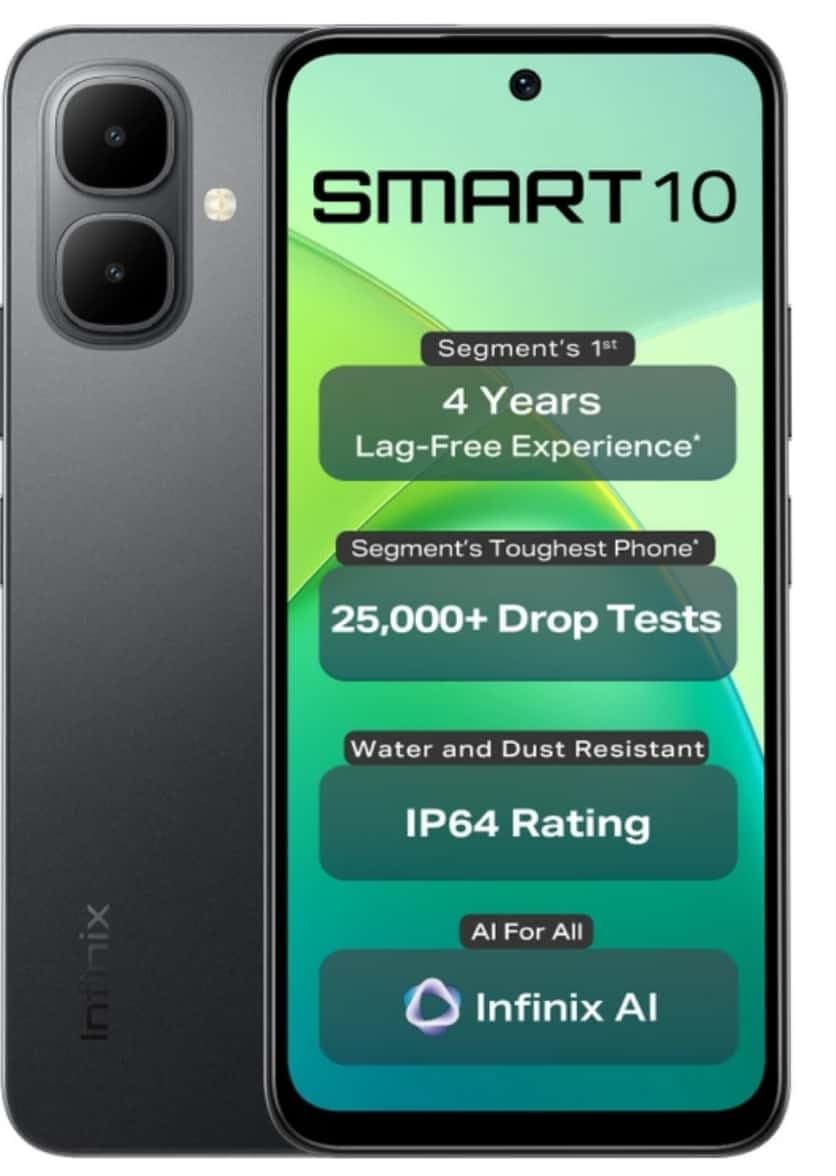
Image: Infinix Smart 10 smartphone, showcasing its design and highlighted features such as durability and performance.
2. Zařízení skončiloview
Familiarize yourself with the physical components of your Infinix Smart 10.
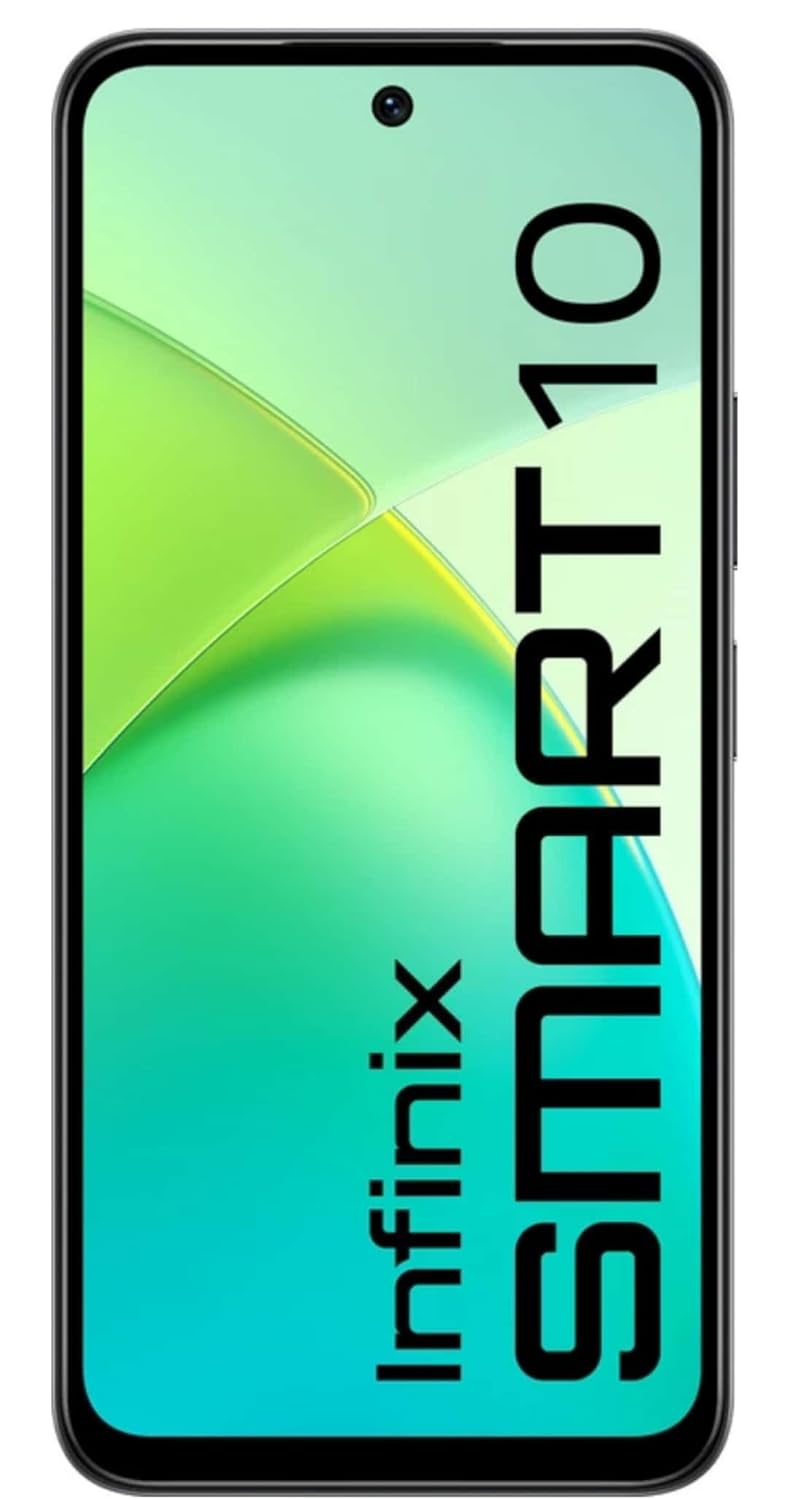
Obrázek: Přední strana view of the Infinix Smart 10, displaying its screen.

Obrázek: Zadní view of the Infinix Smart 10, showing the camera setup and branding.
3. Nastavení
3.1 Vybalení a obsah balení
Po otevření balení se ujistěte, že jsou přítomny všechny položky:
- Chytrý telefon Infinix Smart 10
- Sluchátka
- Nabíjecí kabel (USB)
- Napájecí adaptér
- Nástroj pro vysunutí SIM karty
- Rychlý průvodce
- Záruční list
3.2 Vložení SIM a MicroSD karet
- Vyhledejte držák SIM karty na boku zařízení.
- Vložte nástroj pro vysunutí SIM karty do malého otvoru vedle zásobníku a jemně zatlačte, dokud zásobník nevyskočí.
- Vložte kartu (karty) Nano-SIM a/nebo kartu microSD do určených slotů v držáku a dbejte na správnou orientaci.
- Opatrně zatlačte zásobník zpět do zařízení, dokud nebude v jedné rovině s bokem.
3.3 Počáteční zapnutí a nastavení
- Stiskněte a podržte tlačítko napájení, dokud se nezobrazí logo Infinix.
- Follow the on-screen instructions to select your language, connect to Wi-Fi, set up your Google account, and configure security settings.
3.4 Nabíjení zařízení
Before first use, fully charge your Infinix Smart 10. Connect the USB cable to the charging port on your phone and the power adapter, then plug the adapter into a power outlet. The battery indicator will show charging status.

Image: The Infinix Smart 10 connected to a charger, illustrating its 5000mAh battery.
4. Obsluha vašeho zařízení
4.1 Základní navigace
Your Infinix Smart 10 uses a touchscreen interface. Common gestures include:
- Klepněte na: Vyberte položku nebo otevřete aplikaci.
- Výpad: Procházení obrazovek nebo seznamů.
- Štípání: Přiblížení nebo oddálení obrázků a web stránky.
- Dlouhé stisknutí: Přístup k kontextovým nabídkám nebo přesun ikon.
4.2 Funkce displeje
The device features a 16.94 cm (6.67 inch) HD+ Display with a 120Hz refresh rate, designed for smooth visuals even in bright conditions.

Image: The Infinix Smart 10 display showcasing vibrant visuals and the 120Hz refresh rate.
4.3 Obsluha kamery
The Infinix Smart 10 is equipped with an 8MP front camera and an 8MP dual rear camera, capable of 2K video recording. It includes a Dual LED Flash, Dual Video Mode for simultaneous front and rear recording, and a Pro Mode for advanced photography.

Image: A user demonstrating the camera features of the Infinix Smart 10, highlighting its various modes and specifications.
4.4 Správa baterie
Your device is powered by a 5000 mAh battery, offering extended usage times. To optimize battery life:
- Upravte jas obrazovky.
- Zavřete nepoužívané aplikace.
- Vypněte Wi-Fi, Bluetooth a GPS, když je nepoužíváte.
- Utilize power-saving modes.
4.5 Výkon procesoru
The Infinix Smart 10 is powered by the UniSoc T7250 Processor, designed for efficient performance and a smooth user experience, certified for 48-month TÜV Fluency.

Image: A visual representation of the UniSoc T7250 processor, highlighting its performance capabilities.
4.6 Konektivita
The device supports Wi-Fi for internet access and Bluetooth for connecting to wireless accessories. Access these settings via the Quick Settings panel or the main Settings menu.
5. Údržba
5.1 Obecná péče
Údržba zařízení:
- Obrazovku a tělo čistěte měkkým hadříkem, který nepouští vlákna.
- Nevystavujte telefon extrémním teplotám nebo přímému slunečnímu záření po delší dobu.
- K čištění nepoužívejte agresivní chemikálie nebo abrazivní materiály.
5.2 Vlastnosti trvanlivosti
The Infinix Smart 10 is designed with durability in mind, featuring an IP64 rating for water and dust resistance, and has undergone over 25,000 drop tests, including 1.5-meter 6-sided drop tests.

Image: The Infinix Smart 10 demonstrating its robust build and resistance to drops.
5.3 Aktualizace softwaru
Pravidelně kontrolujte a instalujte aktualizace softwaru, abyste zajistili, že vaše zařízení má nejnovější funkce, bezpečnostní záplaty a vylepšení výkonu. Přejděte na Nastavení > Systém > Aktualizace systému pro kontrolu aktualizací.
6. Řešení problémů
Pokud se se zařízením setkáte s problémy, zkuste následující kroky:
- Zařízení se nezapíná: Ujistěte se, že je baterie nabitá. Připojte k nabíječce a před opětovným zapnutím počkejte několik minut.
- Aplikace padá nebo zamrzá: Close and restart the app. If the issue persists, clear the app's cache (Settings > Apps > [App Name] > Storage > Clear cache).
- Špatné síťové připojení: Check if Airplane Mode is off. Restart the device. Verify your SIM card is properly inserted.
- Device slow performance: Close background apps. Clear cache and temporary files. Obnovení továrního nastavení zvažte jako poslední možnost (nejprve si zálohujte data).
6.1 Obnovení továrního nastavení
Obnovení továrního nastavení vymaže všechna data z telefonu a obnoví jeho původní tovární nastavení. Před pokračováním si zálohujte všechna důležitá data. Chcete-li provést obnovení továrního nastavení, přejděte na Nastavení > Systém > Možnosti resetování > Vymazat všechna data (obnovení továrního nastavení).
7. Specifikace
| Funkce | Specifikace |
|---|---|
| Číslo modelu | X6725 |
| Operační systém | Android 15 |
| BERAN | 4 GB |
| Interní úložiště | 64 GB ROM |
| Zobrazit | 16.94 cm (6.67 inch) HD+ Display, 120Hz |
| Zadní kamera | 8MP Dual Camera, 2K Video Recording, Dual LED Flash |
| Přední kamera | 8MP, 2K Video Recording |
| Baterie | 5000 XNUMX mAh |
| Procesor | UniSoc T7250 |
| Konektivita | Wi-Fi |
| Rozměry (DxŠxV) | 8 x 77 x 166 milimetrů |
| Hmotnost položky | 187 g |
| Barva | Pulse Green (Note: Color may vary by region/variant) |
| Speciální funkce | IP64 Water and Dust Resistant, 25,000+ Drop Tests |
8. Záruka a podpora
8.1 Informace o záruce
Your Infinix Smart 10 comes with a standard manufacturer's warranty. Please refer to the warranty card included in your package for specific terms, conditions, and duration. Keep your proof of purchase for warranty claims.
8.2 Zákaznická podpora
For technical assistance, service, or further inquiries, please contact Infinix customer support through their official webwebu nebo kontaktních informací uvedených v záruční dokumentaci.