
Zavedení
This manual provides detailed instructions for setting up, operating, maintaining, and troubleshooting your DBIT N300 2.4GHz WiFi Router (Model T1 Pro). Please read this guide carefully to ensure proper use and optimal performance of your device.

The DBIT N300 T1 Pro WiFi Router, designed for reliable 2.4GHz wireless connectivity.
Pokyny pro nastavení
Follow these steps for the initial setup of your DBIT N300 WiFi Router:
- Připojte hardware: Connect the router to the power adapter and plug it into an electrical outlet. Connect the WAN port of the DBIT N300 router to your existing modem or superior router using the provided Ethernet cable.
- Připojení k Wi-Fi routeru: On your computer or mobile device, connect to the default Wi-Fi network name (SSID) of the DBIT N300 router. The default SSID and password are usually found on a label on the bottom of the router.
- Přístup k Web Rozhraní: Otevřete a web prohlížeči a zadejte výchozí přihlašovací údaje URL, typically "192.168.10.1", into the address bar. Log in using the default username and password (also found on the router label).
- Konfigurace nastavení Wi-Fi: Follow the on-screen guide to configure your Wi-Fi network name (SSID) and password. It is recommended to change the default settings for security.
- Reconnect and Enjoy: After saving your settings, your devices will disconnect from the old Wi-Fi network. Reconnect your devices to the newly configured Wi-Fi network.

Visual guide for the easy and straightforward setup process.

Diagram illustrating the connection flow from internet to modem, router, and terminal devices.
Fyzická připojení
The DBIT N300 router features several ports for wired connections:
- Port WAN: Connects to your internet source (modem).
- LAN porty (LAN1, LAN2, LAN3): Připojte se k drátovým zařízením, jako jsou počítače, chytré televizory nebo herní konzole.
- DC IN: Port napájení.
- Tlačítko WPS/Reset: Used for WPS connection or factory reset.
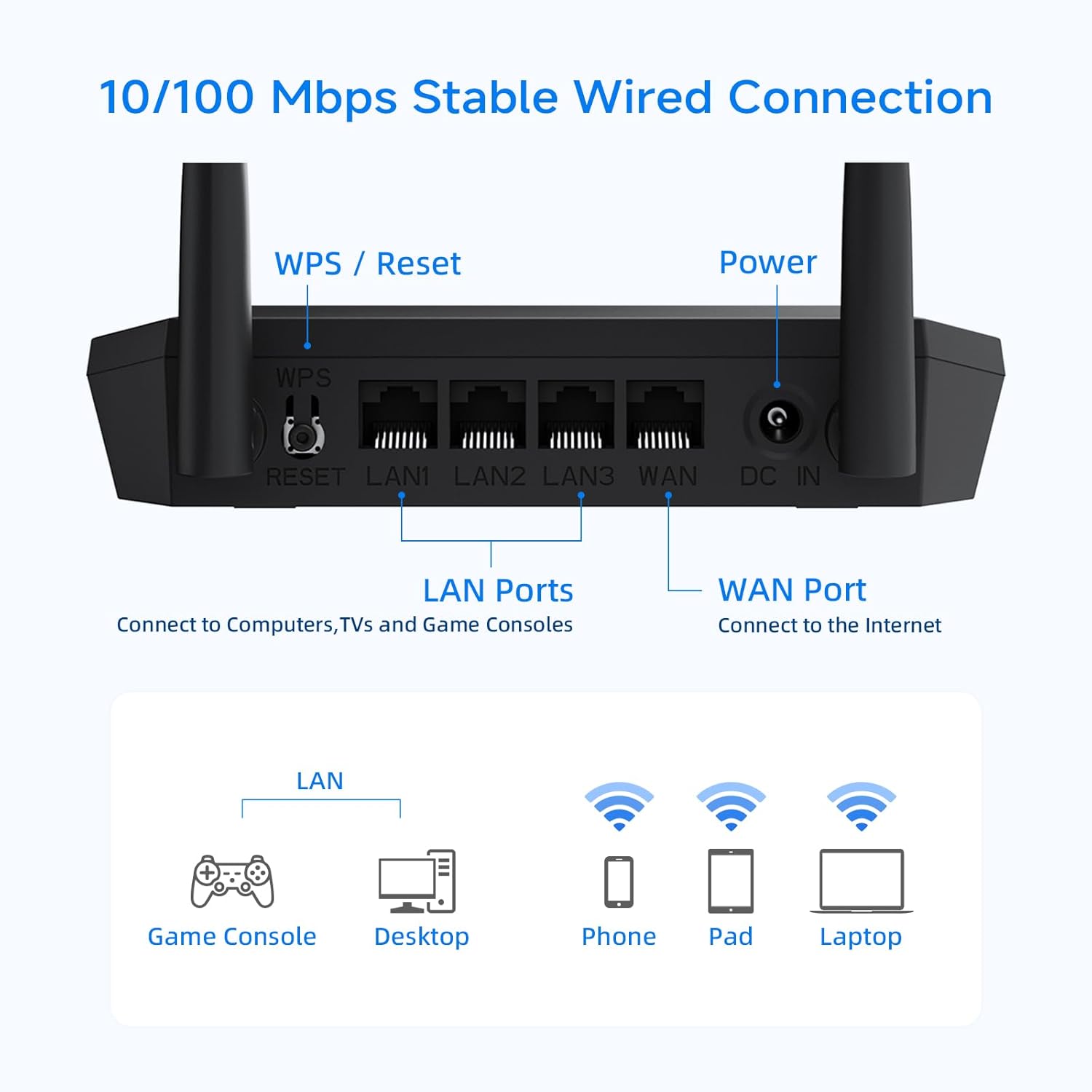
Detailní view of the router's rear panel, showing the WPS/Reset button, LAN ports, WAN port, and power input.
Provozní režimy a funkce
Režim bezdrátového routeru
In this standard mode, the router connects to your modem and broadcasts a Wi-Fi signal, allowing multiple devices to access the internet wirelessly.
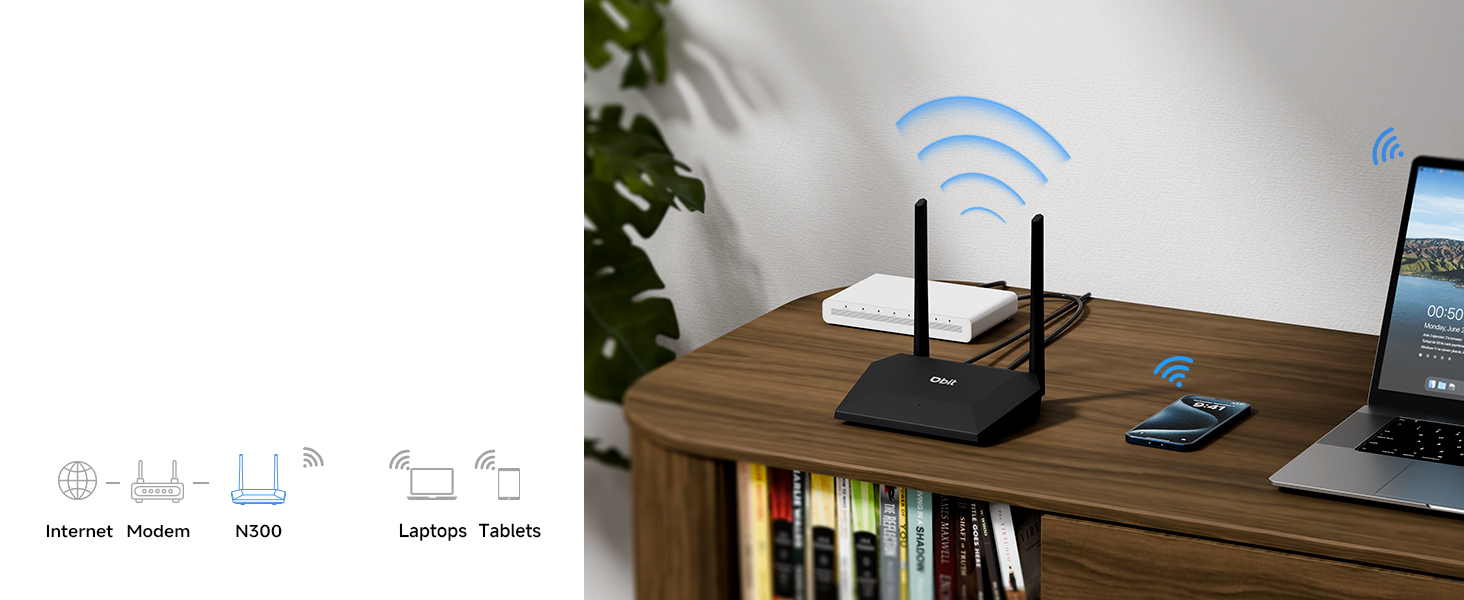
Illustration of the router operating in standard wireless router mode.
WISP/Wireless Repeater Mode
The DBIT N300 can function as a wireless repeater (WISP mode) to extend your existing Wi-Fi coverage. In this mode, the router wirelessly connects to an existing network and rebroadcasts the signal, effectively eliminating dead zones in larger areas.
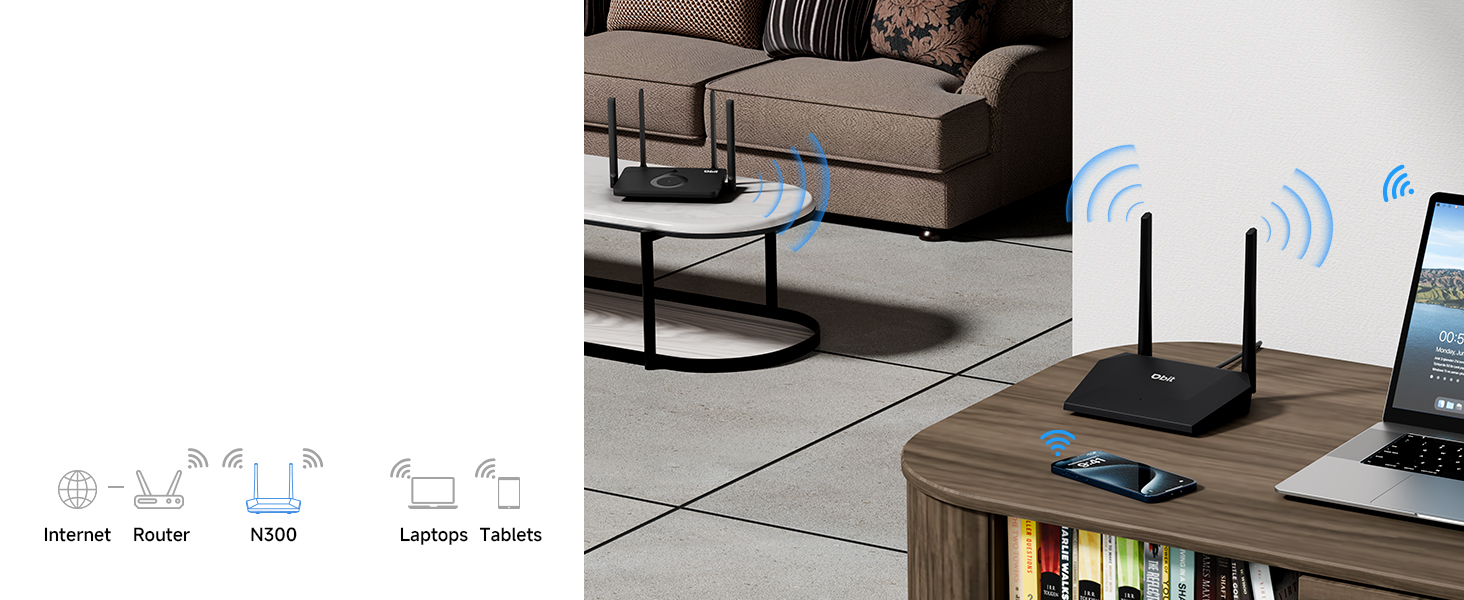
Diagram showing the router extending Wi-Fi coverage as a wireless repeater.
Síť pro hosty
Create a separate Wi-Fi network for guests. This feature provides internet access to visitors while isolating them from your main network, enhancing your network's security and privacy.
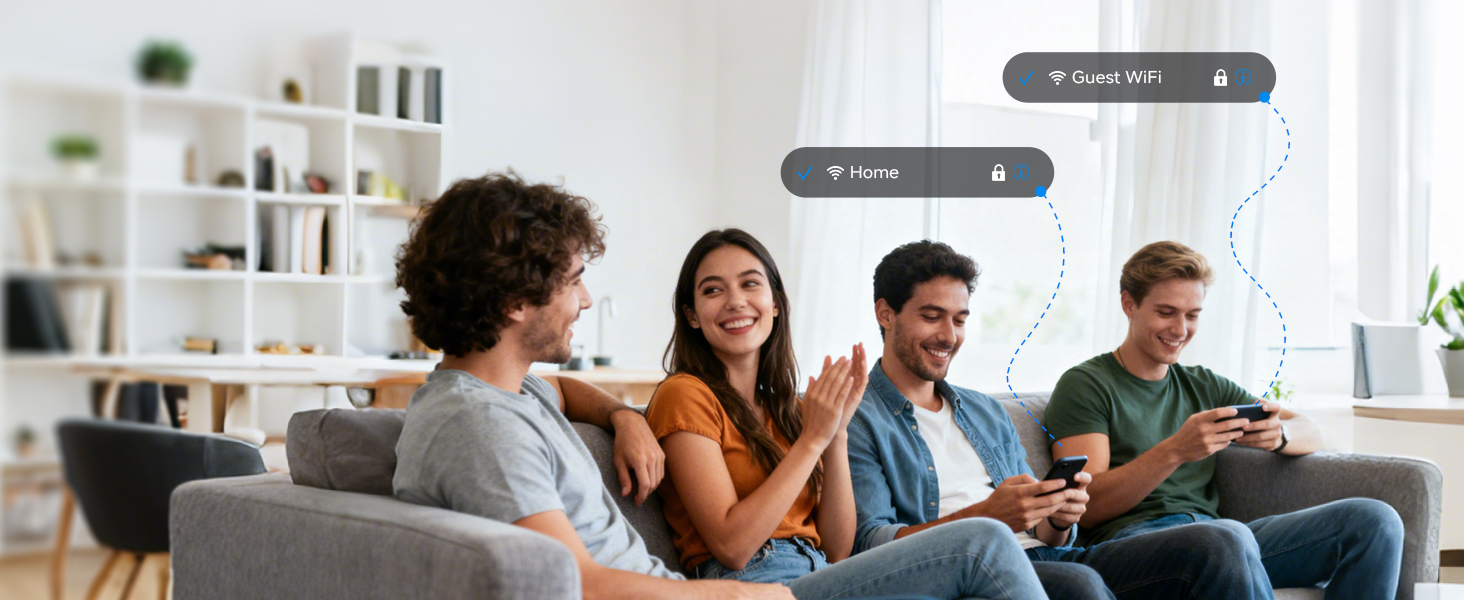
Illustration of the secure and separate Guest WiFi network feature.
Rodičovská kontrola
Manage internet access for specific devices using Parental Controls. Features include:
- WLAN Schedule: Set specific times for Wi-Fi to be active or inactive, useful for managing screen time.
- Internet Access Control: Block specific devices from accessing the internet entirely.

Image representing the parental control features for managing internet usage.
Quality of Service (QoS) Speed Limit
Prioritize bandwidth for critical activities such as video calls or gaming. This prevents one device from consuming all available bandwidth, ensuring a smoother online experience for all connected devices.

Graphic illustrating the QoS speed control feature for bandwidth management.
IPTV/VLAN Support
The router supports IPTV (IGMP Proxy) and VLAN, ensuring optimal performance for IPTV services. This delivers high-quality video streaming without lag or buffering.

Image showing the router connected to a television, indicating IPTV support.
Zabezpečení WPA2
The DBIT N300 router utilizes the advanced WPA2-PSK security protocol to encrypt your wireless connection. This protects your network from unauthorized access and safeguards your personal data.
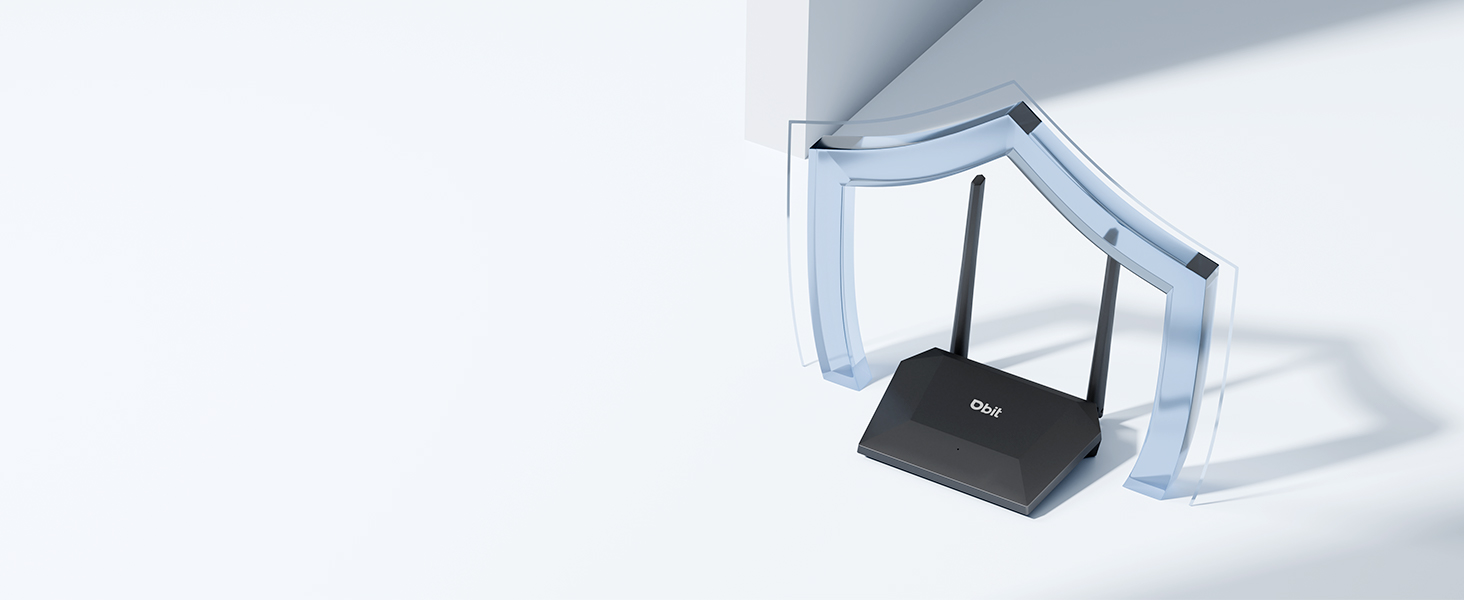
Image of the router with a shield icon, symbolizing robust WPA2 security.
Připojení WPS
WPS (Wi-Fi Protected Setup) allows for easy connection of WPS-enabled devices to your wireless network by simply pressing the WPS button on the router.

A finger pressing the WPS button on the router for easy device connection.
Údržba
To ensure the longevity and optimal performance of your DBIT N300 WiFi Router, consider the following maintenance tips:
- Umístění: Umístěte router do centrálního umístění, mimo dosah překážek a dalších elektronických zařízení, která by mohla způsobovat rušení.
- Čištění: Pravidelně čistěte vnější povrch routeru měkkým, suchým hadříkem. Nepoužívejte tekuté čisticí prostředky ani aerosoly.
- Aktualizace firmwaru: Zkontrolujte výrobce website regularly for firmware updates. Keeping your router's firmware updated can improve performance, add new features, and enhance security.
- Cyklus napájení: If you experience connectivity issues, try power cycling the router (unplugging it for 10-15 seconds and then plugging it back in).
Odstraňování problémů
Zde jsou řešení běžných problémů, se kterými se můžete setkat:
- Žádné internetové připojení:
- Zkontrolujte, zda váš modem funguje správně.
- Ujistěte se, že všechny kabely jsou bezpečně připojeny k routeru a modemu.
- Vypněte a zapněte modem i router.
- Slabý signál Wi-Fi nebo mrtvé zóny:
- Přemístěte router do centrálnější polohy.
- Minimalizujte fyzické překážky (zdi, velký nábytek) mezi routerem a vašimi zařízeními.
- Consider using the router in WISP/Repeater mode to extend coverage.
- Difficulty Changing SSID or Password:
- Ensure you are accessing the correct web rozhraní URL (e.g., 192.168.10.1) and using the correct login credentials.
- Refer to the detailed instructions in the router's web interface or the manufacturer's online resources for specific steps.
- Router Resets to Factory Settings After Power Loss:
- This behavior is not typical. Ensure the router is connected to a stable power source.
- If the issue persists, contact DBIT customer support for assistance, as this may indicate a hardware fault.
- WPS Connection Issues:
- Ensure your device supports WPS and that the WPS function is enabled on both the router and the device.
- Try connecting manually by entering the Wi-Fi password.
Specifikace
| Funkce | Detail |
|---|---|
| Značka | DBIT |
| Název modelu | T1 Pro N300 WiFi Router |
| Číslo modelu položky | T1 Pro |
| Rozměry produktu | 5.91 x 5.04 x 5.91 palce |
| Hmotnost položky | 4.6 unce |
| Barva | Černý |
| Třída frekvenčního pásma | Jednopásmový (2.4 GHz) |
| Standard bezdrátové komunikace | 802.11b, 802.11g, 802.11n |
| Technologie připojení | Ethernet, Wi-Fi |
| Speciální funkce | Guest Mode, IPTV, WPS, Wireless Repeater Mode, WPA2-PSK Security |
| Kompatibilní zařízení | Gaming Console, Personal Computer, Tablet, Smart Television, Smartphone, Printer, Security Camera |
| Zahrnuté komponenty | T1 Pro N300 WiFi Router, Power Adapter, Ethernet Cable, Quick Installation Guide |
Informace o záruce
DBIT products typically come with a limited manufacturer's warranty. For specific details regarding the warranty period and terms for your T1 Pro N300 WiFi Router, please refer to the warranty card included in the product packaging or visit the official DBIT webUschovejte si účtenku jako doklad o koupi pro případ reklamace.
Zákaznická podpora
If you encounter any issues or have questions that are not addressed in this manual, please contact DBIT customer support. You can typically find support contact information on the official DBIT webwebu nebo prostřednictvím prodejce, u kterého jste produkt zakoupili.
For online resources and frequently asked questions, visit the DBIT Store on Amazon nebo úředník výrobce webmísto.